
If your Orbi router is blinking white, you’re not alone. Many users notice this blinking light and wonder what it means or if something is wrong. A blinking white LED on your Orbi can signal different things, from a simple startup phase to a more complex system problem.
Understanding what triggers this light, how to fix it, and when to worry can help you get your network running smoothly again—without endless frustration.
What Does The Orbi Blinking White Light Mean?
The blinking white light on an Orbi router usually means the device is either starting up, updating its firmware, or experiencing a system error. Not all blinks are the same, and the pattern can give you clues.
- Short, steady blinking: The Orbi is powering up or rebooting.
- Long, slow blinks: Firmware update in progress.
- Continuous, fast blinking: Possible error or system hang.
Most often, the white light is normal and will stop after a few minutes. But if it stays on for more than 10 minutes, it’s time to investigate.
Common Causes Of The Orbi Blinking White Light
Several factors can make your Orbi router’s light blink white. Here are the most common causes:
- Power Cycling: Every time you restart your Orbi, the white light blinks as it boots up.
- Firmware Update: The Orbi may be installing a new update. Interrupting this process can cause issues.
- Internet Connection Issue: If Orbi can’t connect to your modem or ISP, it may stay stuck blinking.
- Hardware Error: A faulty power supply, loose cable, or bad internal component can trigger the white light.
- Configuration Reset: After a factory reset, the router will blink white as it sets up.
- Overheating or Electrical Problems: Power surges or heat can also cause firmware glitches.
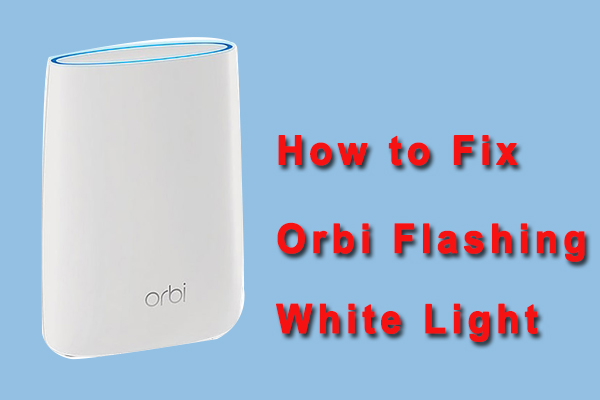
Credit: www.partitionwizard.com
How To Diagnose The Problem
Diagnosing the white blinking light isn’t just about watching the light—it’s about a systematic check.
Step 1: Observe The Light Pattern
- Is it fast or slow?
- Does it stop after a few minutes?
- Any other color (amber, blue) after the white phase?
Step 2: Check All Connections
- Make sure power and Ethernet cables are securely connected.
- Confirm your modem is working and online.
Step 3: Note Recent Changes
- Did you update firmware?
- Did you move the router or change its settings?
- Has there been a power outage or surge?
Quick Fixes For A Blinking White Orbi Router
Try these practical steps before you dive into advanced troubleshooting:
- Wait 5–10 Minutes: Many times, the blinking white light is temporary.
- Restart Your Orbi: Unplug it from power for 30 seconds, then plug back in.
- Check Internet Modem: Restart your modem and make sure it’s online.
- Inspect Cables: Replace any damaged power or network cables.
- Move Orbi to a Cooler Spot: Overheating can sometimes cause system errors.
If these steps don’t work, it’s time to go deeper.
Credit: orbiillogin.com
Advanced Troubleshooting Steps
If your Orbi continues to blink white, advanced steps can help pinpoint and solve the problem.
Firmware Update Or Rollback
A failed firmware update is a common culprit.
- Access the Orbi Web Interface: Using a connected computer, go to orbilogin.com.
- Check for Updates: If a new update is available, let it complete.
- Manual Update: Download the latest firmware from the Netgear website. Upload it manually via the admin panel.
- Rollback: If a recent update caused the problem, roll back to a previous firmware version.
Factory Reset
A factory reset can clear up stubborn errors, but it will erase all settings.
- Find the Reset button on your router (usually on the back).
- Press and hold with a paperclip for about 10 seconds until the white light blinks faster.
- Let the Orbi reboot and follow the setup steps.
Check For Hardware Issues
If the above steps fail, hardware could be the issue.
- Try a different power adapter if you have one.
- Test the router on a different electrical outlet.
- If possible, connect your Orbi to another modem.
Contact Support
If nothing works, reach out to Netgear Support. Persistent white blinking can mean internal damage. It’s better to get professional help than risk making it worse.
Comparing Orbi Router Light Patterns
Understanding your Orbi’s lights helps you know what’s normal and what’s not. Here’s a comparison of the main light signals:
| Light Color | Blinking Pattern | Meaning |
|---|---|---|
| White | Blinking (slow/fast) | Powering up, updating, or system error |
| Blue | Solid (after white) | Good connection to satellite |
| Amber | Blinking | Weak connection or setup issue |
| Off | No light | System is idle or powered off |
Orbi Router Vs Other Routers: Startup Behaviors
How does Orbi compare with other popular routers when starting up? Here’s a quick look:
| Router Brand | Startup Light Color | Blinking Duration | Common Issues |
|---|---|---|---|
| Orbi | White | 1–5 minutes | Firmware errors, configuration |
| Google Nest | Pulsing White | 1–3 minutes | Update failures |
| Linksys Velop | Blue/Purple | 2–4 minutes | Setup errors |
| TP-Link Deco | Yellow | 1–2 minutes | Internet drop |
When To Worry About The Blinking White Light
It’s normal for the Orbi to blink white during startup or updates. But if the light stays white for more than 10–15 minutes, or if you see other symptoms (no WiFi, unable to login, etc. ), it can signal a bigger problem.
Warning Signs:
- No WiFi signal after 10 minutes of blinking
- No internet access even after restart
- Web interface not accessible (orbilogin.com doesn’t load)
- Light never changes color (never turns blue or amber)
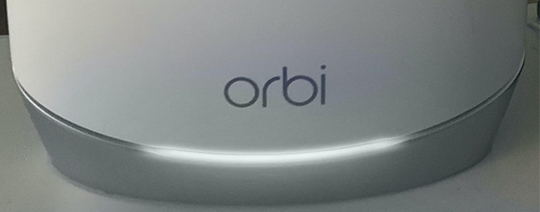
Credit: orbiillogin.com
Preventing Future Orbi White Light Issues
You can’t stop every problem, but you can reduce the chances of seeing the blinking white light again by following these tips:
- Keep Firmware Updated: Always use the official Orbi app or web interface to update firmware. Don’t turn off the router during updates.
- Use a Surge Protector: Protect your Orbi from power surges that can corrupt firmware.
- Avoid Overheating: Place your Orbi in a cool, open space. Dust can block vents and cause heat buildup.
- Secure Cables: Loose or frayed cables are a common cause of startup problems.
- Backup Configuration: Save your settings before making major changes. This makes recovery easier after a reset.
Two Insights Most Users Miss
Many Orbi users overlook two critical details when dealing with the blinking white light:
- Firmware Mismatch: Sometimes, only the router or only the satellite updates, causing version mismatches. Always check that both devices are on the same firmware version.
- Hidden Power Supply Issues: A faulty power adapter can provide just enough power for the light to blink, but not enough for a full startup. Swapping adapters can solve problems that seem much more complex.
Example: Real-world Scenario
Imagine you reboot your Orbi after a power outage. The white light blinks, but your WiFi never comes back. You restart everything—nothing changes. Only after swapping the power adapter do you notice the Orbi boots properly and the light turns blue.
This is a classic example of a hidden hardware issue, not a network problem.
Orbi Router Blinking White: What Not To Do
- Don’t interrupt firmware updates. Unplugging your router during an update can brick the device.
- Don’t use random power adapters. Only use the official Netgear adapter or a trusted replacement.
- Don’t ignore repeated blinking. If it happens often, investigate—don’t just keep restarting.
When To Call A Professional
If you’ve tried all troubleshooting steps and your Orbi is still stuck blinking white, it may be time for expert help. Contact Netgear support or a certified technician if:
- The router is under warranty.
- You suspect hardware failure (burning smell, odd noises).
- You’re uncomfortable with advanced troubleshooting.
Useful External Resource
For official troubleshooting steps and firmware downloads, visit the Netgear Orbi Support page.
Frequently Asked Questions
Why Does My Orbi Router Blink White After A Power Outage?
A power outage can cause your Orbi to reboot and check its settings. The blinking white light shows it’s starting up. If the light stays for more than 10 minutes, check your cables, power supply, and modem.
Can A Firmware Update Cause The White Light To Blink Longer Than Usual?
Yes, firmware updates often take several minutes. Interrupting the process can cause problems. Always let the update finish before unplugging or restarting your router.
What If My Orbi’s Web Interface Won’t Load During The White Blinking Phase?
If orbilogin. com won’t load, your router may not be fully booted or there could be a network issue. Wait a few more minutes, check your connections, and try accessing from a wired (Ethernet) device.
Is It Safe To Reset My Orbi When It’s Blinking White?
It’s safe if the blinking is caused by a startup loop or error. But if you know a firmware update is running, wait until it finishes, or you risk bricking the router.
How Do I Know If The Problem Is My Orbi Or My Modem?
Connect a device directly to your modem with an Ethernet cable. If you get internet, the problem is with your Orbi. If not, the modem or your ISP may be at fault.
Conclusion
A blinking white Orbi router light can be annoying, but with careful steps, most issues can be fixed at home. Remember to stay patient, avoid risky actions during updates, and don’t hesitate to get help if needed. Proper care can help your Orbi work well for years to come.