
When your Quiet Cool remote starts blinking, it can be confusing and a bit frustrating. Many homeowners rely on Quiet Cool whole house fans to keep their homes cool and energy bills low, so a blinking remote can feel like a real problem—especially on a hot day. This article will help you understand why your remote is blinking, what it means, and how you can fix it. We’ll dive into the most common causes, solutions, and tips to prevent remote issues in the future. Whether you’re a new user or have had your system for years, you’ll find practical advice here to keep your Quiet Cool fan running smoothly.
Understanding Quiet Cool Remote Blinking
The Quiet Cool remote is a wireless device used to control your whole house fan. Normally, the remote shows a steady LED light when you press a button. If the remote’s light starts blinking, it signals a problem. The blinking pattern can sometimes tell you what’s wrong. For example, a steady blink might mean the remote is not paired, while a rapid blink could show a battery problem.
Many users make the mistake of ignoring a blinking remote, hoping it will go away. In reality, this is your system’s way of asking for attention. Addressing the blinking early can save you from bigger issues, like your fan refusing to turn on when you need it most.
Common Causes Of Quiet Cool Remote Blinking
It’s helpful to know the most frequent reasons behind a blinking remote. Let’s look at each cause in detail.
1. Low Or Dead Batteries
This is the number one reason for blinking. The remote needs enough power to send signals to your fan. If batteries are weak, the LED will often blink when you press a button.
2. Lost Pairing With Fan Controller
Quiet Cool remotes use wireless signals to talk to the fan. If the connection is lost, the remote blinks to warn you it can’t find the fan.
3. Signal Interference
Wireless signals can be disturbed by thick walls, metal objects, or even other electronics nearby. When interference happens, the remote may blink because it can’t send commands properly.
4. Faulty Remote Or Receiver
Sometimes, the hardware itself is the problem. A damaged remote or a bad receiver in the fan can both cause blinking.
5. Incorrect Installation Or Reset
If the system was recently installed or reset, the remote might blink until it’s paired again or the settings are corrected.
Troubleshooting Steps
If your Quiet Cool remote is blinking, here’s how to solve the problem step by step. Start with the simplest solution and work your way up.
Step 1: Check And Replace Batteries
- Remove the battery cover.
- Use fresh, high-quality AAA or AA batteries (depending on model).
- Make sure batteries are installed the right way.
- Press a button and see if the blinking stops.
Non-obvious tip: Even brand-new batteries from the store can sometimes be weak. Try a second set if the first change doesn’t work.
Step 2: Re-pair The Remote And Fan
- Turn off your Quiet Cool fan at the circuit breaker for 30 seconds.
- Turn power back on.
- Hold the “Learn” button on the remote for 5-10 seconds (check your manual for exact time).
- Wait for the LED to blink once, then press a command button.
- The fan should respond if pairing is successful.
Step 3: Reduce Signal Interference
- Move other wireless devices (like Wi-Fi routers) away from the fan controller.
- Remove any metal items near the receiver.
- Try using the remote closer to the fan.
Step 4: Inspect For Damage
- Look for cracks, water damage, or loose buttons on the remote.
- Check the fan’s receiver box for any obvious problems, like loose wires.
- If you spot damage, you may need a replacement part.
Step 5: Reset The System
- Some Quiet Cool models have a reset button on the remote or receiver.
- Hold the reset button for 10 seconds.
- Re-pair the remote as described above.
Step 6: Contact Support
If you’ve tried all steps and the remote still blinks, reach out to Quiet Cool’s customer support. They can guide you through advanced troubleshooting or arrange a replacement.
Non-obvious insight: Quiet Cool remotes are often under warranty for a few years. Even if you’re past the main warranty, some parts may still qualify for free or low-cost replacements. Always ask about your warranty status.
How To Read Blinking Patterns
Quiet Cool remotes may use different blinking patterns to show different problems. Here’s a quick guide:
| Blink Pattern | Possible Meaning | Action |
|---|---|---|
| 1 slow blink | Low battery | Replace batteries |
| Rapid blinking | Lost pairing | Re-pair remote |
| Continuous blinking | Signal interference | Move closer, remove obstacles |
| No light | Dead remote or battery | Check/replace batteries or remote |
Not all models have the same patterns. Always check your user manual for your specific model.
When To Replace Your Quiet Cool Remote
Sometimes, the remote itself is the problem. Here are signs you may need a new one:
- The remote blinks even with fresh batteries and after re-pairing.
- Buttons stick or don’t respond.
- The remote works only when held at a certain angle.
- Physical damage is visible.
Replacement remotes are available from Quiet Cool dealers or directly from the company. Before buying, confirm the model number to ensure compatibility.
Comparing Quiet Cool Remote Issues With Other Brands
How does Quiet Cool compare to other fan brands for remote reliability? Here’s a quick look.
| Brand | Common Remote Issues | Typical Solution |
|---|---|---|
| Quiet Cool | Blinking LED, lost pairing | Replace batteries, re-pair |
| Airscape | No signal, unresponsive buttons | Reset controller, replace remote |
| Tamarack | No LED, weak range | Move closer, check batteries |
Quiet Cool remotes are generally reliable, but like most wireless devices, they can have problems if not maintained.
Preventing Remote Blinking Problems
A few simple habits can reduce remote problems:
- Change batteries yearly—even if the remote seems fine.
- Keep the remote dry and away from heat sources.
- Avoid dropping the remote, as this can damage internal parts.
- Store in a safe place when not in use.
- Keep the fan manual handy for troubleshooting steps.
Practical advice: Consider using rechargeable batteries. They cost more up front, but you’ll never be caught off guard by dead batteries.
What To Do If The Fan Won’t Respond
Sometimes, the remote blinks but the Quiet Cool fan does not turn on or off. This could be a sign of a bigger problem. Here’s what to try:
- Check if the fan is getting power (listen for a soft click or hum).
- Test the wall switch (if your system has one) to see if the fan works manually.
- Inspect your home’s circuit breaker to make sure it hasn’t tripped.
- If you’ve ruled out the remote, the issue might be with the fan’s receiver or wiring.
In rare cases, a power surge can damage the receiver. Surge protectors can help avoid this.
Credit: quietcoolsystems.com
When To Call A Professional
If you’ve followed all troubleshooting steps and your fan still won’t respond to the remote, it may be time to call a pro. An electrician or Quiet Cool certified technician can:
- Test the receiver and wiring.
- Replace faulty parts.
- Ensure your system is safe and up to code.
This is especially important if you notice burning smells, sparks, or other warning signs.
Quiet Cool Remote Blinking: Real User Experiences
To give you a real-world sense, here are a few stories from actual Quiet Cool users:
- Mark, California: After his remote started blinking, Mark swapped out the batteries, but the problem continued. Re-pairing the remote fixed the issue in under 2 minutes.
- Susan, Texas: Susan noticed her remote only worked in one room. When she moved her Wi-Fi router, the blinking stopped and full control returned.
- Ali, Arizona: Ali’s blinking remote turned out to be damaged from a fall. He replaced it, and the new remote worked without blinking.
These examples show most issues are easy to fix if you know what to look for.
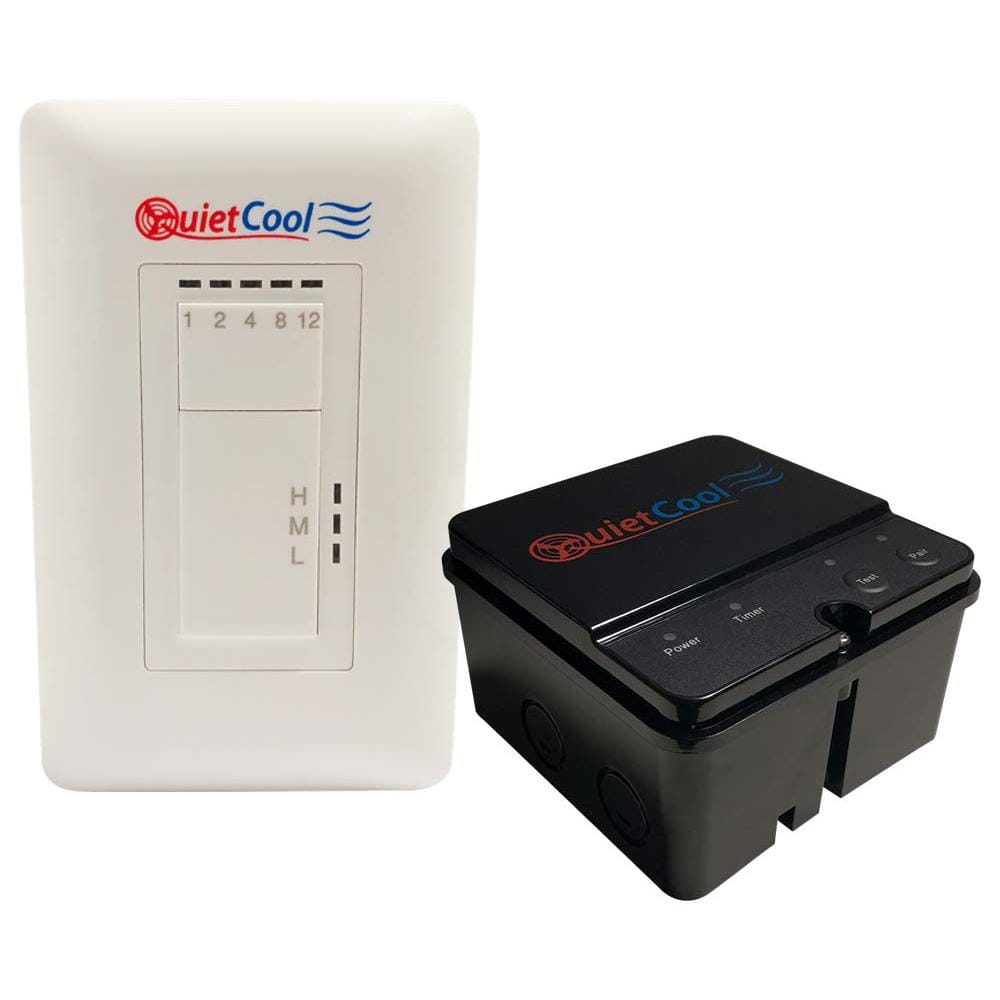
Credit: www.homedepot.com
How To Find The Right Replacement Remote
If you need to buy a new remote, check your Quiet Cool fan’s model number. Remotes are not always universal—using the wrong one can cause more problems. Always buy from a trusted dealer or the official website. Some websites offer counterfeits or used remotes that might not work.
Non-obvious tip: If you lose your remote, some Quiet Cool fans can be controlled with a wall switch or smart home device as a backup. Check your user manual for options.
Comparing Wireless And Wired Controls
Some Quiet Cool systems offer both wireless (remote) and wired (wall switch) controls. Each has pros and cons:
| Control Type | Pros | Cons |
|---|---|---|
| Wireless Remote | Convenient, portable | Can lose pairing, needs batteries |
| Wired Wall Switch | Always available, no batteries | Must be installed, not portable |
If you have frequent remote issues, consider adding a wall switch as a backup.

Credit: www.youtube.com
Learning From Common Mistakes
Many users make simple mistakes that lead to remote blinking:
- Installing batteries backwards.
- Forgetting to press the “Learn” button during pairing.
- Ignoring the remote when it starts blinking, which can lead to a full system lockout.
Paying attention to the first signs of trouble can help you avoid bigger headaches later.
Where To Get More Help
If you need more support, Quiet Cool’s official website has detailed manuals and troubleshooting guides. You can also visit Quiet Cool Support for more help.
Frequently Asked Questions
Why Does My Quiet Cool Remote Keep Blinking?
A blinking remote usually means low batteries, lost pairing, or signal interference. Replace the batteries first, then try re-pairing with your fan. If that doesn’t work, check for obstacles or other devices causing interference.
How Do I Re-pair My Quiet Cool Remote?
To re-pair, turn off the fan at the breaker for 30 seconds, then turn it back on. Hold the remote’s “Learn” button for about 5-10 seconds, then press any command button. The fan should respond if pairing is successful.
Can I Use My Quiet Cool Fan Without The Remote?
Yes, some models have a wall switch or can be connected to a smart home system. Check your manual for alternative control methods if your remote fails.
What Should I Do If Replacing The Remote Doesn’t Fix The Blinking?
If a new remote still blinks, the problem may be with the fan’s receiver or wiring. Try resetting the system. If that doesn’t work, contact a professional for repair.
How Long Do Quiet Cool Remotes Usually Last?
With good care, remotes can last several years. Change batteries regularly and avoid drops or exposure to water to extend the life of your remote.
A blinking Quiet Cool remote is almost always fixable with a little patience and the right steps. By understanding the causes and solutions, you can keep your system working smoothly and your home cool—even on the hottest days.