
If your Geniani heating pad starts blinking, it can feel confusing and frustrating. Many people use heating pads for pain relief or comfort, so a sudden issue can interrupt daily routines. This article will help you understand why your Geniani heating pad blinks, what it means, and how you can fix it safely. You will find practical advice and clear explanations here, written for easy reading and real-life use.
What Does The Blinking Light Mean?
A blinking light on a Geniani heating pad is often a signal from the device. It tries to tell you something is not right. Most heating pads use lights to show their status. If the pad works normally, the light is steady. If it blinks, it means the pad has detected a problem.
Common reasons for blinking include:
- Overheating protection: The pad turns off to avoid getting too hot.
- Connection issues: The pad is not plugged in properly.
- Internal error: A fault inside the pad or controller.
- Timer activation: The pad switched off after its set time.
Many people think a blinking light is just a glitch. But usually, it means the pad is trying to protect you or itself.
Geniani Heating Pad Features
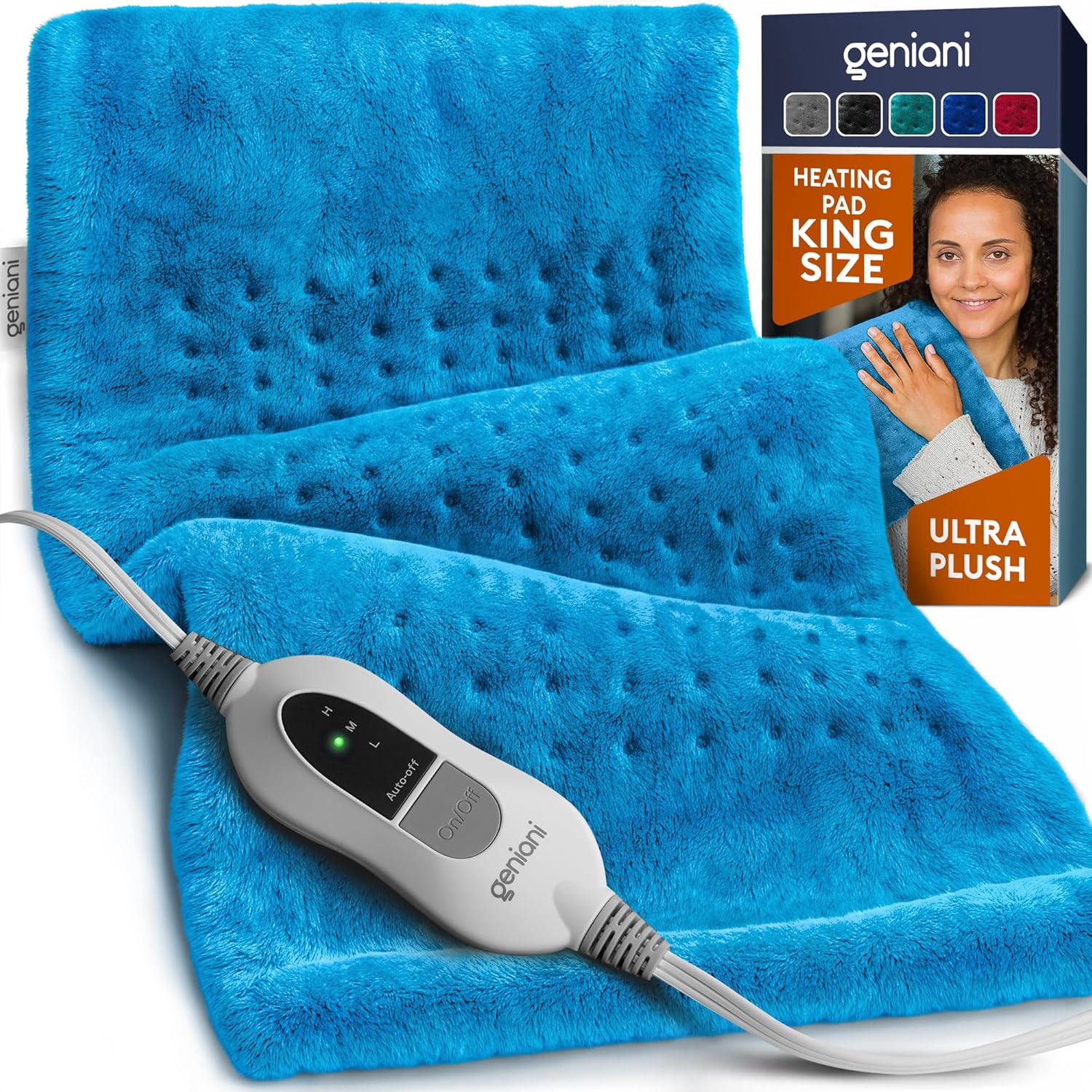
To understand blinking, you should know the pad’s features. Geniani is a popular brand in the US, known for easy-to-use, safe heating pads. Their pads come with:
- Multiple heat settings: Low, medium, and high.
- Automatic shut-off: Usually after 2 hours.
- Soft fabric cover: Often washable.
- LED indicator lights: Show power and settings.
- Safety certifications: Like UL listing.
Geniani pads are designed to be safe for home use. The blinking feature is part of this safety system.
Reasons For Geniani Heating Pad Blinking
Let’s look at the most common causes of blinking, with details and examples.
1. Loose Power Connection
If the plug is not fully in the outlet, the pad can blink. Sometimes, the plug wiggles loose or the outlet is faulty.
Example: You plug the pad in, but the cord is not tight. The light blinks, and the pad does not get warm.
2. Internal Circuit Error
If the pad’s circuits sense a problem, it blinks. This can happen if the pad is damaged, old, or has a manufacturing defect.
Example: After years of use, the pad starts blinking even when plugged in. The wires inside may be worn out.
3. Overheating Protection
Geniani heating pads have sensors to check the temperature. If the pad gets too hot, it blinks and turns off to prevent burns.
Example: You use the pad for a long time on high. It gets hot, and the light starts blinking.
4. Timer Auto Shut-off
Most Geniani pads switch off after 2 hours. If you try to turn it on again, the light may blink to show the timer has finished.
Example: You forget to turn off the pad. After 2 hours, it blinks and stops heating.
5. Controller Malfunction
The controller is the part with the buttons and lights. If this part fails, the pad can blink and not heat.
Example: The controller gets wet or dropped. It stops working, and the light blinks.
6. Incorrect Heat Setting
Some pads blink if you select an invalid setting or switch settings too fast.
Example: You press buttons quickly, and the pad blinks without heating.
7. Fabric Cover Issues
Rarely, the pad blinks if the cover is not attached correctly. This is more common in advanced models.
Example: The pad is folded or the cover is loose. The sensor detects a problem and blinks.
Troubleshooting Steps
If your Geniani heating pad is blinking, follow these steps. They work for most models.
Step 1: Unplug And Replug
Remove the pad from the outlet. Wait 30 seconds. Plug it back in firmly.
- Make sure the outlet works (test with another device).
- Check the cord for damage.
Step 2: Inspect The Controller
Look at the controller for signs of damage.
- Is it wet or cracked?
- Are the buttons stuck?
If yes, the controller may need replacement.
Step 3: Reset The Pad
Some Geniani models have a reset function. Check your manual. Usually, you unplug the pad, wait, and press a button while plugging it in.
Step 4: Check Heat Settings
Set the pad to low, then medium, then high. If it blinks on all settings, the issue is bigger.
Step 5: Examine The Pad
Lay the pad flat. Do not fold or bunch it up. Make sure the fabric cover is smooth.
Step 6: Try A Different Outlet
Sometimes, the outlet is weak or faulty. Try plugging the pad into another outlet.
Step 7: Contact Geniani Support
If none of the above steps work, contact Geniani customer service. They can guide you or offer a replacement if under warranty.
Geniani Heating Pad Vs. Other Brands
How does Geniani compare with other brands when it comes to blinking issues? Here’s a quick look.
| Brand | Blinking Causes | Reset Options | Warranty |
|---|---|---|---|
| Geniani | Connection, overheating, timer, controller | Manual reset, some auto reset | 1-3 years |
| Sunbeam | Connection, overheating | Manual reset | 1 year |
| Pure Enrichment | Controller, timer | Manual reset | 2 years |
| ThermaCare | Overheating only | No reset | None |
Geniani offers more reset options and a longer warranty, which helps if your pad blinks often.
Common Mistakes When Using Heating Pads
Many people make small mistakes that cause blinking or damage. Here are some you should avoid:
- Using a folded pad: Always keep the pad flat.
- Plugging into old outlets: Weak outlets can cause blinking.
- Ignoring blinking lights: Never use the pad if it blinks.
- Getting the controller wet: Water can damage electronics.
- Leaving the pad on for too long: Use the auto shut-off feature.
- Pressing buttons too quickly: Wait before changing settings.
- Not checking the cord: Damaged cords are dangerous.
If you avoid these mistakes, your heating pad will last longer and work better.

Credit: www.youtube.com
Safety Tips For Geniani Heating Pads
Heating pads are safe if used correctly. Here are important safety tips:
- Do not sleep with the pad on: It can overheat or cause burns.
- Keep away from water: Never use the pad in wet places.
- Check for recalls: Sometimes, brands recall pads for safety.
- Do not use on infants or pets: Pads are for adults.
- Read the manual: Follow instructions for your model.
- Turn off when not in use: Unplug after use.
Many accidents happen because people ignore safety advice. Always use your heating pad carefully.
Geniani Heating Pad Model Differences
Geniani offers several heating pad models. The blinking issue can depend on the model. Here’s a comparison.
| Model | Blinking Features | Reset Process | Unique Features |
|---|---|---|---|
| Classic XL | Overheating, connection | Unplug, wait, replug | Extra large, soft cover |
| Premium Fast-Heat | Timer, controller | Manual reset, button press | Quick heating, LED display |
| Weighted Comfort | Cover sensor | Unplug, smooth cover | Weighted, washable cover |
If your pad blinks, check which model you have. Each model has its own reset steps and features.

Credit: www.youtube.com
Real-life Examples And User Stories
Hearing from real users helps you understand blinking issues better. Here are some stories:
- Mary from Ohio: Her pad blinked after 18 months. She found the cord loose. After plugging it tighter, the pad worked again.
- James from Texas: His pad blinked after a spill. The controller got wet. He dried it, but the pad still blinked. Geniani sent a replacement.
- Linda from Florida: Her pad blinked after folding it while in use. She laid it flat and the blinking stopped.
These examples show that blinking is often easy to fix, but sometimes needs help from Geniani.
Why Heating Pads Blink: Technical Details
Blinking lights use a simple electronic system. Inside the pad, sensors check for problems. If they find one, the controller sends a signal to blink the light.
Technical reasons include:
- Temperature sensors: Stop the pad if it gets too hot.
- Power sensors: Detect if the power is weak or unstable.
- Timer circuits: Turn off the pad after set time.
If any of these fail or detect a problem, the light blinks. This is safer than letting the pad keep heating.
Credit: geniani.com
How To Prevent Blinking Issues
Prevention is better than cure. Here’s how to keep your Geniani heating pad from blinking:
- Store flat: Do not fold or roll the pad.
- Keep the cord straight: Avoid twisting or pulling.
- Clean the cover regularly: Dust and dirt can affect sensors.
- Use dry hands: Moisture can cause controller problems.
- Plug into reliable outlets: Avoid old or loose outlets.
- Do not overload power strips: Too many devices can cause blinking.
- Check for updates: Visit Geniani’s website for news or recalls.
These steps help your pad last longer and work without blinking.
When Should You Replace Your Heating Pad?
Heating pads do not last forever. If your pad blinks often and cannot be fixed, it may be time to replace it.
Signs you need a new pad:
- Cord is frayed or damaged
- Pad is more than 3 years old
- Controller does not work
- Pad blinks even after reset
- Pad heats unevenly
Geniani pads last 2-3 years with normal use. If you use it daily, consider replacing it sooner.
Warranty And Support
Geniani offers warranties on most pads, usually 1-3 years. If your pad is under warranty and blinks, contact support.
- Keep your purchase receipt
- Take photos of the blinking light
- Describe your troubleshooting steps
Geniani’s support is known to be friendly and helpful. They often send a replacement if your pad cannot be fixed.
For more information about heating pad safety and recalls, check Consumer Reports.
Environmental And Health Considerations
Heating pads use electricity and synthetic materials. If your pad blinks and stops working, recycle it properly.
- Do not throw in regular trash
- Look for e-waste recycling centers
Health-wise, blinking pads are safer than silent failures. The blinking warns you of a problem, so you do not get burned or shocked.
Frequently Asked Questions
Why Does My Geniani Heating Pad Blink Even When It’s Plugged In?
A blinking light usually means a connection problem, overheating, or controller error. Check the plug, try a different outlet, and inspect the controller.
Can I Fix A Blinking Geniani Heating Pad Myself?
You can try simple fixes: unplug, replug, check for damage, and reset the pad. If these do not work, contact Geniani support. Never open the pad yourself.
Is It Safe To Use The Pad If It Blinks?
No. Do not use the pad if the light blinks. It means the pad is not working correctly and could be unsafe.
How Long Should A Geniani Heating Pad Last?
With normal use, a Geniani pad lasts 2-3 years. If you use it daily, it may need replacement sooner.
Are Blinking Issues Covered Under Warranty?
Yes, most Geniani warranties cover blinking issues. Contact support with your receipt and details.
—
Conclusion
If your Geniani heating pad is blinking, do not panic. The blinking light is a warning and a safety feature. Follow the steps above to find the cause and fix it. If the pad cannot be fixed, Geniani’s support can help with warranty or replacement. By understanding the reasons and taking simple precautions, you can enjoy safe, reliable heat for years to come.