
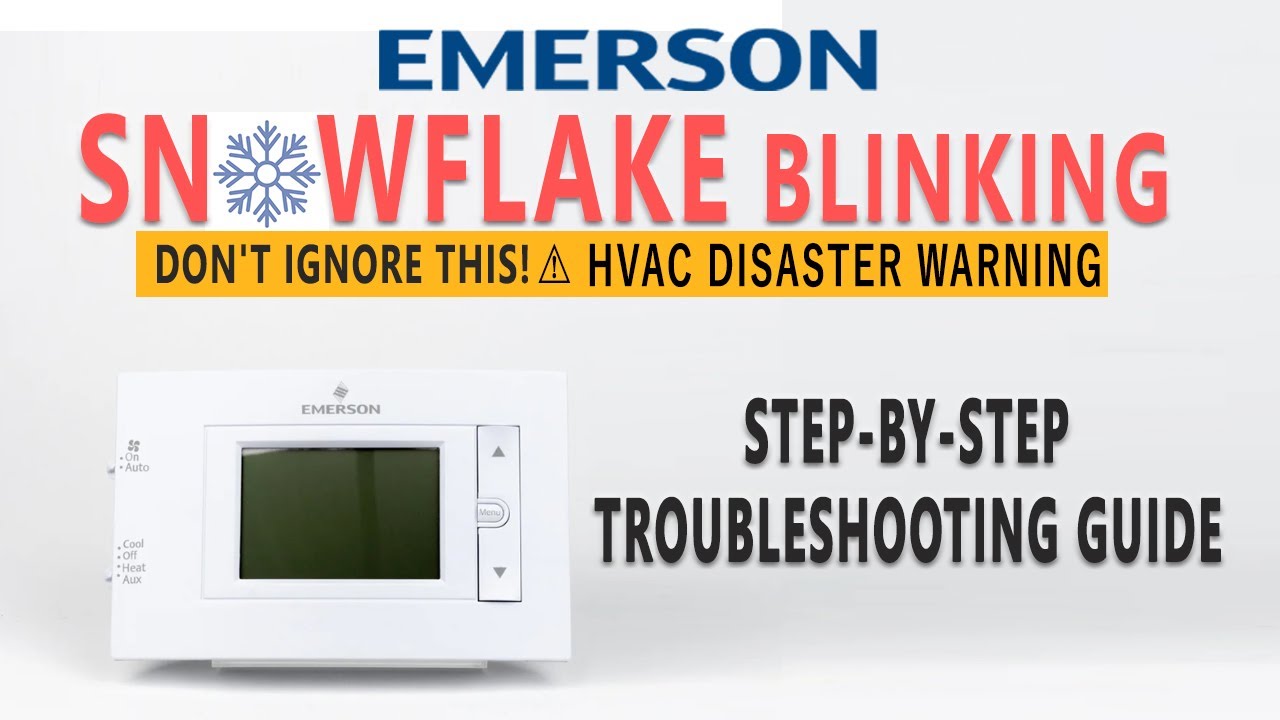
When you see a snowflake blinking on your thermostat, it can be confusing or even worrying. Many people have no idea what this symbol means, why it blinks, or what action to take. In fact, this small icon can tell you a lot about your HVAC (Heating, Ventilation, and Air Conditioning) system’s status and health. Whether you own a smart thermostat, a basic digital unit, or a programmable model, understanding the snowflake blinking is important. This article will help you decode the snowflake, know what it’s signaling, and guide you on what steps to take next. You’ll learn how to prevent problems, save money, and avoid mistakes that many beginners make. Let’s dive into the world of thermostat symbols and what they mean for your home.
What Does The Snowflake Symbol Mean?
The snowflake symbol on a thermostat usually relates to cooling. When your thermostat displays a snowflake, it’s telling you that the system is set to cool your home. However, a blinking snowflake has a more specific meaning. Most thermostats use this blinking symbol to indicate a delay or pause before the cooling starts.
Why Use A Snowflake?
Manufacturers use the snowflake icon because it’s a clear and universal symbol for cooling. Instead of using words like “cooling” or “AC,” the snowflake is easy to understand for all users, including non-native English speakers and children. This design choice helps reduce confusion.
Common Uses Of The Blinking Snowflake
- Compressor delay: The most frequent reason for the snowflake blinking is a compressor delay. When you switch your thermostat from heating to cooling, or turn on the AC after it’s been off, the system waits a few minutes before starting the compressor. This prevents damage from rapid cycling.
- Protection mode: If the AC has just finished a cycle, the thermostat may blink the snowflake to keep the compressor off briefly. This protects the compressor and extends its life.
- System check: Some thermostats blink the snowflake during a system check, especially after power outages or when you reset the thermostat.
- Fault indication: In some models, a blinking snowflake can signal a fault or error. For example, if the AC can’t start, the thermostat may blink to alert you.
Example From A Popular Thermostat Brand
On a Honeywell digital thermostat, the snowflake blinks for about 5 minutes whenever you switch from heating to cooling. This delay is built-in and cannot be changed. On Nest thermostats, the snowflake may blink during system startup or after a power loss.
Why Does The Snowflake Blink?
A blinking snowflake means your thermostat is holding off on cooling. This is not a malfunction—it’s a safety feature. Let’s look at why this happens:
Compressor Short Cycling
Air conditioners rely on a compressor to pump refrigerant and cool the air. If you turn the system on and off quickly, the compressor can be damaged. Short cycling (rapid turning on/off) causes overheating and increased wear. To avoid this, thermostats add a delay before the compressor starts again. This delay is often called “anti-short cycle delay.”
Preventing System Damage
The delay helps protect expensive parts. Compressors can cost over $1,000 to replace. Manufacturers add this feature to avoid costly repairs and increase the unit’s lifespan. The blinking snowflake simply tells you, “The system is waiting—it’s not broken. ”
Power Outages And Resets
After a power outage, many thermostats automatically enter a delay mode. The snowflake blinks to show the system is waiting to restart safely. This gives time for internal pressures to stabilize.
Temperature Swings
Switching quickly between heating and cooling confuses the system. The delay gives time for temperatures and pressures to balance, preventing errors.

Credit: www.youtube.com
How Long Does The Snowflake Blink?
The blinking snowflake delay usually lasts 3–5 minutes. This time depends on your thermostat model and HVAC system. Here’s a breakdown by common brands:
| Brand | Typical Delay | Reason |
|---|---|---|
| Honeywell | 5 minutes | Compressor protection |
| Nest | 3–5 minutes | Safety startup |
| Ecobee | 4 minutes | Anti-short cycle |
| Carrier | 5 minutes | Compressor safety |
| Emerson | 3 minutes | Delay after power loss |
Some advanced thermostats let you customize this delay. Most basic models have a fixed delay for safety.
What Should You Do When The Snowflake Blinks?
If you notice a blinking snowflake, don’t panic. This is normal. Here’s what you can do:
- Wait patiently: Most delays clear after 3–5 minutes. Let the system finish its protection cycle.
- Check the settings: Make sure you set the thermostat to “cool” and the desired temperature is lower than the current room temperature.
- Listen for the AC: After the delay, you should hear the AC unit start. If it doesn’t, check for other issues.
- Look for error messages: Some thermostats show error codes if there’s a problem. Read the display carefully.
- Check the circuit breaker: If the system doesn’t start after the delay, check your breaker box. A tripped breaker can stop the AC.
- Inspect the air filter: A clogged filter can prevent the AC from working. Replace if needed.
- Call a technician: If the snowflake keeps blinking and cooling never starts, your AC may need professional repair.
Common Mistakes Beginners Make
- Turning the thermostat off/on repeatedly: This resets the delay and can make the blinking last longer.
- Ignoring the blinking symbol: Some people think the system is broken and call a technician too soon.
- Setting the temperature too high or low: If your thermostat is set higher than the room temperature, cooling won’t start.
- Not checking power supply: A dead battery or unplugged unit can cause the thermostat to blink but not operate.

Credit: www.reddit.com
Troubleshooting A Blinking Snowflake
While most blinking snowflakes are normal, sometimes they indicate a problem. Here’s how to troubleshoot:
Step-by-step Troubleshooting
- Wait for 5 minutes: Give the system time to finish its delay.
- Check thermostat settings: Ensure it’s set to “cool” and the target temperature is correct.
- Inspect power supply: Make sure the thermostat has power. Replace batteries if needed.
- Check the outdoor unit: Look for signs of power, listen for humming or fan movement.
- Look for error codes: Some thermostats display codes (like E1, E2). Check your manual for meanings.
- Reset the thermostat: If nothing happens, reset by turning off and on or pressing the reset button.
- Check wiring: Loose wires can cause the snowflake to blink without cooling.
- Call a professional: If all else fails, seek help from an HVAC technician.
Example Of A Real-world Troubleshooting Scenario
Suppose your Ecobee thermostat shows a blinking snowflake. You wait 4 minutes, but the AC doesn’t start. You check settings—everything looks correct. You notice the thermostat battery is low, so you replace it. The snowflake stops blinking and the AC starts.
This simple fix saved you a service call.
Snowflake Blinking Vs. Other Thermostat Symbols
Thermostats use many symbols to communicate. Understanding these helps avoid confusion.
Common Thermostat Symbols
- Flame icon: Heating mode
- Fan icon: Fan-only mode
- Snowflake icon: Cooling mode
- Droplet icon: Humidity or dehumidifier
A blinking snowflake is unique to cooling delays. Other blinking icons may indicate faults, system checks, or mode changes.
Comparison Table: Snowflake Vs. Other Icons
| Symbol | Meaning | Blinking Condition |
|---|---|---|
| Snowflake | Cooling mode | Compressor delay, fault |
| Flame | Heating mode | Furnace delay, safety check |
| Fan | Fan-only mode | System ventilation, error |
| Droplet | Humidity control | Humidifier/dehumidifier startup |
Understanding these icons helps you know what your HVAC system is doing at all times.
Credit: www.youtube.com
How To Prevent Problems With The Blinking Snowflake
Preventing issues is better than fixing them. Here are practical steps:
- Change air filters regularly: Dirty filters can cause cooling delays.
- Schedule annual maintenance: A technician can spot problems early.
- Keep thermostat batteries fresh: Low power can cause malfunctions.
- Don’t switch modes too quickly: Give the system time between heating and cooling.
- Clean the outdoor unit: Remove leaves and debris to ensure airflow.
- Use smart thermostat features: Some models let you monitor delays and errors on your phone.
- Update firmware: Smart thermostats get updates to fix bugs.
Non-obvious Insight: Thermostat Location Matters
Many beginners place thermostats in poor locations. If your thermostat is near a window or heat source, it may trigger unnecessary cooling cycles and delays. Place it in a central, shaded area for accurate readings.
Non-obvious Insight: Surge Protection Helps
Power surges can cause your thermostat to blink the snowflake for longer periods. Installing a surge protector for your HVAC system can prevent electrical issues and delays.
When Should You Call A Professional?
Most blinking snowflakes are harmless, but sometimes expert help is needed.
- Cooling never starts: After the delay, if no cold air comes out, call a technician.
- Repeated blinking: If the snowflake blinks every time you change settings, there may be a wiring or compressor issue.
- Strange noises: Loud humming or clicking from the outdoor unit means trouble.
- Error codes: If your thermostat displays codes you don’t understand, seek help.
Average Cost Of Ac Repair
According to the US Department of Energy, the average cost to fix an AC compressor is $900–$1,500. Regular maintenance and understanding symbols can help avoid these costs.
Smart Thermostats And The Blinking Snowflake
Smart thermostats like Nest, Ecobee, and Honeywell have extra features. They may send alerts to your phone or email when the snowflake blinks. You can check status remotely and receive advice on what to do.
Smart Features That Help
- Delay customization: Some models let you change delay times in the app.
- Remote monitoring: Alerts when the system delays or faults.
- Energy reports: See how delays impact your energy use.
Example: Nest Thermostat
When you switch from heating to cooling, the Nest thermostat blinks a snowflake for 5 minutes. It sends a notification to your phone explaining the delay. This helps you understand what’s happening and avoid unnecessary calls.
Data On Ac System Failures
A study from the National Renewable Energy Laboratory found that 16% of AC failures are caused by short cycling and compressor damage. Most of these problems are preventable with proper delay features and user awareness. Understanding the blinking snowflake can save money and stress.
Table: Causes Of Ac Failure
| Cause | % of Failures | Prevention |
|---|---|---|
| Short cycling | 16% | Compressor delay |
| Dirty filter | 22% | Regular cleaning |
| Electrical issues | 18% | Surge protection |
| Low refrigerant | 15% | Annual maintenance |
| Thermostat error | 8% | Battery change, reset |
Real-life Example: Blinking Snowflake In Summer
Imagine it’s a hot July afternoon. You come home and turn your thermostat to cool. The snowflake starts blinking. You wait a few minutes, then feel cool air coming from the vents. The delay protected your compressor and kept your system safe.
If you had turned the thermostat off and on quickly, you could have damaged the AC.
This real-life scenario shows why patience and understanding are important.
Frequently Asked Questions
What Does A Blinking Snowflake On My Thermostat Mean?
A blinking snowflake usually means your thermostat is in a cooling delay mode. The system waits before starting the compressor to protect against damage from rapid cycling. This is normal and lasts about 3–5 minutes.
Should I Worry If The Snowflake Keeps Blinking?
If the snowflake blinks for more than 5–10 minutes, check your thermostat settings, power supply, and air filter. If cooling still doesn’t start, you may have a system fault. It’s best to call a professional if the delay doesn’t clear.
Can I Stop The Blinking Snowflake Manually?
You cannot override the delay on most thermostats. It’s a built-in safety feature. Trying to bypass it may damage your AC. Just wait patiently and let the system finish its cycle.
Why Does The Snowflake Blink After A Power Outage?
After a power outage, the system needs time to stabilize pressures and prevent compressor damage. The blinking snowflake shows that the system is waiting to restart safely. This is normal and part of the protection process.
Is A Blinking Snowflake Different From A Solid Snowflake?
Yes. A solid snowflake means your system is actively cooling. A blinking snowflake means it’s waiting to start cooling. Understanding the difference helps you know what your AC is doing.
Final Thoughts
The snowflake blinking on your thermostat is a small but important signal. It protects your AC system, saves money, and prevents expensive repairs. Most of the time, it’s normal and nothing to worry about. With patience and a little knowledge, you can keep your HVAC running smoothly and avoid beginner mistakes. Always check settings, keep your system maintained, and use smart features if available. If problems persist, don’t hesitate to call an expert. Understanding your thermostat’s icons makes you a smarter homeowner and helps you stay comfortable all year round. For more detailed information on HVAC systems, check out Energy Saver.