
If you own a Litter Robot 4, you probably enjoy the convenience of automatic litter cleaning. But sometimes, the device flashes a blinking yellow light, and you’re left wondering what it means. This blinking yellow is not just a simple warning—it’s a smart way for your Litter Robot to tell you exactly what it needs. Understanding these signals can save you time and keep your cat’s bathroom clean and safe. This article explains the four main causes of a blinking yellow light on the Litter Robot 4, how to fix each one, and how to prevent future problems. You’ll also find common mistakes, practical tips, and answers to the most asked questions.
What Does The Blinking Yellow Light Mean?
The blinking yellow light on your Litter Robot 4 is a direct message: something needs attention. But not all blinks are the same. The speed and pattern of the yellow light help you identify the issue. Each problem has its own fix. The most common reasons are:
- Bonnet not properly installed
- Pinch sensor activated
- Drawer full indicator
- Motor or globe jam
Let’s look at each cause, what triggers it, and how you can solve the problem.
Bonnet Not Properly Installed
The bonnet is the cover at the top of your Litter Robot 4. It’s not just for looks—it keeps the litter and mechanics safe. If the bonnet isn’t sitting correctly, the robot senses it and flashes a yellow light.
Why Does This Happen?
Sometimes, after cleaning or moving the unit, the bonnet may not snap back into place. Even a small misalignment can cause the robot to pause its cycle and warn you.
How To Fix It
- Power off the Litter Robot 4.
- Remove the bonnet completely.
- Check for any litter or debris around the edges.
- Align the bonnet’s tabs with the grooves on the base.
- Push down gently until you hear a click.
- Power on the device.
If installed properly, the yellow blinking should stop, and the robot will resume normal operation.
Extra Insight
Many users forget that even a pet’s fur or small debris can block the sensors around the bonnet. Regularly wiping this area can prevent false signals.
Pinch Sensor Activated
The pinch sensor is a safety feature. It detects if something is caught between the moving parts, especially where the globe rotates. If triggered, a yellow light blinks.
Common Causes
- Litter clumps or debris stuck near the base
- Cat toys or collars accidentally dropped inside
- Wires or cables out of place
Troubleshooting Steps
- Turn off and unplug the Litter Robot 4.
- Remove the globe and waste drawer.
- Inspect the base, especially near the pinch bars.
- Clear any visible litter, debris, or foreign objects.
- Gently press the pinch bars to ensure they move freely.
- Reassemble and power on.
If the light blinks again, check for hidden obstructions or contact support.
Key Insight
The pinch sensor is sensitive for a reason. Forcing the globe to move can permanently damage the mechanism. Always remove obstructions by hand.
Drawer Full Indicator
When the waste drawer gets full, the Litter Robot 4 warns you with a blinking yellow light. This keeps the unit clean and prevents odor.
How It Detects A Full Drawer
The robot uses a sensor that measures the weight and level of waste inside the drawer. If it senses too much, it stops cycling.
What To Do
- Slide out the waste drawer.
- Empty the used litter and wipe the drawer clean.
- Check the sensors—make sure they are not blocked by dust or litter.
- Replace the drawer and ensure it’s fully inserted.
The light should turn off, and you can reset the indicator by pressing the Reset button.
Surprising Fact
Using lightweight liners or bags in the drawer can sometimes confuse the sensor, causing a false full reading. Make sure the bag is flat and doesn’t block any sensors.
Motor Or Globe Jam
A motor or globe jam is one of the most serious alerts. The Litter Robot 4 will blink yellow if the globe can’t rotate smoothly.
Typical Triggers
- Litter too high or packed against the globe
- The globe is misaligned after cleaning
- Motor gears blocked by debris
How To Resolve
- Power off the device.
- Remove the bonnet and globe.
- Inspect for clumped litter, stuck objects, or anything blocking the track.
- Clean the gear area and globe track.
- Realign the globe carefully (look for the alignment marks).
- Reinstall all parts and power on.
If the jam persists, the motor may need service.
Extra Tip
Using clumping litter that forms hard clumps can increase the chance of jams. Choose a high-quality, medium-grain litter for best results.
Comparison Of Blinking Patterns
Understanding the blink pattern helps you solve the problem faster. Here’s a summary:
| Blink Pattern | Problem | Action Needed |
|---|---|---|
| Slow blink | Bonnet issue | Check bonnet installation |
| Fast blink | Pinch sensor | Clear obstructions |
| Double blink | Drawer full | Empty waste drawer |
| Irregular blink | Motor/globe jam | Check for jams |

Credit: www.reddit.com
How To Prevent Blinking Yellow Alerts
You can minimize problems with a few simple habits:
- Clean the unit weekly, especially around the sensors and bonnet edges.
- Use approved, medium-grain clumping litter—avoid dusty or sticky types.
- Do not overfill the globe; stay below the maximum line.
- Check for pet toys or collars before each cycle.
- Replace the waste drawer liner regularly and fit it flat.
What Most Owners Miss
Even careful owners sometimes forget:
- Firmware updates: The Litter Robot 4 can get updates via Wi-Fi. Outdated software may cause false alerts or sensor errors. Check the app for updates every few months.
- Humidity and sensor fog: High humidity or strong cleaning sprays can fog up the sensors inside the unit. This can trigger a false blinking yellow. Wipe sensors dry after cleaning.
Credit: www.reddit.com
Troubleshooting Mistakes To Avoid
It’s easy to get frustrated when the yellow light won’t go away. Avoid these common errors:
- Forcing the globe or moving parts while powered on. Always unplug first.
- Ignoring the app. The Litter Robot app often gives more detailed error messages.
- Using the wrong litter type. Some natural or pellet litters are too light or heavy for the sensors.
When To Contact Support
If you’ve tried all the above and still see a blinking yellow, it might be a deeper issue:
- Faulty sensors needing replacement
- Motor or gear failure
- Internal wiring problems
In these cases, reach out to the manufacturer. They often provide guided troubleshooting and warranty support. For more details, visit the Litter Robot official support page.
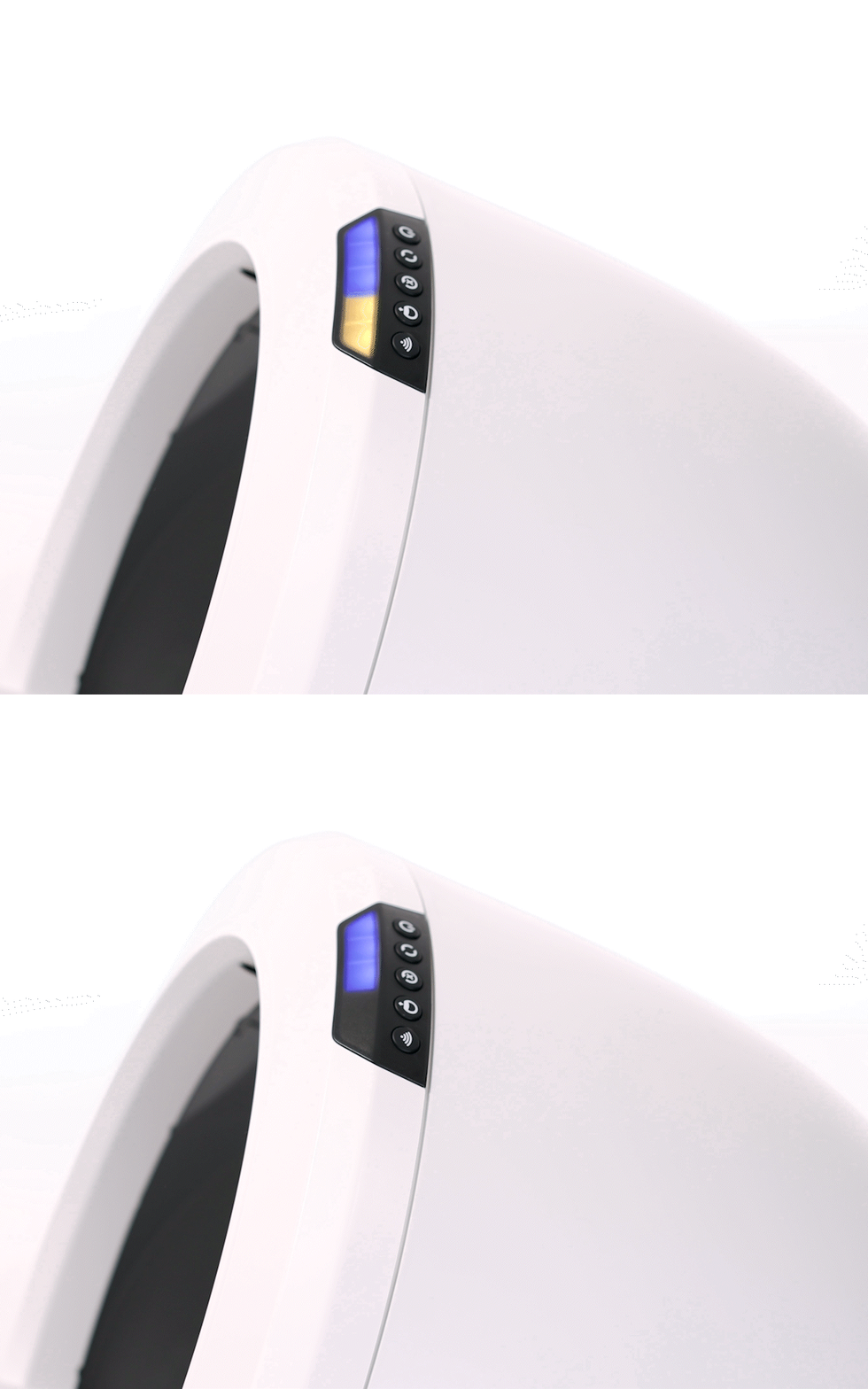
Credit: www.litter-robot.com
Comparing Litter Robot 4 To Other Automatic Litter Boxes
How does the Litter Robot 4 stand out with its blinking light alerts? Here’s a quick comparison with other popular models:
| Feature | Litter Robot 4 | PetSafe ScoopFree | CatGenie |
|---|---|---|---|
| Blinking Light Alerts | Yes, detailed patterns | Basic, limited alerts | No lights, uses display |
| App Integration | Yes | No | Optional |
| Self-Diagnostics | Advanced | Basic | Moderate |
Key Takeaways
- The Litter Robot 4 blinking yellow light is a helpful alert, not just a random error.
- Each blinking pattern points to a specific problem: Bonnet installation, pinch sensor, drawer full, or motor jam.
- Basic cleaning and smart use prevent most problems.
- Always check the app for more details if you’re unsure.
- Remember to keep firmware updated for best performance.
By understanding what your Litter Robot 4 is telling you, you can keep it running smoothly and your cat happy and healthy.
Frequently Asked Questions
What Should I Do If The Blinking Yellow Light Stays On After Fixing The Problem?
If the yellow light remains after following the steps, try resetting the unit. Hold the Reset button for 3 seconds. If the alert still appears, unplug the device for 2 minutes, then plug it back in. Check for remaining debris or misaligned parts before restarting.
How Often Should I Clean The Sensors To Prevent False Blinking Yellow Alerts?
Wipe the sensors and bonnet edges with a dry, soft cloth at least once a week. If you have multiple cats, increase cleaning frequency, especially in humid climates.
Does The Litter Robot 4 Work With All Types Of Litter?
No. Use only clumping, unscented, medium-grain litter. Avoid pellets, crystals, or litter with heavy perfumes, as these may trigger sensor errors or cause jams.
Can The Blinking Yellow Light Be Caused By A Power Issue?
Rarely, but it’s possible. If you suspect unstable power, try another outlet. Power surges or low voltage can sometimes confuse the sensors.
Where Can I Find Official Help For My Litter Robot 4?
The best source is the official support page: Litter Robot Support. You’ll find troubleshooting guides, firmware updates, and contact options for technical support.
Conclusion
By following these steps and tips, you’ll be ready to handle any blinking yellow alert—and enjoy a worry-free, clean litter box for your cat.