
When your Liftmaster keypad starts blinking, it can be confusing and sometimes worrying. You might wonder if it’s a simple issue or a sign that something’s broken. For many homeowners, the garage door keypad is a daily tool—it opens, closes, and keeps your home secure. So, when the light pattern changes, you need a clear answer. This article will help you understand why your Liftmaster keypad is blinking, what the different blinking patterns mean, and how you can troubleshoot and fix the problem yourself.
We’ll look at the most common causes, step-by-step solutions, and when it’s time to call a professional. Whether you’re new to garage door systems or have used them for years, you’ll find practical advice here. We’ll also clear up common myths and give you tips to prevent future issues.
If you want your keypad to work smoothly every day, keep reading.
Understanding Your Liftmaster Keypad
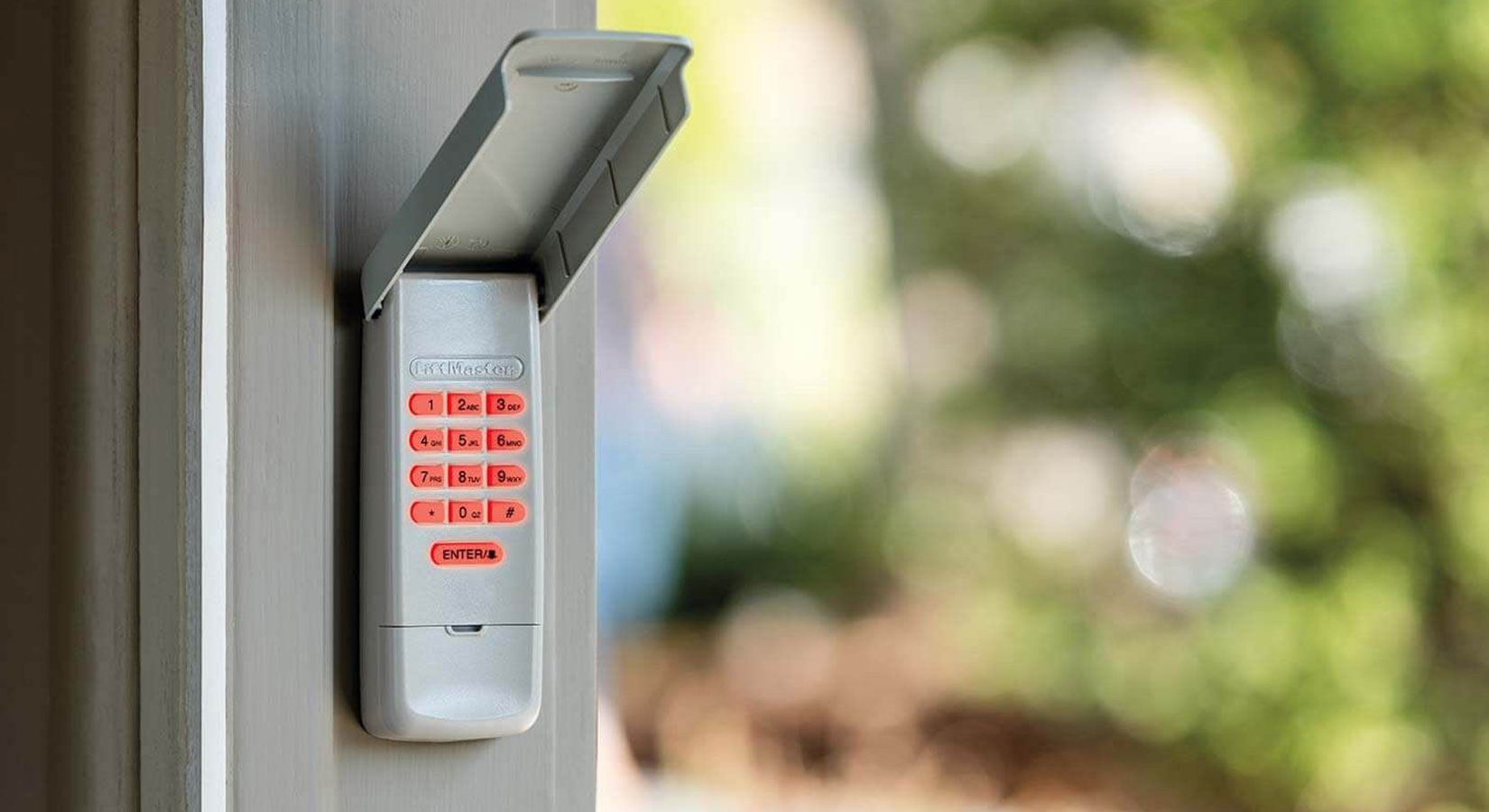
Before you fix a problem, it’s helpful to know how your keypad works. The Liftmaster keypad is a wireless device that lets you open or close your garage door using a code. Most keypads use a small battery, a circuit board, and a simple LED light to show status. The blinking light is the keypad’s way of telling you something—think of it as a coded message.
Key Functions
- Security: Lets you set a PIN so only people with the code can open the door.
- Convenience: No need for a key or remote—just remember your code.
- Feedback: Uses lights to show if your command worked or if there’s an error.
Why Does The Light Blink?
The blinking light can mean different things based on how it blinks. A steady blink, fast flashes, or a pattern all have meanings. Most often, it’s a warning or signal about power, programming, or a safety feature.
Common Reasons For A Blinking Liftmaster Keypad
If your keypad blinks, it’s not random. Here are the most common causes:
- Low Battery: The keypad uses a small battery. When it’s almost empty, the light may blink.
- Incorrect Code Entry: Entering the wrong code several times can trigger a blinking warning.
- Programming Mode: Some keypads blink when in programming or learning mode.
- Lost Connection: If the keypad can’t talk to the opener, it may blink.
- Stuck Button: Dirt or damage can make a button stick, causing the light to flash.
- Wiring Issue: For wired keypads, a loose or broken wire triggers blinking.
- Lockout or Vacation Mode: The opener may lock out the keypad for security.
Each cause has its own fix. Let’s break them down one by one.
Decoding Liftmaster Keypad Blink Patterns
Not all blinks mean the same thing. Here are some typical patterns and what they mean:
| Blink Pattern | Possible Meaning | What to Check |
|---|---|---|
| Slow, steady blink | Low battery warning | Battery level, battery contacts |
| Rapid flashes (3-5 times) | Incorrect code entered | Try correct code, wait before retrying |
| Blinking after programming | In programming or learning mode | Finish programming, check manual |
| Continuous blinking, no response | Lost connection or keypad fault | Reprogram keypad, inspect for damage |
Some newer models may have unique blink codes. Always check your manual for your exact model.
Step-by-step Troubleshooting For A Blinking Liftmaster Keypad
When your keypad starts blinking, follow these steps to diagnose and fix the issue.
1. Check The Battery
The most common cause is a low battery. Here’s how to check:
- Remove the keypad cover—you might need a screwdriver.
- Take out the battery (usually a 9V or coin cell).
- Test with a battery tester or replace with a new one.
- Clean the contacts if you see any dirt or corrosion.
Non-obvious tip: Even if the battery is new, check the contacts. A small bit of rust or dust can stop power and cause blinking.
2. Re-enter Or Reset Your Code
Incorrect code entry can lock out the keypad or trigger blinking. Clear and reset:
- Press and hold the “” or “#” key (depends on model) until the light blinks.
- Enter your PIN slowly and carefully.
- If it fails, try the factory reset. Check your manual for the reset sequence.
Insight: Don’t use simple codes like “1234.” They may work at first, but some Liftmaster models won’t accept them for security.
3. Reprogram The Keypad
If the keypad lost its connection to the opener:
- Find the “Learn” button on the main garage opener unit (usually inside the garage, near the ceiling).
- Press and release the “Learn” button (a small LED will light up for 30 seconds).
- Enter your keypad PIN and press “Enter.”
- The opener should click or the light should flash.
4. Check For Stuck Buttons
Sometimes, a button gets stuck due to dust, water, or wear.
- Press each button and feel for normal movement.
- Clean with a dry brush or canned air.
- Avoid using water or sprays—moisture can damage the electronics.
Advanced tip: If you notice the keypad works only in dry weather, moisture may be getting inside. Consider sealing the edges with weatherproof tape.
5. Inspect Wiring (for Wired Keypads)
If your keypad is wired, a loose or broken wire can cause blinking.
- Turn off power at the breaker before opening the unit.
- Check all wire connections—tighten any loose screws.
- Look for frayed wires or corrosion.
If unsure, call an electrician. Damaged wires can be dangerous.
6. Check For Lockout Or Vacation Mode
Some openers can lock out all remote keypads for extra security.
- Look for a “lock” or “vacation” button on the wall control panel.
- If the feature is on, turn it off (usually by pressing and holding the button for a few seconds).
When To Replace Your Liftmaster Keypad
Sometimes, the best fix is replacement. Here’s when:
- The keypad blinks with a fresh battery and after reprogramming.
- Buttons are worn out or broken.
- The case is cracked and lets in water.
- The unit is over 10 years old and shows other signs of wear.
Newer keypads offer better security and may last longer in harsh weather.
Comparing Repair Vs. Replacement
Should you repair or buy new? Here’s a quick comparison:
| Situation | Repair | Replace |
|---|---|---|
| Low battery | Yes | No |
| Stuck button (minor) | Yes | No |
| Major water damage | No | Yes |
| Keypad over 10 years old | Maybe | Yes |
If you replace the keypad, make sure it’s compatible with your opener model.
Preventing Future Keypad Blinking Issues
You can avoid most problems with simple maintenance:
- Change the battery every year—even if it seems fine.
- Keep the keypad clean—wipe with a dry cloth, not water.
- Check the cover—make sure it closes tightly to keep out rain and bugs.
- Reprogram if you change the opener—a new main unit needs new pairing.
- Test your code regularly—try your PIN every few weeks.
Practical insight: Don’t wait until the keypad blinks to change the battery. Many homeowners forget, and the keypad stops working at the worst time.
Myths And Misunderstandings About Liftmaster Keypad Blinking
Let’s clear up some common myths:
- Myth: “A blinking keypad means it’s broken.”
*Reality:* Most of the time, it’s just a warning or needs a new battery.
- Myth: “You need a professional for every blinking issue.”
*Reality:* Many fixes are simple and safe for homeowners to do.
- Myth: “All blinking patterns mean the same thing.”
*Reality:* The speed and sequence of blinks tell different stories.
- Myth: “Keypads are waterproof.”
*Reality:* Most are weather-resistant, not waterproof. Water damage is common, especially in older units.
Special Cases: Liftmaster Keypad Blinking And Smart Home Integration
With smart home systems, blinking can mean new things. Some Liftmaster keypads connect to Wi-Fi or use apps for remote control. In these cases:
- Firmware Updates: The keypad may blink during a software update.
- Network Issues: If Wi-Fi drops, the keypad might flash until it reconnects.
- Security Alerts: Some models blink to warn about failed login attempts from a phone app.
Non-obvious tip: Not all smart keypads are backward-compatible with older openers. If you upgrade, check compatibility first.
How Weather And Environment Affect Keypad Blinking
Liftmaster keypads are made for outdoor use, but extreme weather can still cause trouble.
- Cold Weather: Batteries lose power faster in cold. Blinking may start even if the battery was good in summer.
- Heat and Sun: Plastic cases can warp, letting in moisture or dust.
- Insects and Spiders: Small bugs can get inside and short out buttons.
Preventive advice: Install your keypad in a shaded spot, and check for bugs or nests every spring.
Professional Help: When To Call A Technician
Most blinking issues are easy to fix, but call a pro if:
- You see sparks, smoke, or smell burning.
- The keypad gets wet inside and won’t dry out.
- You’re unsure about wiring or electricity.
A professional can replace damaged parts, rewire the unit, or upgrade your system. If your opener is still under warranty, repairs may be free.

Credit: rockgaragedoor.com
How To Extend The Life Of Your Liftmaster Keypad
With care, your keypad can last over a decade. Here’s how:
- Use a weather cover if your keypad is exposed to rain or snow.
- Change batteries before winter—cold drains power quickly.
- Clean the buttons gently—avoid sharp tools or chemicals.
- Don’t press too hard—gentle touches work best.
- Check for updates if you have a smart model.
Example: One homeowner in Minnesota reported that her keypad lasted 14 years with annual battery changes and regular cleaning.
Liftmaster Keypad Models And Blinking Codes
Not all keypads are the same. Here’s a comparison of popular models and their typical blinking behaviors:
| Model | Blinking Patterns | Special Features |
|---|---|---|
| 877LM | Slow blink (battery), fast blink (code error) | Wireless, weather-resistant |
| 878MAX | Pattern blinks for programming, rapid for error | Backlit, easy programming |
| 377LM | Single blink for low battery | Older model, simple design |
Pro tip: Always read the instruction manual for your exact keypad—some differences are small but important.
Credit: allsecurityequipment.com
Common Mistakes When Fixing A Blinking Keypad
Many homeowners make these mistakes:
- Forgetting to reset the opener after changing the battery.
- Using the wrong battery type—always check the manual.
- Not cleaning contacts—a new battery won’t help if contacts are dirty.
- Skipping the cover—leaving the keypad open invites water and bugs.
- Entering the wrong code too many times—this can lock out the system.
Quick fix: If nothing works, try a full power cycle: remove the battery, wait 30 seconds, and replace it.
Real-world Example: Case Study
Let’s look at a real scenario:
Maria noticed her Liftmaster keypad blinking rapidly every time she entered her code. She changed the battery, but the problem stayed. After checking the manual, she realized her garage opener had been switched to “vacation mode.” By holding the lock button on the wall panel for 5 seconds, the mode turned off and the keypad worked again.
Lesson: Always check both the keypad and the main opener settings. Sometimes, the problem is not where you expect.

Credit: www.youtube.com
Expert Tips For Reliable Keypad Performance
To keep your keypad working well:
- Test monthly: Enter your code and listen for the opener to respond.
- Store a spare battery in the house—not in the garage, where it gets hot or cold.
- Avoid painting the keypad—paint can block buttons or seal in moisture.
- Teach everyone in the house how to reset the keypad.
Advanced advice: If you travel often, use a rolling code system for better security. Most modern Liftmaster keypads support this feature.
Where To Find More Help
If you need more details, visit the official Liftmaster Support page. They have manuals, troubleshooting guides, and videos for every model.
Frequently Asked Questions
Why Is My Liftmaster Keypad Blinking After I Enter The Code?
A blinking keypad after code entry usually means the code was entered incorrectly, or the keypad has lost connection with the opener. Try re-entering your code carefully. If it continues, reprogram the keypad to the opener using the “Learn” button.
If that fails, check the battery or look for stuck buttons.
How Do I Change The Battery In My Liftmaster Keypad?
Open the keypad cover and locate the battery compartment. Most models use a 9V battery, but check your manual. Remove the old battery, clean the contacts, and install a new battery. Make sure the cover is closed tightly to keep out moisture.
Can Weather Cause My Keypad To Blink?
Yes. Cold weather can drain batteries, and heat or rain can damage the keypad. Always install your keypad in a sheltered spot. Change batteries before winter and check for any cracks or gaps in the case.
What Should I Do If Reprogramming Doesn’t Stop The Blinking?
If reprogramming does not help, try replacing the battery and cleaning the contacts. Inspect for stuck buttons or signs of water damage. If the problem remains, you may need a new keypad, especially if yours is over 10 years old.
Is It Safe To Fix A Blinking Keypad Myself?
For most issues, yes. Changing the battery, cleaning the buttons, and reprogramming are safe for homeowners. If you see sparks, smell burning, or suspect wiring issues, call a professional.
Liftmaster keypads are reliable, but blinking lights are their way of asking for help. With the right steps, you can fix most problems quickly and keep your garage secure. If you ever feel unsure, professional help is always available.