
When your Honeywell thermostat shows a blinking “Heat On” message, it can be confusing or even worrying. Many people wonder if their heating system is broken or if they need to call a repair technician right away. The truth is, this blinking message is common and usually has a simple explanation.
However, ignoring it can sometimes lead to comfort problems or higher energy bills. Understanding why the Honeywell thermostat is blinking “Heat On” and knowing how to respond can save you time, money, and stress—especially during the cold months.
This guide will walk you through every aspect of the blinking “Heat On” message. You’ll learn what it means, why it happens, how to fix it yourself, and when to seek professional help. We’ll include real examples, practical tips, and even tables to help you compare models and understand key details.
By the end, you’ll feel confident in handling this common thermostat signal, whether you’re a homeowner, renter, or simply want to know more about your heating system.
What Does “heat On” Blinking Mean On A Honeywell Thermostat?
A blinking “Heat On” message is Honeywell’s way of telling you something about your heating system. Unlike an error code, the blinking light or message often signals that the thermostat is in a waiting mode. This is sometimes called a “delay mode” or “safety delay.”
Main Reasons For The Blinking Message
1. System Delay:
After you change the temperature, the thermostat may wait before turning on the heat. This delay protects the heating system from short cycling (turning on and off quickly, which can cause damage).
2. Power Loss Or Restart:
If your home recently lost power or you reset the thermostat, it may blink “Heat On” while the system gets ready.
3. Heating System Problems:
Sometimes, the blinking message means the heating system isn’t responding. This could be a sign of a problem with the furnace or heat pump.
4. Thermostat Settings:
Programming features, such as schedules or temporary holds, can also cause the message to blink during transitions.
How Long Should It Blink?
Most Honeywell thermostats will blink “Heat On” for about five minutes after a new heating cycle is requested. This is normal and should stop once the system starts. If the blinking continues longer, there may be an issue to address.
Understanding Honeywell Thermostat Models And Their Signals
Honeywell has many thermostat models. They use different screens and symbols, but the “Heat On” blinking message is common to most. It’s important to know how your specific model displays alerts.
Here’s a comparison of how popular Honeywell thermostats show the “Heat On” message:
| Model | Display Type | Blinking “Heat On” Behavior | Manual Reference |
|---|---|---|---|
| Honeywell T5/T6 | Touchscreen | “Heat On” blinks during delay, then turns solid | Page 16, User Guide |
| Honeywell 6000 Series | Digital, button | Flashing “Heat On” text during delay | Page 12, Manual |
| Honeywell RTH2300/RTH221 | Basic LCD | Blinking heat icon or text | Page 8, Setup Guide |
| Honeywell Smart Thermostat (Wi-Fi) | Color touchscreen | Animated “Heating” symbol blinks | Page 14, Online Help |
Always check your user manual or the Honeywell website for model-specific details. This helps you recognize which signals are normal and which may need action.

Credit: www.fondation-enovos.lu
Common Causes Of A Blinking “heat On” Message
Understanding the most common triggers for the blinking “Heat On” can help you solve the problem fast.
1. Compressor Or Heat Pump Delay
Modern Honeywell thermostats protect your heating system’s compressor by delaying its start. This is especially important for heat pumps and air conditioning systems, which can be damaged by rapid cycling. If you switch from cooling to heating, or after a power outage, the thermostat will usually wait five minutes before starting the system.
2. Power Issues
A recent power outage, circuit breaker trip, or even a battery replacement can cause the thermostat to reset. When this happens, the system may need a few minutes to reboot and reconnect with the heating equipment.
3. Furnace Or Heating System Not Responding
If the heating system doesn’t turn on after the delay, the blinking message may continue. This can be caused by:
- Dirty air filters blocking airflow
- Faulty furnace igniter or flame sensor
- Blown fuse in the furnace control board
- Disconnected thermostat wiring
4. Incorrect Thermostat Settings
Sometimes, the thermostat is programmed for a schedule, or set to “Auto” mode, which can cause confusion when the system transitions. Double-check your mode (Heat, Cool, Auto), temperature setpoints, and any programmed schedules.
5. Low Battery
Some Honeywell thermostats use batteries. If the batteries are low, the system may behave strangely or fail to send the signal to your heating unit. Look for a battery icon or “Low Batt” message.
6. System Lockout Or Error
Some advanced thermostats will enter a lockout mode if they sense a problem, such as repeated failed attempts to start the heater. This can also cause a blinking signal.
Step-by-step Troubleshooting For A Blinking “heat On” Honeywell Thermostat
Most issues can be fixed at home without calling a professional. Here’s a practical step-by-step approach:
Step 1: Wait For The Delay To End
- Give the thermostat at least five minutes after you set it to heat.
- If the “Heat On” message stops blinking and turns solid, your system is working as expected.
Step 2: Check The Thermostat Settings
- Make sure it’s set to Heat mode.
- Set the temperature at least 2–3°F higher than the current room temperature to force the system to turn on.
- If you use programmable settings, review the schedule for mistakes.
Step 3: Check For Power Issues
- Confirm the thermostat screen is on and responsive.
- If the screen is blank, replace the batteries (if your model uses them).
- Check your home’s circuit breaker for the furnace or heating system.
Step 4: Inspect The Furnace Or Heating Unit
- Listen for sounds from the furnace (blower, ignition, or flames).
- Check if the furnace access panel is closed securely—some units won’t run if the panel is loose.
- Look for any blinking lights or error codes on the furnace itself.
Step 5: Replace The Air Filter
A dirty air filter can stop a furnace from working. Replace your filter if it looks clogged or hasn’t been changed in the last 1–3 months.
Step 6: Reset The Thermostat
- Some Honeywell models have a reset button or allow you to reset by removing batteries for a minute.
- After resetting, reprogram your settings if needed.
Step 7: Check Thermostat Wiring
If you’re comfortable, gently remove the thermostat faceplate and check that all wires are connected tightly. Loose wires can cause communication problems.
Step 8: Call A Professional
If the message keeps blinking after all these steps, or if you see other error codes, call a licensed HVAC technician. There may be a deeper problem with your furnace, heat pump, or thermostat wiring.
How To Prevent Blinking “heat On” Issues
Prevention is always better than repair. Here’s how to keep your thermostat and heating system working smoothly:
- Change air filters every 1–3 months
- Schedule annual heating system maintenance
- Replace thermostat batteries yearly (if your model uses them)
- Avoid frequently changing settings or switching quickly between heating and cooling
- Keep the thermostat clean and dust-free
These habits help your Honeywell thermostat and heating system last longer and work more reliably.
When Is The Blinking “heat On” A Serious Problem?
Most of the time, the blinking “Heat On” is normal and temporary. But sometimes, it signals a bigger issue. Look out for these warning signs:
- The blinking continues for more than 10 minutes after you raise the temperature
- The home never gets warmer, even after waiting
- The thermostat screen is blank or shows error codes
- The furnace or heating system makes strange noises, smells, or doesn’t turn on
If you notice any of these, don’t ignore the problem. Continuing to run a faulty heating system can cause damage or even safety risks.
Real-world Example: Diagnosing The Blinking “heat On” Issue
Let’s say you arrive home on a cold evening and notice your Honeywell thermostat is blinking “Heat On.” It’s set to 72°F, but the room feels cool and the heating system is quiet. Here’s what you might do:
- Wait five minutes to see if the heat starts.
- Check that the thermostat is set to “Heat” and raise the setting to 75°F.
- Notice the display is still blinking after ten minutes.
- Open the furnace panel and see a red blinking light.
- Realize the air filter is dirty and replace it.
- Reset the thermostat by removing batteries for a minute.
- The “Heat On” message stops blinking and the furnace starts heating.
This real-world process shows that sometimes, a simple fix like a new filter or reset can solve the problem. But if the issue returns, it may be time for professional help.
Honeywell Thermostat Blinking “heat On” Vs. Other Thermostat Alerts
It’s easy to confuse the blinking “Heat On” message with other alerts or error codes. Here’s a quick comparison:
| Alert Type | Meaning | Common Solutions |
|---|---|---|
| Blinking “Heat On” | System delay or waiting to start | Wait, check settings, replace filter |
| Solid “Heat On” | System is heating | No action needed |
| Blinking “Cool On” | Cooling system delay | Wait for delay, check AC system |
| Blinking/flashing screen | Power or wiring issue | Check batteries, wiring, breakers |
| Error code (e.g., “E1”, “E2”) | Specific system problem | Consult manual, call technician |
Knowing the difference helps you react quickly and avoid unnecessary worry.
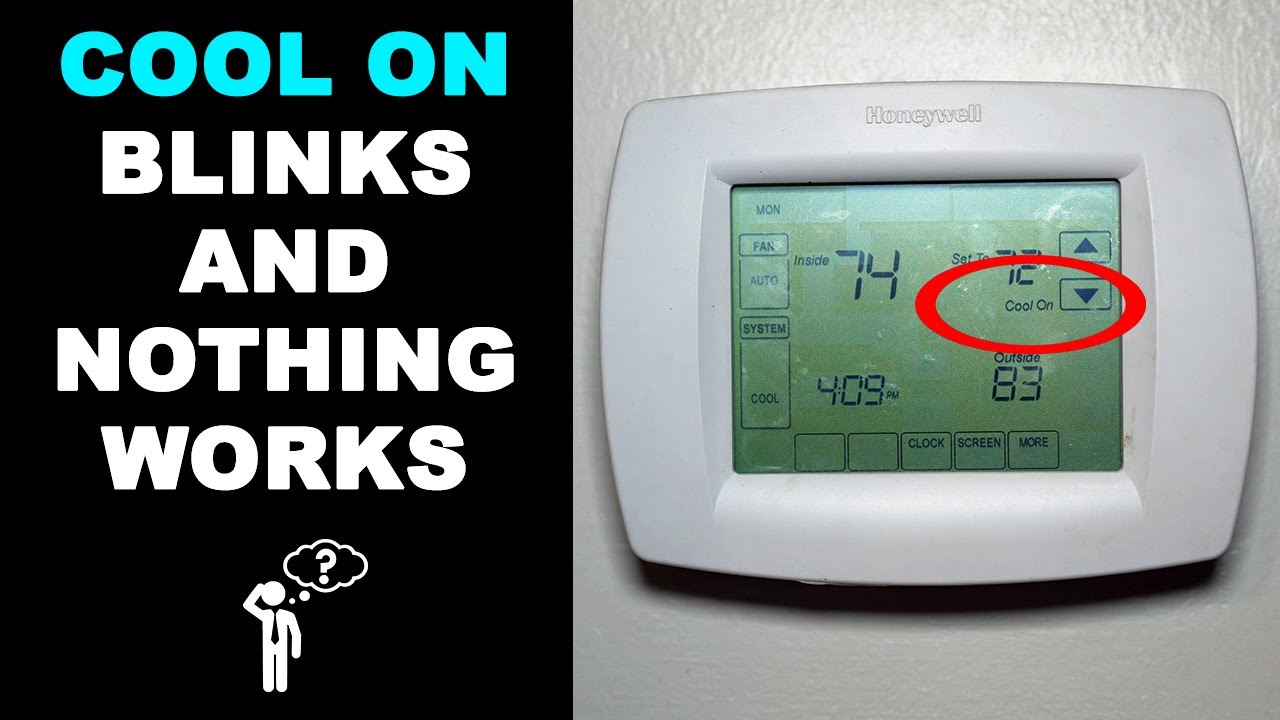
Credit: www.youtube.com
Key Features Of Honeywell Thermostats That Help Prevent Issues
Honeywell designs its thermostats with safety and reliability in mind. Here are some features that keep your heating system healthy:
- Compressor Protection Delay: Stops the system from short cycling, which can damage parts.
- Easy-to-Read Alerts: Blinking text or icons tell you when the system is waiting or if there’s a problem.
- Battery Backup: Keeps the thermostat working during power outages (on models with batteries).
- Programmable Schedules: Helps avoid accidental rapid switching between modes.
These features are why Honeywell is a popular choice for homes and businesses.
Advanced Tips And Insights Most Beginners Miss
Even if you’re comfortable with basic troubleshooting, there are a few advanced things to consider:
1. System Compatibility:
Not all Honeywell thermostats work with every heating system. For example, some models are designed only for single-stage furnaces, while others handle heat pumps or dual-fuel systems. Using the wrong model can lead to blinking alerts and poor performance.
2. C-wire Importance:
Many smart thermostats require a common wire (C-wire) for power. If your home doesn’t have one, the thermostat may rely on batteries and behave unpredictably. Consider having an electrician install a C-wire if you experience repeated issues.
3. Firmware Updates:
Wi-Fi enabled Honeywell thermostats sometimes receive software updates. If you’re seeing unusual blinking or error messages, check for updates in the app or on the manufacturer’s website.
4. Location Matters:
Placing the thermostat near heat sources, windows, or in direct sunlight can cause it to misread the room temperature and cycle the system unnecessarily. Keep your thermostat in a central, shaded spot for best results.
5. Manual Override:
If your programmable settings seem to cause frequent blinking, use the manual “Hold” feature to keep a steady temperature during very cold weather. This reduces system delays and keeps your home comfortable.

Credit: naturaconnect.eu
When To Call A Professional
While many blinking “Heat On” issues are easy to fix, sometimes you need expert help. Call a licensed HVAC technician if:
- You’ve tried all troubleshooting steps and the problem remains
- The furnace or heat pump won’t start at all
- You smell gas or notice burning odors
- The system is making loud, unusual noises
- You see error codes that are not in the manual
A professional can safely diagnose and repair more complex problems, protecting your home and heating system.
Useful Resources
For more detailed information and manuals, visit the official Honeywell Home Support page. They offer guides, videos, and troubleshooting tips for every model.
Frequently Asked Questions
Why Does My Honeywell Thermostat Blink “heat On” For Several Minutes?
The thermostat uses a built-in delay to protect your heating system. This delay usually lasts about five minutes after you change the temperature or power is restored. It prevents damage from turning the system on and off too quickly.
What Should I Do If “heat On” Is Blinking But No Heat Comes Out?
Start by waiting five minutes. If nothing happens, check your thermostat settings, replace the air filter, check for power issues, and reset the thermostat. If the problem continues, your furnace or wiring may need professional attention.
Can Low Batteries Cause The “heat On” Message To Blink?
Yes, low batteries in some Honeywell models can cause strange behavior, including blinking alerts and system delays. Always replace batteries once a year or when the display shows a low battery warning.
Is It Safe To Keep Using The Thermostat When “heat On” Keeps Blinking?
If the message blinks for more than 10 minutes and your home isn’t heating, it’s best to stop using the system and check for problems. Running a malfunctioning heating system can lead to further damage or safety risks.
How Can I Avoid The Blinking “heat On” Issue In The Future?
Change air filters regularly, schedule yearly maintenance, and avoid switching quickly between heating and cooling. Also, keep your thermostat firmware updated if you have a smart model.
Conclusion
A blinking “Heat On” message from your Honeywell thermostat can be unsettling, but it’s usually a sign your system is working to protect itself. With the steps and tips above, you can solve most problems quickly and keep your home warm and comfortable all winter long.