
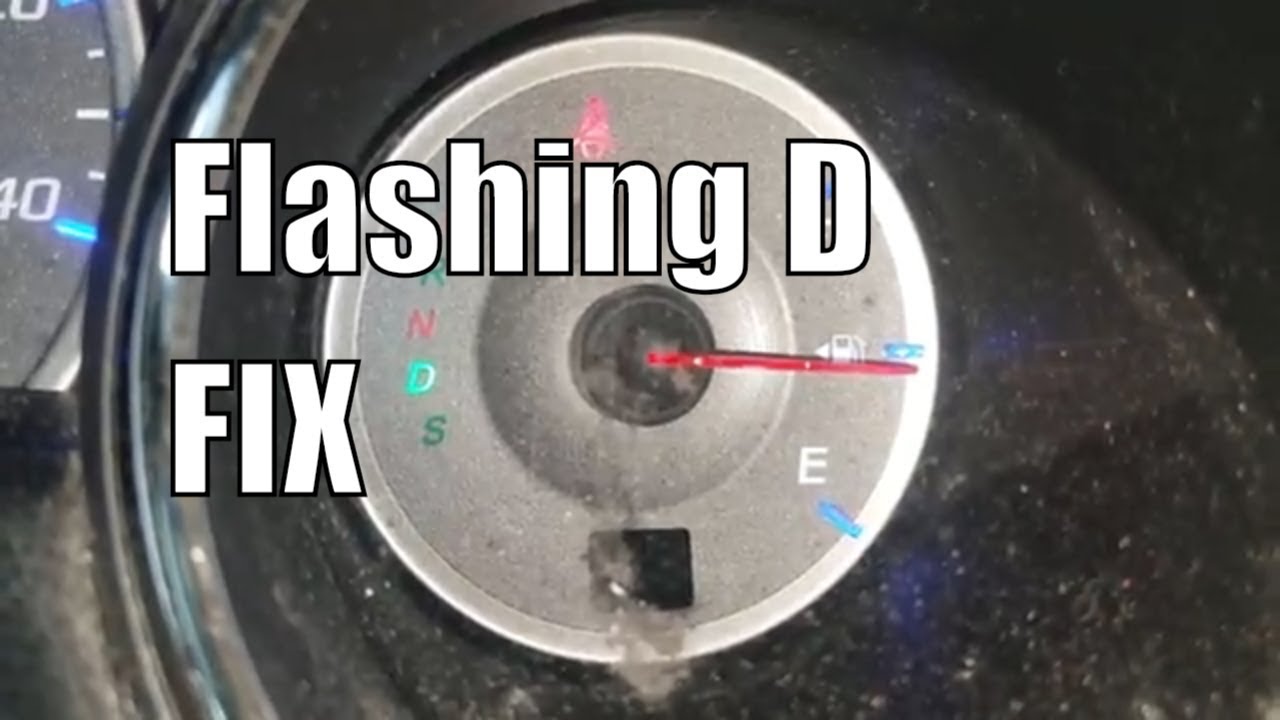
If you’re driving your Honda Pilot 2005 and suddenly notice the Drive (D) light blinking on your dashboard, it’s normal to feel worried. This warning isn’t something to ignore. It’s your car’s way of telling you there’s a problem in the transmission system. A blinking Drive light can mean anything from a minor sensor issue to a serious mechanical failure. If not handled quickly, it could lead to bigger, more expensive problems. In this article, you’ll learn what causes the blinking Drive light, how to diagnose it, what fixes are possible, and how to avoid this issue in the future.
What Does The Blinking Drive Light Mean?
When the Drive light blinks on a 2005 Honda Pilot, it’s a warning from the transmission control module (TCM). This module checks the transmission for faults. If the TCM detects something wrong, it signals the driver by making the Drive light flash. It’s similar to a “check engine” light, but focused on the transmission.
How The System Works
Your Honda Pilot has sensors and electronic controls that monitor how the transmission shifts, the fluid pressure, temperature, and more. When the TCM finds something unusual, it stores a code and turns on the blinking Drive light.
Why It’s Serious
Ignoring the blinking Drive light can lead to transmission damage. Small problems can become costly if not fixed early. For example, low fluid can cause the transmission to overheat and fail.
Common Causes Of A Blinking Drive Light
Many things can make the Drive light blink. Here are the most common reasons, ranked from most to least likely:
- Low Transmission Fluid
- Worn or Dirty Transmission Fluid
- Faulty Transmission Solenoids
- Transmission Sensor Failures
- Wiring or Connector Issues
- Mechanical Transmission Problems
- Malfunction in the Transmission Control Module (TCM)
- Computer or Software Glitches
Let’s look closer at each one.
1. Low Transmission Fluid
The transmission needs the right level of transmission fluid to shift smoothly. Low fluid can cause slipping, hard shifts, and overheating. Sometimes, leaks develop under the car.
2. Worn Or Dirty Transmission Fluid
Dirty or old fluid loses its ability to lubricate and cool the transmission. This causes rough shifting and may trigger the warning light.
3. Faulty Transmission Solenoids
Solenoids are small valves that control the flow of fluid in the transmission. If a solenoid fails, gears may not shift correctly.
4. Transmission Sensor Failures
Sensors like the input shaft speed sensor or output shaft speed sensor tell the TCM how fast the transmission is spinning. If a sensor stops working, the TCM can’t control shifting properly.
5. Wiring Or Connector Issues
Wires and connectors can become loose, corroded, or damaged. This interrupts the signals between sensors and the TCM.
6. Mechanical Transmission Problems
Worn clutches, bands, or gears inside the transmission can create major issues. You may hear grinding or feel the car jerk.
7. Malfunction In The Transmission Control Module (tcm)
The TCM is the “brain” of the transmission. If it fails, the whole system may act up.
8. Computer Or Software Glitches
In rare cases, the car’s software can have bugs that trigger false warnings.
How To Diagnose The Problem
If you see the blinking Drive light, it’s important to find out why. Here’s a step-by-step guide.
Step 1: Check Transmission Fluid
- Park your car on a level surface.
- Let the engine run and shift through each gear, then put it in Park.
- Pull the transmission dipstick, wipe it clean, insert, and pull out again.
- The fluid should be between the “Min” and “Max” marks, and pinkish in color.
If fluid is low, add more of the correct type (Honda Z1 or DW-1 ATF for 2005 models). If it’s dark or smells burnt, change it.
Step 2: Scan For Diagnostic Trouble Codes (dtcs)
Use an OBD-II scanner to read codes from your car’s computer. Many auto parts stores offer this for free. Write down the codes you get.
Step 3: Inspect For Leaks
Look under your car for red or brown puddles. Check the transmission pan, cooler lines, and gasket areas.
Step 4: Check Wiring And Connectors
Look for loose, corroded, or broken wires going to the transmission.
Step 5: Road Test
Drive the car and note when the light blinks. Does it happen when shifting? When accelerating? This helps pinpoint the problem.
Example
If you notice the light blinks when shifting from 2nd to 3rd gear, it could be a solenoid or clutch problem.
Step 6: Seek Professional Diagnosis
If you can’t find the problem, take your car to a trusted mechanic. They can do advanced tests like pressure checks or module scans.
Common Fixes For A Blinking Drive Light
The right fix depends on what’s causing the issue. Here are the most common solutions.
Transmission Fluid Service
- If fluid is low, top it up.
- If fluid is dirty, do a fluid and filter change.
Solenoid Replacement
A faulty solenoid must be replaced. Sometimes, this means dropping the transmission pan.
Sensor Replacement
If a sensor is bad, replace it with a new Honda-approved part.
Fixing Wiring Or Connectors
Clean, repair, or replace damaged wires and connectors.
Transmission Repair Or Rebuild
If there’s internal damage, you may need a rebuild. This is the most expensive fix.
Tcm Replacement Or Reprogramming
If the TCM is at fault, it may need reprogramming or replacing.
How Much Does It Cost To Fix?
Here’s a comparison of typical repair costs for a blinking Drive light on a 2005 Honda Pilot:
| Repair Type | Average Cost (USD) | Time to Fix |
|---|---|---|
| Transmission Fluid Change | $100 – $180 | 1 hour |
| Solenoid Replacement | $250 – $600 | 2–4 hours |
| Sensor Replacement | $150 – $350 | 1–2 hours |
| Wiring Repair | $80 – $200 | 1–2 hours |
| Transmission Rebuild | $2,500 – $4,000 | 2–5 days |
| TCM Replacement | $400 – $1,000 | 1–2 hours |
Note: Prices may vary by location and mechanic.
Can You Keep Driving With The Blinking Drive Light?
It’s possible, but not recommended. Here’s why:
- If the problem is minor (like low fluid), driving a short distance to a mechanic is usually safe.
- If the transmission is slipping, jerking, or making noises, STOP driving. You could damage the transmission badly.
Non-obvious insight: Even if your car drives fine, the blinking light means the system is in “limp mode.” This limits power to protect the transmission, but you shouldn’t drive long distances this way.
How To Prevent The Blinking Drive Light
Prevention is cheaper than repair. Here are practical steps:
- Check transmission fluid every oil change (about every 5,000 miles).
- Use only Honda-approved ATF. Other fluids can cause damage.
- Change transmission fluid every 30,000–40,000 miles or as the owner’s manual says.
- Fix leaks quickly. Even small leaks can cause big problems.
- Get regular inspections if your Pilot has high mileage (over 100,000 miles).
- Be gentle with the shifter. Don’t shift from Drive to Reverse (or vice versa) while moving.
- Avoid towing heavy loads unless your Pilot is equipped for it.
Example: A Real-world Case
John owns a 2005 Honda Pilot with 145,000 miles. One day, the Drive light starts blinking, and the car shifts roughly. He checks the fluid—it’s dark and smells burnt. At the mechanic, a scan shows a code for a faulty shift solenoid.
The mechanic changes the fluid and replaces the solenoid. The light goes off, and the car shifts smoothly again.
Key takeaway: Early diagnosis and repair saved John from a $3,000 rebuild.

Credit: www.reddit.com
Common Myths About The Blinking Drive Light
Myth 1: It’s Just A Loose Bulb
The blinking Drive light is controlled by the TCM, not a simple dashboard bulb.
Myth 2: The Light Will Go Away On Its Own
While the light may turn off temporarily, the problem usually returns if not fixed.
Myth 3: All Transmission Problems Need A Rebuild
Many issues, like fluid or sensor problems, are much cheaper to fix.
How The Blinking Drive Light Differs From Other Warning Lights
You might see other lights, like the Check Engine or VSA (Vehicle Stability Assist) light. Here’s a quick comparison:
| Warning Light | Main System | Severity | Common Causes |
|---|---|---|---|
| Blinking Drive Light | Transmission | High | Fluid, solenoid, sensor, wiring |
| Check Engine Light | Engine/Electronics | Medium to High | Sensors, emissions, misfires |
| VSA Light | Stability/Traction | Low to Medium | Wheel sensors, VSA switch |
Credit: www.youtube.com
Why The 2005 Honda Pilot Is Prone To This Issue
Many 2005 Honda Pilots have seen this blinking Drive light issue, especially as they age. Here are two often-missed reasons:
- Older transmissions: Wear and tear builds up with miles, making sensors and solenoids more likely to fail.
- Fluid neglect: Many owners skip regular fluid changes, causing early failures.
When To Seek Professional Help
While some checks (like fluid level) are DIY-friendly, most repairs require a skilled mechanic. Seek help if:
- The blinking light stays on after a fluid change.
- The car shifts roughly or won’t go into gear.
- You see leaks or hear grinding noises.
- There are multiple warning lights on.
Pro tip: Choose a mechanic with Honda experience. They know the quirks of this transmission.
How Mechanics Diagnose The Issue
A professional will often:
- Scan for codes with a Honda-specific tool.
- Test the transmission solenoids and sensors.
- Check wiring with a multimeter.
- Road test the vehicle.
- If needed, drop the transmission pan to inspect for metal shavings.
Non-obvious insight: Metal flakes in the pan mean internal damage—no fluid or sensor change will fix that.
What If You’re Far From A Mechanic?
If you’re on a road trip and the Drive light blinks:
- Pull over safely.
- Check the transmission fluid.
- If low, add Honda ATF. Don’t use other brands in a pinch.
- If the car drives okay, go slowly to the nearest shop.
- If it shifts badly, call for a tow.
Transmission Fluid: What You Need To Know
2005 Honda Pilots require Honda Z1 or DW-1 ATF. Using the wrong fluid can cause the transmission to slip and trigger the blinking Drive light.
How To Change Transmission Fluid
- Raise the car safely and use jack stands.
- Remove the drain bolt under the transmission.
- Drain out the old fluid (about 3 quarts).
- Replace the bolt and add new Honda ATF through the dipstick tube.
- Drive the car, then recheck the fluid level.
Tip: Don’t flush with high pressure—just do a drain and fill.
Software Updates And Recalls
Honda has released software updates for the transmission control module on some Pilots. If you’re having repeated issues, ask your dealer about updates.
You can check for recalls at the official NHTSA recall database.

Credit: www.reddit.com
How To Spot Early Warning Signs
Before the Drive light blinks, you may notice:
- Hard or delayed shifting
- Unusual noises when shifting
- Transmission slipping (engine revs but car doesn’t move as expected)
- Fluid spots under the car
Acting early can save you money.
Should You Buy A Used 2005 Honda Pilot?
If you’re shopping for a used Pilot, ask about:
- Transmission service history
- Any blinking Drive light episodes
- Proof of regular fluid changes
A well-maintained Pilot can last for years, but neglected ones often develop transmission problems.
Frequently Asked Questions
Why Is My 2005 Honda Pilot’s Drive Light Blinking?
The blinking Drive light means the transmission control module found a fault. It could be low fluid, a bad sensor, solenoid, or another transmission problem.
Can I Drive My Honda Pilot With The Blinking Drive Light?
Short distances are okay if the car drives normally, but get it checked soon. If the car shifts roughly or won’t move, don’t drive—tow it to a shop.
How Do I Reset The Blinking Drive Light?
Fix the underlying problem first. After repairs, you can clear codes with a scanner or by disconnecting the battery for a few minutes. The light will return if the problem isn’t fixed.
How Often Should I Change The Transmission Fluid In My 2005 Honda Pilot?
Change the fluid every 30,000–40,000 miles, or sooner if you tow, drive in hot climates, or notice dirty fluid.
What Type Of Transmission Fluid Does My 2005 Honda Pilot Need?
Use only Honda Z1 or DW-1 ATF. Other fluids can cause shifting problems and damage the transmission.
A blinking Drive light in your 2005 Honda Pilot is a warning you shouldn’t ignore. With quick action, you can often fix the problem before it becomes expensive. Check your fluid, scan for codes, and seek expert help if needed.
Regular maintenance is the best way to keep your Pilot running smoothly for years.