
A dishwasher is one of the most helpful appliances in many homes. When it works well, you save time, water, and effort. But sometimes, your Frigidaire dishwasher starts showing blinking lights. These lights can mean many things, from a simple issue to a bigger problem. It can feel confusing, especially if you are not used to fixing appliances. In this article, you will learn what these blinking lights mean, how to fix them, and when you should ask for help.
You will find clear explanations, practical steps, and expert advice. You will also see tables comparing error codes, common blinking patterns, and simple troubleshooting tips. Whether you are a beginner or someone who has fixed dishwashers before, this guide will help you understand and solve the blinking light problem.
Why Frigidaire Dishwasher Lights Blink
Blinking lights are not just random. Frigidaire dishwashers use blinking lights to give you a signal. Each blink or pattern tells you something about the dishwasher’s state. Sometimes, it means the cycle is paused. Other times, it can mean the machine needs attention or there’s an error.
Common Reasons For Blinking Lights
- Door Not Closed: If the door is not shut tightly, the dishwasher will not start. The lights may blink to tell you to check the door.
- Water Supply Issue: If water is not flowing as expected, a blinking light can warn you.
- Drain Problem: When water does not drain after a cycle, the lights may blink.
- Error Codes: Some blink patterns match error codes. These codes help identify specific problems.
- Cycle Pause: If you pause the dishwasher, the lights may blink to show it is waiting for you.
- Control Board Malfunction: Sometimes, the control board can fail, causing the lights to blink for no clear reason.
It is important to pay attention to the pattern and color of the blinking lights. For example, a steady blink may mean something different than a quick, repeating blink.
Understanding Frigidaire Dishwasher Blink Patterns
Not all blinking lights are the same. Frigidaire dishwashers use different blink patterns to show different issues. Here is a comparison of common blink patterns and their meanings:
| Blink Pattern | Meaning | Action Needed |
|---|---|---|
| Slow, steady blink | Cycle paused or waiting for input | Press start or close door |
| Fast blink | Error detected | Check error code or manual |
| Blinking with beep | Door not closed | Push door firmly |
| Blinking after cycle | Drain issue | Check drain hose and filter |
Many owners mistake a blinking light for a simple pause or delay. But sometimes, these patterns warn about bigger problems.
Frigidaire Dishwasher Error Codes Explained
Frigidaire dishwashers use error codes to help you know what is wrong. These codes appear with blinking lights, usually on the front panel. Here is a summary of common error codes and their meanings:
| Error Code | Number of Blinks | Problem | How to Fix |
|---|---|---|---|
| i10 | 1 blink | Low water level | Check water supply |
| i20/i40/i50 | 2/4/5 blinks | Drain issue | Clean filter and hose |
| i30 | 3 blinks | Leak detected | Check base for water |
| i60 | 6 blinks | Heating issue | Check heating element |
| iC0 | Continuous blink | Control board error | Reset or replace board |
Non-obvious insight: Sometimes, error codes change depending on the model. Always check your user manual for exact meanings.
Step-by-step Troubleshooting For Blinking Lights
Fixing blinking lights does not always need a professional. You can try some simple steps before calling for help. Here is a practical way to solve the problem:
1. Check The Door
The most common cause is the dishwasher door not closing properly. Make sure there is nothing blocking the door, like a utensil or piece of food. Push the door firmly until you hear a click.
2. Reset The Dishwasher
Many blinking light issues can be fixed by resetting the dishwasher. To do this:
- Turn off the dishwasher using the power button.
- Unplug it from the wall or turn off the circuit breaker for 5–10 minutes.
- Plug it back in and start a new cycle.
This simple reset can clear many errors.
3. Inspect The Water Supply
If the dishwasher blinks and does not fill, check the water supply valve under the sink. Make sure it is open. Also, check the hose for kinks or blockages.
4. Clean The Filter And Drain Hose
A blocked filter or drain hose can cause blinking lights after a cycle. Remove the filter inside the dishwasher, clean it with warm water, and check the drain hose for clogs.
5. Look For Leaks
Some models have a sensor that detects leaks. If water is in the base of the dishwasher, the lights may blink. Use a towel to soak up the water and see if the blinking stops.
6. Examine The Control Panel
Sometimes, the buttons get stuck or the control board fails. Try pressing each button gently. If the panel does not respond, you may need to replace the board.
7. Check Heating Element
If you see an error related to heating, check the heating element at the bottom of the dishwasher. Make sure it is not broken or loose.
Common Mistakes To Avoid
- Ignoring the blinking pattern: Each pattern tells you something different. Do not assume all blinking lights mean the same thing.
- Skipping the reset: Many problems can be fixed with a simple reset.
- Not checking for leaks: Small leaks can trigger error codes.
- Forgetting to clean filters: Dirty filters are a common cause of drain issues.
Practical Examples: Real-life Fixes
Let’s look at some real examples of Frigidaire dishwasher blinking light problems and how they were fixed:
- Door Problem Fix: Maria noticed her dishwasher’s lights were blinking. She found a fork stuck in the door. After removing it and closing the door, the lights stopped blinking.
- Drain Issue Fix: Joe had blinking lights after each cycle. He cleaned the filter and found food blocking the drain hose. Once cleared, his dishwasher worked fine.
- Reset Success: Lisa’s dishwasher blinked continuously. She unplugged it for 10 minutes. When she plugged it back, the blinking stopped.
- Leak Detection: Raj saw blinking lights and a small puddle under the dishwasher. He dried the base and tightened a loose hose. The blinking stopped.
- Control Board Replacement: Ana’s dishwasher kept blinking despite all checks. She replaced the control board and finally fixed the issue.
These examples show that many problems have simple solutions.
When To Call A Professional
Sometimes, blinking lights mean a bigger problem. Here are signs you should call a professional:
- Continuous blinking with no clear error code
- Water leaking even after drying the base
- Dishwasher does not respond to resets
- Burning smell or strange noises
- Multiple error codes appearing together
A technician has the tools and knowledge to fix these issues safely. Trying to fix complex problems yourself can lead to more damage.
Cost Comparison: Diy Vs Professional Repair
You may wonder if you should fix the dishwasher yourself or call a technician. Here is a simple comparison:
| Repair Type | Average Cost | Time Needed | Success Rate |
|---|---|---|---|
| DIY Fix | $0–$50 | 30–60 minutes | High (for simple issues) |
| Professional Repair | $100–$250 | 1–2 hours | Very High (for complex issues) |
Non-obvious insight: Many people spend money on parts they do not need because they misread the blink pattern. Always diagnose carefully before buying anything.
Preventing Blinking Light Issues
It is better to prevent problems than to fix them. Here are some tips to keep your Frigidaire dishwasher working well:
- Clean the filter every month.
- Check the drain hose for blockages.
- Close the door firmly every time.
- Run hot water before starting a cycle (helps with cleaning).
- Inspect for leaks under the dishwasher.
- Use the right detergent (avoid powder if your model prefers liquid).
Another tip: Do not overload the dishwasher. Too many dishes can block the spray arms and cause errors.
How The Frigidaire Dishwasher Control Board Works
The control board is like the brain of your dishwasher. It manages all functions, from filling to draining and heating. If the board fails, blinking lights may appear with no clear reason. Some signs of a failing board are:
- Lights blink in unusual patterns
- Dishwasher starts, then stops suddenly
- Buttons do not respond
Replacing the control board can fix many problems, but it is often expensive. You can find boards online or through a technician. Always check the model number before buying.
Comparing Frigidaire Models: Blinking Light Features
Different Frigidaire models have different ways of showing blinking lights. Here is a comparison of popular models:
| Model | Blinking Light Location | Type of Blink | Error Codes Supported |
|---|---|---|---|
| FFCD2418US | Front panel | Patterned blink | i10–iC0 |
| FGID2466QF | Control panel | Single/continuous blink | i10–i60 |
| FBD2400KS | Under handle | Steady/fast blink | Limited |
| FGID2479SF | Front + display | Color-coded blink | Full range |
Non-obvious insight: Some newer models use colored lights (blue, red, green) to show different problems. Always check your manual for details.
Credit: www.reddit.com
What If The Dishwasher Keeps Blinking After Fixes?
Sometimes, the blinking lights continue even after you try all fixes. Here are extra steps:
- Check the power supply: Weak power can cause blinking.
- Inspect wiring: Loose wires behind the panel can trigger errors.
- Update firmware: Some models allow firmware updates. Visit Frigidaire’s official site for instructions.
- Contact customer support: They can guide you based on your model.
If all else fails, a technician may need to check the internal parts.
Using The Warranty For Blinking Light Repairs
Frigidaire dishwashers usually have a one-year warranty for parts and labor. If your dishwasher is new and shows blinking lights, check your warranty. Repairs may be free if you follow the correct steps:
- Find your purchase receipt.
- Locate the model and serial number (usually on the inside edge of the door).
- Call Frigidaire customer service.
- Describe the blink pattern and error code.
- Follow their instructions for service.
Non-obvious insight: Some extended warranties cover control board failures, which are expensive to fix.
Credit: www.youtube.com
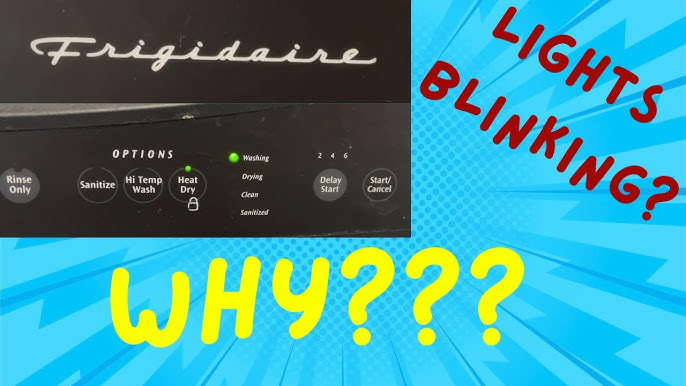
How To Find Error Codes Without A Display
Many Frigidaire dishwashers do not have a digital display. Instead, they use blinking lights to show error codes. If you need to decode the blinks:
- Count the number of blinks between pauses.
- Check your manual for code meanings.
- If you do not have a manual, you can find guides online or contact Frigidaire support.
Some owners use their phone to record the blink pattern, then replay it to count blinks accurately.
Safety Tips When Fixing Blinking Lights
Safety should always come first. Here are some key tips:
- Unplug the dishwasher before any repair.
- Wear gloves when handling filters and hoses.
- Keep water away from electrical parts.
- Do not force open panels; some parts are fragile.
- If you smell burning, stop and call a technician.
Many accidents happen because people try to fix electrical appliances without proper care.

Credit: www.reddit.com
Common Myths About Blinking Lights
You may hear some myths about blinking lights in Frigidaire dishwashers. Here are the most common:
- All blinking lights mean the dishwasher is broken: Not true. Many times, it is just a pause or door issue.
- You must always call a professional: Many problems can be fixed at home.
- Blinking lights mean you need a new dishwasher: Most issues are fixable.
- Error codes are always the same for all models: Codes change with the model. Check your manual.
Avoid these myths to save time and money.
Frequently Asked Questions
Why Does My Frigidaire Dishwasher Light Blink But Nothing Happens?
This usually means the door is not closed or the cycle is paused. Push the door firmly and press the start button. If nothing changes, try resetting the dishwasher.
Can Blinking Lights Signal A Water Leak?
Yes, some models use blinking lights to warn about leaks. Check under the dishwasher for water. If you find a leak, dry the base and check hoses. If the blinking continues, call a technician.
How Do I Reset My Frigidaire Dishwasher?
To reset, turn off the dishwasher, unplug it, or turn off the circuit breaker for 5–10 minutes. Plug it back in, close the door, and start a new cycle. This often clears blinking light problems.
Are Blinking Lights Always Linked To Error Codes?
Not always. Sometimes, blinking lights mean the cycle is paused or waiting for input. But if the blink pattern repeats or matches an error code, check your manual for details.
Where Can I Find More Information About My Model’s Error Codes?
Visit the official Frigidaire website or check your user manual. You can also find helpful guides at Frigidaire Official Site.
Understanding your Frigidaire dishwasher’s blinking lights can save you time, money, and stress. Most problems are simple to fix if you follow the right steps. Always diagnose carefully, check your manual, and do not hesitate to call a professional if needed.
With regular maintenance and smart troubleshooting, your dishwasher will keep working smoothly for years.