
When a Dyson device starts blinking its light, it can be confusing and sometimes stressful. Many people rely on their Dyson vacuum cleaners, air purifiers, or fans every day. A blinking light usually means something is wrong or needs attention. But what does it actually mean? And how do you fix it? This article will guide you through the most common reasons for a Dyson light blinking, what each color or pattern means, and how to solve the problem. Whether you own a Dyson V8 vacuum, a Pure Cool air purifier, or any other model, you’ll find practical steps and tips here. You’ll also learn about less obvious issues that beginners often miss, so you can get your Dyson working smoothly again.
Understanding Dyson Light Signals
Dyson devices use lights to communicate their status. These lights can be blue, red, amber, or white. Sometimes, they blink fast or slow, or stay solid. Each pattern has a meaning.
For example, a blinking blue light usually means the battery is charging or the device is in pairing mode. A blinking red light often means there’s a fault or error. Some models use an amber light to show a temporary issue, like overheating or a blocked filter. The way the light blinks—how fast, how many times, and the color—tells you what’s going on.
Light Signal Table For Dyson Vacuums
Here’s a simple guide for common Dyson vacuum light signals:
| Light Color | Blink Pattern | Meaning |
|---|---|---|
| Blue | Slow Blink | Charging |
| Blue | Fast Blink | Pairing mode or error |
| Red | Blinking | Fault/error |
| Amber/Yellow | Blinking | Temporary fault (e.g., overheating, blockage) |
| White | Solid | Normal operation |
It’s important to note that the meanings can differ slightly between Dyson models. Always check your device’s user manual for the exact light codes.
Common Reasons For Dyson Light Blinking
A blinking light does not always mean a major problem. Sometimes, it’s something simple you can fix at home. Let’s look at the main reasons why your Dyson device might be blinking.
1. Battery Issues
For cordless Dyson vacuums, the battery is often the cause. If the light blinks blue while charging, this is normal. If it blinks red, the battery may be failing or not charging properly.
- Red blinking light: Usually points to a battery fault.
- Blue fast blinking: Can mean the battery is not connecting well.
Non-obvious tip: If your Dyson is older than three years and the light blinks red after a short time, the battery may be at the end of its life—even if it still holds some charge.
2. Blockage Or Clog
A blinking amber or yellow light often means there’s a blockage. Dyson vacuums have sensors to detect airflow problems. If something is stuck in the hose, brush bar, or filters, the device will alert you.
- Remove the dust bin and check the airways.
- Look for hair or dirt wrapped around the brush bar.
Non-obvious tip: Even a small piece of paper or heavy dust can trigger the sensor. Check all tubes and connections, not just the main one.
3. Overheating
If the motor gets too hot, Dyson devices may blink amber or yellow and stop working until they cool down. This is a safety feature.
- Let the device cool for 30–60 minutes.
- Make sure vents are clear and not blocked by furniture or walls.
4. Filter Problems
Dirty or wet filters can cause warning lights. Many Dyson devices need their filters cleaned every 1–3 months. If the light blinks or turns on after cleaning, the filter may not be dry.
- Wash filters with cold water only.
- Let them dry completely for at least 24 hours.
5. Electrical Faults
A blinking red light that doesn’t stop, or a device that won’t turn on at all, may mean an electrical fault. This usually needs professional repair or a new part.
- Try another charger or power socket.
- Contact Dyson support if problems continue.
6. Software Or Firmware Error
Some newer Dyson models, especially air purifiers and fans, can have software glitches. If the device blinks in a way not shown in the manual, try a “reset” (see below).
How To Troubleshoot Dyson Light Blinking
Here’s a step-by-step guide to fixing a blinking light on your Dyson device.
Step 1: Identify The Light Pattern
- Note the color, speed, and number of blinks.
- Check the user manual or Dyson website for your model.
Step 2: Check For Blockages
- Unplug or remove the battery.
- Take apart hoses, brush bars, and filters.
- Remove all debris, hair, or dirt.
Step 3: Inspect And Clean The Filter
- Remove the filter(s) and wash with cold water.
- Do not use soap or put in a dishwasher.
- Dry for 24 hours in a warm place.
Step 4: Look At The Battery And Charger
- Make sure the charger cable is fully inserted.
- Try charging from a different wall socket.
- If you have another Dyson battery, swap and test.
Step 5: Let The Device Cool
- If the device feels hot, leave it off for at least 30 minutes.
- Check that nothing is blocking the vents.
Step 6: Reset The Device
Many Dyson products can be “reset” by holding the power button for 10 seconds, or by removing and reinserting the battery. This can clear minor software issues.
Step 7: Contact Dyson Support
If the light keeps blinking after trying the above, there may be a deeper problem. Visit the official Dyson website or call their support center for help.
Dyson Model Comparison: Light Signals And Troubleshooting
Different Dyson models have different lights and signals. Here’s a comparison of popular models and what their blinking lights usually mean.
| Model | Common Blinking Light | Possible Cause | First Action |
|---|---|---|---|
| Dyson V8/V10/V11 | Red (flashing) | Battery fault | Replace battery |
| Dyson V7/V6 | Amber (flashing) | Filter or blockage | Clean filter, check for blockages |
| Dyson Pure Cool | Amber (solid) | Filter needs changing | Replace filter |
| Dyson Hot+Cool Fan | Red (flashing) | Overheat or fault | Let cool, restart |
| Dyson Outsize | Blue (blinking) | Charging | Wait to finish |
What If The Blinking Light Won’t Stop?
Sometimes, even after cleaning and resetting, the light keeps blinking. Here’s what to try next:
- Double-check all filters and airways. A small blockage can be hard to see.
- Try a different battery if you can borrow one from a friend or buy a spare.
- Look for bent pins or corrosion on the battery contacts.
- Update firmware if your device connects to Wi-Fi or Bluetooth.
If none of these steps work, a part may be broken. This is often the case if the device is old or heavily used.
When To Replace Your Dyson Battery
Batteries in cordless Dyson vacuums usually last 2–4 years. Signs you need a new battery:
- The vacuum runs for a much shorter time than before.
- The light blinks red even after charging.
- The device shuts off suddenly.
Genuine Dyson batteries are safer and more reliable than cheap copies. Using a non-Dyson battery may cause more errors or even damage the vacuum.
Battery Comparison: Genuine Vs Third-party
| Feature | Genuine Dyson Battery | Third-Party Battery |
|---|---|---|
| Reliability | Very high | Varies (often lower) |
| Warranty | Yes (usually 1 year) | Rarely |
| Price | Higher | Lower |
| Risk of Error Lights | Low | Higher |
Non-obvious tip: If you use a third-party battery and see a blinking red light, try switching back to the original battery before calling Dyson support.
Credit: support.dyson.com.au
Specific Dyson Devices And Their Light Codes
Dyson Cordless Vacuums (v6, V7, V8, V10, V11, Outsize)
- Blue blinking: Charging or connection issue.
- Red blinking: Fault, often battery or electronics.
- Amber/yellow blinking: Blockage, overheating, or dirty filter.
Dyson Air Purifiers And Fans
- Solid amber: Filter needs replacing.
- Red blinking: Device error, sometimes due to incorrect filter installation.
- Blue blinking: Connecting to Wi-Fi or pairing.
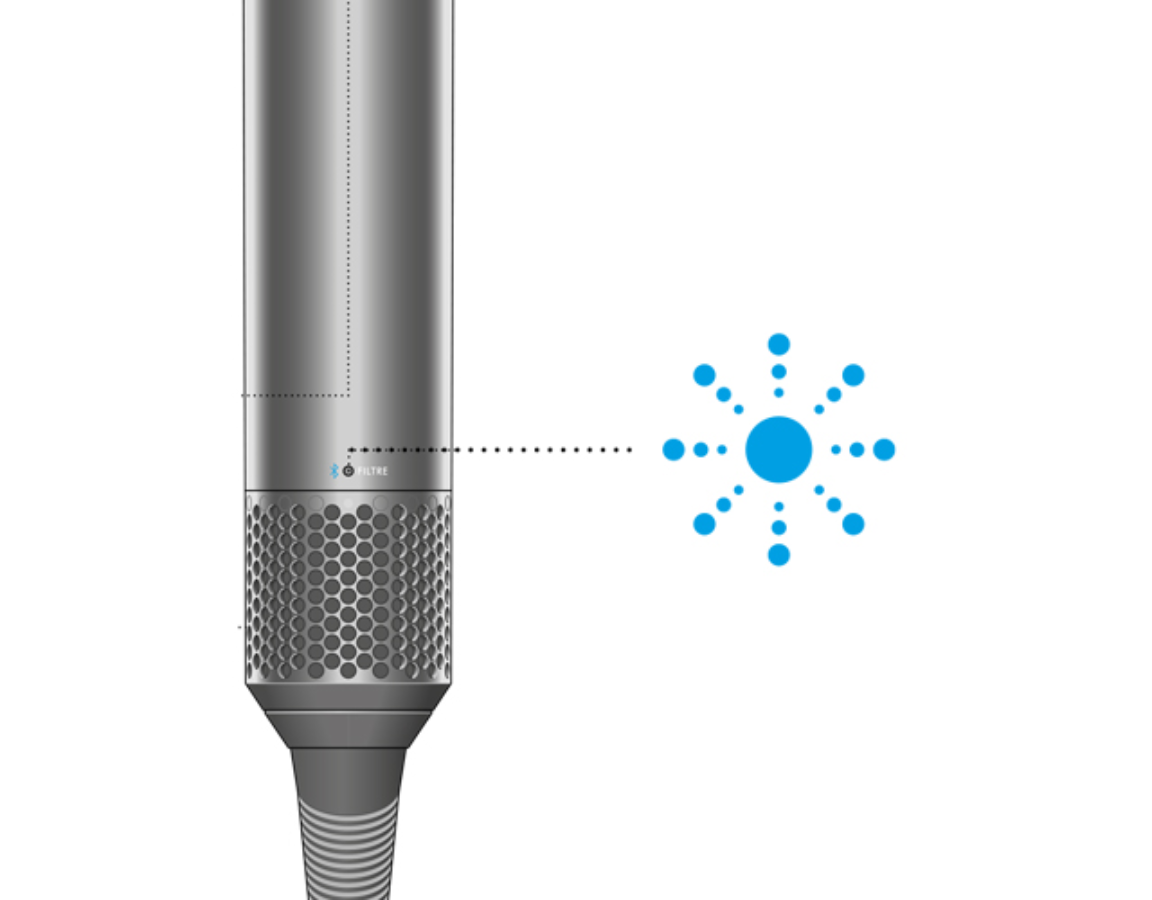
Dyson Hair Dryers
- Red blinking: Overheating or blocked air filter.
- White blinking: Minor error, may clear after restart.
Non-obvious insight: For air purifiers, a blinking light may mean the filter is not seated properly, not just dirty. Always check the filter is fully clicked into place after cleaning or replacing.
How To Prevent Dyson Light Blinking Problems
It’s easier to prevent problems than to fix them. Here are some tips to keep your Dyson device running smoothly:
- Clean filters regularly. Set a reminder for every month or two.
- Empty the dust bin before it’s full. Overfilled bins can cause blockages.
- Check hoses and brush bars for hair or debris after each use.
- Charge the battery fully before storing the device for long periods.
- Keep the device dry. Do not use in wet areas or let water reach the motor.
- Update firmware on smart Dyson products using the official app.
Firmware Updates And Software Fixes
Smart Dyson devices, like the Pure Cool or Pure Hot+Cool, can receive software updates. If the light pattern is strange or not in your manual, check if a firmware update is available.
- Connect the device to Wi-Fi.
- Use the Dyson Link app to check for updates.
- Follow instructions to update.
Software bugs can sometimes cause false blinking lights. An update can fix these issues.
Should You Repair Or Replace?
If your Dyson is several years old and the light keeps blinking, you might wonder if it’s worth fixing. Here’s a guide:
- Repair if: The device is less than five years old, and the cost of a new battery or filter is less than half the price of a new model.
- Replace if: The device is over five years old, the motor or electronics are faulty, or repair costs are high.
Tip: Dyson offers trade-in programs and recycling for old devices. Check their website for deals.

Credit: www.youtube.com
What Dyson Support Can Do
If you have tried all steps and the light still blinks, Dyson support can help by:
- Diagnosing the problem by phone or chat.
- Sending replacement parts if under warranty.
- Offering paid repair or replacement options.
Always have your model number and purchase details ready when you contact them.
For more information about Dyson’s official support process, visit the Dyson Support Center.
Frequently Asked Questions
Why Does My Dyson Vacuum’s Light Blink Red?
A red blinking light usually means a battery or electronic fault. Try charging the vacuum fully, resetting it, and checking for blockages. If the problem continues, the battery may need replacing.
How Do I Reset My Dyson Device When The Light Is Blinking?
Most Dyson devices can be reset by holding the power button for 10 seconds or by removing and reinserting the battery. Check your manual for your model’s reset steps.
What Does A Yellow Or Amber Blinking Light Mean On A Dyson?
An amber or yellow blinking light often means a temporary issue like overheating, a blockage, or a dirty filter. Let the device cool, clean the filters, and check for blockages.
Can A Third-party Battery Cause My Dyson To Blink Red?
Yes. Non-genuine batteries sometimes trigger error lights because they do not communicate properly with the device. Always test with a genuine Dyson battery if you see a red light.
How Often Should I Clean My Dyson’s Filters To Avoid Blinking Lights?
Most Dyson filters should be cleaned every 1–3 months, depending on use. A dirty or wet filter can cause the light to blink or show a warning.
A blinking light on a Dyson can be worrying, but it’s often easy to fix at home. Start by checking the color and pattern of the light, then follow the troubleshooting steps. Clean your device regularly, use genuine parts, and keep software up to date.
If in doubt, contact Dyson support for help. With the right care, your Dyson will keep working well for years.

Credit: www.reddit.com