
If your Whirlpool dishwasher’s start button is blinking, it’s natural to feel frustrated or confused. This blinking light is not just a random event—it’s your dishwasher’s way of telling you something’s wrong. While it’s tempting to ignore the blinking and hope the problem fixes itself, doing so can lead to bigger issues or even stop your dishwasher from working entirely. Understanding what causes the start button to blink and how to address it can save you time, money, and unnecessary stress. In this guide, you’ll learn the reasons behind the blinking, how to diagnose the issue, and practical solutions to get your Whirlpool dishwasher running smoothly again.
Why The Whirlpool Dishwasher Start Button Blinks
The start button on your Whirlpool dishwasher serves as both a command and a communication tool. When it blinks, it’s often signaling a problem in the system. This blinking can come with different patterns—steady, fast, or in cycles—and each pattern has a meaning. Sometimes, it’s as simple as the door not being closed properly. Other times, it could indicate a more complex issue, like a malfunctioning sensor or a problem with the control board.
Most Whirlpool dishwashers use blinking lights as error codes. These codes help you and repair technicians identify the problem quickly. For example, a start button blinking seven times in a row could mean something different than a continuous, rapid blink.
Reading your user manual can help decode these patterns, but common causes often relate to door latches, power interruptions, water supply, or software glitches.
It’s important to act quickly when you see the blinking light. Ignoring it can lead to incomplete washes, water leaks, or even damage to the appliance. The good news is that many causes behind a blinking start button can be fixed at home without professional help.
Common Causes Of A Blinking Start Button
Several reasons can trigger the start button to blink. Understanding these causes helps you troubleshoot more efficiently.
- Unlatched or Faulty Door
- The dishwasher will not run if the door isn’t securely closed. A blinking start button often means the door latch is not engaged. Even a slightly open door or a broken latch sensor can trigger this warning.
- Interrupted Power Supply
- Power surges, outages, or a loose plug can disrupt the dishwasher’s operation. If the appliance loses power during a cycle, it may need to be reset, and the start button might blink as an alert.
- Control Panel Glitch
- Sometimes, the control board or touchpad can freeze or malfunction. This can cause the start button and other lights to blink unexpectedly.
- Water Supply Problems
- Dishwashers need a steady water supply to function. If the water inlet valve is closed, kinked, or clogged, or if water pressure is too low, the dishwasher might signal this with a blinking light.
- Stuck Keys or Faulty Touchpad
- If a button on the control panel is stuck (sometimes due to dirt or moisture), the system may see it as a continuous command, causing the start button to blink.
- Software or Programming Error
- Occasionally, the dishwasher’s onboard software can experience glitches, especially after a power cut or interruption. In these cases, a simple reset can often resolve the issue.
- Obstructed Drain or Filter
- If the dishwasher cannot drain properly, it may halt the cycle and alert you with a blinking light. Clogged filters or blocked drain hoses are common culprits.
- Sensor Problems
- Modern dishwashers use sensors to detect water levels, temperatures, and door position. If a sensor fails or gives a false reading, the start button might blink to alert you.
Not all blinking is the same. For example, some models have a dedicated “clean” or “wash” light that blinks for different reasons. Always check your model’s manual for specifics.
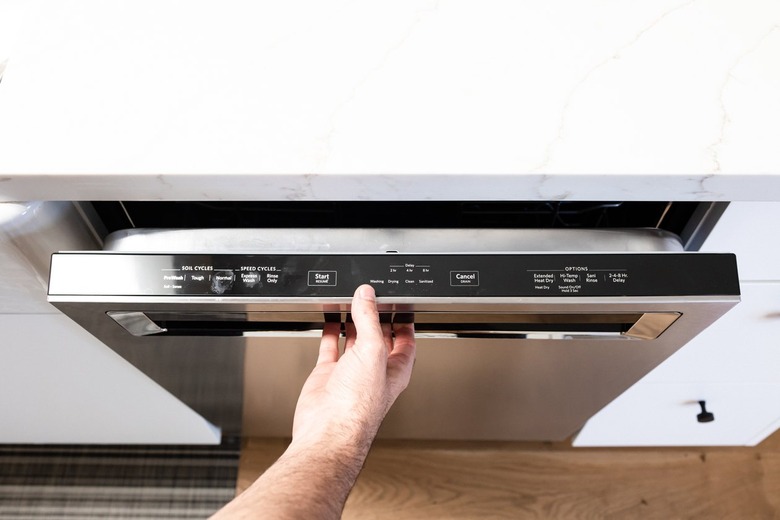
Credit: www.seanfoster.co.nz
How To Diagnose The Blinking Start Button
Before you can fix the problem, you need to find out what’s wrong. Here’s a step-by-step way to diagnose the issue.
- Observe the Blinking Pattern
- Is the start button blinking steadily, or does it follow a pattern (e.g., three blinks, pause, three blinks)? Write down what you see, as this helps identify the error code.
- Check the Door and Latch
- Open and close the dishwasher door firmly. Listen for a solid click. Inspect the latch for any obvious damage or misalignment.
- Inspect the Control Panel
- Look for stuck, sticky, or wet buttons. Gently press each button to make sure they move freely.
- Power Cycle the Dishwasher
- Unplug the dishwasher (or turn off the breaker) for five minutes. Plug it back in and see if the blinking stops. This resets the control board and often clears minor glitches.
- Examine the Water Supply
- Make sure the water supply valve is fully open. Check hoses for kinks or blockages. If possible, run another faucet in your home to confirm water pressure is normal.
- Check for Error Codes
- Many Whirlpool dishwashers display error codes along with blinking lights. If your model has a display, look for numbers or letters. Refer to your user manual or the manufacturer’s website for code meanings.
- Inspect the Drain System
- Remove and clean the dishwasher filter. Check the drain hose under the sink for blockages. Look for standing water in the bottom of the tub, which could mean a drain problem.
- Listen for Unusual Sounds
- When you try to start a cycle, do you hear clicking, humming, or nothing at all? These sounds can give clues—no sound often points to power or latch issues, while humming may suggest a stuck motor or blocked pump.
Tip: Take photos or videos of the blinking pattern. This can help if you need to call for service.
Step-by-step Solutions For A Blinking Start Button
Once you’ve diagnosed the likely cause, you can try these solutions. Many homeowners fix the problem without needing a repair technician.
Fix 1: Secure Or Replace The Door Latch
- Close the door firmly. If the blinking stops, the latch was loose.
- If the door doesn’t click, inspect the latch for cracks or misalignment.
- Clean around the latch with a cloth to remove debris.
- If the latch is broken, order a replacement part specific to your Whirlpool model.
Fix 2: Reset The Dishwasher
- Unplug the dishwasher for 5 minutes or turn off the circuit breaker.
- Plug it back in or flip the breaker on.
- Try starting a cycle—often, this clears software glitches causing the blinking.
Fix 3: Check And Restore Power
- Make sure the power cord is plugged in securely.
- Inspect the outlet with another device (like a lamp) to confirm it works.
- Reset any tripped breakers or blown fuses.
Fix 4: Restore Water Flow
- Open the water supply valve completely.
- Straighten any kinks in the inlet hose.
- Remove the hose and run water through it to clear blockages.
- If water pressure is low, contact a plumber.
Fix 5: Clean Stuck Or Dirty Buttons
- Wipe the control panel with a damp (not wet) cloth.
- Dry thoroughly to prevent moisture from causing false signals.
- Gently press each button to free any that are stuck.
Fix 6: Clean The Filter And Drain
- Remove the bottom rack.
- Twist out the filter (consult your manual for location).
- Rinse the filter under running water.
- Check the drain hose for clogs and flush with water if needed.
Fix 7: Address Sensor Errors
- If an error code points to a sensor (like the float switch), clean around it to remove debris.
- Some sensors can be reset by running a rinse cycle after a power reset.
Fix 8: Software And Hard Reset
- For some Whirlpool models, press and hold the start button for 3 to 5 seconds to reset.
- If that doesn’t work, try this sequence: Press Heated Dry, Normal, Heated Dry, Normal in rapid succession. This puts the dishwasher in diagnostic mode, which can clear errors.
Caution: Always unplug your appliance before attempting any internal repair.
Comparing Whirlpool Dishwasher Error Signals
Different Whirlpool dishwashers use various blinking patterns and error signals. Here’s a comparison of what the start button blinking may mean on different model series:
| Model Series | Blinking Pattern | Common Meaning |
|---|---|---|
| WDF520PADM | Steady Blink | Door not closed |
| WDT730PAHZ | 3 Blinks, Pause | Water supply error |
| WDTA50SAKZ | Rapid Flash | Control board glitch |
| WDF330PAHS | 7 Blinks | Stuck button or keypad error |
Always match your model to the correct error pattern using your manual for the most accurate diagnosis.
When To Call A Professional
Sometimes, the blinking start button signals a problem that’s not safe or practical to fix yourself. If you’ve tried all the above steps and the light keeps blinking, it may be time to call a service technician. Here’s when to seek professional help:
- The control board or wiring needs replacement.
- You see signs of electrical damage (burning smell, charred wires).
- Error codes remain after resets and cleaning.
- The dishwasher is under warranty—DIY repairs might void coverage.
Most repairs cost between $100 and $350, depending on the part and labor. Investing in a repair often extends the life of your dishwasher by several years.
Preventing Future Blinking Start Button Issues
Prevention is better than cure. Proper care and regular maintenance can reduce the chances of the start button blinking unexpectedly.
Regular Cleaning
- Clean the filter every month to prevent clogs.
- Wipe the door seal and latch area to stop debris buildup.
- Run a dishwasher cleaner through an empty cycle every 2-3 months.
Careful Use
- Always close the door until you hear a click.
- Avoid slamming the door, which can break the latch.
- Don’t overload the racks, as heavy loads can press against the door.
Safe Power Practices
- Use a surge protector if you live in an area with frequent power outages.
- Never plug your dishwasher into an extension cord.
Water Supply Maintenance
- Check hoses every 6 months for kinks or leaks.
- Replace hoses every 5 years or as recommended by Whirlpool.
Software Updates
- Some newer models allow software updates via service technicians. Ask about updates if you experience frequent glitches.
Annual Inspection
- Have a professional inspect your dishwasher every year, especially if it’s over 5 years old.
Whirlpool Dishwasher Start Button: At-a-glance Troubleshooting
Here’s a quick reference chart to help you match the blinking pattern with the possible cause and fix:
| Blinking Pattern | Likely Cause | Quick Fix |
|---|---|---|
| Steady Blink | Door not closed | Re-close door, check latch |
| 2-3 Blinks, Pause | Water supply issue | Open valve, check hoses |
| Rapid Flash | Control board glitch | Reset dishwasher |
| 7 Blinks | Stuck button | Clean control panel |
| No Sound, Blinking | Power problem | Check outlet, breaker |
This overview can speed up your troubleshooting and help you decide whether to fix it yourself or call for help.

Credit: www.reddit.com
Non-obvious Insights Most People Miss
Many users don’t realize that moisture inside the control panel can cause false signals and blinking. If you’ve recently cleaned your dishwasher with lots of water or steam, let the panel dry out for a few hours before trying again. Also, some Whirlpool dishwashers have a child lock feature—if this is accidentally activated, the start button will blink and the machine won’t respond to commands. Check your manual for the child lock icon (often a padlock) and hold the required button for 3-5 seconds to deactivate.
Another overlooked tip: If your kitchen outlet is wired to a GFCI breaker, and that breaker trips, the dishwasher may lose power without you noticing. Always check nearby outlets if your dishwasher suddenly acts up.
Example: Real-world Scenario
Suppose you load your Whirlpool dishwasher, close the door, and press Start. The button starts blinking rapidly and nothing happens. You check the door—it seems closed. You unplug the dishwasher, wait five minutes, and plug it back in. The blinking stops and the cycle begins.
In this case, a minor software glitch caused the problem, and a simple reset fixed it.
In another example, the button blinks three times, pauses, then repeats. You check the water supply valve under the sink and find it half-closed. After opening it fully, the blinking stops and the dishwasher works. Here, low water pressure was the culprit.
Comparing Whirlpool To Other Brands: Start Button Issues
How does Whirlpool compare to other major dishwasher brands when it comes to start button blinking? Here’s a quick comparison:
| Brand | Common Causes of Blinking | Ease of DIY Fix |
|---|---|---|
| Whirlpool | Door latch, power, control board | Moderate (most issues fixable at home) |
| Bosch | Water supply, sensors | Easy (clear error codes) |
| GE | Door, control panel | Moderate |
| Samsung | Control board, software glitches | Challenging (often needs service) |
Whirlpool dishwashers are generally user-friendly for troubleshooting, but always check your specific model’s instructions.
Frequently Asked Questions
Why Does My Whirlpool Dishwasher Start Button Keep Blinking And Won’t Start?
A blinking start button usually means a problem with the door latch, power supply, or a control panel glitch. Check that the door is fully closed and latched. If it still blinks, try unplugging the unit for five minutes to reset the system. If the problem continues, inspect the power source or consult your manual for error codes.
How Can I Reset My Whirlpool Dishwasher If The Start Button Is Blinking?
You can reset most Whirlpool dishwashers by unplugging them for five minutes or turning off the circuit breaker. Some models allow you to press and hold the start button for 3-5 seconds. Others have a diagnostic sequence (like pressing Heated Dry then Normal twice). Consult your user manual or visit the Whirlpool official support site for model-specific steps.
Is A Blinking Start Button A Sign Of A Serious Problem?
Not always. Most often, it’s a simple issue like a loose door or minor software error. However, if you see burning smells, hear electrical popping, or the blinking continues after resets, it could be a sign of a more serious electrical or control board issue.
In such cases, call a technician.
Can A Power Outage Cause The Start Button To Blink?
Yes, a power interruption can confuse the dishwasher’s control board, causing the start button to blink when power returns. A simple reset usually resolves this. Check your home’s circuit breaker and make sure the outlet is working.
What If Cleaning The Control Panel Doesn’t Stop The Blinking?
If the blinking continues after cleaning and drying the buttons, the touchpad or main control board may be faulty. This repair is more complex and usually requires a technician, especially if your dishwasher is still under warranty.
Conclusion
If your Whirlpool dishwasher’s start button is blinking, don’t panic. Most issues are minor and fixable with a little patience and the right steps. By understanding the signals, diagnosing the problem, and following the solutions above, you can keep your kitchen running smoothly and your dishes sparkling clean.
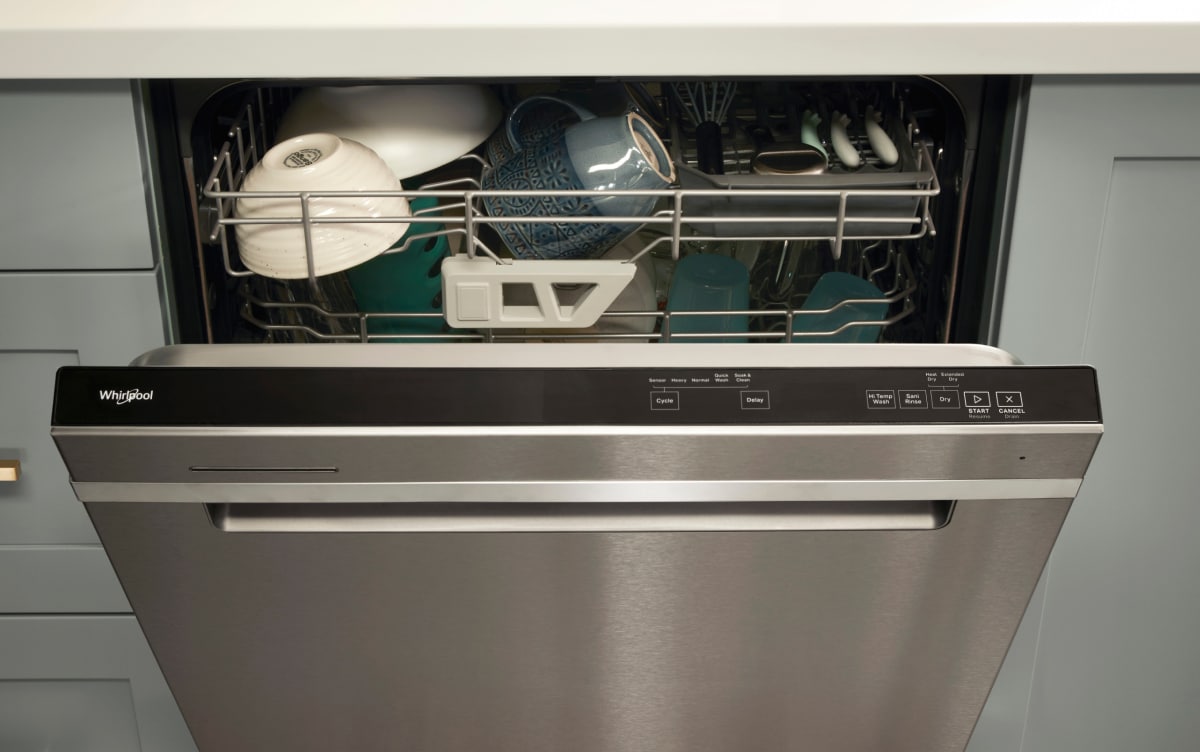
Credit: www.whirlpool.com