
If you own a Sony Bravia TV, you expect a high-quality viewing experience. But sometimes, things go wrong. One of the most common and frustrating problems is seeing a red light blinking on your Sony Bravia TV. This warning light can appear suddenly, often leaving users confused about what it means and how to fix it. Understanding the blinking red light is important, as it can point to anything from a simple power issue to serious hardware failure.
You’re not alone if you feel anxious when you see this warning. Many Sony Bravia owners have faced the same problem. The good news is, not every red light blink means your TV is broken for good. In many cases, you can solve the issue yourself, saving time and money.
This guide will help you understand what the red blinking light means, why it happens, and what you should do next. You’ll also learn when to fix the problem at home and when to call a professional.
Let’s dive into the world of Sony Bravia red light blinking. By the end, you’ll know what steps to take and how to avoid common mistakes that can make things worse.
What Does The Sony Bravia Red Light Blinking Mean?
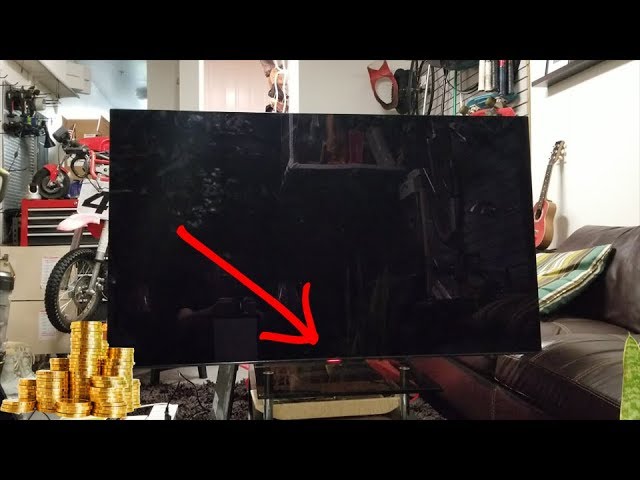
The red blinking light on a Sony Bravia TV is more than just a warning. It’s a built-in system to help you, and technicians, diagnose problems. When your TV finds something wrong, it uses the red light to “talk” to you by blinking in a specific pattern. This pattern is known as the error code.
Each pattern can mean something different:
- A certain number of blinks, then a pause, then the same number again, tells you what kind of fault the TV has found.
- The most common blink patterns are between 2 and 8 blinks.
- The pattern repeats itself in a cycle until you turn off the TV.
For example, if your TV blinks red four times, then pauses, then blinks four times again, this is a 4-blink error code. Each code has its own meaning and solution.
Sony designed this feature to help both users and service technicians. If you know the blink code, you can look up what it means and decide your next step. It’s important to count the blinks carefully before searching for a solution.
Common Causes Of Sony Bravia Red Light Blinking
Understanding why your TV is blinking is the key to fixing it. Here are the most frequent reasons for a Sony Bravia red light blinking:
- Power supply problems: The TV’s power board might be faulty or have loose connections.
- Overheating: Dust, blocked vents, or high room temperature can cause the TV to overheat.
- Backlight failure: The LED or LCD backlight system can stop working due to age or electrical issues.
- Main board failure: The main processing board inside the TV may be damaged or malfunctioning.
- Loose cables or connections: Sometimes, a simple loose or damaged cable can trigger the warning.
- Firmware or software errors: Bugs or failed updates can confuse the TV’s system and cause the red light to blink.
These issues can range from easy fixes (like cleaning your TV or reconnecting cables) to complex problems that need a professional repair.
Decoding The Blink Codes: What Each Pattern Means
Each blink code gives a clue about what’s wrong. Here’s a breakdown of the most common codes and their typical causes:
| Blink Code | Likely Cause | Notes |
|---|---|---|
| 2 blinks | Power supply or motherboard issue | Often related to internal circuit failure |
| 3 blinks | Bad main board or T-CON board | May need board replacement |
| 4 blinks | Backlight or inverter failure | Common in older LED/LCD models |
| 5 blinks | Panel or main board fault | May indicate display panel damage |
| 6 blinks | Power supply board failure | Can be due to bad capacitors |
| 7 blinks | Temperature or fan error | Check for overheating issues |
| 8 blinks | Audio circuit problem | Sound board may be defective |
Not all models use the same codes. Always check your TV’s manual or the Sony support site for your exact model.
Step-by-step Troubleshooting For Sony Bravia Red Light Blinking
When you see the red light blinking, don’t panic. Here’s a practical, step-by-step method to troubleshoot the problem. This approach works for most Sony Bravia models.
1. Identify The Blink Pattern
- Turn on the TV and watch the red light carefully.
- Count the number of blinks before the pause.
- Repeat this two or three times to make sure you have the correct code.
2. Power Reset Your Tv
This simple step solves many issues:
- Turn off the TV using the power button.
- Unplug the power cord from the wall.
- Wait at least 2 minutes.
- Plug it back in and turn the TV on.
A power reset can clear minor software glitches and reset the internal circuit.
3. Check For Overheating
- Make sure the TV’s vents are not blocked by dust, walls, or objects.
- If the room is hot, try to cool it down.
- Use a vacuum or soft brush to clean dust from the vents.
Tip: Overheating is a common cause for 7-blink codes.
4. Inspect Cables And Connections
- Unplug all cables (HDMI, power, USB, etc.) And reconnect them.
- Check for damaged or loose wires.
- Try a different power outlet to rule out electrical issues.
5. Update Firmware
- If your TV powers on, go to Settings > Support > Software Update.
- Install any available updates.
- If the TV does not turn on, skip this step.
Firmware bugs can sometimes cause blinking errors, especially after a failed update.
6. Try A Factory Reset
If the TV still turns on:
- Press and hold the power button on the TV (not the remote) for about 10 seconds.
- Follow the on-screen instructions for a factory reset.
A factory reset erases all settings, but can fix deep software problems.
7. Test With Minimal Setup
- Disconnect all external devices (gaming consoles, soundbars, etc. ).
- Try turning on the TV with only the power cord attached.
Sometimes, faulty accessories can cause the TV to blink red.
8. Let The Tv Cool Down
If you suspect overheating, turn off the TV and let it rest for 30-60 minutes. Then try again.
9. Call For Professional Help
If none of these steps work, or if the TV blinks 5 or more times, the problem is likely hardware-related. Contact Sony support or a qualified repair technician.
Avoid opening the TV yourself unless you have electronics experience. Doing so can be dangerous and may void your warranty.
Credit: www.reddit.com
Diy Fixes: What You Can Safely Try At Home
Some red light problems are simple enough for most users to try at home. Here are a few safe options before calling a repair service:
- Clean the TV vents: Use compressed air or a soft brush to clear dust.
- Replace cables: Try new HDMI or power cables to rule out a bad connection.
- Change power outlets: A faulty outlet can cause blinking lights.
- Update software: Keeping your TV’s firmware up to date prevents many issues.
Never try to replace internal parts unless you have training. It’s easy to cause more damage or injure yourself.
When To Call A Professional
There are times when a Sony Bravia red light blinking means you need expert help. Here’s when you should stop DIY efforts:
- Blink codes suggest a serious hardware fault (usually 4, 5, 6, or more blinks).
- The TV is under warranty. Attempting a repair yourself can void coverage.
- You smell burning or see smoke. Unplug the TV immediately and call support.
- The TV won’t turn on at all after basic troubleshooting.
- You are not comfortable opening electronics.
Note: Some repair shops offer free diagnostics. Always ask before agreeing to costly repairs.
Credit: www.youtube.com
Real-world Examples: Sony Bravia Red Light Blinking Scenarios
To make the problem clearer, here are real-world examples of how the red light blinking has affected Sony Bravia owners:
Example 1: The Four-blink Mystery
A user noticed his Sony Bravia blinked red four times each time he tried to turn it on. After searching online, he discovered this meant a backlight failure. He tried a power reset and cleaning the vents. When that didn’t work, he took it to a repair shop, where they confirmed a backlight LED had failed. The repair cost about $120, which was less than a new TV.
Example 2: Overheating In Summer
During a heatwave, a family saw their Sony Bravia start blinking red seven times. The TV was close to a wall, and the vents were covered in dust. After cleaning the vents and moving the TV to a cooler room, the error stopped.
This shows how important proper airflow is.
Example 3: Software Update Gone Wrong
After a failed firmware update, a user’s TV started blinking red three times. The TV still turned on, so he was able to reinstall the update from a USB stick. Once the update finished, the blinking stopped, and the TV worked normally.
Example 4: The Unexpected Cable Problem
A Sony Bravia owner saw a two-blink error. After checking online, she learned this could be a power board or connection issue. She unplugged all cables and plugged them back in carefully. The blinking stopped, and the TV worked again.
Sometimes, a loose cable is the only problem.
Comparing Sony Bravia Red Light Blinking To Other Tv Brands
How does Sony Bravia’s red light blinking system compare to other popular TV brands? Here’s a quick look:
| Brand | Error Indication | User-Friendly? | Common Causes |
|---|---|---|---|
| Sony Bravia | Red blinking light (pattern codes) | Yes (codes are well documented) | Power, backlight, overheating, board failures |
| Samsung | Red standby light, sometimes blinking | Somewhat (fewer codes, less detailed) | Power, main board, backlight |
| LG | Blinking red or blue light, some codes | Moderately user-friendly | Power, main board, panel |
| Vizio | White or amber light, some blinking | Less clear for users | Power supply, software glitches |
Sony’s system is generally more user-friendly because the codes are well documented and easy to find. This makes troubleshooting easier for non-experts.
Preventing Sony Bravia Red Light Blinking Issues
While not every problem can be prevented, you can reduce your chances of seeing the red blinking light by following some simple habits:
- Keep vents clean: Dust is a major cause of overheating.
- Allow airflow: Place your TV at least 4 inches from walls.
- Avoid power surges: Use a surge protector.
- Update firmware: Regular updates fix bugs and improve stability.
- Use quality cables: Cheap or damaged cables can cause connection problems.
- Don’t overload outlets: Avoid plugging too many devices into one outlet.
Advanced tip: If your home often has power cuts or surges, consider an uninterruptible power supply (UPS) for your entertainment system.
Cost Of Repairing Sony Bravia Red Light Blinking
Repair costs depend on the problem and your location. Here’s a general idea for common repairs:
| Repair Type | Estimated Cost (USD) | Notes |
|---|---|---|
| Power board replacement | $80 – $150 | Includes parts and labor |
| Backlight repair | $100 – $200 | Varies by model and screen size |
| Main board replacement | $120 – $250 | More expensive for newer models |
| Minor fixes (cables, cleaning) | $0 – $50 | Often DIY |
Important: If your TV is out of warranty and repair costs are close to the price of a new TV, consider replacement. Always ask for a quote before authorizing repairs.
Two Insights Most People Miss
- The red light blink pattern can change after a failed DIY attempt. For example, forcing a reset or unplugging the TV during an update can cause a new error code to appear. Always write down the original blink code before trying fixes.
- Environmental factors matter more than you think. Many people don’t realize that high humidity, dust, and even nearby wireless devices can affect TV performance and trigger errors.
Useful Resources And Where To Get Help
If you’re stuck, don’t hesitate to use official resources. The Sony support website has guides and videos for most problems. If you need parts or service, use authorized repair centers to protect your warranty. For more information, visit the official Sony Support site.

Credit: www.wikihow.com
Frequently Asked Questions
What Should I Do First When My Sony Bravia Blinks Red?
Start by counting the number of blinks in the pattern. Then, try a power reset by unplugging the TV for at least 2 minutes and plugging it back in. If the problem continues, look up the error code for your model.
Can I Use My Tv If The Red Light Is Blinking But The Picture Is Still Working?
It’s not recommended. The blinking light means there’s a problem, even if the TV works for now. Using it could cause more damage. Try fixing the issue as soon as possible.
Does The Red Blinking Light Always Mean Hardware Failure?
No, sometimes it’s a simple issue like overheating or a bad cable. However, persistent blinking (especially 4 or more blinks) often points to a hardware problem.
Will A Factory Reset Delete My Apps And Settings?
Yes. A factory reset returns your TV to original settings. You’ll lose all personal data, installed apps, and Wi-Fi passwords. Only use this step if other fixes fail.
How Do I Find Out If My Tv Is Still Under Warranty?
Check your purchase receipt or log in to your account on the Sony website. Warranty details depend on your region and model. If in doubt, contact Sony customer support.
Conclusion
A blinking red light on your Sony Bravia doesn’t have to ruin your TV experience. With the right steps, you can often solve the problem or know when to call for help. Understanding the blink codes and acting quickly protects your investment and keeps your TV running for years.