
Many people rely on their Shark vacuum every day to keep their homes clean. When the vacuum works, life feels easier. But sometimes, lights start blinking on the vacuum, and suddenly, cleaning becomes confusing. What do these blinking lights mean? Are they warning signs, or are they normal? If you’ve seen your Shark vacuum lights blinking and you’re not sure what to do, this guide will help you understand the causes, solutions, and practical tips to keep your vacuum working well.
Why Shark Vacuum Lights Blink
Shark vacuums use lights to communicate with you. These lights can be solid, blinking, or flashing in different colors. Each pattern tells you something about the vacuum’s condition. Most Shark models have red, blue, or green lights, and sometimes more than one light is present. Blinking lights usually signal a problem or a maintenance need.
Let’s look at the most common reasons lights blink:
- Blocked brush roll: Hair or debris jams the rotating brush, and the vacuum blinks red or blue.
- Full dustbin: The vacuum detects the bin is full, so it blinks to remind you to empty it.
- Clogged filters: When air can’t flow properly, lights blink to alert you.
- Battery issues: Cordless Shark vacuums blink to show low battery, charging, or battery errors.
- Overheating: If the vacuum gets too hot, it blinks to prevent damage.
- Sensor errors: Sometimes, sensors inside the vacuum misread or malfunction, causing blinking lights.
These signals help prevent damage and keep your vacuum running smoothly. But many users miss the details, like the difference between a blinking red light and a blinking blue light. Recognizing these signals early can save time and money.
Understanding Different Light Patterns
Each Shark vacuum model uses its own system, but most follow similar rules. Here’s what you need to know:
Red Light Blinking
A blinking red light is the most urgent warning. It usually means:
- The brush roll is blocked
- The motor is overheating
- There is a major clog
If you see a red blinking light, stop using the vacuum immediately. Leaving it running can damage the motor or burn out parts.
Blue Light Blinking
A blinking blue light often signals:
- The vacuum is in brushroll mode but not working correctly
- The battery is low (cordless models)
- The vacuum needs maintenance
This is less serious than red, but still needs attention.
Green Light Blinking
A blinking green light is rare, but in some models, it means:
- The battery is charging
- The vacuum is in normal operation (if blinking slowly)
If it blinks fast, check your manual for errors.
Dual Lights Blinking
On some models, both red and blue lights blink together. This usually points to a complicated issue, like both a clog and a brushroll blockage.
Quick Reference: Shark Vacuum Light Meanings
Here’s a comparison of what each blinking light means across popular Shark models:
| Light Color | Common Meaning | Action Needed |
|---|---|---|
| Red (Blinking) | Brush roll jam, overheating | Stop, clear blockage |
| Blue (Blinking) | Battery low, maintenance required | Charge or check filters |
| Green (Blinking) | Charging, normal mode | Wait for full charge |
| Red + Blue (Blinking) | Multiple errors | Inspect entire vacuum |
Not all blinking lights mean a big problem, but ignoring them can lead to expensive repairs.
Step-by-step Guide: What To Do When Shark Vacuum Lights Blink
If your Shark vacuum starts blinking, don’t panic. Follow these steps to solve most issues:
- Turn off and unplug the vacuum. Safety first.
- Check the brush roll for hair or debris. Remove anything tangled.
- Empty the dustbin. Even if it’s not full, emptying can help.
- Inspect and clean filters. Take out the filters and wash them if needed.
- Check for clogs in hose and airways. Look for stuck debris.
- Let the vacuum cool down. If it feels hot, wait 30 minutes before restarting.
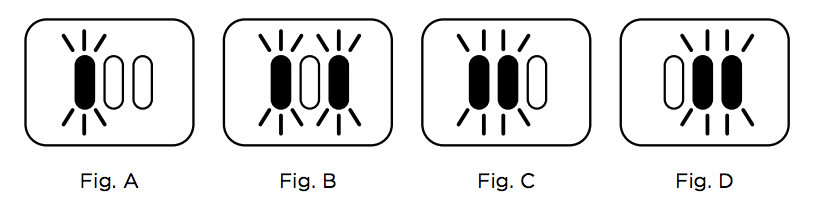
- Check battery status (cordless models). Charge fully and check charger connections.
- Restart and test. If the light keeps blinking, repeat steps or consult the manual.
Many beginners miss step 6: letting the vacuum cool. Overheating is a common but overlooked cause of blinking lights. Also, sometimes the vacuum senses a blockage even after cleaning. In this case, give it time or gently shake out remaining dust.
Credit: sharkcleanapac.zendesk.com
Common Shark Vacuum Models And Their Light Indicators
Shark has many vacuum models, each with its own light system. Here’s a comparison of three popular models:
| Model | Light Colors | Key Light Signals |
|---|---|---|
| Shark Navigator | Red, Blue | Red blinking: brush jam; Blue blinking: battery low |
| Shark Rocket | Blue, Green | Blue blinking: filter issue; Green blinking: charging |
| Shark ION (Cordless) | Red, Blue, Green | Red blinking: clog; Blue blinking: low battery; Green blinking: charging |
Check your model’s manual for exact meanings, as some models use different signals.
Solving Sensor And Electrical Issues
Sometimes, blinking lights are not caused by blockages or battery issues, but by sensor errors or electrical faults. Here are signs and solutions:
- All lights blinking: Try resetting the vacuum by unplugging it for 60 seconds.
- Lights blink after cleaning: Check for hidden clogs in hose or motor area.
- Intermittent blinking: Loose wiring or faulty sensors may be the cause. Consult a technician if basic cleaning doesn’t help.
A non-obvious insight: Some Shark vacuums have hidden reset buttons underneath or near the battery compartment. Pressing this button can clear sensor errors. Always check your manual or look online for your specific model.
Preventing Shark Vacuum Light Problems
Avoiding blinking lights is easier than fixing them. Here are practical tips:
- Clean the brush roll after every use.
- Empty the dustbin before it gets too full.
- Wash filters monthly and let them dry fully.
- Store the vacuum in a cool, dry place.
- Charge batteries only with official chargers.
- Inspect hoses every few weeks for clogs.
Many people forget to dry filters completely before reinstalling them. Wet filters can cause blinking lights by blocking airflow, and may even damage the vacuum.
Shark Vacuum Battery Lights: What You Need To Know
Cordless Shark vacuums use blinking lights to show battery status. Here’s what each signal means:
- Blue light blinking: Battery is low; recharge soon.
- Green light blinking: Battery is charging.
- Red light blinking: Battery error; may need replacement.
If your vacuum blinks red after charging, the battery may be faulty. Shark batteries last about 2-3 years with regular use, but extreme heat or overcharging can shorten their life.
Here’s a comparison of Shark battery life versus competing brands:
| Brand | Average Battery Life | Charge Time |
|---|---|---|
| Shark | 2-3 years | 3-5 hours |
| Dyson | 3-4 years | 3-4 hours |
| Bissell | 2-3 years | 4-6 hours |
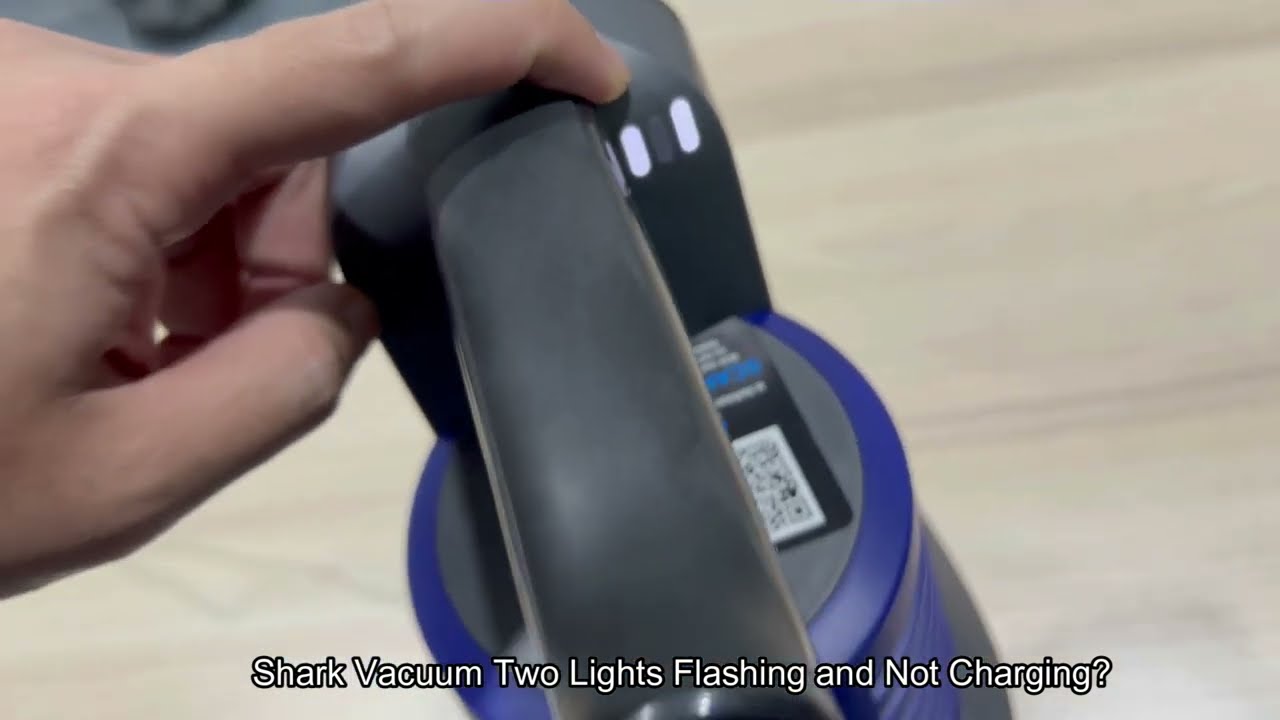
If battery lights blink in an unusual pattern, check for loose battery connections or try resetting the vacuum.
Credit: www.youtube.com
When To Contact Shark Support
Some issues can’t be fixed at home. Contact Shark customer support if:
- Lights blink even after cleaning and resetting
- The vacuum won’t start or stops suddenly
- You see electrical sparks or burning smells
- Battery fails to charge after several tries
Shark offers a 5-year warranty on many models. Keep your purchase receipt and model number handy when contacting support. For official guidance, visit the Shark Clean Support page.
Real-life Examples
- Blocked Brush Roll: Maria’s Shark Navigator started blinking red after picking up pet hair. She unplugged the vacuum, removed tangled hair from the brush roll, and restarted. The light stopped blinking.
- Battery Error: Tom’s Shark ION blinked red even after charging. He checked the charger and battery contacts, but the red light persisted. Replacing the battery fixed the issue.
- Clogged Filter: Jenny’s Shark Rocket blinked blue. She removed and washed the filter, let it dry overnight, and the vacuum worked again.
These examples show that most blinking light issues can be fixed at home, but sometimes replacement parts are needed.

Credit: www.youtube.com
Frequently Asked Questions
Why Does My Shark Vacuum’s Red Light Keep Blinking?
A blinking red light usually means a blocked brush roll or a major clog. Unplug the vacuum, clear any hair or debris from the brush roll and hose, and let the vacuum cool for 30 minutes before restarting.
What Does A Blinking Blue Light Mean On My Shark Vacuum?
A blinking blue light often signals low battery (cordless models) or a maintenance issue like clogged filters or hoses. Check and clean filters, and recharge the battery if needed.
Can I Reset My Shark Vacuum If Lights Keep Blinking?
Yes, unplug the vacuum for at least 60 seconds to reset the electronics. Some models have a hidden reset button near the battery compartment—press it if available.
Do Blinking Lights Always Mean A Problem?
Not always. Slow blinking green lights may mean the vacuum is charging. But fast blinking or red/blue lights usually mean an error or maintenance need.
How Do I Prevent Blinking Light Problems In The Future?
Clean the brush roll and filters regularly, empty the dustbin before it’s full, and store the vacuum in a cool place. Avoid wet filters and charge batteries only with official chargers.
Conclusion
If you understand your Shark vacuum’s blinking lights, you can fix most problems at home and keep your vacuum working for years. Recognizing patterns, cleaning regularly, and knowing when to ask for help will save time and protect your investment.