
Samsung washing machines are known for their advanced features and reliability. But sometimes, users see the Self Clean blinking light on the washer’s display and feel confused or even worried. Is it a warning? Does it mean something is wrong with your washer? If you’re seeing this blinking message, you’re not alone. Many Samsung washer owners have faced this, and understanding what it means can help you keep your machine running smoothly and your clothes fresh.
This guide will explain why the Samsung washer Self Clean light blinks, what you should do when it happens, and how to prevent issues in the future. We’ll also cover common mistakes, practical tips, and answer the most frequent questions people have.
By the end, you’ll know exactly how to handle the Self Clean blinking signal and keep your washer in top shape.
What Does The Self Clean Blinking Light Mean?
When the Self Clean light blinks on your Samsung washer, it’s trying to get your attention for a reason. The Self Clean feature is a special cleaning cycle designed to remove dirt, mold, and residue from the drum and other parts of the washer. Over time, laundry detergent, fabric softener, and even dirt from clothes can build up inside your machine. This build-up can cause odors, bacteria, and even impact washing performance.
The blinking Self Clean light usually means one of these things:
- The washer has detected it’s time for a Self Clean cycle.
- You have ignored several reminders to run Self Clean.
- There might be an error related to the cleaning process.
Most Samsung washers will automatically remind you to run Self Clean after about 20 to 40 washes, depending on the model. If you ignore this reminder, the machine will keep blinking to urge you to act.
Why Is Self Clean Important?
Ignoring the Self Clean cycle can cause several problems:
- Odors: Old detergent and dirt can make your washer and clothes smell bad.
- Mold and bacteria: Moisture and residue create the perfect environment for mold to grow.
- Performance loss: Build-up can reduce washing quality and even damage the machine over time.
Running Self Clean not only protects your investment but keeps your laundry fresh and hygienic. Many users don’t realize that regular cleaning is needed even for a high-end washer.
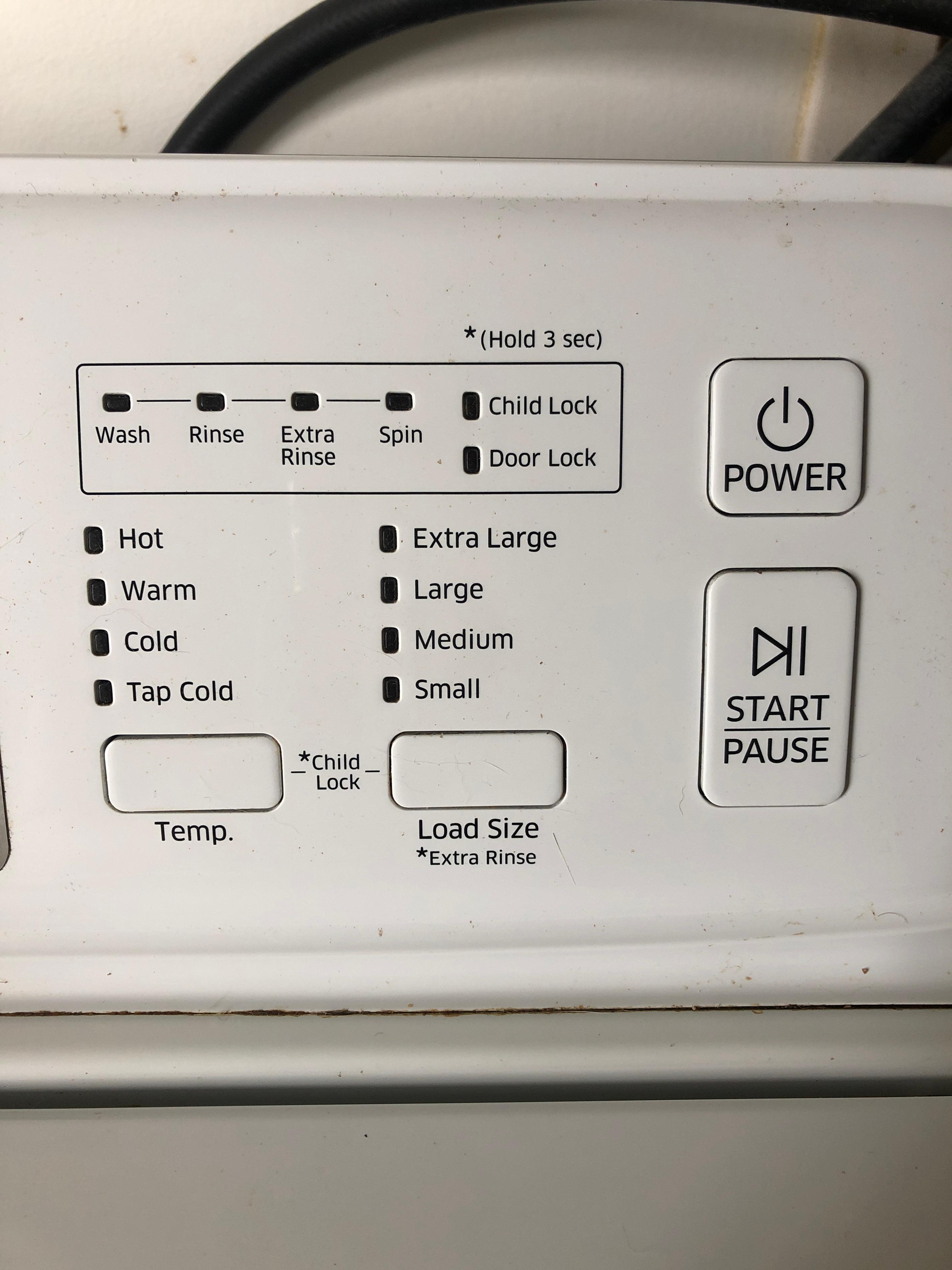
Credit: eu.community.samsung.com
How To Run The Self Clean Cycle
If your Samsung washer’s Self Clean light is blinking, it’s time to run the cleaning cycle. Here’s how to do it:
- Remove all laundry. The Self Clean cycle is meant to clean the washer, not your clothes.
- Check the detergent drawer. Take out and wash the detergent tray if it’s dirty.
- Close the door tightly.
- Press the Self Clean button. On some models, you may need to select it from the cycle list.
- Start the cycle. Press Start/Pause.
- Wait for the cycle to finish. It can take from 1 to 4 hours depending on your model.
Some models allow you to add liquid chlorine bleach (never both bleach and cleaning tablets together) for extra cleaning, but always check your user manual first.
Self Clean Vs. Self Clean+
- Self Clean: Standard cleaning cycle for regular maintenance.
- Self Clean+: Enhanced cleaning (uses heat or steam) for deeper cleaning, available on some models.
Not all Samsung washers have both options. If you see Self Clean+ blinking, it means the enhanced cycle is needed.
What If Self Clean Keeps Blinking After Running The Cycle?
Sometimes, the Self Clean light keeps blinking even after you’ve run the cleaning cycle. Here are possible reasons and solutions:
- Cycle was interrupted: If the cycle didn’t finish, the reminder may not reset. Run Self Clean again without stopping it.
- Washer wasn’t empty: Always run Self Clean with no clothes inside.
- Sensor issue or error code: Sometimes, a sensor or software glitch can cause the light to stay on. Try unplugging the washer for five minutes, then plug it back in.
- Dirty gasket or filter: Clean the rubber door gasket and the drain filter—residue here can prevent the cycle from resetting.
- Too many skipped cycles: Some models need several Self Clean cycles if the light has been ignored for a long time.
If the blinking continues after these steps, check your user manual for troubleshooting or contact Samsung support.
Understanding Common Error Codes
Sometimes, the blinking Self Clean light is paired with an error code. Here’s a quick comparison to help you understand what these codes might mean:
| Error Code | Meaning | What To Do |
|---|---|---|
| 4C | Water supply issue | Check hoses and water valves |
| 5C | Drainage problem | Clean drain filter and hose |
| DC | Door not closed properly | Check door latch and close firmly |
| ND | No drain | Inspect for clogs |
If you see an error code with the blinking light, address the code first, then run Self Clean again.
How Often Should You Use Self Clean?
Samsung recommends running Self Clean every 20 to 40 washes. If you use your washer heavily (such as daily), run Self Clean more often. If you wash with cold water or use a lot of liquid detergent, residue builds up faster.
Here’s a quick guide for different usage patterns:
| Usage Frequency | Recommended Self Clean Interval |
|---|---|
| Daily | Every 3 weeks |
| 2-4 times/week | Every 1-2 months |
| Once/week | Every 2-3 months |

Credit: www.youtube.com
Extra Tips For Keeping Your Washer Clean
Many owners forget about these simple but effective habits:
- Wipe the door gasket every week. Mold loves to hide in the rubber seal.
- Leave the door open after each wash. This lets moisture escape and prevents odors.
- Use the right detergent. Too much soap creates more build-up. High-efficiency (HE) detergent is best.
- Clean the detergent drawer monthly.
- Check and clean the drain filter every few months.
Also, avoid using too many cleaning tablets or bleach. More is not always better and can damage your washer.
Common Mistakes That Make Self Clean Blinking Worse
Even experienced users can miss these points:
- Running Self Clean with clothes inside: This cycle is only for the washer, never for laundry.
- Stopping the cycle early: Interrupting Self Clean can confuse the washer’s reminders.
- Ignoring the blinking: Waiting too long can cause more severe build-up and even machine damage.
- Not drying the drum: Always dry the drum and gasket after cleaning.
- Using non-approved cleaning chemicals: Some products can harm seals and sensors.
If you consistently see the blinking light, review these mistakes.

Credit: eu.community.samsung.com
When To Call For Professional Help
Most Self Clean blinking issues are easy to fix at home. But you should contact a technician if:
- The blinking continues after several Self Clean cycles and resets.
- Error codes appear that you can’t clear.
- The machine leaks or smells bad even after cleaning.
Samsung support and local repair services can diagnose deeper problems, such as faulty sensors or control boards. Regular maintenance reduces the chance of these expensive repairs.
How Samsung’s Self Clean Feature Compares To Other Brands
Samsung is not the only brand with a self-cleaning feature. Here’s a brief comparison:
| Brand | Self-Clean Cycle Name | Unique Features |
|---|---|---|
| Samsung | Self Clean / Self Clean+ | Reminder system, heat/steam options |
| LG | Tub Clean | Uses hot water, manual reminder |
| Whirlpool | Clean Washer | Affresh recommended, auto notification |
| GE | Clean Cycle | Sanitizes with water only |
Samsung’s reminder and enhanced Self Clean+ are especially useful for busy users who forget to clean their washers.
Non-obvious Insights Most Owners Miss
- Self Clean does not replace all maintenance. Even with regular Self Clean cycles, you still need to wipe the gasket, clean the filter, and occasionally check the drain. The Self Clean cycle mainly targets the drum, not every part of the washer.
- Water quality affects cleaning. Hard water leaves more mineral deposits inside the washer. If you live in a hard water area, use Self Clean more often and consider using a descaler.
- Short cycles don’t trigger reminders. If you mostly use quick wash or delicate cycles, the washer’s reminder may not count them toward Self Clean intervals. Run a standard or heavy cycle regularly.
Frequently Asked Questions
How Do I Reset My Samsung Washer’s Self Clean Light?
Unplug your washer for five minutes, then plug it back in. If the light remains, run a full Self Clean cycle with no laundry inside. If it still blinks after this, check for any error codes or consult your user manual for model-specific instructions.
Can I Use Vinegar Or Baking Soda In The Self Clean Cycle?
Samsung recommends only using approved cleaning agents or liquid chlorine bleach. Vinegar and baking soda can damage some washer parts and void your warranty. Always check your manual before using other cleaners.
What If My Washer Smells Bad Even After Running Self Clean?
Persistent odors usually mean there is residue in places the Self Clean cycle can’t reach, like the door gasket or drain filter. Wipe these areas with a damp cloth and run another Self Clean cycle. Leaving the door open after each wash also helps.
Is It Safe To Ignore The Self Clean Blinking Light?
Ignoring the blinking light is not safe for your machine’s health. Over time, ignoring maintenance can cause mold, odors, and even mechanical problems. Running Self Clean as recommended keeps your washer working well.
Where Can I Find Official Samsung Support For Washer Issues?
You can visit the official Samsung Support page for troubleshooting guides, manuals, and customer service contacts.
Taking care of your Samsung washer is easier than many people think. The Self Clean blinking light is a helpful reminder—not a cause for panic. By understanding what it means and following simple steps, you’ll avoid odors, extend your machine’s life, and enjoy cleaner clothes.
Regular care and quick action when the Self Clean light blinks will keep your washer running at its best for years to come.