
If your Samsung EP-P5400 wireless charger is showing a blinking orange light, it can feel confusing and even a bit stressful. Many people rely on this handy device every day to charge their phones, earbuds, and other gadgets. When something unusual happens—like a flashing light with no charging—it’s important to know what it means and how to fix it. In this guide, you’ll learn why the orange light appears, what it’s trying to tell you, and what steps you should take to get your charger working again.
What The Blinking Orange Light Means
A blinking orange light on the Samsung EP-P5400 charger is a signal. It is not just a regular charging indicator. Instead, it usually means that something is wrong. Most often, this warning light tells you:
- The device is not charging properly
- There is a foreign object (like a coin or metal piece) between your device and the charging pad
- The device is overheating
- The charger is not getting enough power
Sometimes, it can also mean a problem with the charger itself. Understanding these possible causes is important before you try to fix the problem.
Main Causes Of Blinking Orange Light
Let’s look closer at what might be causing your charger to blink orange:
1. Foreign Object Detected
Wireless chargers use electromagnetic fields to transfer power. If there’s any metal object—like keys, coins, or even certain phone cases—between your device and the pad, the charger detects it. Metal can heat up fast and become dangerous. The orange light is a warning to prevent damage.
2. Device Overheating
When a phone or earbuds get too hot during charging, the thermal protection kicks in. The charger stops charging to protect both your gadget and itself, and signals with a blinking orange light. Overheating can happen if you are using your phone while charging, or if it’s in a hot environment.
3. Power Supply Issues
The EP-P5400 needs a high-quality power adapter. If you use a low-wattage or non-original adapter, the charger may not get enough power. In this case, it cannot charge your devices properly and will show the orange warning.
4. Faulty Charger Or Cable
Sometimes, the problem is with the charger or the cable itself. Damaged cables, loose connections, or worn-out chargers can cause the blinking light.
5. Device Compatibility Problems
Not all devices support Qi wireless charging or are compatible with the EP-P5400. Some older devices or those with thick cases may not work well, causing the light to flash.
How To Fix The Blinking Orange Light
You want your charger to work again. Here are proven steps to solve the issue:
1. Remove Foreign Objects
Take off your phone case and check the charging pad. Make sure there is nothing between your device and the charger—no coins, cards, or metal rings.
2. Cool Down Your Device
If your device feels hot, remove it from the charger. Let it cool down for 10–15 minutes before trying again. Avoid using the device while charging.
3. Check Power Adapter And Cable
Use the official Samsung adapter (usually 25W or higher) and the supplied cable. If you’re using a different one, switch back to the original. Make sure all connections are tight and clean.
4. Test With Another Device
Try charging another phone or earbuds. If the orange light still blinks, the issue is likely the charger or cable.
5. Update Device Software
Sometimes, a software update on your phone or earbuds fixes charging bugs. Go to your device’s settings and check for updates.
6. Reset The Charger
Unplug the charger for a minute, then plug it back in. This can sometimes reset the internal circuit.
7. Move To A Cooler Location
If your charging area is hot, try moving the charger to a cooler spot. Avoid placing it in direct sunlight.
8. Replace Worn Parts
If your charger or cable is damaged, consider replacing them with genuine Samsung parts.
Pro Tip: If you use a thick or rugged phone case, try charging without it. Some cases block wireless charging or cause the orange warning light.
Samsung Ep-p5400 Vs. Other Wireless Chargers
It helps to know how your charger compares with others. Here’s a quick look at key specs:
| Feature | Samsung EP-P5400 | Generic Qi Charger | Apple MagSafe |
|---|---|---|---|
| Max Power | 15W (Phones) | 10W | 15W |
| Multi-Device Charging | Yes (2 devices) | No | No |
| Foreign Object Detection | Yes | Some | Yes |
| Heat Management | Active Cooling Fan | No | No |
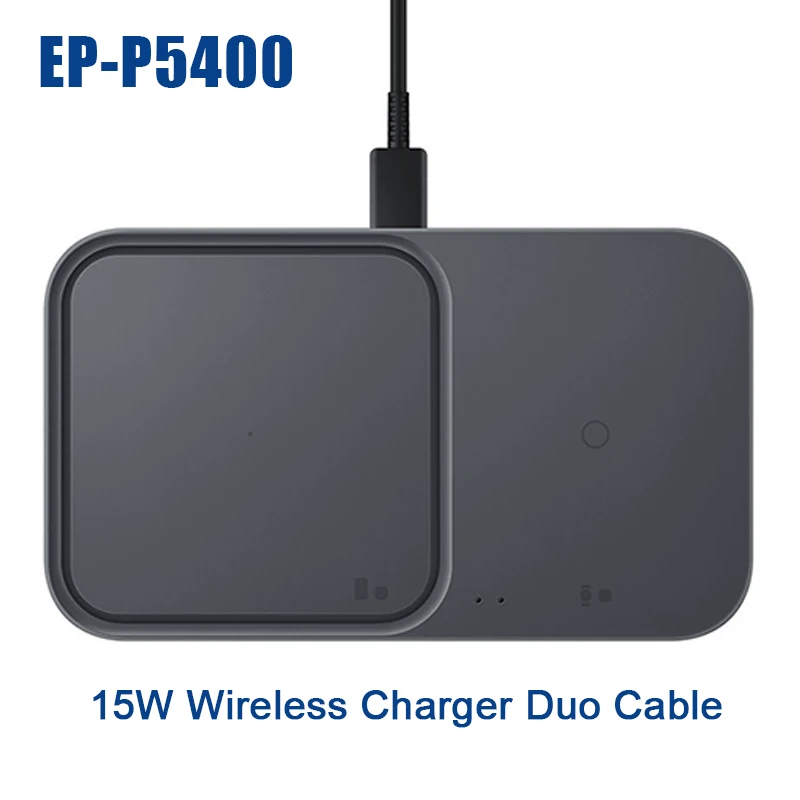
As you can see, the EP-P5400 is made to safely charge two devices and protect against overheating or foreign objects. That’s why it has a special warning system like the blinking orange light.
Credit: www.aliexpress.com
Common Mistakes To Avoid
Some users make the same errors again and again. Here are common mistakes—and how to avoid them:
- Using wrong adapters: Always use at least a 25W Samsung adapter.
- Charging with metal cases: These block charging and can trigger warnings.
- Placing charger on metal surfaces: The charger can detect metal under the pad, too.
- Ignoring the warning light: The orange blink means something is wrong. Don’t keep trying without checking for problems.
- Overloading the pad: Trying to charge more than two devices can cause malfunctions.
Troubleshooting Table: Quick Reference
If you’re not sure what’s wrong, use this table to help decide what to do next:
| Problem | Possible Cause | Solution |
|---|---|---|
| Blinking Orange Light | Foreign object, overheating, low power, or faulty part | Remove objects, cool device, check cables and adapter |
| No Charging | Device not aligned, incompatible device | Reposition device, check compatibility |
| Flashing Blue Light | Charging error, sometimes software issue | Restart charger and device, update software |

Credit: www.samsung.com
Real-world Examples
Example 1:
Maria placed her phone on the EP-P5400 and saw the orange light blinking. She realized she had a metal credit card in her phone case. Removing the card solved the issue.
Example 2:
John used a third-party charger with only 10W output. His wireless pad kept blinking orange. After switching to the original Samsung 25W adapter, charging worked perfectly.
Non-obvious Insight:
Some clear plastic cases have embedded metal rings for magnetic mounts. These can cause the orange light even if the case looks harmless.
Another tip: If you use wireless earbuds and the light blinks orange, try charging them without the case lid closed. Sometimes, the hinge has metal that interferes.
When To Contact Samsung Support
If you have tried all troubleshooting steps and the orange light still blinks, it may be time to contact Samsung support. Persistent blinking can mean:
- Internal charger fault
- Damaged charging coils
- Firmware problems
Keep your proof of purchase and be ready to describe all the steps you have tried. Samsung’s team may offer a replacement if your charger is still under warranty. You can visit the official support page for further guidance: Samsung Support.
How To Maximize Charger Life
A few simple habits can keep your EP-P5400 working well for years:
- Keep the pad clean: Dust or debris can trigger the warning light.
- Avoid spills: Water can damage the internal circuits.
- Use genuine parts: Cables and adapters matter for safety.
- Don’t block the cooling fan: Make sure nothing covers the charger’s vents.
Comparison: Ep-p5400 Vs. Ep-n5200 (older Model)
To help you decide if you need a new charger or replacement, here’s a comparison:
| Feature | EP-P5400 | EP-N5200 |
|---|---|---|
| Device Support | 2 devices | 1 device |
| Max Output | 15W | 15W |
| Cooling System | Active Fan | No Fan |
| Foreign Object Detection | Yes | No |
| LED Warning Lights | Yes (multi-color) | Yes (limited) |
The EP-P5400 gives more safety and convenience, but it needs the right setup to avoid issues like the blinking orange light.

Credit: manuals.plus
Frequently Asked Questions
What Does A Blinking Orange Light Mean On The Samsung Ep-p5400?
A blinking orange light usually means there is a problem—such as a foreign object, overheating, low power supply, or a hardware fault.
How Do I Fix The Orange Light Issue?
Remove any metal objects, use the original adapter and cable, let your device cool down, and try charging again. If the problem remains, test with another device or reset the charger.
Is It Safe To Keep Charging When The Orange Light Blinks?
No. The orange blinking light is a warning. Continuing to charge may damage your device or the charger. Always fix the problem first.
Can A Phone Case Cause The Orange Light?
Yes. Metal cases, or cases with embedded metal (like rings or cards), can trigger the warning. Try charging with the case removed.
Where Can I Get More Help If The Problem Does Not Go Away?
You can contact Samsung Support or visit their official site for help and possible replacement if your charger is under warranty. For more details, see Samsung Support.
A blinking orange light on your Samsung EP-P5400 is not just a minor annoyance—it’s a smart safety feature. Understanding what it means and how to respond will help you get back to reliable wireless charging quickly and safely. With the tips above, you can solve most problems yourself and enjoy hassle-free charging every day.