
A blinking white light on your Roku device can be confusing and frustrating, especially when you just want to relax and watch your favorite show. Many Roku users have faced this issue and wonder if it means something is broken or if it can be fixed at home. The good news is: a white blinking light on Roku usually signals a problem you can solve without expert help. This article explains what the blinking white light means, why it happens, and the best ways to fix it. You’ll also find practical tips, tables to help with troubleshooting, and answers to common questions—all designed for easy reading.
What Does The Roku Blinking White Light Mean?
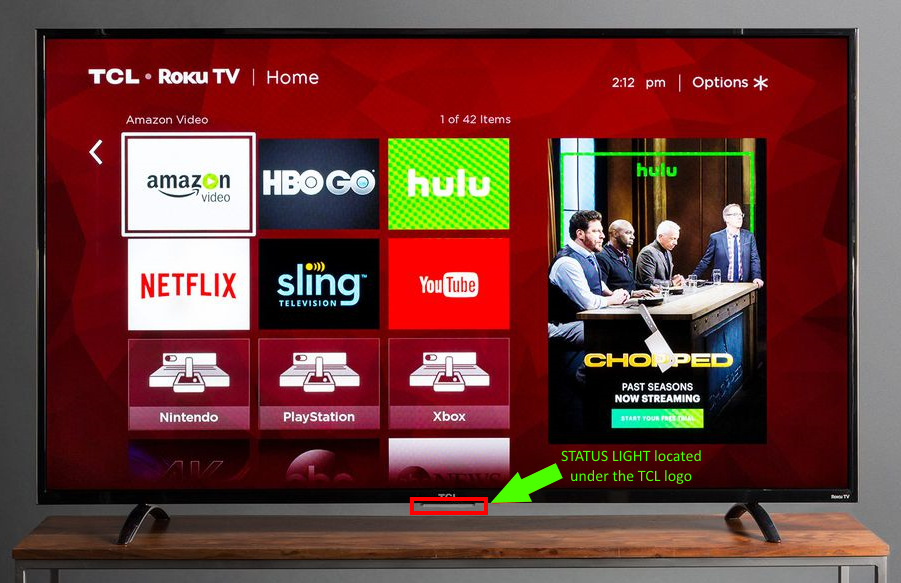
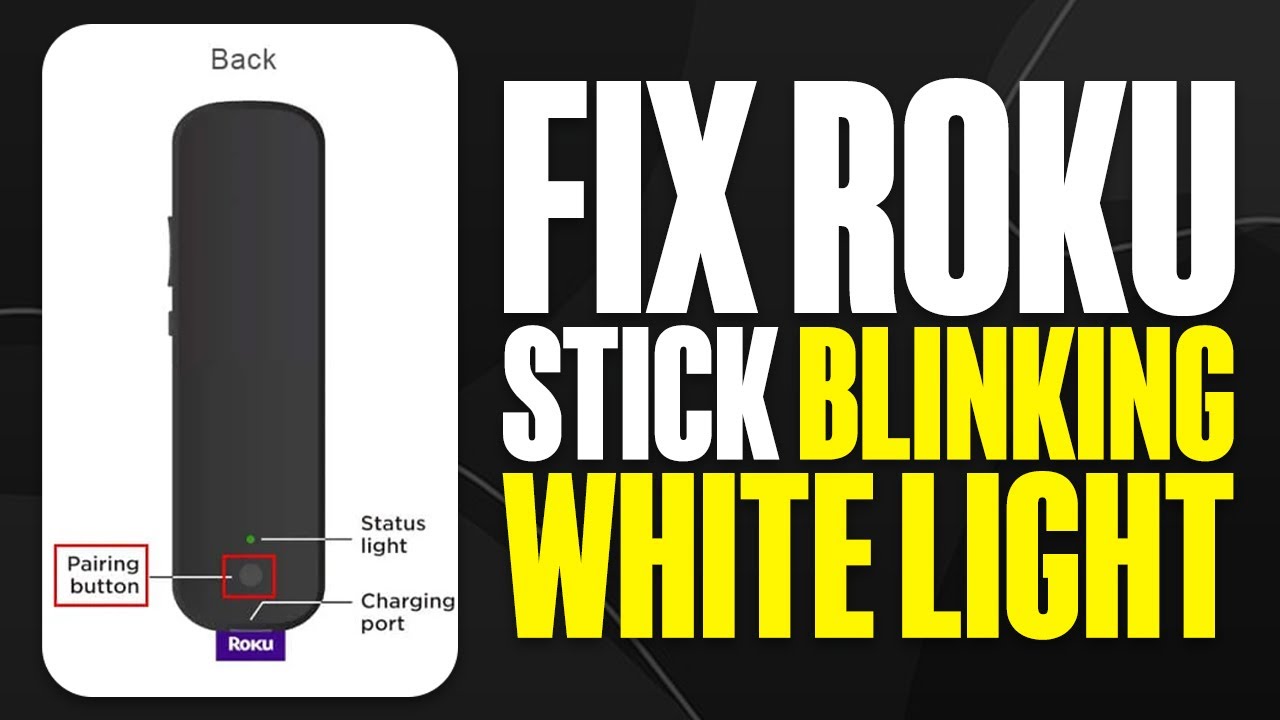
When your Roku device blinks a white light, it’s trying to tell you something. Usually, this light means there’s a problem with the connection or the device itself. It could be as simple as a loose cable, or sometimes it points to a more serious hardware issue.
There are two main patterns you might see:
- Slow blinking: Often means the Roku is not connecting to the internet or your TV.
- Fast blinking: Can show a hardware error or a problem with the power supply.
Knowing the blinking pattern can help you understand where the problem is and what to do next.
Common Reasons For A Blinking White Light
Several issues can cause your Roku to blink a white light. Here are the most frequent causes:
- Loose or faulty HDMI connection – If the HDMI cable is not plugged in properly, the Roku cannot send a signal to your TV.
- Power supply issues – Using a weak or incorrect power adapter can cause the device to malfunction.
- Internet problems – When the Roku cannot connect to Wi-Fi, it might blink the white light as a warning.
- Device overheating – If your Roku gets too hot, it might stop working correctly.
- Outdated software – Sometimes, old firmware can lead to errors.
- Hardware failure – In rare cases, the device itself might have a physical problem.
Surprisingly, most of these issues can be solved at home. You don’t need to be a tech expert!
Step-by-step Troubleshooting Guide
Let’s go through the steps to fix the Roku blinking white light. Start from the top and go down the list. This way, you’re more likely to find the problem quickly.
1. Check The Power Supply
A common reason for a blinking light is not enough power. Roku devices need a steady power source.
- Make sure you are using the original Roku power adapter and cable.
- Plug the adapter directly into a wall outlet, not a power strip.
- If your device is powered through your TV’s USB port, try switching to the wall adapter.
Tip: If your power cable or adapter is damaged, replace it. Do not use phone chargers—they may not provide enough power.
2. Inspect Hdmi And Other Cables
Loose or faulty cables can stop your Roku from working right.
- Unplug the HDMI cable from both the Roku and the TV.
- Check for damage, dust, or loose connections.
- Reconnect the cables firmly.
Try a different HDMI port on your TV or a new HDMI cable if you have one.
3. Restart Your Roku Device
A simple restart can solve many problems.
- Unplug the Roku from power.
- Wait 30 seconds.
- Plug it back in.
Wait to see if the white light stops blinking after restarting.
4. Check Your Internet Connection
If your Roku can’t connect to Wi-Fi, it may blink white.
- Use your phone or another device to check if your internet is working.
- Move your Roku closer to your router.
- Restart your router and modem.
You can also connect your Roku to the internet using an Ethernet cable if your model allows it.
5. Let The Device Cool Down
Overheating can cause blinking lights and other problems.
- Touch your Roku. If it feels very hot, unplug it and let it cool for 10–15 minutes.
- Make sure your Roku is in an open area with good airflow.
Avoid placing it on top of other electronics or inside closed cabinets.
6. Update Roku Software
Outdated software might create issues.
- If your Roku shows a picture, go to Settings > System > System Update.
- If you can’t see any display, you may need to reset the device (see below).
7. Factory Reset The Roku
If nothing else works, a factory reset can help. This erases all settings and data, so use it as a last resort.
- Find the reset button (usually a small hole) on the Roku.
- Hold the button with a paperclip for about 10 seconds.
- Wait for the Roku to restart.
Warning: You’ll need to set up your Roku again after a factory reset.
8. Try A Different Tv Or Power Source
Sometimes, the TV or outlet is the problem, not the Roku.
- Plug the Roku into a different TV.
- Try a different wall outlet.
This can help you see if the issue is with your Roku or something else.
Quick Comparison: Blinking White Light Vs. Other Roku Lights
Here’s a simple comparison to help you understand what different Roku lights mean:
| Light Color | Blinking Pattern | Meaning |
|---|---|---|
| White | Blinking | Connection or hardware problem |
| Red | Solid or Blinking | Power issue (low power or overheating) |
| Amber | Blinking | Wi-Fi connection issue |
| Green | Solid | Device is working normally |
Knowing these patterns helps you troubleshoot faster.
When To Contact Roku Support
Sometimes, the blinking white light means there’s a hardware problem that you can’t fix at home. If you’ve tried all the steps above and the issue remains, it’s time to contact Roku customer support. They can guide you through advanced troubleshooting or help arrange a repair or replacement if your device is under warranty.
Non-obvious insight: Many users forget that Roku devices come with a limited warranty. If your device is less than a year old, you might get a free replacement.
Visit the official Roku support page at Roku Support for more details.
How To Prevent Future Problems
Fixing the white blinking light is good, but avoiding the problem in the first place is even better. Here’s how you can keep your Roku running smoothly:
- Use only original cables and adapters.
- Update your Roku regularly to get the latest bug fixes.
- Keep your Roku in a cool, open area.
- Check cables every few months for signs of wear or looseness.
- Don’t overload your power strip—plug the Roku directly into the wall.
Non-obvious insight: Power surges can damage your Roku. If you live in an area with unstable electricity, consider using a surge protector.

Credit: www.youtube.com
Comparing Roku Models: Which Are Most Reliable?
Some Roku models are more prone to blinking white light issues, especially older or entry-level ones. Here’s a quick look at how different models compare:
| Model | Year Released | Common Light Issues | Reliability (1–5) |
|---|---|---|---|
| Roku Express | 2017–2023 | White blinking, HDMI errors | 3 |
| Roku Streaming Stick+ | 2018–2021 | Rare white blinking | 4 |
| Roku Ultra | 2017–2023 | Very rare | 5 |
| Roku Premiere | 2018–2020 | Occasional white/amber | 3.5 |
If you plan to buy a new Roku, consider a higher-end model like the Roku Ultra for better reliability.
Real User Example: Fixing A Blinking White Light
Sarah, a Roku Express user, noticed her device’s light started blinking after a power outage. At first, she thought the Roku was broken. She tried unplugging and replugging the device, but the problem stayed. Then, she switched out the HDMI cable and used the wall outlet instead of her TV’s USB port.
The white light stopped blinking, and her Roku started working again.
Lesson: Sometimes, it’s a simple fix—like changing the cable or power source—that solves the problem.
Frequently Asked Questions
1 Why Is My Roku Blinking White But Not Turning On?
A blinking white light with no power usually means the device is not getting enough electricity or the HDMI connection is bad. Try using the original Roku power adapter and a different HDMI cable. Also, test with another wall outlet.
2 Can A Blinking White Light Mean My Roku Is Broken?
Not always. Most of the time, this light means a connection or power issue. However, if you’ve tried all steps and your Roku still does not work, it may be a hardware problem. In that case, contact Roku support.
3 Is It Safe To Use My Roku If The White Light Is Blinking?
If the device is not working properly and the white light keeps blinking, it’s better to fix the issue first. Using it in this state could cause more problems or damage the device.
Credit: support.tcl.com
4 How Long Does A Roku Device Usually Last?
Most Roku devices last 3–5 years with normal use. Using the correct power adapter and keeping the device cool can help it last longer.
5 Where Can I Get Help If I Can’t Fix The Blinking White Light?
If the steps in this guide do not solve the problem, visit the official Roku support site or contact their customer service for help. You can also check user forums for advice, but always be careful with unofficial solutions.
A blinking white light on your Roku can be annoying, but with a clear plan, you can often solve it in minutes. Most problems come from cables, power, or internet connections—not from the device breaking. By checking each part, using original accessories, and keeping your Roku updated, you’ll enjoy smooth streaming again. If the issue doesn’t go away, don’t hesitate to reach out to Roku support. With the right steps, you’ll spend less time troubleshooting and more time watching your favorite shows. For more details on Roku troubleshooting, you can also visit Wikipedia’s Roku page.
Credit: www.youtube.com