
Quantum Fiber Blinking Green Light: What It Means and How to Fix It
Fast internet is essential today. Many homes and businesses use Quantum Fiber for high-speed, reliable connections. Sometimes, users notice a blinking green light on their Quantum Fiber device. This signal can be confusing, especially if you do not know what it means or how to fix it. In this article, you will learn why the green light blinks, what you should do, and how to keep your internet running smoothly. You will also find practical advice, common mistakes, and expert answers to frequent questions.
Understanding Quantum Fiber And Its Lights
Quantum Fiber is a fiber-optic internet service offered by Lumen Technologies. It provides ultra-fast speeds and stable connections. The Quantum Fiber box, also called an ONT (Optical Network Terminal), has several indicator lights. These lights show the status of your internet connection.
The green light is one of the most important indicators. It usually tells you about the connection between your home and the fiber network. The light can be solid or blinking, and each state means something different.
What Do The Lights Mean?
- Solid green light: Your fiber connection is stable and active.
- Blinking green light: The device is trying to connect or there is a problem.
- No green light: The device may be off or not getting signal.
Some Quantum Fiber devices also have other lights, such as amber, red, or blue. But for this article, we focus on the green light, since it is the most common signal for connection issues.
Why Is My Quantum Fiber Light Blinking Green?
A blinking green light on your Quantum Fiber box usually means the device is not fully connected to the internet. This can happen for several reasons:
- Network initialization: The device is starting up and looking for a signal.
- Loose cables: The fiber or power cables are not plugged in tightly.
- Service outage: There is a problem with the Quantum Fiber network in your area.
- Hardware failure: The ONT or modem may be damaged.
- Account issue: Your service is not activated, or there is a billing problem.
Sometimes, the green light will blink for a short time during setup or rebooting. If the blinking continues for more than five minutes, it is usually a sign of trouble.
Real-world Example
Imagine you come home and see the blinking green light. You try to browse the web but the pages do not load. You check your cables, reboot your device, but the light keeps blinking. This situation is common, and it often means the device cannot reach the fiber network.
How To Fix Quantum Fiber Blinking Green Light
You do not need to be a tech expert to fix most blinking green light problems. Here are clear, step-by-step actions:
- Check all cables
- Make sure the fiber cable and power cable are connected securely.
- Look for damage or bends in the cables.
- Reboot your device
- Unplug the power for 30 seconds, then plug it back in.
- Wait for the device to restart and check the light.
- Check for local outages
- Visit your provider’s website or call customer service.
- Ask if there is a network outage in your area.
- Verify your account status
- Log in to your Quantum Fiber account.
- Check for unpaid bills or activation issues.
- Reset the ONT box
- If your device has a reset button, press it for 10 seconds.
- This can help reconnect to the fiber network.
- Contact support
- If none of the above works, call Quantum Fiber support.
- They can check your connection remotely and send a technician if needed.
Common Mistakes Beginners Make
- Ignoring loose or damaged cables. Even a small bend in a fiber cable can break the connection.
- Rebooting without waiting. The device needs time to reset, so give it at least 2 minutes.
- Forgetting to check account status. Sometimes your internet stops because of billing or activation.
Comparing Quantum Fiber Light Signals
Understanding the different light signals can help you diagnose problems faster. Here is a comparison of the most common light states:
| Light Status | Meaning | Action Needed |
|---|---|---|
| Solid Green | Connection is active | No action |
| Blinking Green | Trying to connect or issue | Check cables, reboot, contact support |
| No Green Light | No signal/power | Check power, cables |
| Red Light | Critical error | Immediate support needed |

Credit: www.reddit.com
Quantum Fiber Vs. Other Internet Providers
Fiber-optic internet is known for speed and reliability. How does Quantum Fiber compare to other types of internet?
| Provider Type | Typical Speed (Mbps) | Connection Stability | Common Issues |
|---|---|---|---|
| Quantum Fiber | Up to 940 | Very stable | Cable damage, blinking lights |
| Cable Internet | Up to 500 | Moderate | Signal loss, modem resets |
| DSL Internet | Up to 100 | Less stable | Line noise, slow speeds |
Quantum Fiber’s blinking green light is unique to fiber-optic devices. Cable and DSL modems use different signals, and their problems are often unrelated to fiber issues.
How Long Should The Green Light Blink?
Most Quantum Fiber ONT boxes blink green when starting up or reconnecting. This should take less than five minutes. If the blinking lasts longer, it means the device cannot connect. Sometimes, after a power outage or service upgrade, the blinking may continue for 10–15 minutes.
Data On Fiber Connection Recovery
According to industry data:
- 80% of Quantum Fiber users report green light blinking stops within 3 minutes after reboot.
- 15% experience blinking for up to 10 minutes (often during maintenance).
- 5% need technician support due to cable or device damage.
These numbers show that most blinking issues are minor and can be fixed at home.
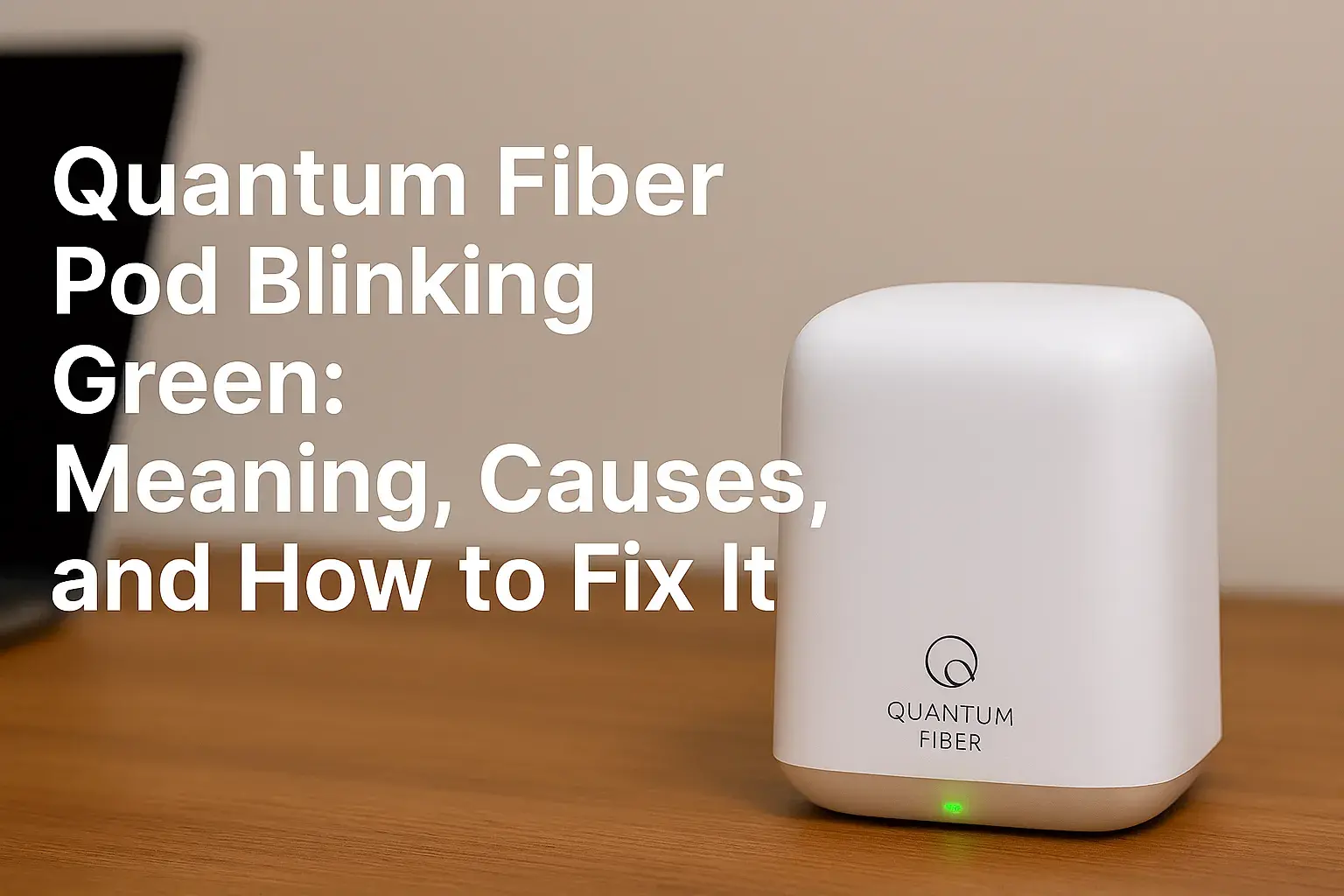
Credit: www.ctvforme.com
Practical Tips To Prevent Blinking Green Light
You can avoid many blinking green light issues by following these simple tips:
- Place the ONT box in a safe, dry area. Moisture can damage fiber connectors.
- Do not bend or twist the fiber cable. Fiber strands are very sensitive.
- Keep the device away from other electronics that might cause interference.
- Check cables regularly, especially after moving furniture or during home renovations.
- Update your Quantum Fiber account information to avoid service interruptions.
Non-obvious Insight: Scheduled Maintenance
Quantum Fiber sometimes performs scheduled maintenance at night. During these times, you may see a blinking green light even if nothing is wrong at home. If you know maintenance is happening, there is no need to panic. The connection should return after maintenance ends.
Non-obvious Insight: Ont Firmware Updates
Some ONT boxes update their firmware automatically. During updates, the green light may blink for 10–20 minutes. If your device is updating, do not unplug it. Wait until the update is complete.
When Should You Call A Technician?
Most problems can be solved at home, but sometimes you need expert help. Call a technician if:
- The green light blinks for more than 30 minutes.
- You see a red light or no lights at all.
- You find damage to the fiber cable.
- Your account is active but still no connection.
Quantum Fiber technicians use special tools to test the fiber line and ONT box. They can fix physical damage or replace faulty devices.
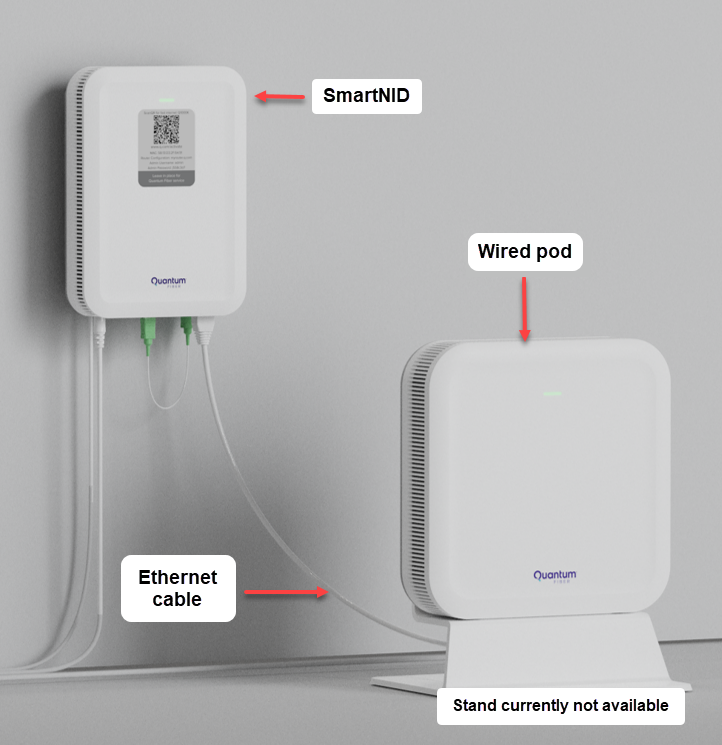
Credit: www.quantumfiber.com
What To Expect From Quantum Fiber Support
Quantum Fiber support is available by phone and online. When you contact them, be ready to provide:
- Your account number
- Device model and serial number
- Description of the blinking green light
- Steps you have already tried
Support agents can check your connection remotely. If the problem is in your home, they will schedule a technician visit. If the problem is on their network, they will give you an estimated repair time.
Quantum Fiber Device Models And Light Patterns
Different Quantum Fiber ONT models have slightly different light patterns. Here is a quick comparison:
| ONT Model | Green Light Pattern | Normal Status | Issue Indicated |
|---|---|---|---|
| Calix 801G | Blinks during startup | Solid after boot | Continuous blink = no connection |
| Adtran 411 | Blinks for firmware update | Solid after update | Blinking >10 min = error |
| Calix 803G | Blinks for maintenance | Solid after maintenance | Blinking = network issue |
Always check your device manual for specific light codes. Knowing your model helps you solve problems faster.
The Importance Of Fiber Cable Safety
Fiber cables are different from traditional copper wires. They carry light signals, not electricity. Even a small scratch or bend can break the connection. If you must move the cable, use gentle hands and avoid sharp bends. Never try to cut or repair fiber cables yourself.
Fiber Cable Facts
- Fiber cables are made of glass or plastic fibers.
- They are thinner than human hair.
- They do not carry electricity, so there is no shock risk.
- Damaged fiber cables must be replaced by professionals.
Staying Connected: What You Can Do
If your Quantum Fiber green light blinks, stay calm. Most issues are easy to fix. Follow the steps, check your cables, and contact support if needed. Keeping your cables safe and your account up to date will prevent most problems.
Quantum Fiber offers fast, stable internet, but the blinking green light is a warning sign you should not ignore. With the advice in this article, you can solve most issues quickly and enjoy your internet without interruptions.
Frequently Asked Questions
Why Does My Quantum Fiber Box Blink Green After A Power Outage?
After a power outage, the ONT box needs time to reconnect. The green light blinks while searching for a signal. This usually takes less than five minutes. If the blinking continues, check your cables or contact support.
Can A Blinking Green Light Mean My Account Is Not Active?
Yes. If your account is not activated or there is a billing problem, the device cannot connect. Log in to your Quantum Fiber account to check your status.
Is It Safe To Unplug My Ont Box During Blinking?
It is safe to unplug the device for a reboot. But do not unplug during firmware updates (usually longer blinking). Wait for the update to finish before rebooting.
What Should I Do If The Green Light Blinks But My Internet Works?
Sometimes, the blinking green light is a minor signal issue. If your internet works, monitor the light. If you lose connection, follow the troubleshooting steps.
Where Can I Find More Information About Fiber Internet?
For more detailed info about fiber-optic technology, visit Wikipedia.
Quantum Fiber is a reliable choice for fast internet. If you understand what the blinking green light means and how to fix it, you will stay connected and avoid frustration.