
Many people rely on programmable thermostats to keep their homes comfortable and energy-efficient. The Pro Thermostat series is popular for its smart features and reliability. However, when you see the Stage 1 or Stage 2 blinking on your display, it can be confusing or even worrying. What does it mean? Should you take action? This article will guide you through everything you need to know about the Pro Thermostat Stage 1 and 2 blinking, how these systems work, what causes the blinking, and how to fix it safely.
Understanding Pro Thermostat Stages
Before looking at the blinking issue, it’s important to know what Stage 1 and Stage 2 mean. Many HVAC systems are “multi-stage,” which helps your home reach the desired temperature more efficiently.
- Stage 1: The system runs at a lower setting. This is used when only a small adjustment in temperature is needed.
- Stage 2: The system runs at a higher setting. This kicks in when there’s a bigger difference between your current temperature and your set point, or when the weather outside is very hot or cold.
This two-stage system lets your HVAC unit run quietly and save energy most of the time, but still handle tougher conditions when needed.
How Multi-stage Thermostats Work
A multi-stage thermostat detects how much heating or cooling is needed and tells your HVAC system which stage to use. For example, on a mild day, only Stage 1 may run. On a very hot day, Stage 2 will start to cool your house faster.
Multi-stage systems are especially helpful in larger homes or places with extreme temperatures. They can keep the temperature more stable and reduce energy costs.
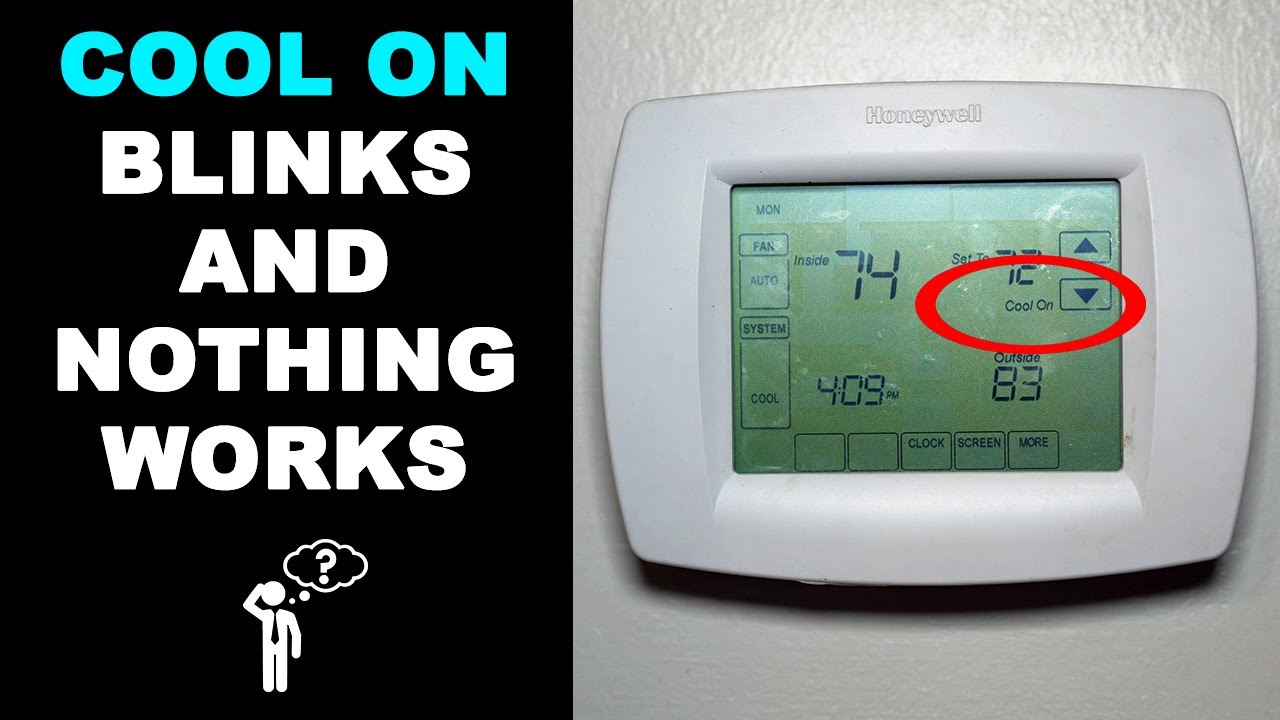
Why Is My Pro Thermostat Blinking Stage 1 Or 2?
If you see blinking Stage 1 or 2 on your Pro Thermostat, your system is trying to tell you something. But the meaning can depend on the model, the situation, and sometimes even the time of year. Here are the most common reasons:
- System Is Running Normally: Blinking can simply mean your thermostat has activated Stage 1 or Stage 2. Some models blink to show which stage is currently running.
- Change in System Demand: If the weather suddenly changes or you set a much higher or lower temperature, the thermostat may switch stages and blink during the transition.
- System Delay or Protection: Many thermostats include a built-in delay (sometimes called “compressor delay”) to protect the system. The blinking shows the thermostat is waiting before starting the next stage.
- Malfunction or Error: Less commonly, blinking can signal a system error. This could be due to wiring problems, sensor issues, or a problem with the HVAC unit itself.
Table: Common Causes Of Stage 1/2 Blinking
| Cause | What It Means | Is Action Needed? |
|---|---|---|
| System Active | Stage is running normally | No |
| System Delay | Thermostat is protecting the compressor | No, wait a few minutes |
| Wiring Issue | Connection problem detected | Yes, inspect wiring |
| HVAC Error | Problem with heating or cooling system | Yes, call a technician |
Credit: www.youtube.com
How To Diagnose Pro Thermostat Blinking Stages
If you’re unsure why your Pro Thermostat is blinking Stage 1 or 2, use these steps to diagnose the problem. This can save you time and money, and may even fix the problem without calling a professional.
1. Check Your Thermostat Manual
Not all Pro Thermostat models use blinking in the same way. The first step is to check your thermostat’s manual for what blinking means on your specific model.
- Look for a section on “display meanings” or “troubleshooting.”
- If you lost the manual, most are available online on the manufacturer’s site.
2. Observe How Long The Blinking Lasts
- If the blinking stops after a few minutes, it’s probably a system delay or normal operation.
- If blinking continues for more than 10–15 minutes, or if your system isn’t heating or cooling, move to the next steps.
3. Listen For Your Hvac System
- Is your furnace, air conditioner, or heat pump running?
- Does the fan turn on?
- If nothing happens, there may be a deeper issue.
4. Check For Error Codes
Some Pro Thermostats show error codes along with blinking. These codes can guide you to the exact problem. Write down any codes you see and check the manual or the manufacturer’s website for their meaning.
5. Inspect The Wiring (if Safe)
If you’re comfortable, you can remove the thermostat faceplate and check for loose or disconnected wires. Make sure power to the system is off first! Loose wires are a common reason for blinking or errors.
Non-obvious tip: Sometimes, a wire can look connected but is not fully seated in its terminal. Gently tug each wire to check.
What To Do When Stage 1 Or 2 Is Blinking
Now that you’ve diagnosed the situation, here’s what you should do based on what you found.
If Blinking Means Normal Operation
- Wait for the system to finish its cycle. No action needed.
- Blinking should stop once the desired temperature is reached.
If Blinking Is A System Delay
- Most delays last 3–5 minutes.
- This is a safety feature to prevent damage. Do not try to override or reset the thermostat during this time.
If Blinking Is An Error
- Write down any error codes.
- Turn off the thermostat and wait a minute. Turn it back on and see if the problem clears.
- If blinking returns, call a qualified HVAC technician.
If You Suspect A Wiring Issue
- Turn off power to the thermostat (at the breaker box).
- Gently check all wire connections.
- If you see any broken or loose wires, repair them or call a professional.
Important: If you are not sure about electrical work, do not attempt repairs yourself. Mistakes can be dangerous and may void your warranty.
Advanced Troubleshooting Steps
Some problems are harder to solve and may need more effort. Here are extra steps you can try:
1. Replace Thermostat Batteries
Many Pro Thermostat models use batteries as a backup power source. Low batteries can cause weird display issues and blinking. Replace them with fresh, high-quality batteries.
2. Reset The Thermostat
A simple reset often clears software glitches.
- Remove the thermostat from the wall.
- Wait 1–2 minutes.
- Reattach and see if blinking has stopped.
3. Check Hvac System Filters
A dirty air filter can cause your system to work harder, sometimes triggering errors or forcing Stage 2 to run more often. Replace your filter if it’s dirty.
4. Inspect Outdoor Units
If you have a heat pump or central AC, check the outdoor unit for dirt, ice, or debris. Blocked airflow can cause system errors.
Table: Troubleshooting Steps And Results
| Troubleshooting Step | Possible Result | Next Action |
|---|---|---|
| Replace batteries | Display returns to normal | No further action |
| Reset thermostat | Blinking stops | Monitor system |
| Clean/replace air filter | Improved system performance | Check if blinking returns |
| Call technician | Professional repair needed | Follow technician’s advice |
When To Call A Professional
It’s tempting to fix everything yourself, but some problems need an expert. Call a licensed HVAC technician if:
- The blinking continues after all simple troubleshooting.
- You see an error code you don’t understand.
- Your home isn’t getting warmer or cooler.
- You hear strange noises from your HVAC system.
- You’re not comfortable checking wiring or electrical parts.
A professional can test the system, check for hidden issues, and make sure your home is safe and comfortable.
Common Myths About Blinking Stages
Many homeowners get confused by thermostat blinks. Let’s clear up a few myths:
- Myth: Blinking means something is broken.
- Fact: Blinking often just means the system is running or in a normal delay.
- Myth: You should reset your thermostat every time it blinks.
- Fact: Most of the time, no action is needed. Only reset if you suspect a software glitch.
- Myth: Blinking uses more energy.
- Fact: Blinking is only an indicator. Your energy use depends on system run time, not display lights.
Non-obvious insight: Sometimes, blinking can happen after a power outage or surge, even if nothing is wrong. If you recently lost power, give your system a few minutes to reset.
Preventing Future Blinking Issues
While you can’t stop all blinking, you can reduce how often it happens and avoid unnecessary worry.
- Change air filters every 1–3 months.
- Schedule yearly maintenance for your HVAC system.
- Keep vents and outdoor units clear of dust and debris.
- Update your thermostat firmware if an update is available.
- Replace batteries before they get too low.
These simple steps help your system run smoothly and reduce the chance of errors.

Credit: www.youtube.com
Comparing Pro Thermostat With Other Brands
How does the Pro Thermostat handle blinking compared to other top brands? Here’s a quick comparison:
| Brand | Blinking Indicator | Ease of Troubleshooting | Common Error Causes |
|---|---|---|---|
| Pro Thermostat | Stage 1/2 blink for active, delay, or error | Manual and online resources available | Wiring, delays, errors |
| Nest | Colored lights, icons | App-based guidance | Wi-Fi, sensors, power |
| Honeywell | Icons and messages | On-screen help | Wiring, filter, system delay |
| Ecobee | Pop-up alerts | App and website support | Sensor, Wi-Fi, HVAC error |
Pro Thermostat does a good job at showing what’s happening with simple blinking, but it’s always smart to check your manual for your specific model.
The Bottom Line
Seeing your Pro Thermostat blink “Stage 1” or “Stage 2” can be confusing, but it’s often just a sign your system is working as designed. Most of the time, blinking means the thermostat is controlling your home’s temperature efficiently or protecting your HVAC system.
Only in rare cases is it a sign of a bigger problem.
If you stay calm, check your manual, and follow basic troubleshooting steps, you can avoid unnecessary service calls and keep your system running smoothly. Regular maintenance and understanding your thermostat’s signals can save you money and worry for years to come.
For more technical details about thermostat stages and multi-stage HVAC systems, you can visit the official Wikipedia Thermostat Page.

Credit: www.ebay.com
Frequently Asked Questions
Why Does My Pro Thermostat Blink Only When I Turn On The Heat Or Ac?
When you turn on heat or AC, the thermostat may blink to show which stage is active. It’s a normal way of telling you the system is running, or it could be in a short delay to protect the compressor.
How Long Should Stage 1 Or 2 Blinking Last?
Usually, blinking for Stage 1 or 2 should last only a few minutes—just until the system reaches your set temperature or finishes a safety delay. If it continues longer, check for possible errors.
Will Resetting My Thermostat Stop The Blinking?
A reset can help if the blinking is due to a software glitch or temporary error. But if the blinking comes back, or your system doesn’t run, you may need to check wiring or call a technician.
Can Low Batteries Cause Stage 1 Or 2 Blinking?
Yes, low batteries can cause display problems, including blinking or random errors. Replace the batteries with new ones and see if the problem goes away.
Is It Safe To Ignore Blinking If My System Seems To Work Fine?
If your home is heating or cooling as expected and there are no error codes, blinking is usually safe to ignore. But if you notice poor performance or new error messages, investigate further or call a professional.