
If you use an Oticon hearing aid, seeing a blinking red light while your device is on the charger can cause worry. Is it broken? Is the battery dying? This guide gives you clear answers, practical advice, and expert tips to help you understand what’s happening and what to do next.
The blinking red light is not always a sign of big trouble, but it should never be ignored. With the right information, you can fix most issues quickly and keep your hearing aid working smoothly.
Why Does Your Oticon Hearing Aid Blink Red When Charging?
Oticon hearing aids use colored lights to show their status. The blinking red light is a warning. It usually means the device is not charging properly, or there is a problem with the battery or charger. Understanding these signals helps you take the right steps and avoid damage.
Key Reasons For The Blinking Red Light
- Low Battery or Battery Error: If the battery is very low, the hearing aid may blink red. If the battery is faulty or damaged, the device cannot charge properly and shows a warning.
- Charger Connection Issues: Sometimes the charger is not plugged in correctly, or the hearing aid is not seated well in the charging case.
- Dirty Charging Contacts: Dust or earwax on the charging contacts can block the flow of power.
- Overheating: If the hearing aid or charger gets too hot, the device may blink red to protect itself.
- Software Problems: Sometimes, the hearing aid needs a reset, or the software has a bug.
What Does Each Light Mean?
Oticon uses several light codes. Here’s a quick guide:
| Light Color | Pattern | Meaning |
|---|---|---|
| Red | Blinking | Charging error or battery problem |
| Green | Solid | Fully charged |
| Orange | Blinking | Charging normally |
| Red | Solid | Device malfunction |
How To Fix A Blinking Red Light On Your Oticon Charger
If you see the blinking red light, do not panic. Most problems are easy to solve. Follow these steps to find the cause and fix it.
Step 1: Check Charger And Hearing Aid Connections
Make sure the charger is plugged in correctly. Check the power outlet. Place the hearing aid firmly in the charging slot. You should feel a click or see the charging indicator change.
Step 2: Clean The Charging Contacts
Dirty contacts can stop charging. Use a soft, dry cloth or a small brush. Gently clean the metal contacts on both the charger and hearing aid. Do not use water or chemicals.
Step 3: Try A Different Power Source
Plug your charger into another outlet. Sometimes the problem is with your wall socket, not the device.
Step 4: Let The Device Cool Down
If your hearing aid or charger feels hot, remove the hearing aid and let both cool for 10–15 minutes. Overheating can cause charging errors.
Step 5: Restart Or Reset Your Hearing Aid
Turn your hearing aid off and back on. Many Oticon models have a small button or switch for this. If needed, consult your manual for reset steps.
Step 6: Check For Battery Issues
If your device is still blinking red after cleaning and reconnecting, the battery may be faulty or worn out. Oticon batteries usually last 2–4 years, depending on use. If your hearing aid is older, consider a battery replacement.
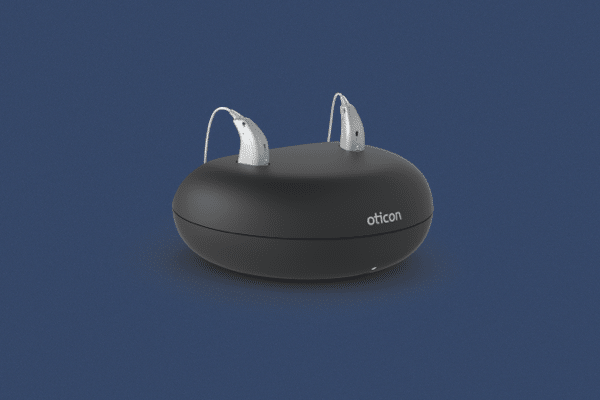
Credit: massachusettshearinggroup.com
Common Mistakes To Avoid
Some users make small errors that cause the red light to appear. Avoid these to keep your hearing aid working well:
- Not seating the hearing aid properly: Always place the device in the charger carefully.
- Using wet or dirty chargers: Moisture and dirt can damage contacts.
- Ignoring overheating: Charging in a hot room or leaving the device in direct sunlight can cause errors.
- Trying to force charging: If the red light blinks, do not try to force the device to charge. Fix the issue first.
When Should You Contact An Audiologist Or Oticon Support?
If you follow all the steps and the red light keeps blinking, it’s time to seek professional help. Some problems are too complex for home fixes. Here’s when to call for support:
- The hearing aid does not charge at all, even after cleaning and resetting
- The device feels unusually hot or smells burnt
- The battery drains quickly even after charging
- The red blinking light returns often
Your audiologist can run tests and may replace the battery or charger. Oticon support can guide you with warranty and repair options.
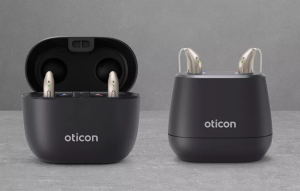
Credit: hearshearingandhearables.com
Oticon Hearing Aid Models: Which Ones Are Most Affected?
Oticon makes several models, and not all have the same charging systems. Some models are more likely to show a blinking red light due to their battery type or charger design.
| Model | Battery Type | Red Light Issue Frequency |
|---|---|---|
| Oticon Opn S | Rechargeable Lithium-Ion | Common |
| Oticon More | Rechargeable Lithium-Ion | Common |
| Oticon Siya | Disposable Zinc-Air | Rare |
| Oticon Ruby | Rechargeable Lithium-Ion | Medium |
Most red light errors happen in rechargeable models. Disposable battery models rarely show charging errors because they do not have charging circuits.
How To Prevent Red Light Errors In The Future
Prevention is always better than cure. With simple habits, you can reduce the chance of seeing the blinking red light.
Practical Tips
- Clean your hearing aid and charger weekly
- Store devices in a cool, dry place
- Avoid charging in very hot or humid rooms
- Use only Oticon-approved chargers and cables
- Replace batteries every 2–4 years, or as recommended
Real Example
A user named Linda noticed her Oticon More hearing aid started blinking red after charging in her bathroom. The humidity and moisture caused contact issues. Moving the charger to her bedroom fixed the problem. Many users do not realize humidity is a hidden cause.
Comparing Oticon Chargers Vs Other Brands
Oticon chargers are reliable, but how do they compare with other top brands? Here is a look at how Oticon stacks up:
| Brand | Red Light Warning | Charging Contact Quality | Average Battery Life |
|---|---|---|---|
| Oticon | Yes | High | 2–4 years |
| Phonak | Yes | Medium | 2–3 years |
| Widex | No | High | 2–4 years |
| ReSound | Yes | Medium | 1–3 years |
Oticon’s warning system is more advanced, but this also means users can see more error lights. This is not a bad thing—early warnings help prevent bigger problems.
Battery Health: How To Make Your Oticon Battery Last Longer
Battery health is key for avoiding charging problems. Here are some expert tips:
- Charge your hearing aid daily, but do not overcharge
- Avoid letting the battery drain completely before charging
- Store the device at room temperature
- Do not use cheap, third-party chargers
Oticon recommends charging your device overnight. If you travel, bring your charger and avoid charging from low-power sources like hotel USB outlets.
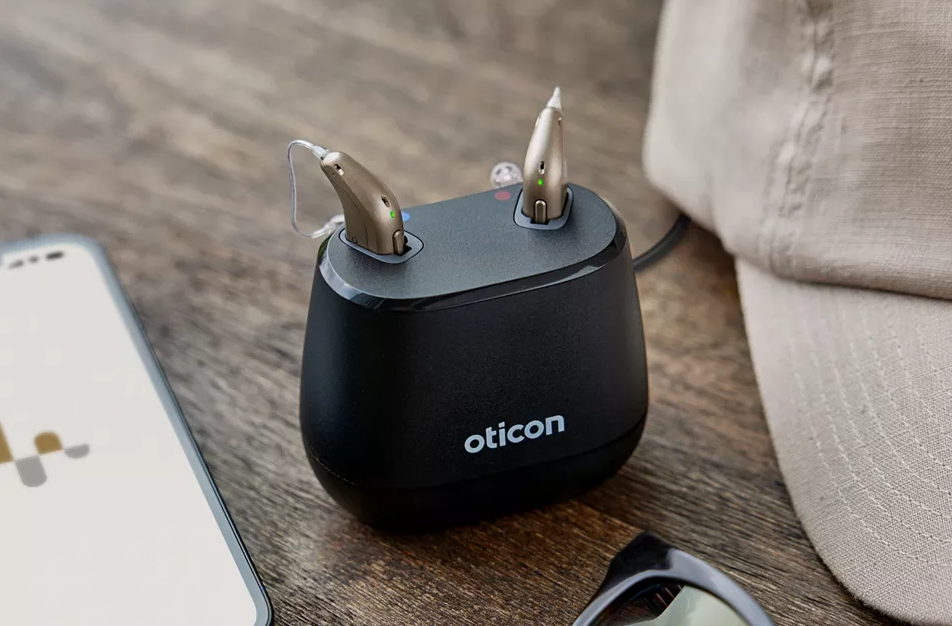
Credit: harleysthearing.co.uk
The Science Behind Oticon’s Red Light Warning
Oticon uses Lithium-Ion batteries in most modern hearing aids. These batteries are safe and long-lasting, but they need careful charging. The blinking red light is controlled by a small computer chip inside the hearing aid. It checks battery voltage, temperature, and charging speed. If anything is wrong, it sends the red light signal.
This warning system helps protect the battery and the device from damage. In rare cases, the chip may malfunction and cause false alarms. But most of the time, the warning is real and should be respected.
Why Ignoring The Red Light Can Be Dangerous
Ignoring the blinking red light may lead to:
- Permanent battery damage
- Hearing aid malfunction
- Higher repair costs
- Shorter device life
Prompt action protects your investment and ensures you keep hearing clearly.
Useful Resources For Oticon Hearing Aid Owners
To get more help, visit the official Oticon website. They offer manuals, troubleshooting guides, and customer support. You can also find more information at Oticon Support.
Frequently Asked Questions
What Does A Blinking Red Light Mean On My Oticon Charger?
A blinking red light usually signals a charging error or battery issue. It can mean the hearing aid is not seated properly, the contacts are dirty, or the battery is faulty.
Can I Still Use My Hearing Aid If The Red Light Blinks During Charging?
No. The blinking red light means your hearing aid is not charging correctly. Using it without fixing the issue can cause further problems or damage the battery.
How Often Should I Clean My Oticon Hearing Aid Charger?
Clean your charger and hearing aid contacts weekly or whenever you notice dirt. This prevents most charging errors and extends device life.
Will Replacing The Battery Fix The Red Light Error?
If the battery is old or damaged, replacing it will usually stop the red light error. If the problem continues, the charger or hearing aid may need service.
Are Blinking Red Light Problems Covered By Oticon’s Warranty?
Most battery and charging issues are covered within Oticon’s standard warranty, but check your paperwork or ask your audiologist for details.
When you see a blinking red light on your Oticon hearing aid charger, don’t panic. Most issues are simple and can be fixed at home. Follow the steps above, avoid common mistakes, and keep your devices clean. If the problem does not go away, contact your audiologist or Oticon support.
Early action prevents bigger trouble and helps you get the best performance from your hearing aid. Remember, your hearing aid is a valuable tool—taking care of it means you can enjoy clearer sound every day.