
If you own a Mooka air purifier fan, you probably enjoy cleaner air and a fresher home. But what happens when the light starts blinking? Many users get worried, thinking something is wrong or the device is broken. The good news is, most blinking lights on Mooka air purifiers are not emergencies. They are signals from your machine. Knowing what each blinking pattern means can save you time, money, and stress.
This article explains why your Mooka air purifier fan light might be blinking, what each color and pattern means, and how you can fix the issue yourself. You’ll also learn when you need to replace parts, clean your device, or call for help.
We’ll look at common mistakes, give practical solutions, and share insights even experienced users sometimes miss. If you want your Mooka air purifier to work its best, keep reading.
Why Does The Mooka Air Purifier Fan Light Blink?
All modern air purifiers have indicator lights. On a Mooka air purifier, these lights are smart. They help you understand the device’s status without needing to open it or guess. Here are the main reasons your Mooka air purifier fan light might start blinking:
- Filter needs replacement or cleaning
- Air quality change detected
- Device error or malfunction
- Timer or sleep mode notifications
- Power or connection issue
Each reason comes with different light colors and blinking patterns. Before worrying, check your user manual for the meaning of each signal. However, some signals are common across most Mooka models.
Typical Light Colors And Meanings
- Blue/White light: Device is working normally.
- Red light: Attention needed (often filter).
- Green/Yellow light: Air quality reading or mode change.
- Blinking pattern: Usually calls for user action.
Common Blinking Light Patterns And What They Mean
Mooka makes several air purifier models, including the Mooka GL-FS32 and Mooka B-D02L. Most use the same basic light system. Understanding the patterns is key to solving the problem.
Filter Indicator Light
The filter indicator is the most common reason for a blinking light. When your filter is dirty or has reached its lifespan, the light will usually:
- Turn red and blink
- Sometimes switch between colors
This does not mean your air purifier is broken. It means you need to clean or replace the filter.
Typical Lifespan Of Mooka Air Purifier Filters
| Model | Average Filter Lifespan | Filter Type |
|---|---|---|
| Mooka GL-FS32 | 6-8 months | HEPA + Carbon |
| Mooka B-D02L | 6-12 months | HEPA + Pre-filter |
| Mooka KJ203F-142 | 8-12 months | HEPA + Carbon |
Non-obvious insight: Even if your light blinks before the “expected” months, it is based on real use and air quality, not just time. Homes with pets, smokers, or high dust will need filter changes more often.
Air Quality Sensor Light
Some Mooka models have an air quality sensor. The fan light will blink or change color if it detects a big change in air quality. For example, after cooking, burning candles, or opening windows in a dusty area.
- Green/yellow blinking: Air is getting worse, or device is adjusting.
- Blue/white steady: Air is clean.
If the light keeps blinking for hours, check for nearby pollution or clean the sensor.
Error Or Malfunction Signal
A fast-blinking red or all-lights-blinking pattern often signals a device error. This could be due to:
- A misaligned filter
- Blocked air inlet or outlet
- Internal sensor problem
Tip: Unplug the unit for 60 seconds, then plug in again. This resets many errors.
Timer And Sleep Mode Notifications
Some Mooka fans blink briefly when:
- Timer is set or finished
- Sleep mode is activated
This is normal and not a warning. The blinking should stop after a few seconds or when you press a button.
Power Or Connection Issues
If the light blinks and the device won’t start:
- Check the power cord for damage
- Try a different outlet
- Make sure the plug is inserted fully
If lights keep blinking after these steps, the internal power board may need service.

Credit: www.amazon.com
How To Fix A Blinking Light On Your Mooka Air Purifier Fan
Most problems are simple to solve at home. Follow these steps in order.
1. Reset The Air Purifier
After replacing the filter or fixing any issue, you must reset the filter indicator:
- Turn off and unplug the device.
- Hold the reset or filter button for 3–5 seconds (check your manual for the exact button).
- Plug the device in and turn it on.
- The blinking light should stop.
2. Clean Or Replace The Filter
If the light still blinks, the filter might be clogged or old.
- Open the filter compartment (usually on the back or bottom).
- Remove the filter. If it’s a HEPA filter, do not wash—replace it.
- If it’s a pre-filter, rinse with water and let it dry completely.
- Insert the filter correctly and close the cover.
- Reset as above.
Practical advice: Never run your Mooka air purifier without a filter, even for a short test. This can damage the device.
3. Clean The Sensor
Dust on the air quality sensor can cause false blinking signals.
- Locate the sensor (usually a small hole or window on the side/back).
- Use a dry cotton swab to gently clean the area.
- Avoid using water or sprays.
4. Check For Blockages
A blocked air inlet or outlet will confuse the sensors.
- Move the purifier at least 12 inches from walls or furniture.
- Remove any objects blocking airflow.
- Restart the device.
5. Address Power Issues
If none of the above helps:
- Test the outlet with another device.
- Try a different power cord if possible.
- Contact Mooka support if the unit is still under warranty.
Comparing Mooka Air Purifier Blinking Lights With Other Brands
Understanding how Mooka’s signals compare to other brands can help you troubleshoot faster. Here’s a quick look.
| Brand | Blinking Light Color | Common Cause | User Action Needed |
|---|---|---|---|
| Mooka | Red/Yellow/Green | Filter, air quality, error | Check filter, reset |
| Levoit | Red | Filter needs change | Replace and reset |
| Honeywell | Red | Filter or pre-filter issue | Clean/change filter |
| Winix | Blue/Amber/Red | Air quality changes | Let device adjust |
Insight: Mooka offers more blinking color variety than some brands, which means you get more detailed feedback but must learn what each signal means.
When To Call For Professional Help
Most blinking light issues are easy to fix. But sometimes you need expert help:
- The blinking pattern is not in your manual.
- The device makes strange noises with blinking lights.
- The unit smells like burning or ozone.
- You changed the filter, reset, and the light still blinks.
Contact Mooka customer service or a qualified appliance technician. Do not open the machine’s electrical parts yourself, as this may void the warranty or cause injury.
Preventing Future Blinking Light Problems
Avoiding problems is easier than fixing them. Here’s how:
- Replace filters on time. Mark your calendar for every 6–8 months, or earlier if you have pets or allergies.
- Vacuum around the device weekly to reduce dust buildup.
- Keep away from direct smoke or grease, which clogs filters and sensors.
- Use genuine Mooka filters. Off-brand filters may not fit or trigger the reset system.
- Store the manual in a safe place for quick reference.

Credit: www.amazon.com
Real User Experiences: What Most Owners Miss
Many Mooka owners believe the filter only needs changing when the blinking light appears. In reality, air quality and usage can shorten filter life. For example, if you live in a city, use the device all day, or have open windows, your filter may last only 3–4 months.
Another overlooked fact: Sensor lights can blink due to humidity (like after a hot shower). It’s not always pollution or filter issues. If the light stops blinking after 10–20 minutes, this is normal.
Cost Comparison: Filter Replacement And Maintenance
Taking care of your Mooka air purifier is not expensive, but skipping maintenance can cost you more in the long run.
| Maintenance Task | Frequency | Average Cost (USD) |
|---|---|---|
| HEPA filter replacement | 6–12 months | $25–$40 |
| Pre-filter cleaning | Monthly | $0 (DIY) |
| Sensor cleaning | Every 2 months | $0 (DIY) |
| Professional service | As needed | $50–$100 |
Tip: Keep a spare filter on hand. Delays in replacement mean your air purifier won’t work at full power, and the blinking light will stay on.
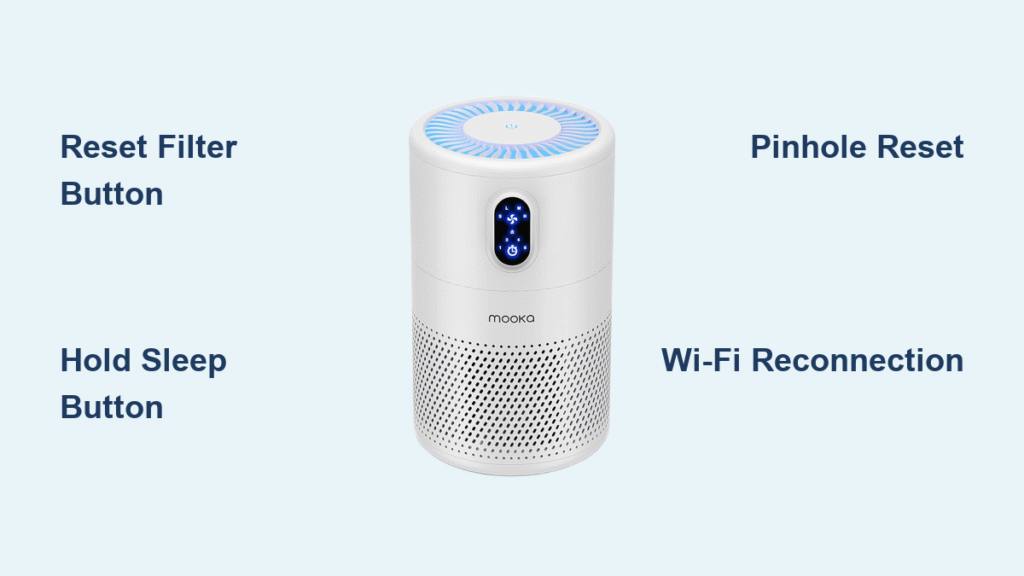
Credit: aircare.best
Frequently Asked Questions
Why Does My Mooka Air Purifier Fan Light Keep Blinking Red Even After Changing The Filter?
The red blinking light usually means the filter indicator needs to be reset. After installing a new filter, press and hold the reset or filter button for 3–5 seconds. If the light stays red, double-check the filter is installed correctly and the compartment is fully closed.
Can I Turn Off The Blinking Light On My Mooka Air Purifier Fan?
Most Mooka models do not allow you to manually turn off the blinking indicator light because it’s a warning. Once you fix the underlying issue (like changing the filter or cleaning the sensor), the light will stop on its own.
Is It Safe To Use My Mooka Air Purifier If The Light Is Blinking?
If the blinking is due to a filter that needs to be replaced, using the purifier is less effective, but not dangerous. However, if the device is making strange noises, smells like burning, or all lights are blinking rapidly, unplug it immediately and contact support.
How Often Should I Replace My Mooka Air Purifier Filter?
Most users should replace the HEPA filter every 6–8 months. If you have pets, allergies, or live in a dusty area, check the filter every 3–4 months. Always follow the light indicator and your manual.
Where Can I Find More Information About Mooka Air Purifiers And Troubleshooting?
You can visit the official Mooka website or trusted technology resources like Consumer Reports for detailed guides, reviews, and updates.
If you understand your Mooka air purifier’s blinking light system, you can keep your air cleaner and your device running smoothly for years. A blinking light is just your purifier’s way of talking to you—now you know how to listen and respond.