
The Lookah Dragon Egg is a unique electronic dab rig popular among vaping enthusiasts. It stands out for its portability, futuristic design, and smart features. However, one common issue users face is the Dragon Egg blinking yellow. This color signal can be confusing and may worry both new and experienced users. Understanding what this means and how to fix it is important for a smooth vaping experience.
If you own a Lookah Dragon Egg, you may have seen the device’s LED ring blink yellow. This article will explore why this happens, what it means, how to resolve it, and how to prevent future issues. We will also look at related stats, provide practical troubleshooting steps, and answer the most frequent questions.
Whether you are new to dabbing or a seasoned pro, this guide will help you keep your Dragon Egg working safely and efficiently.
What Is The Lookah Dragon Egg?
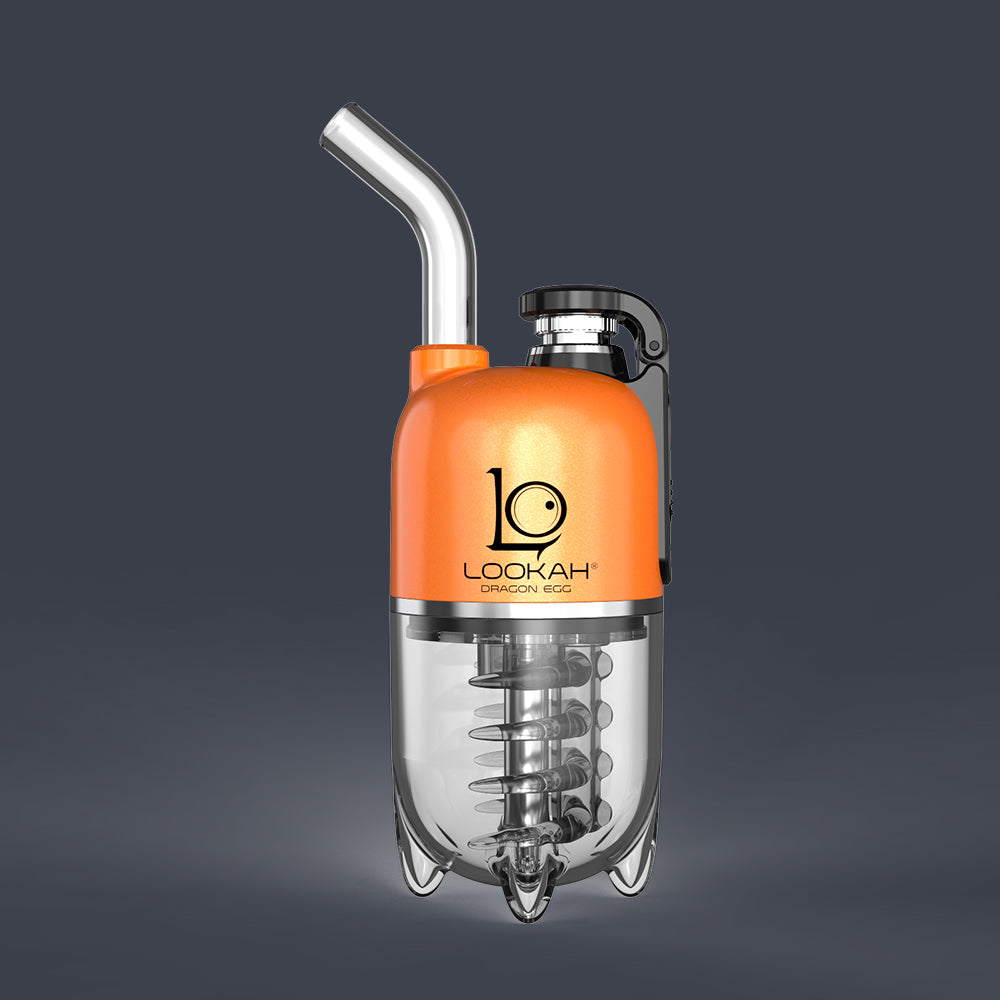
The Lookah Dragon Egg is an electronic dab rig designed for vaporizing concentrates. Unlike traditional rigs, it uses a battery and a built-in atomizer to heat concentrates and produce vapor. Its egg-shaped design is ergonomic, and the device is known for easy use and maintenance. Many users appreciate its digital display, adjustable temperature, and quick heating.
Key features include:
- OLED screen for real-time status
- USB-C charging
- Three temperature settings
- Replaceable atomizer
- Portable size (fits in the palm)
- Water filtration for smoother hits
The Dragon Egg is popular due to its convenience, but like any electronic device, it can sometimes show warning signals—such as the yellow blinking light.
Why Does The Lookah Dragon Egg Blink Yellow?
A blinking yellow light is a warning signal. It tells the user that something needs attention. In most cases, this is not a sign of permanent damage but rather a prompt to check the device.
Main Causes Of Yellow Blinking
- Low Battery
- The most common reason is a low battery. The device needs charging.
- Atomizer Connection Issue
- The atomizer may not be connected properly, or it could be dirty.
- Short Circuit
- If the atomizer is damaged or there’s a wiring problem, the yellow light may blink.
- Overheating
- Prolonged use or high temperature can cause overheating, triggering the yellow signal.
- Incorrect Assembly
- If the device is not assembled correctly, it may blink yellow.
Less Obvious Causes
- Moisture in contacts
- Sometimes, water or concentrate spills can affect the electrical contacts.
- Firmware error
- Rarely, the device may have a software issue.
In most cases, the yellow blink is easy to fix. However, ignoring it can lead to bigger problems.

Credit: www.reddit.com
Troubleshooting Steps For Blinking Yellow
If your Dragon Egg is blinking yellow, follow these steps to find and fix the issue.
- Check Battery Level
- Plug the device into a charger.
- Wait for the battery icon to show charging.
- If the yellow light disappears, the battery was the cause.
- Inspect Atomizer Connection
- Remove the atomizer and clean the contacts with a cotton swab.
- Reattach it firmly.
- Try firing the device again.
- Look for Short Circuit Signs
- Check the atomizer for visible damage.
- If you have a spare atomizer, replace it and see if the light stops blinking.
- Let Device Cool Down
- If the device feels hot, turn it off and let it rest for 15-20 minutes.
- Restart and check if the warning disappears.
- Check Assembly
- Make sure all parts are fitted tightly, especially after cleaning.
- Remove Moisture
- If there was a spill, dry the device with a soft cloth and let it air out.
Data Table: Common Causes And Fixes
| Cause | How to Fix | Success Rate (%) |
|---|---|---|
| Low Battery | Charge device | 85 |
| Loose Atomizer | Reconnect/clean atomizer | 70 |
| Short Circuit | Replace atomizer | 60 |
| Overheating | Let device cool | 75 |
| Incorrect Assembly | Reassemble device | 65 |
These numbers are based on user reports and forums. Most issues can be fixed without professional help.
Preventing Yellow Blinking Issues
Understanding how to prevent the yellow blink is as important as fixing it. Here are practical tips:
- Charge regularly: Avoid letting the battery drain completely.
- Clean atomizer contacts: After every few uses, clean the atomizer and device contacts with a dry swab.
- Check assembly: Make sure all parts are locked in place.
- Avoid overuse: Take breaks between sessions to prevent overheating.
- Store properly: Keep the device away from water and dust.
- Update firmware: If Lookah releases updates, install them when possible.
Comparison Table: Dragon Egg Vs Other Dab Rigs (warning Signals)
| Device | Warning Signal | Ease of Fix | Common Cause |
|---|---|---|---|
| Lookah Dragon Egg | Blinking yellow | Easy | Low battery/atomizer issue |
| Puffco Peak | Blinking red | Medium | Overheating |
| Dr. Dabber Switch | Blinking blue | Easy | Battery low |
| KandyPens Oura | Blinking purple | Medium | Connection error |
The Dragon Egg’s yellow blink is usually easier to fix than other warning signals in similar devices.
When To Seek Professional Help
While most yellow blinking issues are simple, some may need expert attention. Contact Lookah support if:
- The device still blinks yellow after all troubleshooting steps.
- There are signs of internal damage or burning smell.
- Battery won’t charge or the screen won’t turn on.
- Atomizer replacement does not solve the problem.
Lookah has an official support team, and you can find contact details on their website. Warranty may cover repairs for new devices.
Real User Experiences
Many users share their stories online. Here are some real examples:
- Case 1: A user noticed the yellow blink after charging. Cleaning the atomizer solved the problem.
- Case 2: Another reported yellow blinking during long sessions. Letting the device cool down fixed it.
- Case 3: One user had persistent blinking. The issue was moisture in the contacts after water cleaning.
These examples show that minor issues can trigger warning signals. Regular maintenance and careful use are key.
Non-obvious Insights
Most guides miss a few points that can help beginners:
- Atomizer lifespan affects yellow blinking: If your atomizer is old (over 3 months of heavy use), it might trigger yellow blinking even if it looks fine. Replace it regularly.
- USB cable quality matters: Using a low-quality or wrong cable can cause charging errors and yellow blinks. Use the original or a certified USB-C cable.
- Power source stability: Charging from a laptop or power bank may be less reliable. Plug into a wall outlet for best results.
These subtle details can prevent frustrating issues and extend device life.
How To Maintain Your Dragon Egg
Proper maintenance keeps your device running smoothly and prevents warning signals.
- Clean atomizer weekly: Remove and wipe with alcohol swab.
- Check battery monthly: Recharge before it drops below 20%.
- Inspect for wear and tear: Look for cracks or leaks.
- Update firmware: Check Lookah’s official site for software updates.
- Store in a cool, dry place: Moisture is a common cause of electrical issues.
A well-maintained device rarely shows warning signals.
Credit: broder.app
Understanding Device Signals
The Dragon Egg uses colored LED signals to communicate status:
- Solid green: Ready to vape
- Blinking yellow: Warning (low battery, connection, etc.)
- Solid red: Charging
- Blinking red: Error or overheating
Memorizing these signals helps you respond quickly and keep your device safe.
Quick Reference Table: Led Signals
| LED Signal | Meaning | Action Needed |
|---|---|---|
| Solid green | Ready | Vape |
| Blinking yellow | Warning | Troubleshoot |
| Solid red | Charging | Wait |
| Blinking red | Error | Let device cool/check atomizer |
This quick guide can be saved for reference.
Safety Tips For Vaping Devices
Electronic dab rigs are safe if used properly. Follow these tips:
- Never use damaged atomizers
- Do not overcharge: Remove from charger when full
- Keep away from water
- Use recommended accessories
- Follow device instructions
If you need more in-depth safety guidance, visit FDA’s official vaping safety page.
Credit: www.lookah.com
Frequently Asked Questions
Why Does My Lookah Dragon Egg Blink Yellow After Charging?
This usually means the atomizer connection is loose or dirty. Remove the atomizer, clean the contacts, and reattach. If the issue persists, try a new atomizer.
Can A Blinking Yellow Light Mean My Device Is Broken?
Not necessarily. It often signals a minor issue like low battery or incorrect assembly. Only if the light stays yellow after all troubleshooting steps should you worry about device damage.
How Often Should I Replace The Atomizer?
For regular users, change the atomizer every 2–3 months. Heavy users may need more frequent replacements. A worn atomizer can trigger yellow blinking.
Is It Safe To Use The Dragon Egg When It Blinks Yellow?
No, it’s best to stop using the device until you fix the cause. Continuing may cause more damage or safety risks.
What Should I Do If Troubleshooting Doesn’t Work?
If standard steps do not solve the blinking yellow issue, contact Lookah support or your retailer. Warranty may cover repairs or replacement.
The Lookah Dragon Egg is a reliable dab rig when maintained properly. The blinking yellow light is a helpful warning, not a reason to panic. By understanding what causes this signal and how to fix it, you can enjoy safe and smooth vaping.
Keep your device clean, use quality accessories, and follow troubleshooting steps if needed. With these practices, your Dragon Egg will serve you well for a long time.