
When you see your Kidde smoke alarm blinking green, it often feels confusing or even worrying. You might wonder: is the device working? Should I be concerned? Most people know what a loud alarm or a red light means, but a green blink is less obvious. Still, understanding the meaning behind these signals is important for your home’s safety and peace of mind.
This article explains what a blinking green light means on a Kidde smoke alarm, why it happens, how to fix it, and what mistakes to avoid. You’ll also see how different models compare, and what to do if things go wrong.
By the end, you’ll feel confident checking your Kidde smoke alarm and responding to green light signals correctly. Let’s make sure your home stays safe, without unnecessary worry.
What Does A Blinking Green Light Mean On Kidde Smoke Alarms?
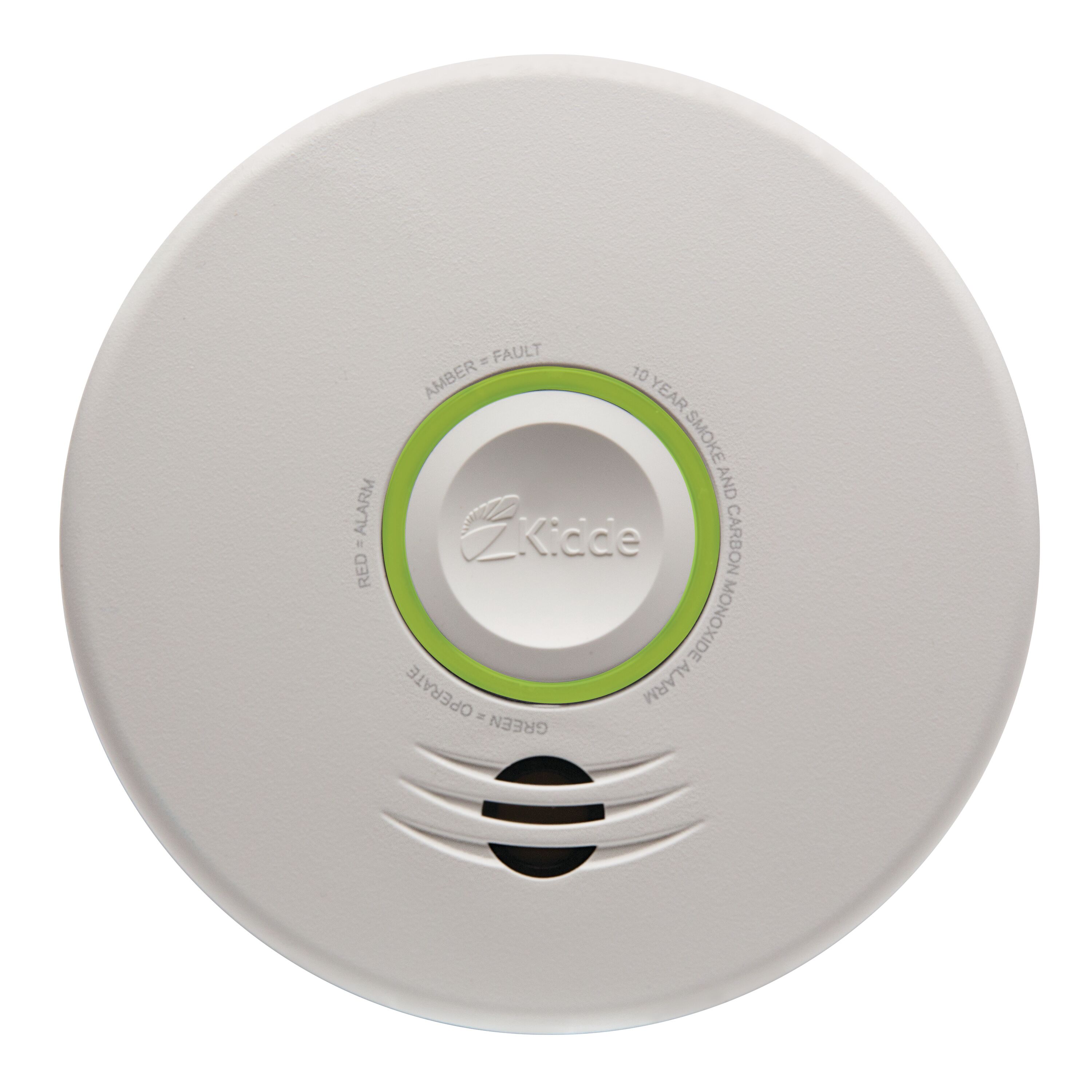
Many Kidde smoke alarms have a green LED indicator. The blinking pattern of this light can tell you about the device’s status. But not every blink means the same thing.
Common Meanings Of Green Blinking Lights
- Normal Operation: On most Kidde smoke alarms, a steady or blinking green light means the device has power and is working correctly. For plug-in or hardwired models, green usually signals that the alarm is receiving AC power.
- Backup Battery Charging: Some models blink green when the backup battery is charging after a power outage.
- Interconnect Feature: For models that connect with other alarms, a blinking green light may show communication between devices.
- Fault or Test Mode: In rare cases, green blinking can signal a fault or that the alarm is in test mode.
Differences By Model
Not every Kidde smoke alarm uses green blinking the same way. For example:
- Battery-only models: Usually don’t have a green LED; they use red.
- Hardwired models: Often have a green LED that blinks or stays on, depending on power status.
- Combination alarms (smoke & CO): May use green to show AC power and red for alarms or warnings.
If you’re unsure, check your user manual or the Kidde website for details.
Kidde Smoke Alarm Light Patterns And What They Mean
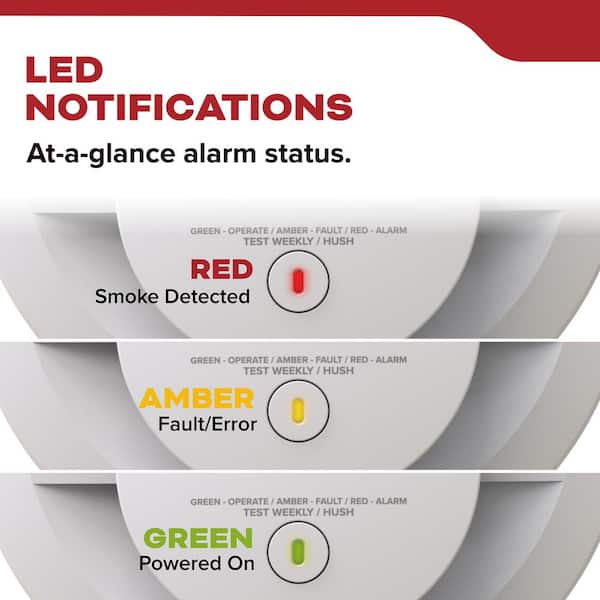
Understanding the light patterns helps you know what your alarm is telling you. Here’s a comparison of the most common Kidde smoke alarm light signals:
| Light Color | Blinking Pattern | Meaning | Typical Model |
|---|---|---|---|
| Green | Steady | AC power present, device working | Hardwired |
| Green | Blinking | Battery charging or device interconnect | Hardwired/Combo |
| Red | Flashing | Alarm triggered, test mode, or error | All models |
| No Light | Off | No power or battery dead | All models |
These patterns help you quickly understand your alarm’s status. If you see a green light, it usually means everything is fine. But if you see a red flashing light, take action.
Why Is Your Kidde Smoke Alarm Blinking Green?
Sometimes, the blinking green light might change or appear unexpectedly. Here are the most common reasons:
- Device Has Power: If your alarm is plugged in or hardwired, a blinking green usually means it’s powered.
- Battery Charging: After a power outage, the green light might blink while the backup battery recharges.
- Interconnect Mode: If you have multiple Kidde alarms linked together, blinking green can signal communication.
- Device Reset or Test: A green blink may appear after testing or resetting the device.
- Manufacturer Updates: Some newer models use different blink codes, so check your manual.
Example: After A Storm
Imagine a storm knocks out your electricity. When power returns, your Kidde smoke alarm starts blinking green for a few hours. This usually means the backup battery is charging. Once charged, the light turns steady green.
How To Respond: Step-by-step Guide
If you see a Kidde smoke alarm blinking green, here’s what you should do:
- Check the Manual: Look up your model online or use the printed manual. Each model has its own blink codes.
- Confirm Power Supply: For hardwired alarms, check that the unit is plugged in or wired correctly.
- Test the Alarm: Press the test button to make sure the device sounds and the green light changes as expected.
- Inspect the Battery: If the green light blinks after a power outage, wait a few hours. If it continues, replace the backup battery.
- Reset the Alarm: Unplug or remove the battery for 10 seconds, then reinstall. This can clear some error codes.
- Check for Interconnect Issues: If you have more than one alarm, make sure all devices are working and communicating.
- Contact Kidde Support: If the blinking green won’t stop, reach out to Kidde customer service for help.
Common Mistakes When Interpreting Kidde Smoke Alarm Lights
Many homeowners misunderstand the signals. Here are mistakes to avoid:
- Ignoring the Blink: Some think green means “all clear.” But if it blinks for hours, it can mean a battery issue.
- Confusing Green with Red: Red always means warning or alarm; green is usually safe, but not always.
- Not Reading the Manual: Models differ. Don’t guess—check the manual.
- Waiting Too Long: If the green blink continues, don’t wait days to act.
- Replacing Batteries Unnecessarily: Sometimes, the green blink is normal. Don’t replace batteries unless needed.
Kidde Smoke Alarm Models And Their Light Codes
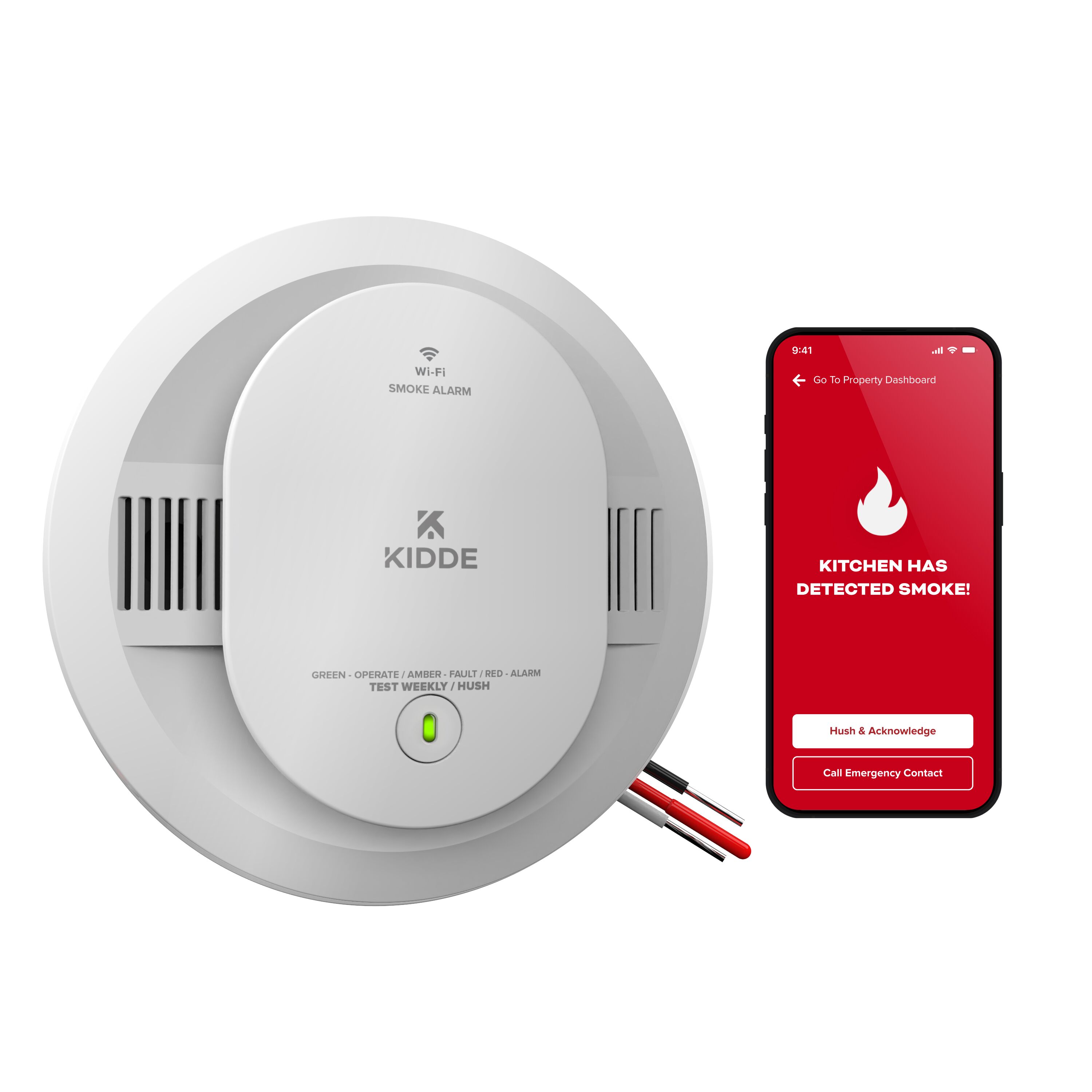
Kidde offers several types of smoke alarms. Here’s a comparison:
| Model | Power Type | Green Light Behavior | Red Light Behavior |
|---|---|---|---|
| Battery-Only | 9V or AA Battery | No green light | Flashing for alarm/test |
| Hardwired | 120V AC + Battery | Steady/Blinking for power/interconnect | Flashing for alarm/error |
| Combination Smoke & CO | 120V AC + Battery | Blinking for battery charging/interconnect | Flashing for smoke or CO alert |
Knowing your model helps you read the lights correctly.
Credit: www.kidde.com
Troubleshooting: When The Green Light Won’t Stop Blinking
If the green light keeps blinking for hours or days, it’s time to troubleshoot. Here’s how:
Step 1: Identify Your Model
Find the model number on the device’s back or side. Look it up online for specific blink codes.
Step 2: Check Power And Battery
- For hardwired models: Make sure the wiring is secure.
- For battery models: Check the battery type and age. Replace with fresh batteries if needed.
Step 3: Reset The Alarm
- Remove the alarm from its base.
- Disconnect power and remove the battery.
- Wait 10 seconds.
- Reinstall battery and reconnect.
Step 4: Test The Alarm
Press and hold the test button. The device should beep loudly and the light pattern should change temporarily.
Step 5: Inspect Interconnect Devices
If you have linked alarms, check each one. If one device has a problem, it can cause others to blink.
Step 6: Contact Kidde
If all else fails, call Kidde’s customer support or check their website for troubleshooting guides.
What To Do After Power Outages
Many Kidde smoke alarms blink green after a power outage. Here’s what to expect:
- The green light may blink for several hours.
- This is normal as the backup battery charges.
- If the light doesn’t return to steady after 24 hours, check the battery or wiring.
Practical Example
After your power comes back, your Kidde alarm starts blinking green. Wait a few hours. If the light stays blinking, check or replace the battery. If the problem persists, reset the alarm.
Credit: www.homedepot.com
Safety Tips For Kidde Smoke Alarms
Keeping your smoke alarms working properly is critical. Here are tips:
- Test Monthly: Press the test button once a month.
- Replace Batteries Annually: Even if the green light is steady, change batteries every year.
- Clean the Alarm: Dust can block sensors. Wipe with a dry cloth every few months.
- Replace Every 10 Years: Smoke alarms lose effectiveness over time. Check the manufacture date.
- Check Interconnects: If you have multiple alarms, test communication between units.
- Don’t Ignore Lights: Always check any blinking or flashing lights, even if they’re green.
Comparing Kidde Smoke Alarm Features
Kidde offers several models with different features. Here’s a quick comparison:
| Model | Light Indicators | Power Source | Special Features |
|---|---|---|---|
| Basic Battery | Red only | 9V/AA | Simple, affordable |
| Hardwired | Green & Red | 120V AC + Battery | Interconnect, reliable |
| Combo Smoke & CO | Green & Red | 120V AC + Battery | CO detection, battery charging indicator |
| Smart Alarm | Green, Red, Yellow | AC/Battery/WiFi | App alerts, advanced features |
The right model depends on your needs and budget.
Real-life Example: Solving A Persistent Green Blink
A homeowner noticed their Kidde hardwired smoke alarm started blinking green after a power outage. It continued for more than 24 hours. Following the troubleshooting steps, they:
- Checked the manual and confirmed blinking green meant battery charging.
- Replaced the backup battery with a new one.
- Reset the alarm.
- The green light became steady, showing normal operation.
If the light had continued blinking, the next step would be contacting Kidde support.
Non-obvious Insights For Homeowners
Many people miss these important points:
- Green Does Not Always Mean Safe: Sometimes, a blinking green light signals a problem, like a battery that won’t charge or a wiring issue.
- Interconnect Problems Can Cause Confusing Signals: If one device in a linked system fails, others may blink green as well.
- Dust or Debris Can Trigger False Signals: Cleaning your alarm can fix odd blinking patterns.
How Kidde Smoke Alarms Compare To Other Brands
Kidde is a popular brand, but how do its blinking green lights compare to other brands?
- First Alert: Uses red and yellow lights; green is rare.
- BRK: Mostly red indicators; green for power is less common.
- Nest Protect: Uses colored rings with app alerts; green means ready.
Kidde’s green blinking is unique to its hardwired and combo models. If you switch brands, check their manuals for light codes.
What If Your Kidde Smoke Alarm Blinks Green And Doesn’t Sound?
A green blink without a sound usually means the device is working but not detecting smoke or CO. If you press the test button and it beeps, the alarm is functioning. If it doesn’t sound, replace the battery or check the wiring.
When To Replace Your Kidde Smoke Alarm
Smoke alarms don’t last forever. Replace your Kidde smoke alarm if:
- It’s more than 10 years old.
- The green light blinks nonstop, even after troubleshooting.
- The device fails to sound during a test.
- You notice physical damage or corrosion.
Importance Of Reading The Manual
Each Kidde model has its own light codes. Reading the manual prevents confusion and mistakes. If you lose the manual, download a copy from the Kidde website.
Kidde Smoke Alarm Blinking Green: Quick Summary
- Blinking green usually means battery charging or device interconnect.
- Steady green means normal power.
- Red flashing means alarm or error.
- Check the manual for your model’s codes.
- Test and reset if needed.
- Replace batteries yearly.
- Contact Kidde if the green blink persists.
For more technical information, visit the official Kidde website or see this Kidde Help Center.
Frequently Asked Questions
Why Is My Kidde Smoke Alarm Blinking Green After A Power Outage?
The blinking green light often means the backup battery is charging. This can last a few hours. If the green light stays blinking after 24 hours, check or replace the battery.
What Does It Mean If My Kidde Smoke Alarm Blinks Green But Does Not Beep?
A green blink without a beep usually signals normal operation. If you press the test button and no sound occurs, the device might need a new battery or reset.
Can A Blinking Green Light Mean My Smoke Alarm Is Faulty?
Sometimes, yes. If the green blink continues for days, it could signal a battery issue, wiring problem, or a fault. Try troubleshooting or contact Kidde support.
How Do I Stop The Green Blinking On My Kidde Smoke Alarm?
Replace the backup battery, check wiring, and reset the alarm. If the blinking continues, read the manual or call Kidde customer service.
Is A Green Light Normal For All Kidde Smoke Alarms?
No, only hardwired and combination models use green lights. Battery-only models usually have red indicators.
Conclusion
Your Kidde smoke alarm is a key part of your home’s safety. Understanding its signals, especially the blinking green light, helps you keep your family safe and avoid unnecessary worries. Always test your alarm, read the manual, and act quickly if you notice unusual blinking.
With these steps, you can trust your Kidde smoke alarm to protect your home.
Credit: www.kidde.com