
When your Honeywell Home thermostat starts blinking “Cool On,” it can be confusing and even worrying. Is your air conditioner broken? Is the thermostat malfunctioning? For many, this blinking message is unexpected, especially during hot days when you want your cooling system to work perfectly. But before you panic or call a technician, understanding what “Cool On” means, why it blinks, and what you can do about it can save you time, money, and stress.
This guide will explain everything about the Honeywell thermostat blinking Cool On. You will learn what triggers this signal, how your thermostat communicates with your AC system, common causes, troubleshooting steps, and tips to prevent future issues. Whether you are a homeowner, renter, or simply responsible for managing your indoor climate, this article will help you make smart decisions about your thermostat and cooling system.
What Does “cool On” Mean On A Honeywell Thermostat?
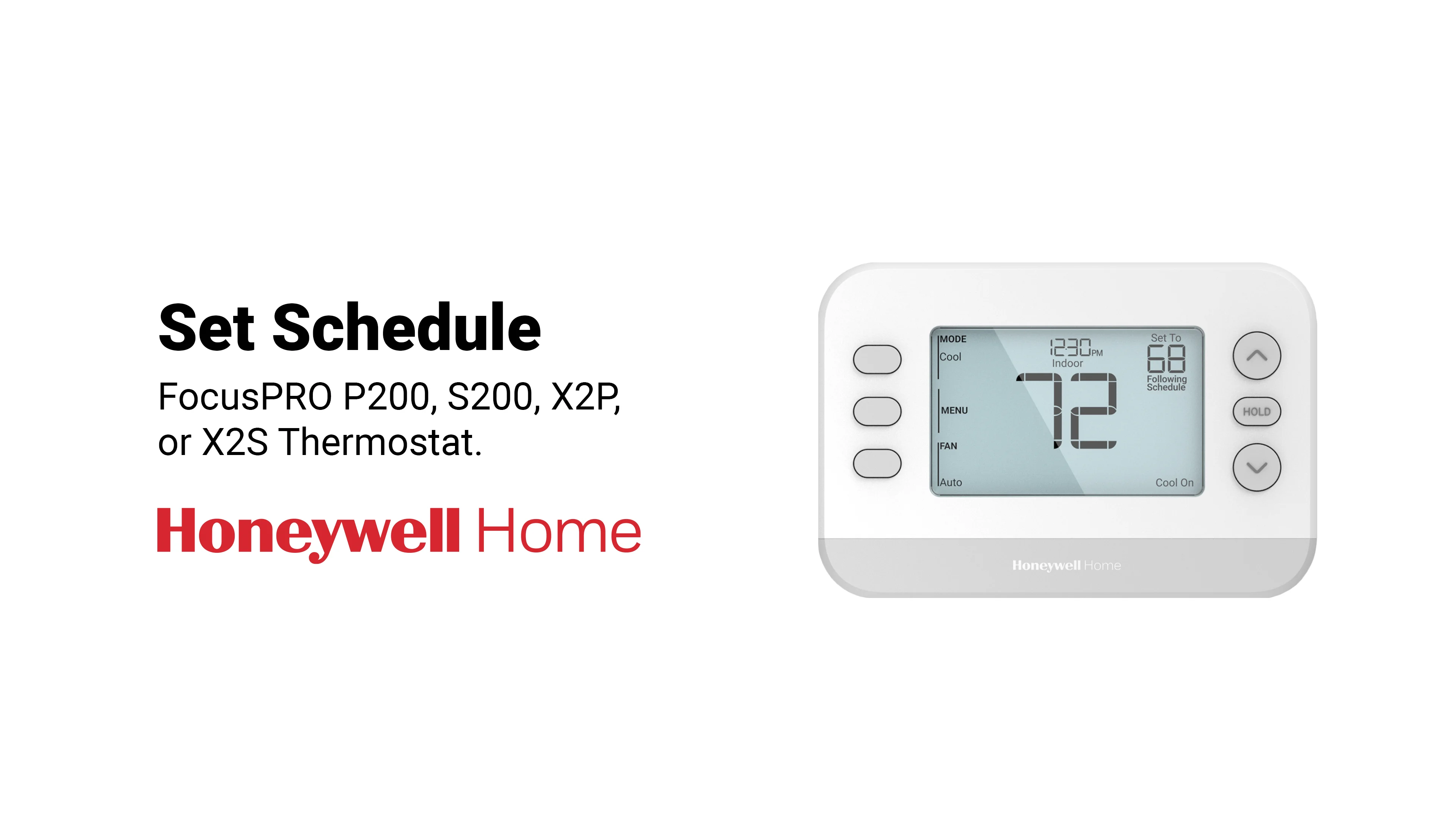
When the Cool On indicator blinks on your Honeywell thermostat, it shows that the thermostat is trying to turn on the air conditioning. Unlike a solid “Cool On” message, a blinking one is a signal that something is not quite right. Honeywell thermostats are designed to protect your HVAC system, so blinking “Cool On” is often a safety feature, not a sign of immediate failure.
Key Reasons For The Blinking “cool On” Message
- Compressor Delay: Most Honeywell thermostats have a built-in compressor delay. This pause helps protect your air conditioner from damage caused by rapid cycling. If you just changed the temperature setting or turned the system on/off, the thermostat may wait 5–10 minutes before starting the compressor.
- Power Interruptions: If there was a recent power outage or surge, the thermostat may blink “Cool On” while it resets and waits for the AC system to stabilize.
- System Malfunction: Sometimes, blinking “Cool On” means the thermostat cannot communicate with the cooling system, possibly due to wiring issues, a tripped breaker, or a broken AC unit.
What Should You Expect?
Typically, the blinking “Cool On” message will stop after a short delay, and your air conditioner should start working. If the blinking continues for more than 10–15 minutes, it’s a sign that something needs attention.
Honeywell Thermostat Models And Blinking Indicators
Honeywell offers many thermostat models, from basic digital thermostats to advanced smart units. While the blinking “Cool On” message is common across models, the way it appears and the troubleshooting steps may vary slightly.
Here is a comparison of how different Honeywell thermostat types handle the “Cool On” indicator:
| Model | Display | Blinking Behavior | Typical Delay Time |
|---|---|---|---|
| Honeywell T5 | Digital LCD | Blinks “Cool On” during compressor delay | 5–10 minutes |
| Honeywell T9 Smart | Touchscreen | Blinks with message pop-up | Up to 10 minutes |
| Honeywell RTH2300 | Segmented LCD | Blinks “Cool On” after quick setting changes | 3–5 minutes |
| Honeywell 9000 Series | Color Touchscreen | Blinks and shows error codes | Varies: 5–15 minutes |
Knowing your thermostat model can help you understand its blinking signals and troubleshooting options.

Credit: lekk.nl
Common Causes Of The Honeywell Thermostat Blinking “cool On”
While the blinking “Cool On” is often normal, it can also point to underlying problems. Here are the most frequent causes:
- Compressor Protection Delay
- After turning your AC off and back on quickly, the thermostat delays activation to prevent damage. This is standard in most modern thermostats.
- Low Voltage or Power Loss
- If your HVAC system loses power, even for a few seconds, the thermostat may blink “Cool On” while waiting for stable voltage.
- Dirty Air Filter
- A clogged filter restricts airflow, making your AC work harder. Sometimes, the thermostat will delay cooling to protect the system.
- Tripped Circuit Breaker
- If the breaker to your AC unit trips, the thermostat can’t start the cooling cycle. It blinks “Cool On” until power is restored.
- Faulty Wiring
- Loose or damaged wires between the thermostat and AC can stop proper communication.
- Frozen Evaporator Coil
- If the coil freezes, the thermostat may delay cooling to avoid further problems.
- Malfunctioning AC Unit
- If the compressor or another AC part fails, your thermostat may try to start cooling but cannot.
- Incorrect Thermostat Settings
- Setting the thermostat to an extreme temperature may cause delays or blinking.
Real-world Example
A homeowner in Texas noticed the blinking “Cool On” every time they increased the temperature. After checking, they discovered a tripped breaker. Once reset, the AC started normally, and the blinking stopped. This simple fix saved a costly service call.
Step-by-step Troubleshooting For Honeywell Thermostat Blinking “cool On”
If your thermostat keeps blinking “Cool On,” follow these practical steps to identify and solve the problem. Most issues can be fixed without professional help.
1. Wait For The Compressor Delay To Finish
- Honeywell thermostats often pause for 5–10 minutes after changes.
- If you just adjusted settings or turned the system on/off, wait up to 15 minutes.
- If cooling starts, the blinking was normal.
2. Check Power Supply
- Make sure the thermostat screen is on and responsive.
- Look at your circuit breaker panel. If the AC breaker is tripped, reset it.
- If power was recently interrupted, wait for the system to reset.
3. Inspect Air Filter
- Find your air filter (usually behind a vent or in the furnace/AC closet).
- If it looks dirty or clogged, replace it.
- A clean filter helps your AC run smoothly and prevents delays.
4. Examine Thermostat Settings
- Confirm the thermostat is set to “Cool” mode and the temperature is lower than current room temp.
- Avoid setting extreme temperatures; use a moderate setting for best results.
5. Check Wiring Connections
- If comfortable, remove the thermostat cover and inspect wiring.
- Look for loose, disconnected, or corroded wires.
- If unsure, call a technician. Working with wires can be dangerous.
6. Look For Frozen Evaporator Coil
- If your AC unit is accessible, check for frost or ice on the coil.
- If frozen, turn off the AC and set the thermostat to “Fan” only.
- Allow the coil to thaw for several hours, then restart cooling.
7. Restart The Thermostat
- Many Honeywell models allow you to restart by removing batteries or pressing a reset button.
- Restarting can fix minor glitches.
8. Inspect The Ac Unit
- Check if the outdoor unit is running.
- Listen for unusual noises or check for visible damage.
- If the AC is silent, it may need professional repair.
9. Call For Professional Help
- If blinking “Cool On” continues after all steps, contact a licensed HVAC technician.
- Persistent blinking may indicate a deeper system issue.
Credit: tradicao.pt
How To Prevent Honeywell Thermostat Blinking “cool On” Issues
Prevention is always better than repair. Simple maintenance and smart use can keep your thermostat and AC working smoothly.
Regular Maintenance Tips
- Change air filters every 1–3 months, especially during high-use seasons.
- Schedule professional HVAC checkups once a year.
- Keep vents and registers clean and clear.
- Avoid frequent and rapid changes to thermostat settings.
Smart Thermostat Usage
- Use programmable settings to avoid sudden temperature changes.
- Enable energy-saving features if available.
- Monitor your system for unusual noises or behavior.
Protecting Against Power Surges
- Install surge protectors for your HVAC system.
- If your area has frequent outages, consider a backup power supply.
Monitoring System Performance
Some Honeywell smart thermostats offer performance tracking and alerts. Use these features to spot issues early.
| Maintenance Task | Frequency | Impact |
|---|---|---|
| Change Air Filter | Monthly | Prevents delays, improves air quality |
| Professional HVAC Inspection | Yearly | Finds hidden issues, extends system life |
| Clean Vents | Seasonally | Boosts airflow, prevents overheating |
| Update Thermostat Firmware | As available | Fixes bugs, adds features |
When Is The Blinking “cool On” Normal?
Not every blinking “Cool On” is a sign of trouble. Honeywell thermostats often blink during:
- Initial startup after installation
- After changing system mode (heat/cool)
- After power outages or quick setting changes
As long as the blinking stops after a short delay and cooling begins, your system is working as designed.
Non-obvious Insight
Many users overlook that new installations or system resets often trigger the blinking indicator. If you just installed a Honeywell thermostat or had HVAC work done, expect some blinking as the system calibrates.
Honeywell Thermostat Blinking “cool On” Vs Other Indicators
It’s easy to confuse the blinking “Cool On” message with other thermostat signals. Here’s a simple comparison:
| Indicator | Meaning | Action Required |
|---|---|---|
| Blinking “Cool On” | Waiting to start cooling (delay or issue) | Wait or troubleshoot as needed |
| Solid “Cool On” | Cooling mode active | No action; system is working |
| Blinking “Heat On” | Heating delay or issue | Wait or troubleshoot heating |
| Error Codes | System fault or wiring issue | Check manual or call technician |
Understanding these differences helps you respond correctly to each signal.
Common Mistakes When Dealing With Honeywell Thermostat Blinking “cool On”
Avoid these pitfalls to save time and prevent damage:
- Turning the system on and off repeatedly
- This increases compressor delay and risks AC damage.
- Ignoring the blinking for hours
- If blinking lasts more than 15 minutes, investigate the cause.
- Changing settings too often
- Rapid changes confuse the thermostat and prolong delays.
- Forgetting to check air filters
- Dirty filters cause many cooling issues.
- Attempting electrical fixes without experience
- AC and thermostat wiring can be dangerous. If unsure, seek help.
Real User Experience
A family in Florida kept adjusting their thermostat during a heatwave. The blinking “Cool On” lasted longer each time, and eventually their AC stopped working. A technician found the compressor was damaged from rapid cycling. This shows how repeated on/off actions can make things worse.

Credit: stefanodenna.it
Honeywell Thermostat Blinking “cool On” And Energy Efficiency
Many people don’t realize that the blinking “Cool On” feature is part of Honeywell’s energy efficiency design. By delaying compressor activation, the thermostat:
- Protects AC components from wear
- Reduces unnecessary energy use
- Helps lower electricity bills
In some cases, the delay can save up to 10% on cooling costs during peak months, according to Honeywell research. So, this feature is not just a warning—it is a smart way to manage your home’s energy.
Non-obvious Insight
If you have a programmable Honeywell thermostat, setting gradual temperature changes (instead of sharp jumps) will reduce blinking and improve efficiency.
When To Replace Your Honeywell Thermostat
Sometimes, persistent blinking “Cool On” signals that your thermostat is no longer reliable. Consider replacement if:
- The thermostat is more than 10 years old
- Blinking persists after all troubleshooting
- The display is faded or buttons are unresponsive
- You want advanced features like Wi-Fi or performance tracking
Modern Honeywell thermostats offer smart home integration and better diagnostics. Upgrading can make your cooling system more reliable and efficient.
Comparing Old Vs New Thermostats
Older digital thermostats may lack compressor delay features, while newer smart models include advanced protection and alerts. If your current thermostat is causing frequent blinking, a new model may solve the problem.
Honeywell Thermostat Blinking “cool On” And Diy Solutions
Many issues can be fixed without professional help. Here are practical DIY solutions:
- Replace air filters regularly
- Reset the thermostat if it becomes unresponsive
- Check breaker and power supply after outages
- Use gradual settings changes
- Clean thermostat contacts gently with a soft brush
If you are comfortable with simple maintenance, these steps can resolve most blinking issues.
External Resources For Honeywell Thermostat Support
For advanced troubleshooting, visit official sources like the Honeywell Home Support site. It includes manuals, FAQs, and live support chat for every model.
Frequently Asked Questions
What Does A Blinking “cool On” Mean On My Honeywell Thermostat?
It usually means the thermostat is waiting to start cooling, either because of a compressor delay, power issue, or system malfunction. If the blinking continues for more than 10–15 minutes, check for problems.
Can I Fix The Blinking “cool On” Myself?
Yes, you can often resolve it by waiting for the delay, checking power, replacing the air filter, or resetting the thermostat. More complex issues may require a technician.
Is It Normal For “cool On” To Blink After A Power Outage?
Yes, after power loss or a surge, the thermostat will blink “Cool On” while the AC system stabilizes. This can last up to 10 minutes.
Does A Blinking “cool On” Affect Energy Usage?
The blinking delay protects your AC and helps manage energy use. It prevents unnecessary cycling and can lower your cooling costs.
When Should I Call A Professional For Blinking “cool On”?
If the indicator blinks for more than 15 minutes, or if your AC does not start after troubleshooting, call a licensed HVAC technician to inspect your system.
Conclusion
Understanding the Honeywell thermostat blinking Cool On feature gives you confidence to manage your home’s comfort and avoid unnecessary repairs. With the right information and simple steps, you can keep your cooling system running smoothly all summer long.