
If you have a Honeywell Home Pro Series thermostat and see the “Heat On” indicator blinking, you’re not alone. Many homeowners notice this light and worry something is wrong with their heating system. In most cases, the blinking isn’t a sign of a major problem—it’s actually the thermostat’s way of communicating with you. But sometimes, it does signal an issue that needs attention. Understanding what this blinking means, why it happens, and how to respond can help you keep your home comfortable and avoid unnecessary service calls.
This guide will break down the reasons behind the blinking “Heat On” message, explain how the Honeywell Pro Series thermostat works, and offer step-by-step troubleshooting advice. Whether you’re a new homeowner or just new to smart thermostats, this article will give you practical tips and clear answers.
Understanding The Honeywell Home Pro Series Thermostat
The Honeywell Home Pro Series thermostats are popular in many homes for their simple interface and smart features. They help manage indoor temperature efficiently, saving energy and money. But like any smart device, they use lights and symbols to send you messages. The “Heat On” blinking indicator is one of the most common.
Key Features Of The Pro Series
- Programmable schedules: Set heating and cooling times for comfort and savings.
- Smart response technology: Learns how long it takes to heat or cool your home.
- Filter change reminders: Alerts you when it’s time to replace your air filter.
- Lock screen: Prevents unwanted changes by kids or guests.
How The “heat On” Indicator Works
When you set your thermostat to heat mode, you might notice “Heat On” appears on the display. If it’s solid, the system is actively heating. If it’s blinking, the system is in a waiting state or there may be a delay. This is called a safety delay or time delay.
What Does “heat On” Blinking Mean?
A blinking “Heat On” message doesn’t always mean your furnace is broken. In most cases, it’s a normal function. The thermostat is either waiting for the right moment to turn on the heat or it’s protecting your system from short cycling (turning on and off too quickly).
Common Causes Of The Blinking Indicator
- System delay: After changing modes or settings, the thermostat waits a few minutes before starting the furnace.
- Compressor protection: To protect your HVAC system, especially heat pumps, the thermostat delays restarting after it was just turned off.
- Low battery: On battery-powered models, low batteries can cause blinking lights.
- Filter reminder: Some models blink to remind you to change the filter.
- Faulty wiring or sensor: Less commonly, a wiring or sensor issue may cause blinking.
How Long Should “heat On” Blink?
Usually, the blinking lasts 3 to 5 minutes. This delay is built in to protect your heating equipment. If the blinking continues much longer, it could signal a problem.

Credit: www.jhowellbuilder.com
Common Reasons For “heat On” Blinking
Let’s look at each possible reason in more detail, so you can figure out what’s happening with your thermostat.
1. Safety Time Delay
After you change the temperature or mode, the thermostat waits before turning on the heat. This delay helps avoid sudden starts and stops, which can damage your furnace or heat pump. Most Honeywell models have a short cycle protection feature that causes the blinking “Heat On” message for a few minutes.
2. Power Or Battery Issues
If your thermostat relies on batteries and they are weak, the blinking indicator may appear. Low voltage from the HVAC system can also cause delays.
- Solution: Replace batteries with fresh ones if your model uses them.
- Check wiring: Loose or corroded wires can interrupt power.
3. Filter Change Reminder
Some Honeywell thermostats blink to remind you to change your air filter. A clogged filter can make your system work harder, so regular replacement is important.
- Solution: Check your filter and replace it if dirty. Reset the reminder if needed.
4. System Errors
Less commonly, a blinking “Heat On” means a problem with the HVAC system—such as a failed igniter, sensor, or control board.
- Solution: Check for error codes on the display. If you see one, look it up in your user manual or online.
5. Wiring Or Installation Problems
If your thermostat was just installed or serviced, incorrect wiring could cause blinking and prevent the system from starting.
- Solution: Double-check the wiring against the installation guide, or have a professional inspect it.
Step-by-step Troubleshooting For “heat On” Blinking
If the “Heat On” light is blinking on your Honeywell thermostat, follow these steps to find and fix the issue.
Step 1: Wait For The Delay To End
After adjusting the thermostat, wait 5 minutes. The blinking often stops on its own once the safety delay finishes. If the heat turns on and the indicator stops blinking, your system is working correctly.
Step 2: Check The Batteries
For models with batteries, open the thermostat and replace them with new AA or AAA batteries. Low battery power can cause odd behavior.
Step 3: Inspect Your Air Filter
A dirty filter can block airflow and trigger reminders or even safety shutdowns.
- Remove the filter from your furnace or air handler.
- If it looks gray or clogged, replace it with a new one.
- Always follow the recommended filter type and size.
Step 4: Verify Thermostat Settings
Make sure your thermostat is set to heat mode and the temperature is higher than the current room temperature. If the settings are wrong, the system won’t turn on.
Step 5: Check The Circuit Breaker
Find the breaker box in your home and make sure the HVAC system’s breaker is not tripped. Reset it if needed.
Step 6: Inspect The Wiring
If you are comfortable, carefully remove the thermostat and check the wires. Look for loose, damaged, or corroded wires. Make sure each wire is connected to the correct terminal.
Warning: If you are not sure about wiring, call a professional.
Step 7: Look For Error Codes
Some Pro Series thermostats display error codes. Refer to your thermostat’s manual for what each code means.
Step 8: Reset The Thermostat
If all else fails, try resetting the thermostat:
- Remove the thermostat from its wall plate.
- Remove the batteries (if present), wait 10 seconds, then reinsert them.
- Reattach to the wall and wait for the system to reboot.
Step 9: Call A Professional
If the blinking continues after these steps, it may be time to contact a licensed HVAC technician. There may be a deeper issue with your furnace, heat pump, or wiring.
When Is Blinking A Sign Of A Problem?
Most of the time, blinking is normal. But in these cases, it’s a sign you should act:
- Blinking lasts longer than 10 minutes
- No heat is coming from the vents
- The display shows an error code
- You hear unusual noises from the furnace or heat pump
- The system turns off and on rapidly (short cycling)
If any of these happen, don’t ignore the warning. Continuing to run your system with a possible fault can lead to bigger repairs.
Pro Series Models And Blinking Differences
Different Honeywell Pro Series models may show blinking indicators in slightly different ways. Here’s a quick comparison of common models:
| Model | Display Style | “Heat On” Blinking Reason | Batteries Required |
|---|---|---|---|
| TH4110U2005 | Digital | Safety delay, low battery | Yes |
| TH4210U2002 | Touchscreen | Compressor protection | Yes |
| TH6220U2000 | Backlit digital | Filter reminder, delay | No (hardwired) |
| TH6320U2008 | Backlit digital | Error code, delay | No (hardwired) |
Tip: Always check your thermostat’s model number (usually found on the back or inside the battery compartment) before looking up specific troubleshooting steps.

Credit: www.reddit.com
How To Prevent “heat On” Blinking Issues
Prevention is better than a cold house in the middle of winter. Here’s how you can avoid unexpected blinking and heating problems:
- Change air filters regularly: Every 1–3 months, or as recommended.
- Schedule annual HVAC maintenance: A technician can spot issues before they cause breakdowns.
- Check thermostat batteries: Replace at least once a year, or when the low battery indicator appears.
- Keep vents clear: Don’t block air supply or return vents with furniture or drapes.
- Monitor for unusual sounds: Clicking, banging, or squealing can signal trouble.
- Review thermostat settings before the heating season starts.
Real-world Example: Troubleshooting A Blinking Honeywell Pro Series Thermostat
Let’s walk through a common scenario.
Situation: Jane turns on her heat for the first cold day. She sees “Heat On” blinking on her TH4110U2005 and feels no warm air.
Actions:
- She waits 5 minutes. The blinking continues.
- She checks the filter—it’s very dirty. She replaces it.
- Still blinking after 10 minutes. Jane checks the batteries and sees they are low. She puts in fresh batteries.
- The blinking stops, and the heat comes on.
Lesson: Sometimes, more than one small issue can cause the blinking indicator. Solving both (filter and batteries) fixed the problem. This is why it’s important to check all possible causes.
Common Mistakes When Dealing With Blinking “heat On”
Many users make similar errors when trying to fix their thermostat. Avoid these pitfalls:
- Ignoring the delay: Expecting immediate heat after changes can lead to unnecessary panic.
- Skipping filter checks: Dirty filters are a leading cause of HVAC issues.
- Forgetting about batteries: Even hardwired thermostats may use batteries for backup.
- Guessing on wiring: One wrong connection can stop the system from working.
- Not reading the manual: Each thermostat model has unique features and codes.
Comparing Honeywell Pro Series With Other Brands
How does the Honeywell Pro Series handle “Heat On” blinking compared to similar thermostats? Here’s a quick look:
| Brand | “Heat On” Blinking Feature | Delay Duration | Common User Complaints |
|---|---|---|---|
| Honeywell Pro Series | Yes (safety delay, error notification) | 3-5 minutes | Confusing blinking, battery issues |
| Nest | Yes (delay, error codes) | 2-5 minutes | WiFi issues, app confusion |
| Ecobee | Yes (system delay, alerts) | 3-6 minutes | Sensor setup confusion |
| Emerson Sensi | Yes (flashing icons) | 1-5 minutes | Mobile app setup |
Honeywell’s approach is similar to others, but the blinking indicator can be more confusing for new users. Reading the manual and understanding the delay feature are key to confidence.
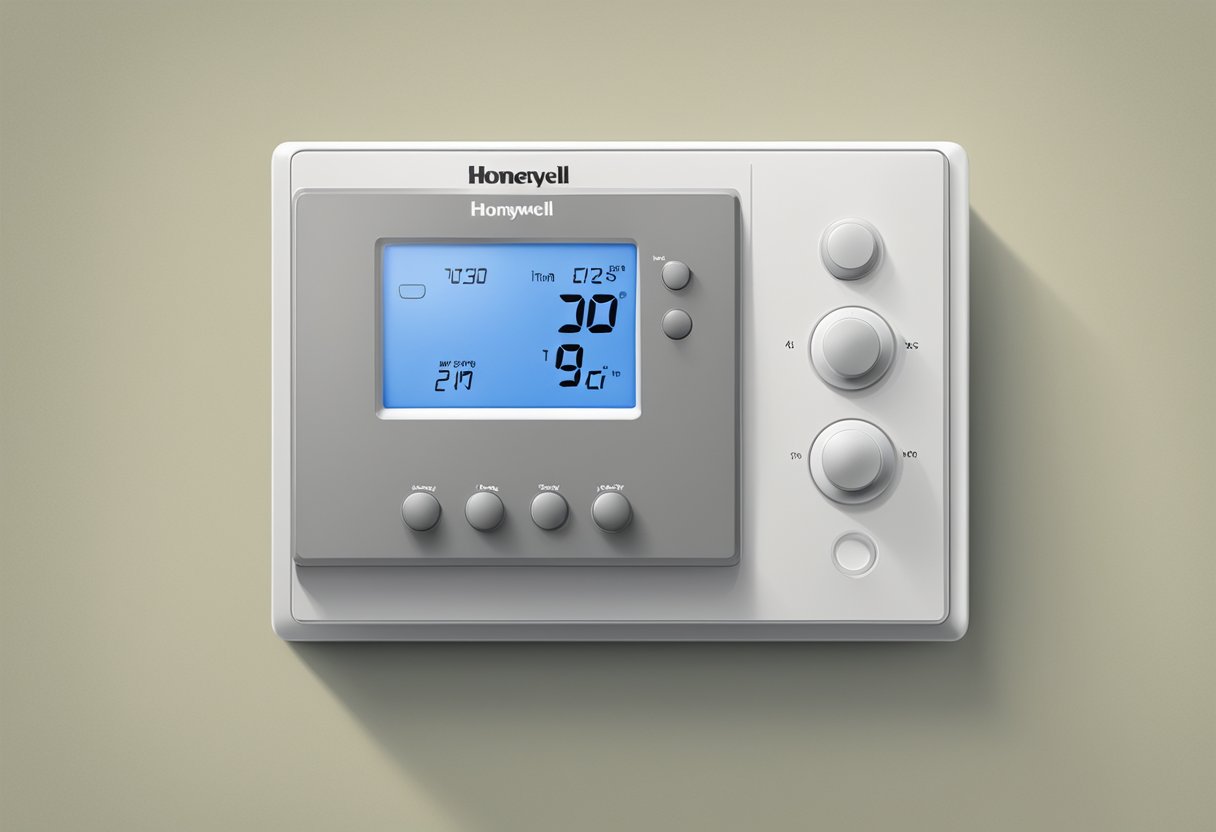
Credit: www.sereniadistrict.com
Advanced Tips For Owners
If you want to go further, consider these advanced steps:
- Update your thermostat’s firmware if your model supports it. Updates can fix bugs that cause blinking.
- Install a surge protector on your HVAC system to prevent power interruptions.
- Label wires during installation so you can easily check them later.
- Use a programmable schedule to minimize manual changes, which can trigger delays.
- Consider upgrading to a WiFi-enabled model for remote alerts and easier troubleshooting.
When To Call For Professional Help
Some problems are too complex or dangerous to fix yourself. Contact a licensed HVAC technician if:
- The blinking “Heat On” lasts longer than 10 minutes with no heat
- You see error codes you don’t understand
- There is no power to the thermostat
- You smell gas or burning odors from your system
- You are unsure about wiring or installation
A professional has the tools and experience to safely diagnose the problem and make repairs.
Frequently Asked Questions
Why Does My Honeywell Thermostat Keep Blinking “heat On”?
The most common reason is a built-in delay to protect your heating system from short cycling. It may also blink because of low batteries, dirty filters, or system errors. Wait five minutes, then check your settings, batteries, and filter.
How Do I Reset My Honeywell Home Pro Series Thermostat?
To reset, remove the thermostat from its wall plate and take out the batteries (if present). Wait 10 seconds, replace the batteries, and reattach. For some models, there’s also a reset option in the settings menu.
Can A Blinking “heat On” Mean My Furnace Is Broken?
Not always. Usually, it’s just a delay. But if the blinking continues for more than 10 minutes, and there’s no heat or you see error codes, you should check for power issues or call a professional.
How Often Should I Change My Air Filter To Avoid Problems?
Check your filter every 1 to 3 months, depending on your HVAC system and the type of filter. Dirty filters are a top cause of heating issues and can trigger reminders or system delays.
Where Can I Find More Information About My Specific Honeywell Pro Series Model?
The best source is the official Honeywell website, which has manuals and troubleshooting guides for each model. You can also check Honeywell Home Support for detailed help.
A blinking “Heat On” message on your Honeywell Home Pro Series thermostat isn’t usually a reason to worry. In most cases, it’s just your system protecting itself. By understanding what causes the blinking, how to troubleshoot it, and when to call for help, you can keep your home warm and avoid unnecessary repairs.
Remember to check your batteries, filters, and settings regularly, and don’t hesitate to reach out to a professional if things don’t improve. With a little care, your Honeywell thermostat will serve you well through many winters.