
When you see the heat on blinking on your Honeywell thermostat, it’s easy to feel worried or confused. Thermostats are supposed to be simple, but blinking lights often mean something is not working as expected. Maybe your home feels cold even though you set the heat on. Or maybe you’re unsure if the blinking is normal. This article will guide you through what the blinking heat light means, why it happens, and what you can do to fix or prevent problems. You’ll learn how to read your thermostat, common causes, troubleshooting steps, and when to call for help. Whether you’re a homeowner or just trying to stay comfortable, you’ll find clear answers and practical advice here.
Understanding The Honeywell Thermostat Heat Light
Honeywell thermostats are popular for their reliability and ease of use. Still, the display and lights can be confusing. The heat on blinking indicator is one of the most common things users notice, especially during colder months.
What Does “heat On Blinking” Mean?
When the heat on light blinks, it usually signals that the thermostat is trying to turn on the heat, but it is waiting or facing an issue. The blinking can mean:
- The system is in a delay mode (waiting to start)
- There’s a minor problem stopping the heat from turning on
- The thermostat is communicating with your HVAC (heating, ventilation, and air conditioning) system
This blinking does not always mean something is broken. Sometimes, it’s just a normal pause.
Why Does The Thermostat Blink?
Honeywell thermostats include safety features. One of them is the compressor delay. After turning off and on, the thermostat waits a few minutes before restarting the heating system. This protects the equipment from damage. During this delay, the heat on light blinks to let you know it’s waiting.
Other times, blinking means the thermostat is not receiving a signal from the furnace or heat pump. This could be due to wiring, power, or system errors.
Common Models And Their Indicators
Honeywell makes many thermostat models, like:
- T Series (T5, T6)
- RTH Series (RTH8580WF, RTH7600)
- VisionPRO Series
Most have a digital screen with a heat indicator. Some use a simple LED. The meaning of blinking is similar across models, but the display can look different.
Here’s a quick comparison:
| Model | Heat On Display | Blinking Meaning |
|---|---|---|
| T5/T6 | Text on screen | Delay mode or error |
| RTH Series | Icon or text | Delay or communication issue |
| VisionPRO | LED light | Waiting for system |
Reasons For Heat On Blinking
Understanding why your heat on light blinks helps you solve the issue faster. Let’s look at the most common causes.
1. Compressor Delay
This is the top reason. After a system turns off, Honeywell thermostats wait 5–10 minutes before restarting. This delay protects the compressor from damage and extends its life. You’ll see the heat on blinking during this waiting period.
2. Power Issues
If the thermostat or HVAC system loses power, the heat indicator may blink. Possible reasons:
- Tripped circuit breaker
- Loose wiring
- Dead batteries (for battery-powered thermostats)
When power is restored, the thermostat may also enter delay mode.
3. Faulty Sensors
Thermostats use sensors to detect room temperature. If a sensor is damaged or dirty, the thermostat may not know when to turn on the heat. The heat indicator can blink while it tries to get a correct reading.
4. Hvac System Problems
Problems in the furnace, heat pump, or other heating parts can cause blinking. Examples include:
- Dirty air filters
- Blocked vents
- Faulty blower motor
- Failed ignition or pilot light
If the system cannot start properly, the thermostat might show a blinking heat sign to alert you.
5. Communication Errors
Modern thermostats often connect to smart home systems or Wi-Fi. If the thermostat loses connection, it may blink the heat indicator. This is common in smart thermostats like the Honeywell T5 or T6.
6. Programming Or Settings Issues
Incorrect programming can lead to confusion. If the thermostat is set for a future schedule or the temperature setting is not correct, the heat may not turn on as expected, causing the blinking light.
7. System Lockout
Some HVAC systems have a lockout mode for safety. If the system detects a repeated problem, it may stop working for a period. During lockout, the thermostat’s heat indicator will blink.
8. Maintenance Reminders
Certain Honeywell models blink to remind you of maintenance, like changing filters or checking the system.
Here’s a summary of common causes:
| Cause | Effect | How to Fix |
|---|---|---|
| Compressor delay | Temporary blinking | Wait 5–10 minutes |
| Power loss | No heat, blinking | Check breaker, replace batteries |
| Sensor issue | Incorrect temp, blinking | Clean or replace sensor |
| HVAC problem | System won’t start | Check filters, vents, call technician |
| Communication error | Blinking, no heat | Reconnect Wi-Fi, check settings |
| Programming error | Heat doesn’t come on | Reset schedule, adjust temp |
| System lockout | Blinking during lockout | Wait, call technician if needed |
| Maintenance reminder | Blinking light | Perform maintenance |

Credit: wieder.co.il
Troubleshooting Steps For Heat On Blinking
If your Honeywell thermostat shows a blinking heat light, follow these steps to fix the problem or know what to do next.
Step 1: Wait For Delay
Many times, blinking means the system is in delay mode. Wait at least 5–10 minutes to see if the heat turns on. If it does, the blinking was normal.
Step 2: Check Power Supply
Make sure your thermostat and HVAC system have power.
- Check circuit breakers in your electrical panel.
- Look for loose wires behind the thermostat.
- If your thermostat uses batteries, replace them with fresh ones.
Step 3: Inspect Hvac Components
Go to your heating system and check for obvious problems.
- Change dirty air filters.
- Open blocked vents.
- Listen for strange sounds in the furnace or heat pump.
If you see signs of damage, call a professional.
Step 4: Review Thermostat Settings
Check your thermostat’s settings and schedule.
- Confirm the heat is set to ON, not AUTO or OFF.
- Make sure the target temperature is higher than the room temperature.
- Review programmed schedules for mistakes.
Step 5: Reset The Thermostat
Resetting can fix minor software errors.
- Remove the thermostat from the wall for 30 seconds, then reattach.
- If your model has a reset button, press it as directed in the manual.
- For Wi-Fi thermostats, restart the device from the app.
Step 6: Check For Error Codes
Some Honeywell models show error codes on the screen. Look for codes like E1, E2, or others. Check the manual or Honeywell’s website for what these codes mean.
Step 7: Inspect Sensors
If you suspect temperature sensors are faulty:
- Clean dust from the thermostat.
- Check for corrosion or damage.
- If needed, contact Honeywell support for sensor replacement.
Step 8: Reconnect Wi-fi (for Smart Models)
For smart thermostats:
- Open the Honeywell app and reconnect to Wi-Fi.
- Update software/firmware if needed.
Loss of internet connection can cause blinking and loss of heating control.
Step 9: Contact A Technician
If you have tried all steps and the heat won’t turn on, call a qualified HVAC technician. They can check inside the system and fix wiring, motors, and other parts.
How To Prevent Heat On Blinking Problems
Prevention saves time and money. Here are practical tips to avoid blinking heat issues on your Honeywell thermostat.
Regular Maintenance
Schedule regular maintenance for your HVAC system:
- Change air filters every 1–3 months.
- Clean vents and ducts yearly.
- Check thermostat wiring and batteries twice a year.
Regular care keeps sensors accurate and system parts working.
Proper Thermostat Placement
Place the thermostat in a central location, away from direct sunlight, drafts, or heat sources. This helps the sensors read the room temperature correctly.
Update Firmware
For smart thermostats, update software and firmware regularly. Updates fix bugs and improve performance.
Use Correct Settings
Double-check schedules and temperature settings. Set the heat to a comfortable level, usually between 68–72°F. Avoid setting extreme temperatures that stress the system.
Protect Against Power Surges
Install surge protectors for your HVAC and thermostat. Power surges can cause blinking lights and damage sensitive components.
Watch For Early Signs
Pay attention to small changes, like slow heating or unusual noises. Early action prevents bigger problems.
Professional Inspections
Have a technician inspect your HVAC system every year. They can find issues before they cause blinking or system failure.

Credit: wieder.co.il
Real-life Examples And Data
Many homeowners face blinking heat lights, especially during winter. Studies show that about 20% of thermostat issues are related to delay modes or power problems. In a survey by the US Department of Energy, heating system failures were most common in homes with poor maintenance.
Example: In Chicago, a family noticed their Honeywell T6 thermostat’s heat on light blinking for over 15 minutes. After checking, they found a dirty air filter blocking airflow. Changing the filter solved the problem.
Another case in Dallas: A homeowner’s thermostat blinked due to a tripped circuit breaker after a storm. Resetting the breaker restored power and stopped the blinking.
These examples show that simple fixes solve most blinking issues. Only about 10% of cases need professional repair.
Comparing Honeywell Thermostat Features
If you’re thinking about upgrading or replacing your thermostat, here’s a comparison of features that help prevent blinking issues.
| Feature | T5/T6 | RTH Series | VisionPRO |
|---|---|---|---|
| Compressor Delay | Yes | Yes | Yes |
| Wi-Fi Connectivity | Yes | Some models | No |
| Touchscreen | Yes | Some models | Yes |
| Error Codes | Yes | Yes | Limited |
| Maintenance Reminders | Yes | No | Yes |
Choosing a model with clear error messages, maintenance reminders, and reliable connectivity helps you avoid confusion with blinking lights.
Common Mistakes When Dealing With Blinking Heat Light
Many users make mistakes when they see the blinking heat indicator. Avoid these to save time:
- Ignoring the blinking: Some people wait too long, thinking the system will fix itself. If blinking lasts more than 10 minutes, check for problems.
- Changing settings too quickly: Switching modes or temperatures rapidly can cause more delays.
- Skipping maintenance: Not changing filters or checking vents leads to more blinking issues.
- Not checking power: Many overlook circuit breakers or batteries.
- Panicking: Blinking is often normal. Stay calm, follow steps, and call for help only if needed.
When To Call A Professional
You can solve most blinking issues yourself, but some require expert help:
- The heat on light blinks for more than 20 minutes with no heat.
- You see error codes you don’t understand.
- The HVAC system makes loud noises or smells strange.
- There’s no power to the thermostat.
- You have tried all troubleshooting steps with no success.
Calling a technician ensures your system is safe and working.
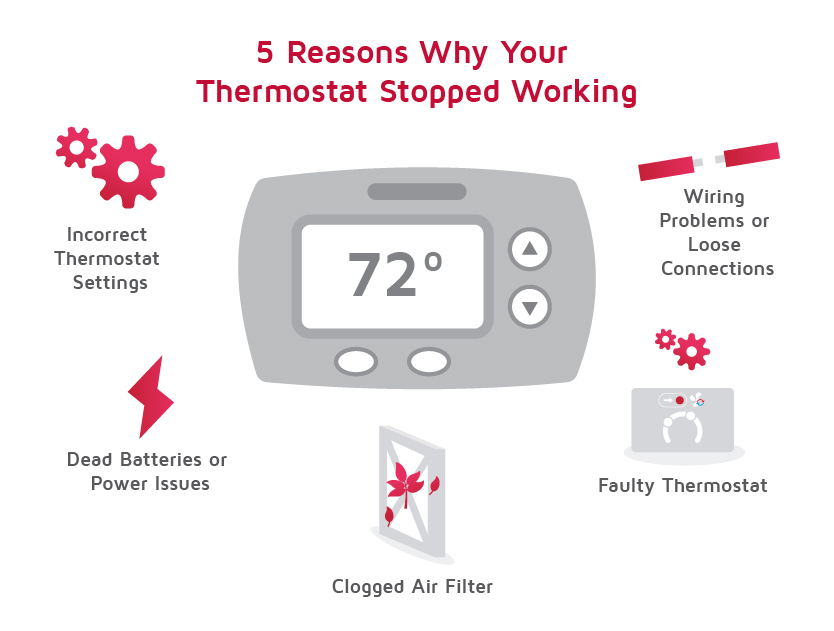
Credit: www.lennox.com
Advantages Of Honeywell Thermostats
Despite blinking issues, Honeywell thermostats are trusted by millions. Here’s why:
- Reliability: Designed for long-term use
- Easy to use: Simple controls and clear displays
- Safety features: Compressor delay, error codes, lockout modes
- Smart options: Wi-Fi, app control, maintenance reminders
- Energy savings: Helps manage heating costs
Most blinking problems are temporary and easy to fix.
Frequently Asked Questions
What Does “heat On Blinking” Mean On My Honeywell Thermostat?
Heat on blinking means the thermostat is waiting to turn on the heating system. This is usually due to a compressor delay for safety, but can also signal power or system issues.
How Long Should The Heat On Light Blink?
Usually, the light blinks for 5–10 minutes. If it blinks longer, check for power, system errors, or call a technician.
Can I Stop The Blinking Heat Light Myself?
Yes. You can fix most issues by waiting, checking power, changing filters, and resetting the thermostat. For bigger problems, call a professional.
Is Blinking Always A Sign Of A Problem?
No. Blinking is often normal during delay mode. It only signals a problem if it lasts too long or is joined by error codes.
Where Can I Find More Information About Honeywell Thermostats?
Visit the official Honeywell website or trusted resources like Wikipedia for detailed guides and support.
Honeywell thermostats make home comfort easy, but blinking lights can cause confusion. When you see the heat on blinking indicator, stay calm and follow the steps above. Most issues are simple and quick to fix. With regular maintenance, correct settings, and careful troubleshooting, your thermostat will keep your home warm and safe all season. If problems persist, don’t hesitate to call a professional. This guide ensures you’re ready to handle any blinking light and enjoy reliable heating every day.