
Fujifilm Instax Mini 8 Blinking Lights: What They Mean and How to Fix Them
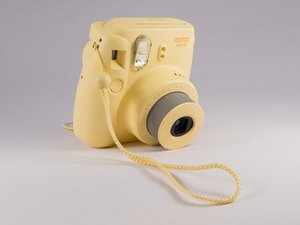
The Fujifilm Instax Mini 8 is a popular instant camera, loved for its simple design and fun photo prints. But sometimes, users notice blinking lights on the camera. These flashing signals can feel confusing, especially if you’re new to instant photography. What do these lights mean? Are they warning you of a problem? Or are they just part of normal operation?
Understanding the Instax Mini 8’s blinking lights is important for getting the best photos and avoiding problems. In this guide, you’ll learn what each blinking light means, how to solve common issues, and tips to keep your camera working smoothly.
Whether your camera’s lights are flashing when you turn it on or when you try to take a picture, this article will help you decode what’s happening and fix it fast.
Why Do The Instax Mini 8 Lights Blink?
The Instax Mini 8 uses indicator lights to communicate with you. These lights are not just for decoration—they give useful information about the camera’s condition. Most lights are around the lens dial, showing brightness settings. The orange lamp on the back is another important indicator.
When a light blinks, it usually means the camera needs your attention. It might be a warning, a request for you to adjust something, or a sign that the camera is getting ready to work. Ignoring these signals can lead to wasted film, poor pictures, or even damage.
Before you get frustrated, remember: blinking lights are rarely a sign of a broken camera. Most issues are easy to fix. Let’s look at the 8 main blinking light patterns you might see, and what each one means.
1. Blinking Power Light When Turning On
Sometimes, when you turn on the Instax Mini 8, the power light near the lens blinks instead of glowing steadily. This can worry new users, but it’s usually harmless.
What It Means
A blinking power light on startup usually means the camera is charging the flash. The Instax Mini 8 uses a built-in flash that needs a short time to get ready after you power on. The camera blinks to let you know the flash is not yet ready for use.
How To Fix
- Wait a few seconds. The blinking should stop on its own, and the light will turn steady.
- If it keeps blinking for over 30 seconds, check your batteries. Weak or old AA batteries can slow down flash charging.
- Replace the batteries with fresh, high-quality AA batteries and try again.
Pro Tip
Using poor-quality or rechargeable batteries that are not fully charged can cause frequent blinking. Stick to good alkaline batteries for best results.
Credit: www.ifixit.com
2. All Exposure Lights Blinking Simultaneously
The Instax Mini 8 has several exposure indicator lights around the lens. These show the recommended brightness setting for your environment: indoors, cloudy, sunny, and so on. If all these lights blink at the same time, it usually signals a specific problem.
What It Means
When every exposure light blinks together, it usually means there’s an error with the film inside the camera. This can happen if:
- There is no film pack loaded.
- The film pack is not inserted correctly.
- The film door was opened after loading, which can expose or damage the film.
How To Fix
- Turn off the camera.
- Open the film door in a well-lit area.
- Check if a film pack is present and properly aligned.
- If the film pack is missing or empty, insert a new one.
- If you see the yellow mark on the film pack and the camera’s slot, make sure they line up.
- Close the door and turn the camera on again.
Extra Advice
Never open the film door when film is inside. This can ruin all the film sheets and waste your money.
3. Single Exposure Light Blinking
If you see only one exposure indicator (for example, the “Sunny” or “Cloudy” icon) blinking, it’s trying to help you pick the correct brightness setting.
What It Means
The camera’s built-in light sensor recommends the best exposure for your environment. If you set the dial to a different brightness than the blinking light, it will blink to alert you. For example, if you are indoors but the dial is set to “Sunny,” the “Indoor” light will blink.
How To Fix
- Turn the exposure dial so the marker lines up with the blinking light. This tells the camera you’ve accepted its suggestion.
- The blinking will stop, and the camera is ready to shoot.
Example
If you’re outside on a cloudy day and the “Cloudy” light blinks, turn the dial to the “Cloudy” symbol.
Non-obvious Insight
Sometimes people ignore this suggestion, but following it greatly improves your photo quality. The camera’s sensor is usually accurate, especially for beginners.
4. Orange Lamp Blinking On The Back
There’s a small orange lamp next to the viewfinder at the back of the Instax Mini 8. This light can blink for different reasons.
What It Means
A blinking orange lamp usually means the flash is charging or that the camera is not ready to shoot. This can happen when:
- You’ve just turned on the camera.
- You took a photo, and the flash is getting ready for the next one.
How To Fix
- Wait for the orange lamp to stop blinking and glow steadily.
- Once steady, you can take your next picture.
Common Mistake
Some users try to take photos before the orange lamp is steady. This can lead to missed shots or blank pictures.
Another Possible Cause
If the orange lamp blinks and never stops, it could be a sign of weak batteries. Replace them and check again.
5. Blinking After Pressing The Shutter (but No Picture Comes Out)
You press the shutter button, but instead of a photo, a light blinks and nothing happens.
What It Means
This is often a sign that the film pack is empty or the film is jammed. The camera tries to process your request but can’t eject a sheet.
How To Fix
- Open the film compartment and check if any film sheets remain.
- If the pack is empty, insert a new one.
- If the film is jammed, gently remove the jammed sheet (do not force it).
- After fixing, close the door and turn the camera on again.
Data Table: Common Film Ejection Issues
| Problem | Possible Cause | Solution |
|---|---|---|
| Lights blink, no photo | Empty film pack | Insert new film pack |
| Lights blink, film stuck | Jammed film sheet | Gently remove jammed film |
| Lights blink, camera silent | Low battery | Replace batteries |
Extra Tip
Never pull film out forcefully. This can damage the camera’s internal rollers.
6. Blinking After Loading New Film Pack
You insert a new pack of film, close the door, and see blinking lights.
What It Means
After loading a new film pack, the camera must eject the dark slide (the black cover sheet on top). If lights blink and the dark slide does not come out, something is wrong.
How To Fix
- Make sure the batteries are fresh. The camera needs enough power to eject the dark slide.
- If the dark slide is stuck, open the film door and check for obstructions.
- Re-insert the film pack if necessary, making sure it’s properly seated.
Data Table: Film Loading Troubles
| Symptom | Likely Cause | Action |
|---|---|---|
| Lights blink, no ejection | Weak batteries | Replace batteries |
| Lights blink, dark slide stuck | Misaligned film pack | Re-insert film pack |
| All lights blinking | Film door opened after loading | Insert new film pack |
Non-obvious Insight
If you must open the film door after loading, always use a new film pack afterward. The exposed sheets will not work.
7. Blinking Lights When Trying To Shoot In Cold Or Hot Weather
Sometimes, blinking lights appear when you try to take pictures in extreme temperatures.
What It Means
The Instax Mini 8 is designed to work best in temperatures from 41°F to 104°F (5°C to 40°C). If it’s too cold or hot, the camera may blink lights as a warning.
How To Fix
- Let the camera warm up or cool down to normal room temperature before using.
- Keep film packs at room temperature. Cold film can cause jams, while hot film can overexpose.
Example
If you’re skiing and your camera blinks, put it in your jacket pocket for a few minutes to warm it up.
Non-obvious Insight
Film chemistry is sensitive. Even if the camera works, cold or overheated film will often give poor results. Store film in a cool, dry place, and only load it into the camera when you’re ready to shoot.

Credit: www.youtube.com
8. Blinking Lights With New Batteries
You’ve just put in fresh batteries, but the camera’s lights still blink. This can be especially confusing.
What It Means
This could mean one of several things:
- The batteries are not inserted correctly (wrong polarity).
- The batteries are new, but not powerful enough (some brands of “new” batteries may have low voltage).
- There is a battery contact issue, such as dirt or corrosion.
How To Fix
- Double-check the battery orientation. The plus and minus signs must match the camera’s markings.
- Try a different set of AA batteries from a trusted brand.
- Clean the battery contacts with a soft, dry cloth if you see any dirt or rust.
Data Table: Battery Troubleshooting
| Symptom | Possible Cause | Solution |
|---|---|---|
| Blinking lights, no power | Batteries reversed | Check orientation |
| Blinking lights, weak flash | Poor quality batteries | Use name-brand alkaline batteries |
| Blinking lights, random shutdowns | Dirty contacts | Clean battery compartment |
Helpful Reminder
Rechargeable batteries often don’t provide enough power for the Instax Mini 8, even if they’re fully charged. Stick to alkaline AA batteries.
Tips For Preventing Blinking Light Issues
While blinking lights are often easy to fix, you can avoid many problems by following a few simple tips:
- Always use fresh, high-quality AA alkaline batteries.
- Store and load film at room temperature.
- Never open the film door until the pack is empty.
- Follow the camera’s exposure suggestions for better photos.
- Eject the dark slide after loading new film before taking photos.
- Clean the battery contacts and film compartment regularly.
- Avoid using the camera in very cold or hot environments.

Credit: www.reddit.com
When To Seek Professional Repair
Most blinking light issues are simple to solve at home. But if you’ve tried all the above steps and the camera still blinks or won’t work, it may need professional help.
Signs you may need a repair service:
- The camera won’t turn on, even with new batteries and film.
- Lights blink in unusual patterns not listed here.
- Film always jams, or the camera makes strange noises.
In these cases, contact Fujifilm customer support or an authorized repair center. Don’t try to open the camera yourself, as this can void the warranty and cause more damage.
For more information on instant cameras and troubleshooting, you can also visit the official Fujifilm Instax Support page.
Frequently Asked Questions
What Does It Mean If All The Exposure Lights Are Blinking?
When every exposure light is blinking, it’s usually a sign that no film pack is loaded, the film is not installed correctly, or the film door was opened after loading. Check the film compartment and insert a new pack if needed.
Why Is The Orange Lamp On The Back Blinking And Not Stopping?
A blinking orange lamp usually means the flash is charging. If it never stops blinking, your batteries may be too weak. Replace them with fresh alkaline AA batteries and check if the lamp becomes steady.
Can I Use Rechargeable Batteries In My Instax Mini 8?
It’s not recommended. Rechargeable AA batteries often have lower voltage than alkaline batteries. This can cause blinking lights, weak flash, or camera errors. Use high-quality alkaline AA batteries for best performance.
Why Won’t My Camera Eject A Photo After Pressing The Shutter?
This is often caused by an empty film pack, a jammed film sheet, or weak batteries. Check your film compartment, gently remove any stuck film, and make sure your batteries are fresh.
How Can I Avoid Blinking Light Issues In The Future?
Always use good batteries, store your film properly, follow the camera’s exposure recommendations, and avoid opening the film door with film inside. Keeping your camera clean and dry also helps prevent most problems.
The Instax Mini 8 is a reliable camera when you understand its signals. By learning what each blinking light means and how to respond, you’ll save film, get better photos, and have more fun with instant photography. With these troubleshooting steps and tips, you’re ready to handle any blinking light issue the Instax Mini 8 can throw at you.