
Many people buy the Frida Humidifier for their homes because it’s small, quiet, and easy to use. It helps add moisture to the air, making breathing easier, especially for babies and anyone with dry skin or allergies. But sometimes, you might see the humidifier’s light blinking blue and wonder what it means. Is something wrong? Should you be worried? The blinking blue light is a message from your device, not just a random signal. Understanding this alert can save you time and help you keep your Frida Humidifier working well.
This guide explains why the Frida Humidifier blinks blue, what you should do next, how to fix common issues, and tips to avoid problems in the future. You’ll also find tables comparing Frida with other popular humidifiers, step-by-step solutions, real-life examples, and answers to common questions.
Whether you’re new to humidifiers or have used them for years, you’ll find clear explanations and practical advice here.
What Does The Frida Humidifier Blinking Blue Mean?
When you see a blinking blue light on your Frida Humidifier, it’s not just for decoration. The light acts as a warning or alert. Most often, it means one of these things:
- Low water level: The water tank is almost empty or completely dry.
- Incorrect assembly: The tank or parts are not fitted properly.
- Sensor or electronic issue: The humidifier can’t detect the water level or another problem.
- Filter or base needs cleaning: Mineral buildup or debris is blocking the sensor.
Some users think the blinking blue is a serious error, but usually, it’s a simple issue you can fix in minutes. Ignoring the light can lead to the humidifier shutting off or not working well.
How The Frida Humidifier Works
To understand the blinking blue alert, it helps to know how the Frida Humidifier works.
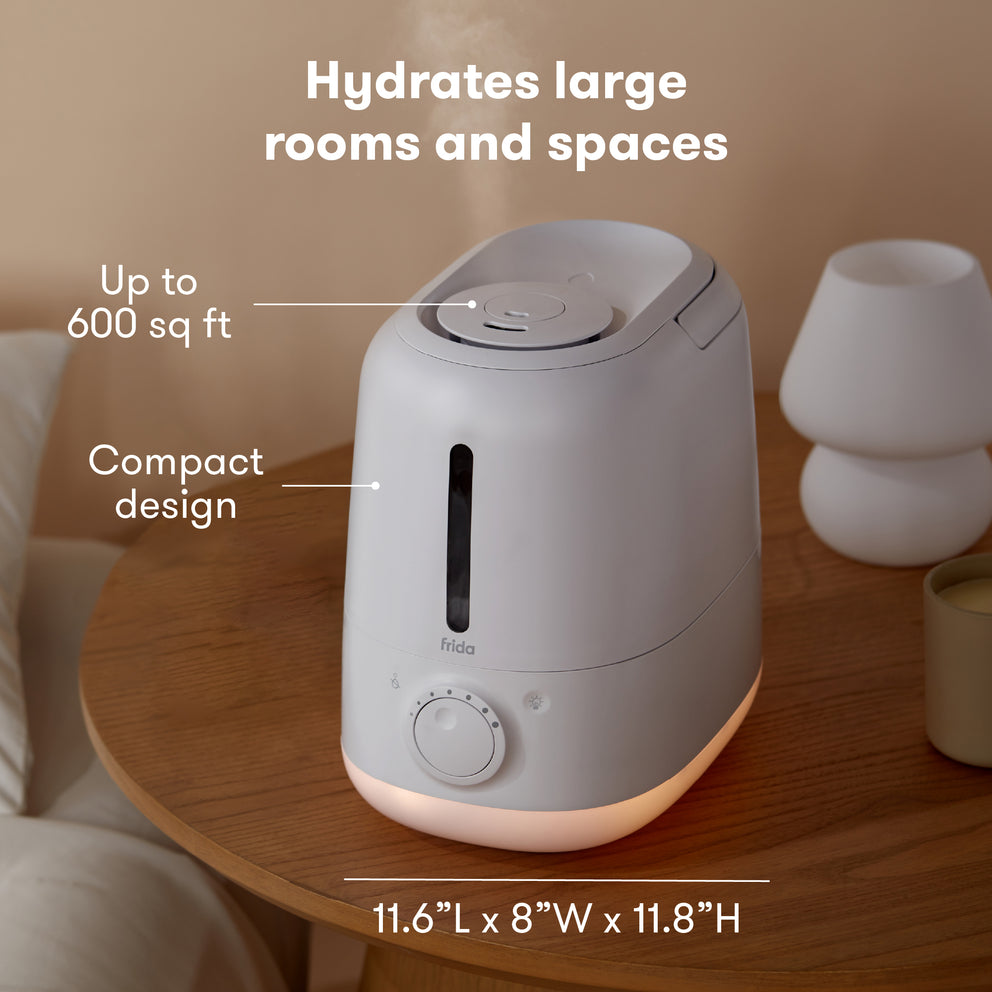
- Ultrasonic technology: The device uses high-frequency sound waves to turn water into mist.
- Water tank and base: The tank holds the water, and the base contains the ultrasonic plate and sensors.
- Sensors: The main sensor checks if there’s enough water for safe operation.
- LED lights: These lights show the machine’s status (on, off, error, or alert).
When the sensor detects something wrong (like low water), it triggers the blue light. This is a safety feature, so the humidifier doesn’t overheat or break.
Main Reasons For Frida Humidifier Blinking Blue
You’ll want to find out why the blue light is blinking before trying to fix it. Here are the most common reasons:
1. Low Water In The Tank
The most common cause is an empty or almost empty water tank. The sensor detects low water and sends a signal. Some people refill the tank but forget to seat it back correctly, causing the light to keep blinking.
2. Tank Not Seated Properly
If the tank is not placed correctly on the base, the sensor cannot read the water level. Even a small misalignment can trigger the blue light. Double-check that all parts snap or fit into place.
3. Dirty Sensor Or Base
Over time, minerals from tap water or dust can build up on the sensor or ultrasonic plate. This blocks the sensor’s view and causes a false alert, even if the tank has water.
4. Faulty Or Blocked Filter
Some Frida Humidifiers have a small filter. If it’s clogged or blocked, water might not reach the base. This will cause the sensor to think the tank is empty.
5. Electrical Or Internal Error
Rarely, the humidifier’s electronic board or wiring can develop a fault. This might cause the light to blink blue even if everything is correct. Power surges or dropping the unit can cause this.
Step-by-step: What To Do When Your Frida Humidifier Blinks Blue
Seeing a blinking blue light doesn’t mean you need to replace your humidifier. Here’s a practical step-by-step checklist to solve the problem quickly.
Step 1: Unplug The Humidifier
Safety first. Always unplug the device before opening or checking anything.
Step 2: Check And Refill The Water Tank
- Remove the tank and check if it’s empty.
- Fill with clean, cool water (preferably distilled to reduce mineral buildup).
- Replace the tank, making sure it sits flat and firm on the base.
Step 3: Inspect The Tank Placement
- Look for any gaps or misalignment.
- Press down gently to make sure the tank clicks or sits fully.
- Wipe away any water on the base or tank bottom with a dry cloth.
Step 4: Clean The Sensor And Base
- Use a soft cloth or cotton swab to clean the metal sensor and the ultrasonic plate at the bottom of the base.
- If there’s hard mineral buildup, dip the cloth in a little white vinegar, then wipe and dry.
- Avoid getting water inside the electrical areas.
Step 5: Check The Filter (if Your Model Has One)
- Remove and inspect the filter for clogs or buildup.
- Rinse with cool water if dirty, or replace if very old.
Step 6: Plug Back In And Test
- Plug in the humidifier and turn it on.
- If the blue light is gone, you’ve fixed the problem.
Step 7: Reset The Humidifier (if Needed)
Some Frida models have a reset button. Hold it down for 3–5 seconds after fixing the problem. This can clear false alerts.
If the light still blinks after these steps, there may be a deeper issue. Contact Frida’s customer support for help or warranty service.
Comparing Frida Humidifier With Other Brands
Many people wonder how the Frida Humidifier stands up to other popular brands, especially when it comes to alerts and reliability. Here’s a simple comparison:
| Feature | Frida Humidifier | Levoit Classic 200 | Vicks Filter-Free |
|---|---|---|---|
| Low Water Alert | Blinking blue light | Red light + beep | Light turns off |
| Sensor Type | Electronic | Float switch | Manual check |
| Cleaning Reminder | No | Yes (icon) | No |
| Auto Shut-off | Yes | Yes | Yes |
| Night Light | Yes | No | No |
This comparison shows that Frida’s blinking blue alert is unique. Other brands may use a red light or simply shut off. The blinking blue is clear, but can confuse users who expect a red “error” light.
Common Mistakes To Avoid
It’s easy to make small mistakes with humidifiers. Here are a few things beginners often miss:
- Using tap water with high minerals. This creates buildup that can block the sensor. Use distilled water if possible.
- Placing the humidifier on uneven surfaces. This can cause the tank to sit at an angle, confusing the sensor.
- Forgetting to clean the base and sensor. Even if the tank is clean, dust and minerals can block the sensor over time.
- Filling the tank while the humidifier is running. Always turn off and unplug before refilling to avoid electrical issues.
- Ignoring the blinking light. The alert is there to protect your device; always check it promptly.
Credit: frida.com
Real-life Examples: When The Blue Light Blinks
Example 1: Maria noticed her Frida Humidifier started blinking blue after two weeks. She checked the tank, and it was full. After cleaning the sensor with a little vinegar, the light stopped blinking. The problem was mineral buildup from hard tap water.
Example 2: John’s humidifier blinked blue after he moved it to a different room. The base was uneven, so the tank didn’t sit flat. After moving the humidifier to a level surface, it worked normally.
Example 3: A parent tried refilling the humidifier without unplugging it. The blue light started blinking and wouldn’t stop until they unplugged and reset the device. This shows how important it is to always power down before making changes.
How To Prevent The Blinking Blue Light Problem
Most blue light issues are easy to prevent with simple habits:
- Clean weekly: Wipe the sensor and ultrasonic plate every week to remove dust and minerals.
- Use distilled water: Reduces buildup, especially in hard water areas.
- Check tank fit: Always make sure the tank sits flat after refilling.
- Replace filters: If your model has a filter, change it every 1–3 months.
- Run on a level surface: Avoid carpets or uneven tables.
Following these tips can keep your Frida Humidifier running smoothly and avoid annoying alerts.
Troubleshooting Table: Quick Solutions
If you’re facing the blinking blue light, here’s a quick reference table for what to check and do:
| Problem Detected | What to Check | Solution |
|---|---|---|
| Blinking blue, tank empty | Water level | Refill with clean water |
| Blinking blue, tank full | Tank placement, sensor | Reseat tank, clean base/sensor |
| Light stays blue after cleaning | Filter, wiring | Replace filter, reset device, contact support |
| Blue light flashes, no mist | Ultrasonic plate, minerals | Clean with vinegar, use distilled water |
How Often Should You Clean The Frida Humidifier?
Weekly cleaning is ideal, especially if you run the humidifier every night. This prevents both blue light errors and mold growth. Here’s a simple cleaning routine:
- Unplug the device.
- Empty the tank.
- Wipe the tank inside and out with a soft cloth.
- Clean the base and sensor with a cotton swab and vinegar.
- Rinse everything with clean water and dry before reassembling.
For heavy mineral buildup, soak the ultrasonic plate in a little vinegar (never submerge the whole base). Always dry thoroughly.
Is The Blinking Blue Light Dangerous?
No, the blue light is a safety feature. It’s meant to protect the humidifier’s motor and prevent damage. If you see it, take action, but there’s no health risk from the light itself.
However, if the humidifier runs dry for long periods (ignoring the blue light), it can overheat and break. That’s why it’s important to respond quickly.
Warranty And Customer Support
Frida offers a one-year limited warranty for most humidifiers. If your device keeps blinking blue and you’ve tried all steps, contact Frida’s support team with your purchase details. They may offer a replacement or repair.
When contacting support, provide:
- Model and serial number (usually on the bottom)
- Description of the issue
- Steps you’ve already tried
This speeds up the process and shows you’ve done your homework.
Credit: frida.com
When To Replace Your Frida Humidifier
Most issues are easy to fix, but sometimes a humidifier reaches the end of its life. Consider replacing if:
- The blue light won’t stop after cleaning, resetting, and filter changes
- The unit was dropped or has visible damage
- It’s older than 3–5 years and parts are worn
A new humidifier may be more energy-efficient and quieter, with updated features.
Frida Humidifier Maintenance Tips
Keeping your humidifier in good shape helps avoid most problems:
- Use filtered or distilled water whenever possible.
- Empty and dry the tank daily if you use it at night.
- Deep clean once a month to prevent mold and mineral buildup.
- Store dry if you won’t use it for a while.
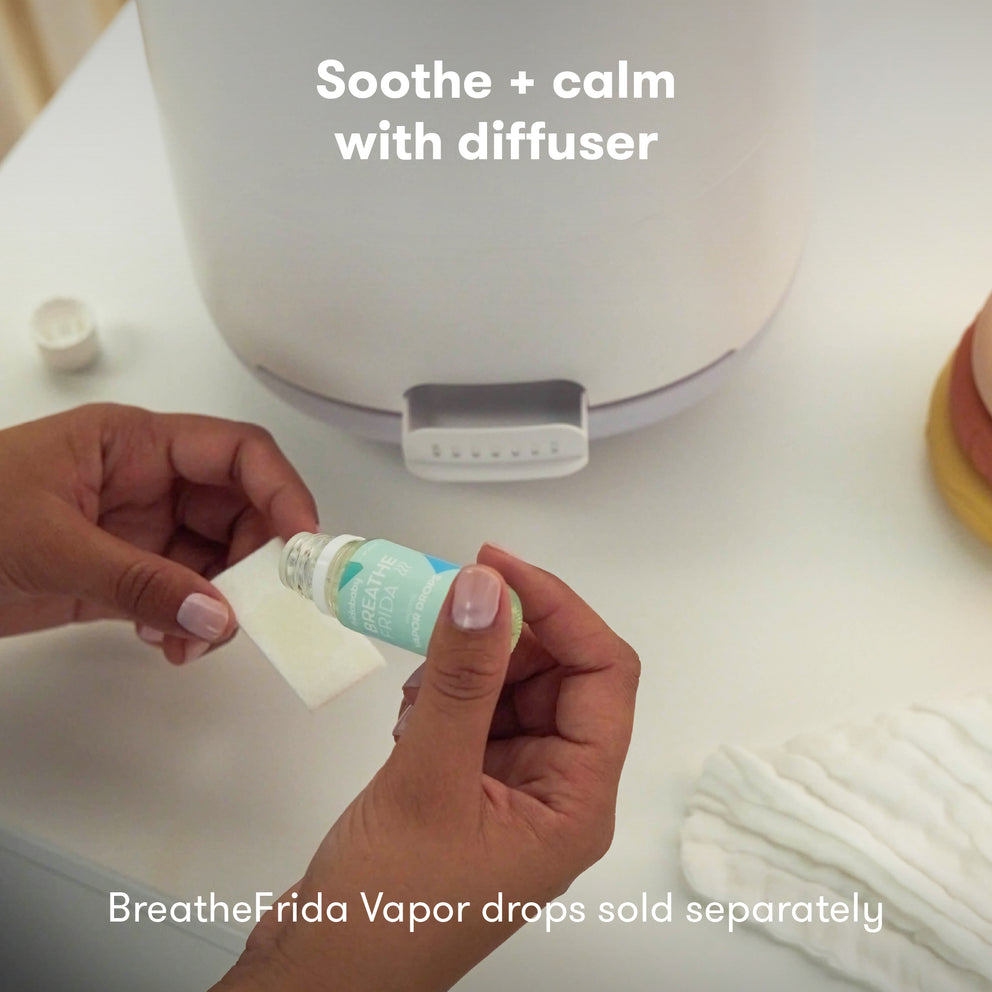
- Avoid essential oils unless your model says it’s safe (they can damage sensors).
- Check the cord and plug for wear.
These habits extend the life of your device and keep the air in your home healthy.
Environmental Impact: The Value Of Proper Use
When you fix a blinking blue light instead of throwing away your humidifier, you help reduce electronic waste. Proper care also means fewer replacements and less energy used to make new devices. It’s a small step, but it adds up if everyone does it.
Common Myths About The Blinking Blue Light
Myth 1: The blue light means the humidifier is broken.
- Fact: Most of the time, it’s a simple alert you can fix yourself.
Myth 2: You must call customer service right away.
- Fact: Most users can solve the problem at home in a few minutes.
Myth 3: Only distilled water prevents errors.
- Fact: Distilled water helps, but regular cleaning is just as important.
Advanced Troubleshooting (for Persistent Issues)
If you’ve tried everything and the blue light keeps blinking, here are advanced steps:
- Try a different outlet: Sometimes, power issues can cause errors.
- Inspect the float (if present): Some models have a floating piece inside the tank to help sensors work.
- Check for cracks: Even small cracks in the tank or base can cause leaks and sensor errors.
- Contact support: If the device is under warranty, don’t open the base or try to repair internal parts yourself.
Frida Humidifier Vs. Other Alert Systems
Understanding how Frida’s alert system compares with others can help set expectations.
| Brand | Alert Type | User Action Needed | Chance of False Alerts |
|---|---|---|---|
| Frida | Blinking blue light | Check water, tank, sensor | Medium (if dirty) |
| Levoit | Red light + beep | Refill water, reset | Low |
| Vicks | Light off, no mist | Manual check | Low |
Frida’s alert is clear but requires regular cleaning to avoid false signals. Levoit’s beep can be annoying at night, while Vicks relies on the user to notice mist is missing.
Where To Find More Help
If you need more details about your specific model, user manuals are often available on the official Frida website. Forums and product reviews can also share useful tips from other users. For broader advice about humidifier safety and cleaning, the Centers for Disease Control and Prevention has guidelines on home dampness and air quality.
Frequently Asked Questions
Why Is My Frida Humidifier Blinking Blue Even When The Tank Is Full?
A full tank doesn’t always mean the sensor detects water. The tank may not be seated correctly, or the sensor may be dirty. Try reseating the tank and cleaning the base and sensor.
Can I Use Tap Water In My Frida Humidifier?
You can use tap water, but it may cause mineral buildup, especially in hard water areas. This can lead to sensor problems and blue light alerts. Distilled or filtered water is best to prevent these issues.
How Do I Reset My Frida Humidifier After Fixing The Blue Light Issue?
Some models have a reset button. Press and hold it for 3–5 seconds after correcting the problem. If your model doesn’t, unplug the device for 1–2 minutes, then plug it back in.
Is The Blue Light Alert The Same For All Frida Humidifier Models?
Most recent Frida Humidifiers use a blinking blue light for low water or sensor errors, but check your manual. Older models may use different alerts or colors.
What Should I Do If The Blue Light Keeps Blinking After All Troubleshooting Steps?
If you’ve tried refilling, cleaning, and resetting, but the blue light remains, contact Frida’s customer support. There may be an internal fault or sensor problem that needs professional repair or replacement.
Conclusion
Caring for your Frida Humidifier takes a little effort, but it rewards you with clean, comfortable air and fewer headaches. Understanding what the blinking blue light means—and how to fix and prevent it—can save you time, money, and frustration. With good habits and quick action, your humidifier will keep working well for years.

Credit: www.youtube.com