
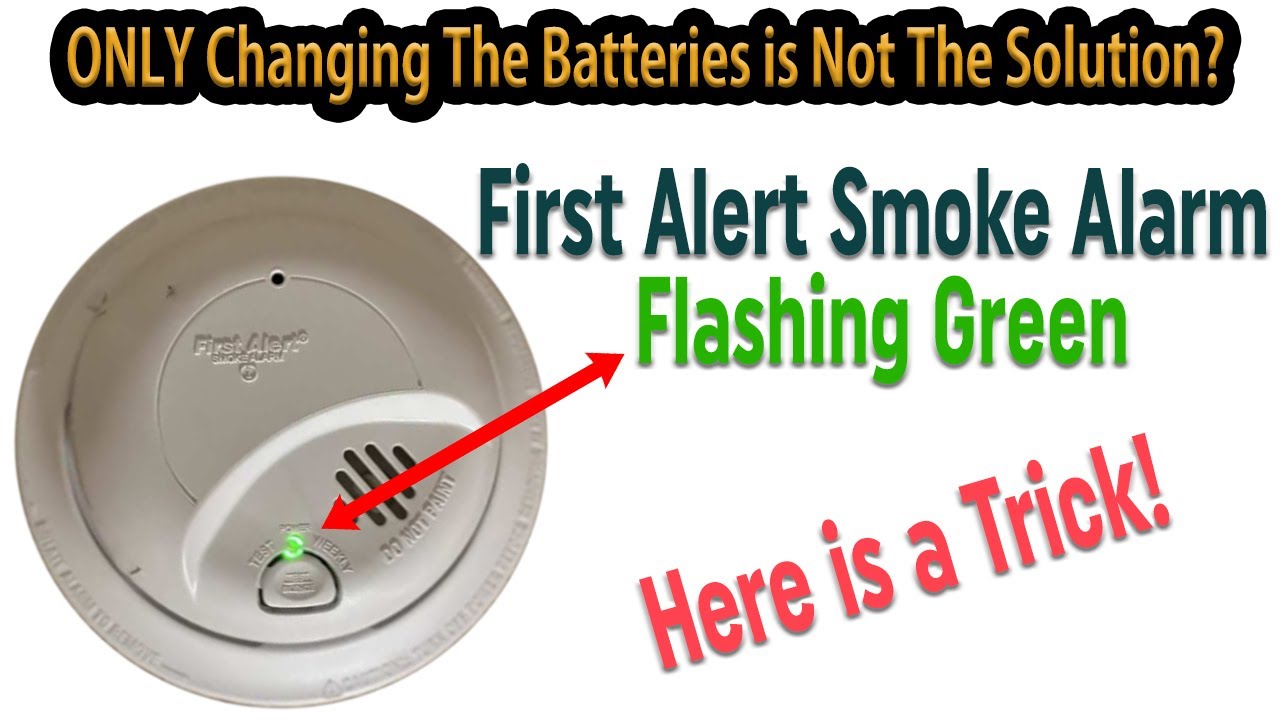
If you see a blinking green light on your First Alert smoke alarm, you might wonder if your device is working correctly, needs attention, or is signaling a problem. Smoke alarms are essential for safety, and understanding their signals is crucial. Many homeowners and renters are confused by the green light, especially when it blinks rather than stays solid. This article will help you understand exactly what the blinking green light means, how to respond, and how to keep your smoke alarm working reliably.
What Does A Blinking Green Light Mean?
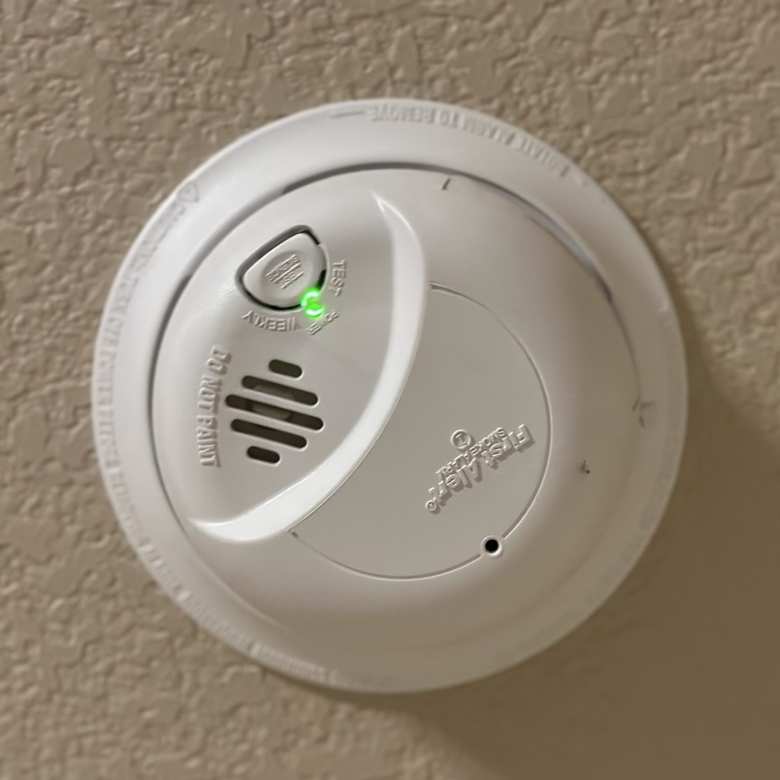
The green light on a First Alert smoke alarm is designed to communicate the device’s status. Typically, green means power is present. However, the blinking pattern can change its meaning.
For most First Alert smoke alarms, a blinking green light indicates:
- The device is powered and running on AC (electric) current.
- The smoke alarm is in standby mode, ready to detect smoke.
- In some models, blinking green after installation signals a self-check or startup.
Let’s look at common interpretations:
- Normal Operation: A slow blinking green light (once every 30–60 seconds) usually means your smoke alarm is working normally and is powered.
- Battery Backup: When the device is plugged in and has battery backup, the green light shows the AC power is connected.
- Self-Test: Right after installation, you may see a rapid blinking green light, which generally lasts for a few minutes as the alarm checks itself.
But the blinking pattern matters. If your green light blinks quickly, stays off, or behaves differently, it could mean something else.
Understanding Smoke Alarm Light Patterns
Different light patterns on First Alert smoke alarms can signal various statuses or issues. Here is a comparison of what different lights mean:
| Light Color | Pattern | Common Meaning |
|---|---|---|
| Green | Blinking (slow) | Power/normal operation |
| Green | Solid | Connected to AC power |
| Green | Blinking (fast) | Self-test/startup |
| Red | Blinking | Alarm triggered/test |
| Red | Solid | Smoke detected/emergency |
| No Light | Off | No power/device failure |
If your alarm’s green light is blinking, check the pattern and speed. Slow blinking is usually normal, but rapid blinking or unusual patterns may indicate something else.
Why Is Your First Alert Smoke Alarm Blinking Green?
There are several reasons why your smoke alarm’s green light may blink. Understanding these can help you decide if you need to take action.
1. Normal Power Status
Most First Alert models blink green every 30–60 seconds to show they are powered and ready. This is a normal standby signal. You don’t need to do anything.
2. Initial Power-up
When you first install or power up the device, it may blink green rapidly for a few minutes. This is the self-test mode, which checks internal circuits. After a few minutes, the blinking should slow down or become steady.
3. Battery Backup Check
If your alarm uses both electric power and a backup battery, the green light can blink to confirm both sources are active. If the battery is low, the alarm may blink differently or sound a chirp.
4. Interconnected Alarms
In homes with interconnected smoke alarms, a blinking green light can show the unit is connected to others in the system. This helps you know all alarms are communicating.
5. Fault Or Error
If the green light blinks in an unusual pattern or is paired with a red light, it may signal a fault. For example, if you see alternating green and red blinks, the device may need maintenance or a reset.
Common Problems Related To Blinking Green Light
Not every blinking green light means your alarm is fine. Sometimes, the blinking can signal a problem. Here are common issues:
Power Loss Or Fluctuation
If your smoke alarm loses AC power, it may blink green while switching to battery backup. If the green light is off, the device has no power.
Low Battery
A blinking green light with a chirping sound usually means the backup battery is low. You should replace the battery to keep the alarm working.
Device Malfunction
If the green light blinks rapidly and never stops, or the device behaves strangely, it may be a sign of malfunction. Try resetting the device or consult the manual.
Installation Issues
Incorrect installation can cause the green light to blink oddly. Make sure the device is wired properly and the battery is inserted correctly.
How To Respond To A Blinking Green Light
Knowing what to do when you see a blinking green light can keep your home safe and your smoke alarm running smoothly.
1. Observe The Pattern
Check the speed and timing of the blink. Compare it to the normal operation described in your manual. Most manuals have a section for light signals.
2. Check Power Sources
Make sure the smoke alarm is properly connected to AC power and the backup battery is installed. If you suspect a power loss, check your circuit breaker.
3. Listen For Sounds
If the blinking green light is paired with chirping, it’s a battery warning. Replace the battery with the recommended type.
4. Inspect Other Alarms
If you have interconnected alarms, check the other units. Sometimes one device’s issue affects the whole system.
5. Reset The Device
Try resetting the alarm. Usually, you can do this by pressing and holding the test button for 10–15 seconds. This solves minor glitches.
6. Consult The Manual
If the blinking continues and you can’t identify the cause, check the user manual for your specific model. Different models have unique signals.
7. Contact Support
If nothing helps, contact First Alert support for guidance.
Tips For Maintaining Your First Alert Smoke Alarm
Regular maintenance is important for any smoke alarm, including First Alert models. Here are actionable tips:
- Test your alarm monthly by pressing the test button.
- Replace batteries at least once a year (even if not low).
- Clean your alarm regularly with a soft brush or vacuum to remove dust.
- Replace the alarm every 7–10 years. Sensors wear out over time.
- Check the lights and sounds for any unusual signals.
- Keep your manual handy for quick reference.
Following these steps ensures your alarm stays reliable.
First Alert Smoke Alarm Models And Their Light Patterns
Not all First Alert smoke alarms behave the same way. Here’s a comparison of popular models and their green light signals:
| Model | Green Light Behavior | Battery Backup | Interconnect Feature |
|---|---|---|---|
| 9120B | Blinks every 30–60 seconds (normal) | Yes | Yes |
| BRK SC9120B | Blinks after installation, then steady | Yes | Yes |
| SA511 | Solid green (AC power), blinks when battery | Yes | No |
| PC1210 | No green light (battery only) | N/A | No |
| SC7010BV | Blinks green in standby | Yes | Yes |
Always check your model number for accurate information.
How To Reset Your First Alert Smoke Alarm
Resetting your smoke alarm can solve minor issues like persistent blinking. Here’s how to do it safely:
- Turn off power to the alarm at the circuit breaker.
- Remove the alarm from its mounting bracket.
- Disconnect the power connector (if it’s a wired model).
- Remove the battery.
- Press and hold the test button for 15–20 seconds. This drains residual power.
- Reinstall the battery and reconnect the power.
- Mount the alarm back on the bracket.
- Turn on power at the breaker.
- Test the alarm to ensure proper function.
After resetting, the green light should return to its normal pattern.

Credit: support.firstalert.com
Troubleshooting Guide For Blinking Green Light
If your green light keeps blinking and you’re unsure why, use this step-by-step guide:
Step 1: Identify The Blink Pattern
Is it slow or fast? Slow is usually normal. Fast may signal self-test or error.
Step 2: Check Power
Confirm the alarm is plugged in and the battery is installed.
Step 3: Listen For Sounds
Any chirping or beeping? If yes, replace the battery.
Step 4: Inspect Installation
Check for loose wires or improper mounting.
Step 5: Reset The Alarm
Follow the reset steps above.
Step 6: Consult Manual
Look up your model’s light codes.
Step 7: Contact Support
If the issue persists, call First Alert or visit their website.
How To Replace Batteries In Your First Alert Smoke Alarm
If your alarm signals low battery with a blinking green light and chirping, here’s how to replace the battery:
- Remove the alarm from its bracket.
- Open the battery compartment.
- Take out the old battery.
- Insert a new battery, matching the correct polarity.
- Close the compartment.
- Remount the alarm.
- Test the alarm.
Use only recommended battery types, usually AA or 9V.
When To Replace Your Smoke Alarm
Smoke alarms don’t last forever. Most First Alert models should be replaced every 7–10 years. Old alarms may give false signals or fail to detect smoke.
Signs you need a new alarm:
- Persistent blinking lights or error codes
- Alarm fails to sound during tests
- Device is over 10 years old
- Physical damage or corrosion
Check the manufacture date on the back of the alarm.
Interconnected Smoke Alarms And Green Light Signals
Homes with interconnected alarms often see multiple devices blink green. This shows all units are powered and communicating. If one unit fails, others may signal with a blinking light.
Benefits of interconnected alarms:
- Whole-house coverage
- All alarms sound together in case of fire
- Easier maintenance checks
If you notice unusual blinking, check every unit. A problem in one may affect others.
Credit: www.youtube.com
Common Mistakes When Dealing With Blinking Green Lights
Many people misunderstand the blinking green light. Here are mistakes to avoid:
- Ignoring the light: Always investigate persistent blinking, especially if paired with sound.
- Mixing up models: Different models have unique signals.
- Not replacing batteries: Low batteries can cause blinking and chirping.
- Forgetting to test: Monthly tests are essential.
- Not cleaning alarms: Dust and debris affect performance.
- Delaying replacement: Old alarms can fail without warning.
Real-life Examples And Statistics
Smoke alarms save lives, but only when they work correctly. According to the National Fire Protection Association (NFPA), homes without working smoke alarms account for nearly 40% of fire deaths.
A survey found:
- 24% of homes had non-working smoke alarms due to dead batteries.
- 12% had alarms with power issues, often signaled by blinking lights.
A real example: In 2021, a family in Ohio avoided tragedy because their First Alert smoke alarm blinked green, signaling normal operation. They tested the device, confirmed it worked, and it later detected smoke during a kitchen fire.
Comparison: First Alert Vs. Other Smoke Alarm Brands
How does First Alert compare to other brands regarding blinking light signals?
| Brand | Green Light Behavior | Battery Warning | Interconnect Feature |
|---|---|---|---|
| First Alert | Blinks for power/status | Chirp with light blink | Yes |
| Kidde | Solid green for power | Chirp only | Yes |
| BRK | Blinks green in standby | Blink and chirp | Yes |
| Firex | Flashing green for power | Light and sound | Yes |
| Gentex | No green light | Chirp only | No |
First Alert’s blinking green light is a clear and reliable signal for power and status.
Safety Tips: Staying Protected With Smoke Alarms
To stay safe, follow these practices:
- Install alarms in every bedroom, hallway, and living area.
- Test all alarms monthly.
- Replace batteries yearly, even if not low.
- Clean alarms every few months.
- Replace alarms every 7–10 years.
- Respond promptly to blinking lights or sounds.
Following these steps can make a real difference in an emergency.
Credit: felixwong.com
Frequently Asked Questions
Why Is My First Alert Smoke Alarm Blinking Green?
The blinking green light usually means the alarm has power and is working normally. If the blink is slow (every 30–60 seconds), it’s a standby signal. Rapid blinking may mean self-test or startup.
What Should I Do If The Green Light Blinks Rapidly?
Rapid blinking often happens during initial setup or self-test. If it continues, check the power source, replace the battery, and reset the device. If the issue persists, consult the manual or contact support.
Can A Blinking Green Light Mean A Problem?
Sometimes, yes. If the blinking is unusual or paired with chirping sounds, it can signal low battery, power loss, or a malfunction. Investigate and follow maintenance steps.
How Do I Reset My First Alert Smoke Alarm?
To reset, turn off power, remove the alarm, disconnect wires and battery, press the test button for 15–20 seconds, reinstall everything, and turn power back on. Test the alarm after resetting.
How Often Should I Replace My First Alert Smoke Alarm?
Replace your smoke alarm every 7–10 years. Old alarms may fail or give false signals. Check the manufacture date and follow the replacement schedule.
Understanding the blinking green light on your First Alert smoke alarm helps you stay safe and confident. Pay attention to signals, maintain your devices, and respond quickly to problems. With good care, your smoke alarm will protect your home for years. For more technical details and safety information, visit the official First Alert website.