
The green light on your First Alert 9120B smoke alarm is small, but when it starts blinking, it can grab your full attention. You might wonder if your home is safe, if the alarm is working, or if you need to take action.
Many homeowners see a blinking green light and feel uncertain about what it means—or what to do next. This guide will clear up those doubts, explaining the reasons behind the green light, common issues, and practical solutions. You’ll also find side-by-side comparisons of alarm features, troubleshooting tables, and answers to the most common questions.
Let’s put your mind at ease and ensure your First Alert 9120B is protecting you as it should.
Understanding The First Alert 9120b Smoke Alarm
The First Alert 9120B is a popular, hardwired smoke detector found in many homes. It’s valued for its reliability, easy installation, and interconnectivity with other alarms. But to get the most from your device, it helps to know what its signals mean—especially the lights.
Key Features
- Hardwired with Battery Backup: The 9120B connects to your home’s electrical system and uses a 9V battery as backup.
- Interconnectable: You can link up to 18 compatible alarms. If one detects smoke, all sound off.
- Simple Test/Silence Button: Lets you test alarm function or silence nuisance alarms.
- Indicator Lights: A green power light and a red status light show what’s happening.
Why Indicator Lights Matter
Indicator lights, including the green light, are your first clue that the alarm is working—or if something is wrong. Ignoring these signals can leave your home unprotected. Understanding them is an essential part of home safety.
What The Blinking Green Light Means
You may notice the green light on your First Alert 9120B sometimes stays steady, blinks, or even turns off. Each pattern has a specific meaning.
Green Light Patterns
Here’s a quick look at what the green light can tell you:
| Green Light Pattern | What It Means |
|---|---|
| Solid green | Alarm is powered (AC power is present) |
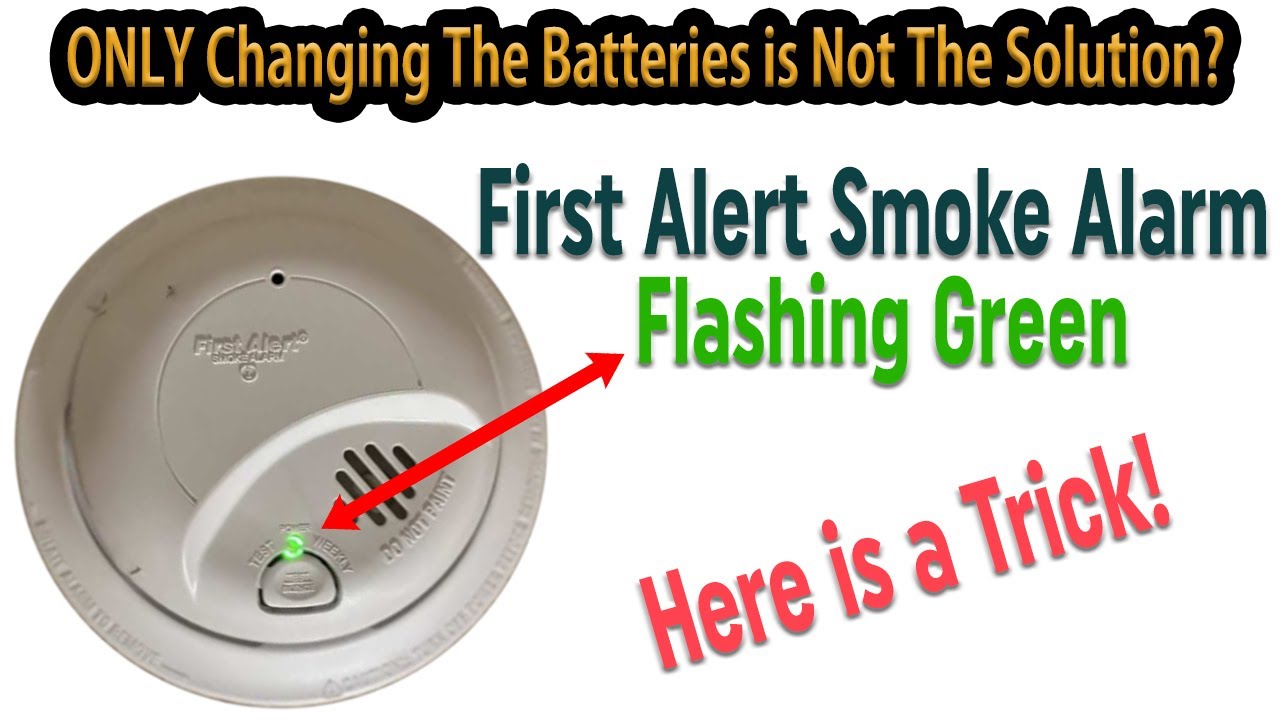
| Blinking green (every few seconds) | Battery is low or not installed correctly |
| Blinking green (rapid) | Recent alarm event/interconnect signal |
| No green light | No AC power; alarm running on battery |
Most Common Situation
For most people, a blinking green light means the alarm has switched to battery power—either because of a power loss or a loose wire. If it blinks once every few seconds, it may also mean the backup battery is low or installed incorrectly.
The Red Light
Don’t forget the red light on your alarm. A blinking or solid red light often signals a recent alarm, a problem, or that the alarm is testing itself. The green and red lights work together to show the full status.

Credit: www.reddit.com
Why Does The Green Light Blink? Main Causes
Let’s look at the most common reasons for a blinking green light on the First Alert 9120B.
1. Power Interruption
If the green light starts blinking, first check your home’s electricity. The alarm’s green light is solid when powered by AC. A blink usually means power loss or a bad connection.
- Check the circuit breaker for your smoke alarms. Has it tripped?
- Loose wires or disconnected plugs in the alarm’s electrical box can cause blinking.
2. Battery Issues
A low or missing battery can cause the green light to blink. This is especially true if your home has recently lost power or if you just changed the battery.
- Make sure the 9V battery is fresh and installed correctly.
- If unsure, try replacing the battery with a new one.
3. Recent Alarm Event
Sometimes, after a smoke alarm goes off, the green light will blink rapidly to show a recent alarm. This pattern usually stops after a few minutes.
4. Interconnected Alarms
If you have more than one First Alert alarm connected, a problem in one can cause others to blink or act differently. The blinking green light may indicate communication between alarms, especially after one goes off.
5. End Of Life Warning
After about 10 years, smoke alarms reach the end of their useful life. Some models blink to show they need replacement. Check the date on your alarm (usually on the back).
Troubleshooting The Blinking Green Light
Solving the blinking green light is usually straightforward. Here’s a step-by-step approach.
Step 1: Check Power Source
- Look for a tripped breaker in your home’s main panel.
- If the breaker is fine, carefully remove the alarm from its mounting bracket.
- Inspect the wiring harness. Make sure all wires are connected and not loose.
Step 2: Replace Or Reinstall Battery
- Remove the battery and wait 10 seconds.
- Install a new, high-quality 9V battery. Avoid rechargeable types.
- Reinstall the alarm and watch the green light.
Step 3: Reset The Alarm
Sometimes, a full reset is needed. To reset:
- Turn off power to the alarm at the circuit breaker.
- Remove the battery.
- Press and hold the test button for 15-20 seconds.
- Reinstall the battery.
- Restore power and remount the alarm.
Step 4: Check Alarm Age
Look for a manufacture date on the back of the alarm. If it’s over 10 years old, replace the unit. Old alarms can malfunction and show odd light patterns.
Step 5: Inspect Interconnected Alarms
If you have multiple alarms, test each one. Sometimes, a problem in one unit affects the others. Replace batteries in all units if needed.
Step 6: Contact Support
If you’ve checked everything and the green light still blinks, contact First Alert support. Sometimes, a defective alarm needs replacement.
Comparing The First Alert 9120b To Other Smoke Alarms
If you’re thinking of upgrading or replacing your alarm, it helps to compare the 9120B with similar models.
| Feature | First Alert 9120B | Kidde i12040 | Nest Protect |
|---|---|---|---|
| Power Source | Hardwired + 9V backup | Hardwired + 9V backup | Battery or hardwired |
| Interconnectable | Yes (up to 18 units) | Yes (up to 24 units) | Yes (wireless) |
| Indicator Lights | Green (power), Red (status) | Green (power), Red (status) | Ring LED (color-coded) |
| Smart Features | No | No | Yes (app notifications) |
| Alarm Type | Ionization sensor | Ionization sensor | Photoelectric, CO sensor |
| Estimated Price | $15-25 | $15-25 | $99-120 |
The 9120B is reliable and affordable, but it does not have smart features like the Nest Protect. For most homes, though, its simple signals—including the blinking green light—are more than enough.
When To Replace Your First Alert 9120b
No smoke alarm lasts forever. Knowing when to replace yours is key for safety.
Signs It’s Time For A New Alarm
- The unit is 10 years old or more (check the label).
- The alarm goes off for no reason, or lights blink strangely even after troubleshooting.
- The plastic case is yellowed or brittle.
- Frequent false alarms or constant low-battery warnings.
Why Age Matters
Smoke alarm sensors get less sensitive over time. Even if the light works, an old alarm may not detect smoke fast enough. Fire safety experts and the National Fire Protection Association recommend replacing alarms every 10 years.
Preventing False Alarms And Nuisance Blinking
A blinking green light can sometimes follow a false alarm. Here’s how to cut down on unwanted alarms and confusing signals.
1. Place Alarms Correctly
- Avoid kitchens or bathrooms where steam or cooking smoke is common.
- Place alarms on the ceiling, at least 10 feet from cooking appliances.
2. Keep Alarms Clean
Dust and insects can trigger false alarms or block indicator lights. Gently vacuum around the alarm every 6 months.
3. Use Good Batteries
Low-quality or old batteries can cause blinking lights and beeping, even if the alarm is working.
4. Test Regularly
Press the test button on your alarm monthly. This helps you spot problems before they become emergencies.
Real-world Scenarios: What Homeowners Experience
Homeowners often notice the green light blinking right after a power outage or when a battery is changed. Here are two real-life examples:
- After a Storm: Power goes out, then returns. The alarm blinks green every few seconds. Solution: Check all batteries, reset the alarm, and make sure all wires are secure.
- During Renovation: An electrician unplugs the alarm briefly. When power is restored, the green light blinks. Solution: Check wiring harnesses and test with the button.
These cases show that a blinking green light often signals a simple fix, not a major problem.
Credit: www.youtube.com
Advanced Troubleshooting: When Problems Persist
Sometimes, the usual steps don’t work. Here’s what to do if your First Alert 9120B keeps blinking green with no clear cause.
Checking For Electrical Problems
If all units blink green after a power issue, you may have a wiring problem in your home. This isn’t common, but it happens.
- Inspect all alarms on the circuit.
- If unsure, call a licensed electrician to check the wiring.
Dealing With Interconnected Networks
If your home has several alarms linked together, one faulty unit can cause confusion. Try removing one alarm at a time to see if the problem stops. Replace any unit that behaves strangely.
Factory Reset
As a last step, some users try a factory reset. While not officially mentioned in all manuals, the process is:
- Turn off power at the breaker.
- Remove all batteries.
- Hold the test button for 30 seconds.
- Replace batteries and restore power.
If this still doesn’t solve the problem, replacement is often the best option.
Comparing Troubleshooting Steps
To make it easier, here’s a quick guide to troubleshooting versus replacing your alarm:
| Symptom | Try Fixing | Replace Alarm |
|---|---|---|
| Blinking green after power outage | Check battery, reset alarm, check wiring | If over 10 years old or persists after fixes |
| Constant false alarms | Clean alarm, check placement | Replace if not solved |
| No green light at all | Check power source, wiring, battery | Replace if still dead |
| Random beeping with blinking lights | Replace battery, reset, test for interconnect problems | Replace if not solved |
This table helps you decide when to keep trying or when to simply replace the alarm.
Safety And Maintenance Tips
A well-maintained smoke alarm is your first line of defense in a fire. Here are some top tips:
- Test alarms monthly using the test button.
- Change batteries every year, even if they seem fine.
- Replace alarms every 10 years for best safety.
- Clean alarms with a vacuum (no chemicals or water).
- Check interconnects if you have more than one alarm—replace all batteries at the same time.
Two overlooked tips:
- If your power goes out for a long time, always check your smoke alarm batteries when it returns.
- Write the installation date with a marker on the side of the alarm. This way, you won’t forget when to replace it.
What Beginners Often Miss
Many homeowners don’t realize that the green light doesn’t always mean “all clear.” A blinking green light can signal an issue that leaves your home unprotected. Also, replacing only the battery sometimes isn’t enough—if the wiring is loose or the alarm is old, it won’t work as intended. Always test alarms after any maintenance.
Another common oversight: if you have a rental property, check alarms between tenants, as wiring or batteries may have been changed. Don’t assume the green light means everything is okay.

Credit: support.firstalert.com
Reliable Resources
For more technical support or to download manuals, visit the official First Alert support site. It’s always better to check with the manufacturer for up-to-date instructions, especially if your alarm behaves in unexpected ways.
Frequently Asked Questions
Why Is My First Alert 9120b Green Light Blinking After I Changed The Battery?
When you change the battery, the green light may blink if the battery is not seated properly or if the alarm needs to reset. Remove and reinstall the battery, making sure it’s fresh and in the correct position. If the blinking continues, reset the alarm by following the steps outlined above.
Is It Safe To Ignore A Blinking Green Light On My Smoke Alarm?
No. A blinking green light often means there’s a problem with power or the battery. Ignoring it can leave your alarm unable to detect smoke. Always check power, wiring, and battery status when you see a blinking green light.
How Do I Know If The Green Light Pattern Means An Emergency?
A rapidly blinking green light right after an alarm event means the alarm was recently triggered. This is not an emergency, but you should check for smoke or fire just in case. A slow, steady blink usually means a power or battery issue—not an immediate emergency, but something to fix soon.
Can I Use Rechargeable Batteries In My First Alert 9120b?
It’s not recommended. Rechargeable batteries often do not provide a steady voltage, which can cause false alarms or blinking lights. Use a high-quality alkaline 9V battery as specified by the manufacturer.
How Long Should The Green Light Stay Solid On My Smoke Alarm?
As long as your alarm is connected to AC power and everything is working, the green light should stay solid. If it starts blinking, check for power loss or battery issues.
A blinking green light on your First Alert 9120B is not something to ignore. With a little understanding and regular maintenance, you can make sure your alarm works when you need it most. If troubleshooting doesn’t solve the issue, replacement is the safest choice.
Your family’s safety is worth the effort.