
When you see your Energizer battery charger blinking red, it’s easy to feel confused or even worried. Is your charger broken? Are your batteries damaged? This red blinking light is one of the most common signals people notice, but its meaning can change depending on the charger model and what’s happening inside. If you rely on rechargeable batteries for everyday devices—like cameras, gaming controllers, or flashlights—understanding what this flashing red light means is important. Let’s break down everything you need to know, so you’ll never be stuck with dead batteries or a charger that seems uncooperative.
What Does A Blinking Red Light Mean?
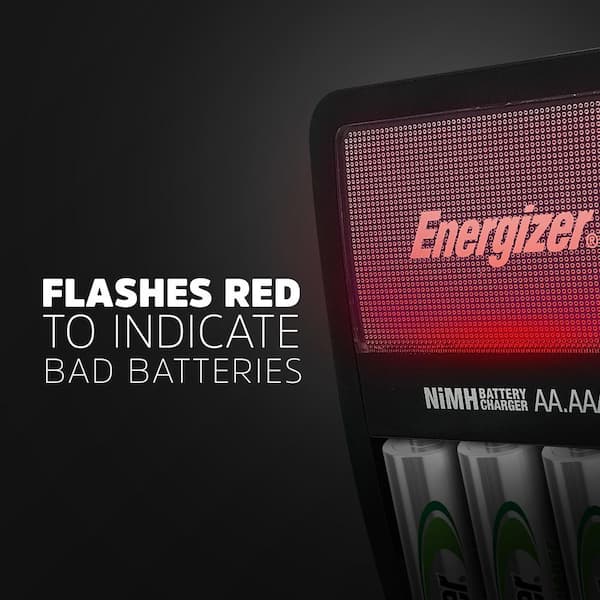
A blinking red light on your Energizer charger is a warning sign. But it doesn’t always mean the same thing. Depending on the model, it might signal:
- Bad or incompatible batteries
- Batteries inserted incorrectly
- Battery charging error
- Charger malfunction
- Temperature issues (too hot or too cold)
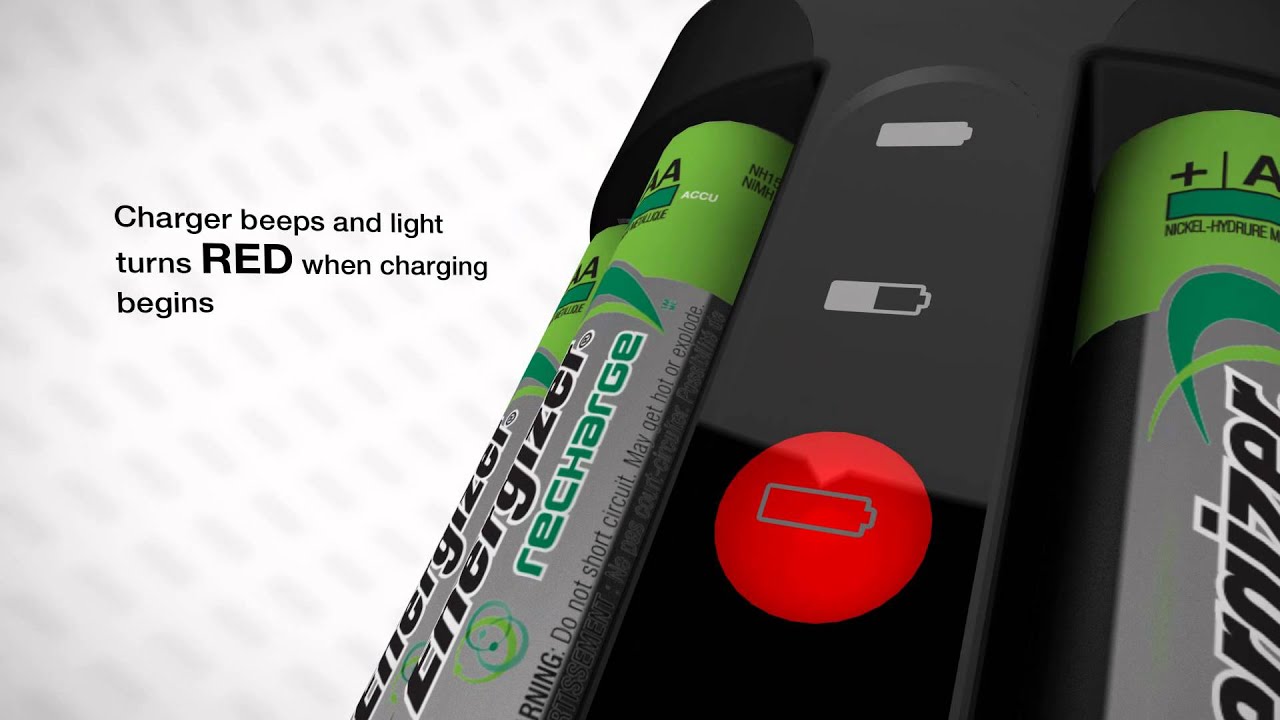
The blinking pattern (fast or slow), and whether the light is steady or flashing, can give you more clues. Most Energizer chargers use a simple color system: green for charging/charged, red for errors. But understanding the cause of the blinking helps you fix the problem quickly.
Types Of Energizer Battery Chargers And Their Indicators
Energizer offers several types of battery chargers. Each model handles battery charging and errors a bit differently. Here’s a comparison of common models and their indicator lights:
| Model | Compatible Batteries | Indicator Light Behavior | Typical Red Light Causes |
|---|---|---|---|
| Recharge® Universal Charger | AA, AAA, C, D, 9V (NiMH) | Green = charging/charged, Blinking red = error | Bad battery, wrong polarity, non-rechargeable battery |
| Recharge® Value Charger | AA, AAA (NiMH) | Green = charging, Red = error | Damaged or mixed batteries |
| Recharge® Pro Charger | AA, AAA (NiMH) | Green = charging, Red = error, Amber = almost charged | Loose connection, temperature issue |
| Recharge® 1 Hour Charger | AA, AAA (NiMH) | Green = charging, Red = error | Overheating, battery error |
Some chargers have more complex displays or even LCD screens. Always check your model’s manual, but the red blinking light usually means the charger has stopped charging due to a problem.
Credit: www.homedepot.com
Main Reasons Your Energizer Charger Is Blinking Red
Understanding why the light is blinking red helps you solve the problem. Here are the most common causes:
1. Bad Or Old Batteries
Rechargeable batteries don’t last forever. NiMH batteries typically last 500–1,000 charge cycles, but this number drops if you use fast chargers or let batteries overheat. If your charger blinks red as soon as you insert batteries, they might be:
- Past their usable life (worn out)
- Physically damaged (dented, corroded, or leaking)
- Not holding a charge anymore
2. Non-rechargeable (alkaline) Batteries
Energizer chargers are designed for NiMH rechargeable batteries only. If you accidentally insert single-use alkaline, lithium, or zinc-carbon batteries, the charger detects this and blinks red. Charging non-rechargeable batteries is dangerous—they can overheat or even leak.
3. Wrong Battery Orientation
Batteries must be inserted with the correct positive (+) and negative (–) ends aligned with the charger’s markings. If even one battery is backwards, the charger will blink red. This is a common mistake, especially when charging multiple batteries at once.
4. Mixed Battery Types Or Sizes
Some Energizer chargers can charge only one size (AA or AAA) at a time, or require all batteries to be the same type and brand. Mixing old and new, or different capacities (e. g. , 1300mAh and 2500mAh together), can trigger a red blinking light.
5. Poor Contact Or Dirty Terminals
If battery terminals or the charger contacts are dirty or corroded, the charger might not detect the battery properly. Even a small amount of dust, oil, or corrosion can break the connection, leading to an error signal.
6. Charger Overheating Or Temperature Issues
Many chargers have built-in sensors. If the charger or batteries get too hot (over 104°F/40°C) or too cold (below 32°F/0°C), the charger will stop and the red light will blink. This protects your batteries from damage.
7. Charger Malfunction
If you’ve checked everything else and the charger still blinks red, the charger itself might be faulty. Internal electronics can wear out over time, especially if the charger has been dropped or exposed to moisture.
How To Fix A Blinking Red Light On Your Energizer Charger
Now that you know the possible causes, here’s how you can troubleshoot and often fix the problem yourself.
1. Remove And Inspect The Batteries
Take all batteries out of the charger. Look for:
- Leaks or corrosion on the terminals
- Physical damage (dents, swelling, or discoloration)
- Correct battery type (must be labeled NiMH Rechargeable)
If you find any damage or leaks, do not reuse those batteries. Dispose of them according to local hazardous waste guidelines.
2. Clean Battery And Charger Contacts
Use a dry, lint-free cloth to gently clean the ends of your batteries and the charger contacts. For stubborn corrosion, a cotton swab with a tiny bit of rubbing alcohol can help. Wait until everything is dry before reinserting batteries.
3. Check Battery Orientation
Double-check that each battery is inserted with the + and – ends matching the charger’s markings. This is an easy fix that solves many blinking red light errors.
4. Test Batteries In Pairs (if Possible)
For chargers that accept two or four batteries, try charging just two at a time. Mix and match to see if a specific battery is causing the error. If the charger works with certain batteries but not others, you’ve found the bad one.
5. Try New Batteries
If you have brand-new NiMH rechargeable batteries, insert them. If the charger starts charging normally (green light), your old batteries are likely dead.
6. Let The Charger Cool Down
If your charger feels very hot, unplug it and let it cool for at least 30 minutes. Charging in a cool, dry place helps prevent temperature-related errors.
7. Use Only Compatible Batteries
Never try to charge alkaline, lithium, or other non-rechargeable batteries. Always use Energizer NiMH rechargeable batteries for best results.
8. Reset The Charger
Some models can be reset by unplugging from the wall and waiting 1–2 minutes. Plug back in and see if the red light persists.
9. Try A Different Outlet
Sometimes, a faulty wall outlet can cause charging errors. Try plugging the charger into a different socket.
10. Replace The Charger
If none of the above steps work, your charger may be defective. If it’s under warranty, contact Energizer support. Otherwise, it may be time for a new charger.
Advanced Troubleshooting: When The Red Light Won’t Stop Blinking
Sometimes, the problem is more complex. Here’s how to go deeper:
Test Batteries In Another Charger
If you have access to a different charger (borrow from a friend or neighbor), test your batteries there. If they charge fine elsewhere, your charger is likely the problem.
Check For Firmware Updates (smart Chargers)
Some newer chargers have firmware that can be updated. Visit the manufacturer’s website to check for updates. This step is rare but possible with high-end models.
Use A Multimeter To Test Batteries
A digital multimeter can measure battery voltage. For AA NiMH batteries, a fully charged cell should read about 1.3–1.4 volts. If your battery reads below 1.0 volt and won’t charge, it’s probably dead.
Look For Signs Of Charger Failure
Common signs your charger has failed include:
- Red light blinks with all batteries, including new ones
- Charger gets extremely hot or makes noise
- No lights come on at all
If you see these, replacement is usually the only solution.
How Long Should Charging Take? Typical Charging Times
Charging time varies by charger model and battery capacity. Here’s a quick comparison:
| Charger Model | Battery Size | Battery Capacity (mAh) | Approx. Charging Time |
|---|---|---|---|
| Universal Charger | AA | 2000 | 5–7 hours |
| Value Charger | AA | 1300 | 4–6 hours |
| Pro Charger | AA | 2000 | 3–4 hours |
| 1 Hour Charger | AA | 2000 | 1 hour |
If your charger blinks red immediately, it means the charge cycle hasn’t even started. If it blinks red after some time, there might be an overheating or battery fault.
Credit: univet.ee
Common Myths And Mistakes About The Blinking Red Light
Let’s clear up some misunderstandings that often lead to frustration.
Myth 1: The Charger Is Always Broken
In most cases, the red blinking light means there’s a battery problem, not a charger problem. Only after you’ve tested with new batteries should you suspect the charger itself.
Myth 2: All Batteries Are The Same
Even among rechargeable batteries, there are differences. Mixing brands or types can confuse the charger and lead to errors.
Mistake 1: Trying To Recharge Non-rechargeable Batteries
This is dangerous. Non-rechargeable batteries can leak, rupture, or even explode if you try to charge them.
Mistake 2: Ignoring Battery Orientation
It’s easy to insert a battery the wrong way, especially if you’re in a hurry. Always double-check.
Mistake 3: Charging In Extreme Temperatures
Both hot and cold environments can cause charging errors. Try to charge in a room-temperature area.
How To Extend The Life Of Your Batteries And Charger
Prevention is better than cure. Here are practical tips for long-lasting performance:
- Use the Right Charger: Always use an Energizer charger matched to your battery type and size.
- Charge in Moderate Temperatures: Avoid charging in direct sunlight or freezing conditions.
- Don’t Overcharge: Most modern chargers stop automatically, but unplug when charging is done.
- Store Batteries Properly: Keep batteries in a cool, dry place when not in use.
- Charge Batteries Regularly: Don’t let them sit completely discharged for months.
- Replace Old Batteries Together: Using a mix of old and new batteries can confuse the charger and reduce performance.
When To Contact Energizer Support
If you’ve tried all troubleshooting steps and the blinking red light won’t go away, it’s time to reach out to Energizer. Keep your:
- Charger model number
- Battery details
- Proof of purchase
Handy when you call or email. Most Energizer chargers have a warranty period (usually 1–5 years). Support can guide you through further troubleshooting or help with a warranty claim.
For reliable information and warranty details, visit the official Energizer Support page.
Comparing Energizer Chargers: Which One Should You Use?
If you’re considering an upgrade or replacement, it helps to compare charger features:
| Feature | Universal Charger | Value Charger | Pro Charger | 1 Hour Charger |
|---|---|---|---|---|
| Supported Sizes | AA, AAA, C, D, 9V | AA, AAA | AA, AAA | AA, AAA |
| Charging Speed | Standard | Slow | Fast | Very Fast |
| Indicator Lights | Green, Red | Green, Red | Green, Red, Amber | Green, Red |
| Smart Features | Yes | No | Yes | No |
| Average Price (USD) | $30–$45 | $15–$25 | $25–$35 | $20–$30 |
If you need fast charging, the Pro or 1 Hour Charger are good options. For the widest compatibility, choose the Universal Charger. All models use a red light to warn of errors, so troubleshooting steps are similar.
Non-obvious Tips Most People Miss
- Battery Rotation: Occasionally rotate your batteries between devices and chargers. This balances wear and can reveal weak batteries before they fail completely.
- Label Batteries in Sets: If you use batteries in pairs or groups, mark them with a permanent marker (e.g., Set 1, Set 2). Always charge and use sets together. This prevents mixing old and new, which can confuse the charger and shorten battery life.
- Check Expiry Dates: Even rechargeable batteries have a shelf life. Look for a date on the packaging or battery itself.
Safety Warnings
- Never attempt to repair a charger yourself. Chargers contain high-voltage parts and can be dangerous if opened.
- Keep chargers and batteries away from children and pets.
- Dispose of dead batteries properly. Many stores and recycling centers accept used batteries.
Credit: www.youtube.com
Frequently Asked Questions
Why Does My Energizer Charger Blink Red With New Batteries?
The charger could blink red with new batteries if they’re not inserted correctly, if they’re the wrong type (not NiMH), or if there’s a poor connection. Clean the contacts, check orientation, and make sure the batteries are truly new and compatible.
Can I Use Other Brands Of Rechargeable Batteries In My Energizer Charger?
Yes, most Energizer chargers will work with other brands of NiMH rechargeable batteries. However, mixing brands or using old and new batteries together can cause errors or uneven charging.
What Should I Do If The Charger Gets Hot And Blinks Red?
Unplug the charger immediately and let it cool down. Charging in a cool environment helps. If the issue repeats, check for battery problems or consider replacing the charger.
How Do I Know If My Charger Or My Batteries Are Broken?
Try charging new, compatible batteries. If the charger blinks red with all batteries, the charger is likely at fault. If it charges some but not others, those batteries are probably dead or damaged.
Is It Safe To Leave Batteries In The Charger Overnight?
Most modern Energizer chargers have automatic shut-off and are safe for overnight use. However, unplugging when charging is done can extend battery and charger life.
Conclusion
A blinking red light is your charger’s way of protecting you and your batteries. Don’t ignore it or panic—follow the steps above, and you’ll quickly know if you need new batteries, a new charger, or just a simple cleaning. With good habits and the right troubleshooting, your Energizer battery charger will keep your devices powered for years.