
If your Emerson thermostat is showing a blinking flame icon, you’re not alone. Many homeowners notice this symbol and wonder if their heating system is in trouble—or if it’s just a normal part of the thermostat’s operation. The blinking flame can mean different things, depending on the model and the situation. Sometimes it signals a simple delay, other times a problem that needs attention. Understanding this small icon can save you money, time, and stress during the coldest days of the year.
In this article, you’ll learn exactly what the blinking flame means on an Emerson thermostat, when it’s normal, and when it’s a sign of trouble. We’ll cover troubleshooting steps, practical solutions, and common mistakes to avoid. You’ll also find useful tables comparing error codes and typical issues, real-life examples, and answers to common questions.
Whether you’re a DIY enthusiast or just want to know when to call a pro, this guide will help you get the most from your Emerson thermostat.
What Does The Emerson Thermostat Blinking Flame Mean?
The blinking flame icon is one of the most recognized symbols on Emerson thermostats. But its meaning isn’t always obvious. Here’s what you should know:
- Normal Operation: In many Emerson models, a blinking flame means the thermostat is waiting before starting the heating system. This is called a “delay mode.”
- System Protection: The delay helps protect the heating equipment from short cycling, which can cause wear and tear.
- Possible Error: In some cases, a blinking flame can indicate a problem, such as a failed ignition or a communication error with the furnace.
Delay Mode Explained
When you adjust the thermostat for heat, the system doesn’t always start instantly. Emerson thermostats often use a delay period of 2 to 5 minutes. This delay prevents the furnace from turning on and off too quickly, which is harmful to the equipment.
During this time, the flame icon may blink. This is normal and nothing to worry about. After the delay, the icon usually becomes solid, showing that the furnace is now heating.
When Blinking Means Trouble
If the flame icon keeps blinking for more than 5 minutes, or if your home isn’t getting warm, it could signal a problem. Possible reasons include:
- The furnace is not responding
- The thermostat isn’t communicating with the heating system
- There’s a wiring or sensor issue
In these cases, further troubleshooting is needed.
Emerson Thermostat Models And Flame Icon Behavior
Different Emerson thermostat models use the blinking flame icon in slightly different ways. Here are some examples:
| Model | Blinking Flame Meaning | Solid Flame Meaning |
|---|---|---|
| Sensi Touch (ST75) | Delay before heating | Heating is on |
| Emerson 1F83C-11NP | Delay or error | Heat call active |
| Emerson 80 Series | Delay mode | Heat is running |
| Emerson Blue Series 12” | System delay or lockout | Heating normal |
Knowing your model helps you understand what the blinking flame means in your situation. Check your user manual for details, or look up the model number online.

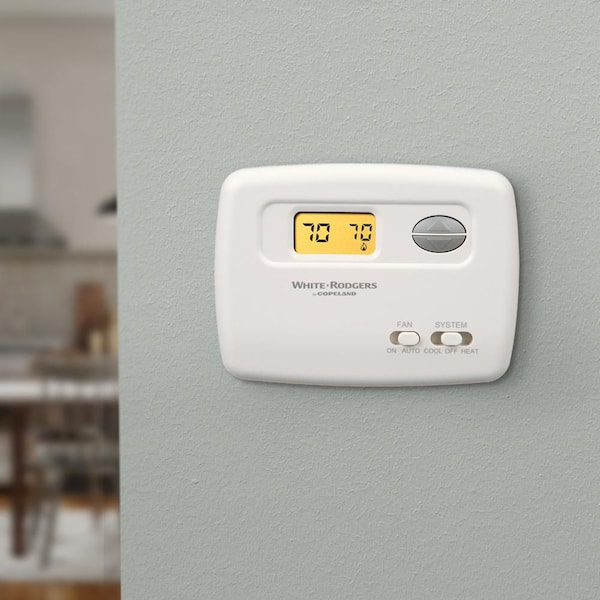
Credit: www.supplyhouse.com
Common Reasons For The Blinking Flame
Understanding why the flame is blinking can help you solve the problem quickly. Here are the most common causes:
- Normal Delay: After setting the thermostat to heat, a short delay is normal. The flame blinks while the furnace gets ready.
- System Lockout: If there’s a safety issue (like failed ignition), the furnace may “lock out” and the thermostat blinks the flame.
- Communication Error: A problem with wiring or wireless connection can stop the thermostat from talking to the furnace.
- Dirty Flame Sensor: If the furnace starts, then shuts off quickly, a dirty sensor could be to blame.
- Low Battery: On some models, low batteries can cause strange behavior, including the blinking flame.
- Thermostat Malfunction: Rare, but sometimes the thermostat itself fails.
Real-world Example
Sarah, a homeowner in Ohio, noticed her Emerson thermostat’s flame icon blinking for over 20 minutes. The house stayed cold. After checking, she found the furnace switch was accidentally turned off during cleaning. Flipping the switch restored normal operation, and the blinking stopped.
Step-by-step Troubleshooting For Blinking Flame
If the blinking flame lasts longer than 5 minutes or the heat isn’t coming on, follow these steps:
1. Wait And Observe
- Give the system 5-10 minutes. If the blinking stops and heat starts, it was just a delay.
- If not, go to the next step.
2. Check The Furnace Power
- Make sure the furnace switch (often a light switch nearby) is ON.
- Check the circuit breaker for the furnace.
3. Inspect Thermostat Settings
- Set the mode to “Heat.”
- Raise the temperature at least 3°F above room temperature.
- Check if you hear a click or the furnace starts.
4. Replace Thermostat Batteries
- If your model has batteries, replace them with fresh ones.
5. Check For Error Codes
Many Emerson thermostats display codes when there’s a problem. For example, “E1” or “E2” may appear. Here’s a quick guide:
| Error Code | Meaning | Recommended Action |
|---|---|---|
| E1 | Communication error | Check wiring and connections |
| E2 | Sensor failure | Contact professional |
| E3 | Low battery | Replace batteries |
| E4 | System lockout | Reset power |
6. Check The Furnace
- Listen for furnace noises (clicks, fans, or flames).
- If nothing happens, the problem may be at the furnace, not the thermostat.
7. Inspect Wiring (if You Feel Comfortable)
- Turn off power before touching wires.
- Check for loose or disconnected wires at the thermostat and furnace.
8. Reset The Thermostat
- Remove the batteries or turn off the breaker for 1-2 minutes.
- Restore power and see if the problem clears.
9. Call A Professional
- If you’ve tried the above steps and the blinking continues, it’s time to call an HVAC technician.
Non-obvious insight: Sometimes, a power surge can cause the thermostat to go into a confused state. Resetting by cycling power often solves strange behaviors.
When Is The Blinking Flame Normal?
Not every blinking flame means there’s a problem. Here’s when it’s normal:
- Right after switching from “Cool” to “Heat”
- After adjusting the temperature setpoint sharply (e.g., from 60°F to 70°F)
- During short power outages or after restoring power
This waiting period protects your furnace from quick restarts, which can shorten the equipment’s life.
When Should You Worry?
If you notice any of these signs along with the blinking flame, take action:
- The home stays cold for more than 30 minutes
- The thermostat screen is blank or flickering
- You hear the furnace start, but it shuts off quickly
- The error codes repeat even after resetting
These signs mean there’s likely a deeper issue with the thermostat, wiring, or furnace.
Common Mistakes When Dealing With The Blinking Flame
Many people jump to conclusions or make simple mistakes when they see the blinking flame. Here’s what to avoid:
- Ignoring the Delay: Some users panic during the normal delay period.
- Replacing Parts Too Soon: Don’t buy a new thermostat until you’re sure the old one is faulty.
- Skipping the Manual: Emerson manuals have useful troubleshooting guides specific to your model.
- Overlooking the Furnace Switch: The furnace has its own power switch, often mistaken for a light switch.
- Not Checking Air Filters: A clogged filter can cause the system to shut down for safety.
Non-obvious insight: A dirty air filter can trigger safety shut-offs in modern furnaces, which may lead the thermostat to show a blinking flame.
Diy Fixes For The Blinking Flame
Many blinking flame issues can be fixed without calling a professional. Here are some simple solutions:
Change The Air Filter
A clogged filter can cause overheating and safety lockouts. Replace your furnace filter every 1-3 months, especially during heavy use.
Reset The Furnace
- Turn off the furnace at the switch or breaker
- Wait 1-2 minutes
- Turn it back on
This can clear many common errors.
Clean The Flame Sensor
If you’re comfortable, you can clean the flame sensor on your furnace:
- Turn off power to the furnace
- Find the sensor (usually a thin metal rod near the burners)
- Gently clean it with a soft cloth or fine sandpaper
- Replace and restart the furnace
Update Thermostat Firmware
Some Wi-Fi-enabled Emerson thermostats allow firmware updates. Check the Sensi app or the Emerson website for updates.
Secure Connections
Loose thermostat wires can cause communication errors. Make sure all wires are fully inserted and tightened.
When To Call A Professional
If DIY steps don’t work, or you see any of these signs, call a licensed HVAC technician:
- You smell gas or burning odors
- The furnace makes loud or unusual noises
- Error codes persist after resets
- The blinking flame stays on for hours
A pro can check for deeper problems like failed control boards, bad relays, or damaged wiring.
Emerson Thermostat Vs. Other Brands: Blinking Flame Behavior
How does Emerson compare to other brands when it comes to the blinking flame icon? Here’s a quick look:
| Brand | Blinking Flame Icon | Typical Delay (minutes) | Common Causes |
|---|---|---|---|
| Emerson | Delay, error, lockout | 2-5 | Normal delay, communication |
| Honeywell | Delay, system check | 2-5 | Compressor or heat pump protection |
| Nest | No flame icon (uses text) | 1-3 | Startup delay, error codes |
| Ecobee | Small flame symbol | 2-5 | System delay, sensor issue |
Emerson’s use of the blinking flame is similar to Honeywell and Ecobee, but details can vary. Always check your thermostat’s manual for the most accurate information.
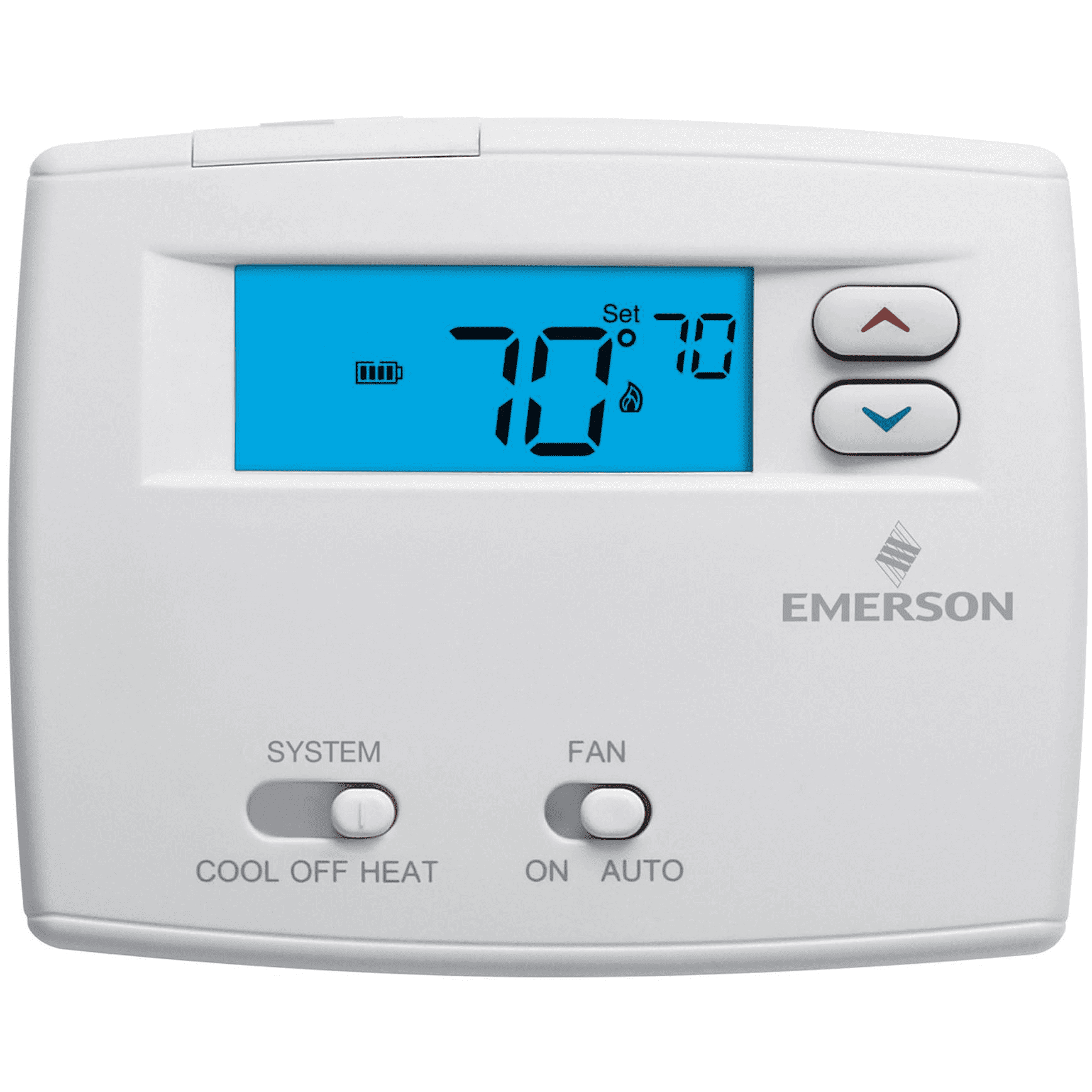
Credit: www.homedepot.com
Preventing Future Blinking Flame Issues
The best way to avoid blinking flame confusion is regular maintenance. Here’s what you can do:
- Change furnace filters every 1-3 months
- Keep vents and returns clear of dust and debris
- Schedule annual HVAC tune-ups
- Check thermostat batteries every 6 months
- Update thermostat firmware if available
These simple steps keep your system running smoothly and reduce false error signals.
Understanding Advanced Features
Some Emerson models have smart features that affect how the flame icon works:
- Remote diagnostics: Some models can send error data to your HVAC company.
- Geofencing: The thermostat adjusts settings based on your location, which can cause more frequent delays.
- Wi-Fi connectivity: Network problems can cause communication errors that appear as a blinking flame.
If you use these features, make sure your internet and app connections are stable.
What If The Blinking Flame Happens In Cold Weather?
A blinking flame during a cold snap can be stressful. Here’s what you should do if the system stops in winter:
- Check for frozen pipes near the furnace
- Use space heaters (safely) in main rooms until the heat returns
- If the furnace can’t be fixed quickly, contact local heating services for emergency help
Pro tip: Don’t try to bypass safety features on your furnace. This can be dangerous and could void your warranty.
Emerson Support And Warranty
Emerson thermostats come with support and warranty options. If your thermostat is less than 5 years old, it may be covered for repair or replacement. Visit the Emerson website or call their support line with your model and serial number.
For manuals, firmware updates, and troubleshooting guides, Emerson’s official support page is a great resource. For more information, you can also check Emerson’s official contact page.
Credit: jacksonsystems.com
Frequently Asked Questions
Why Is My Emerson Thermostat’s Flame Icon Blinking For More Than 10 Minutes?
A blinking flame icon for over 10 minutes usually means the thermostat is not communicating with the furnace, or the furnace is in safety lockout. Check the furnace power, thermostat settings, and look for error codes. If the problem continues, call a professional.
Is It Safe To Ignore The Blinking Flame If My House Is Still Warm?
If your home is staying warm and the furnace cycles on and off as usual, the blinking flame is probably a normal delay. However, if you notice changes in temperature or other warning signs, investigate further.
Can A Power Outage Cause The Blinking Flame Icon To Appear?
Yes, after a power outage, the thermostat may show a blinking flame while the system resets. This is normal and should clear within a few minutes. If it doesn’t, check the furnace and thermostat power supply.
Will Replacing The Thermostat Stop The Blinking Flame Problem?
Only if the thermostat itself is faulty. Most blinking flame issues are related to furnace safety, wiring, or communication. Try troubleshooting before replacing the thermostat.
How Do I Reset My Emerson Thermostat?
You can reset most Emerson thermostats by removing the batteries (if installed) or turning off power at the breaker for a few minutes. Restore power and reprogram your settings if needed.
A blinking flame on your Emerson thermostat doesn’t have to be a mystery. By understanding what it means, following smart troubleshooting steps, and avoiding common mistakes, you can keep your home comfortable and your heating system running smoothly. If in doubt, don’t hesitate to call a professional—peace of mind is worth it, especially during the coldest months.