
When you rely on rechargeable batteries for your gadgets, a blinking light on your Efest charger can be frustrating and confusing. Many people face this issue and wonder: Is it a warning sign, a normal charging indicator, or a problem with the charger or battery? Understanding what these blinking signals mean is essential for keeping your devices safe and ensuring your batteries last longer. This article will give you clear answers, practical steps, and expert advice for handling any Efest charger blinking issue.
Understanding Efest Chargers
Efest chargers are popular among users of vape devices, flashlights, and other electronics that require 18650, 20700, 21700, or 26650 lithium-ion batteries. Known for their safety features and reliable charging, Efest chargers are used worldwide by both beginners and advanced users. However, the blinking light system can seem complicated if you’ve never dealt with it before.
Efest offers several charger models, including the LUC series, SLIM series, PRO series, and XSmart. While each model has unique features, their core logic for blinking lights is similar. Understanding these signals can help you avoid battery damage, maximize battery life, and prevent safety issues.
Types Of Blinking On Efest Chargers
Not all blinking is the same. Efest chargers use different blinking patterns to communicate with you. Here are the most common ones:
- Slow, steady blinking
- Fast blinking
- Blinking with no charging
- Blinking after battery is inserted
- Blinking after charging stops
Each pattern has a specific meaning. Knowing which type you see is the first step to finding the cause.
Credit: nicsaingenieria.es
What Do Efest Charger Blinking Lights Mean?
Let’s look at the most common reasons your Efest charger might blink and what each one tells you.
1. Charging In Progress
A slow, regular blink usually means the charger is working as expected. On many Efest models, the blinking light indicates charging is active. The frequency of the blink can sometimes show the battery’s charge level:
- Faster blink: Lower battery voltage
- Slower blink: Battery is nearly full
2. Battery Inserted Incorrectly
If your charger blinks rapidly and does not start charging, the battery may not be inserted correctly. Efest chargers are designed with reverse polarity protection. If the positive and negative ends are swapped, the charger will blink to alert you.
3. Battery Problem Detected
A fast or continuous blink, often with no charging, can mean the charger detects an issue with the battery. Possible issues include:
- Over-discharged battery (voltage is too low)
- Damaged battery
- Short circuit
In these cases, the charger refuses to charge to protect you and the device.
4. Charger Error Or Fault
Sometimes, the blinking pattern signals a problem with the charger itself. This can include:
- Internal error
- Broken charging slot
- Power supply issue
If you try different batteries and the charger still blinks, the charger may need repair or replacement.
5. Full Charge Or End Of Charging
On some models, a blinking light can also mean the battery is fully charged and ready to use. Check your specific model’s manual to see if this is the case.
Common Causes Of Efest Charger Blinking
Let’s dig deeper into what can cause your Efest charger to blink and what you can do about it.
1. Battery Issues
Batteries are the most common source of blinking problems. Here’s why:
- Old batteries: Over time, rechargeable batteries lose capacity and may not charge properly.
- Over-discharged: If you use the battery until it’s completely empty, it can fall below the minimum voltage. The charger won’t recognize it.
- Damaged or leaking: Physical damage, swelling, or leaking are all signs the battery is unsafe.
- Non-compatible types: Efest chargers are designed for lithium-ion batteries. Using other types (like NiMH or alkaline) will cause error blinking.
2. Charger Issues
Sometimes the charger is to blame:
- Dirty contacts: Dust or debris on the metal contacts can interrupt charging.
- Broken springs or slots: If the battery slot is loose or damaged, the charger can’t make a good connection.
- Firmware glitches: Some smart chargers have internal software. A rare glitch can cause blinking.
3. Power Supply Problems
- Weak or unstable power: Using a low-quality USB cable or adapter can cause the charger to blink.
- Voltage mismatch: If you use a power source with the wrong voltage, the charger may flash an error.
4. Environmental Factors
- Extreme temperatures: Charging in very hot or cold places can cause errors.
- High humidity: Moisture inside the charger can trigger safety warnings.
Credit: restaurant-elke.de
How To Troubleshoot A Blinking Efest Charger
If your Efest charger is blinking, don’t panic. Follow these steps to find and fix the problem.
Step 1: Check Battery Orientation
Remove the battery and re-insert it, making sure the positive and negative ends match the charger’s markings. Most blinking issues are as simple as this.
Step 2: Test With Another Battery
Try a different battery that you know is healthy. If the charger works normally, the first battery is likely the problem.
Step 3: Clean Charger Contacts
Use a dry cloth or a cotton swab with rubbing alcohol to clean the metal contacts on both the charger and the battery. Make sure everything is dry before charging again.
Step 4: Check Power Supply
Switch to a different USB cable, wall adapter, or power outlet. Many charging errors come from weak power sources.
Step 5: Let Battery Rest
If the battery is hot, let it cool down before charging. Overheated batteries can trigger error blinks.
Step 6: Try A Different Slot
If you have a multi-slot charger, move the battery to another slot. This helps you find out if only one slot is faulty.
Step 7: Consult The Manual
Each Efest charger model has a unique blinking code system. Download the manual for your model from the official Efest website and match the blinking pattern.
Step 8: Replace Faulty Parts
If you’ve tested everything and the charger still blinks, you may need to replace the battery or the charger.
Comparison: Efest Charger Models And Blinking Codes
To better understand your charger, it helps to compare the blinking codes of different Efest models. Here’s a summary of three popular models:
| Charger Model | Normal Charging Blink | Error Blink | Full Charge Indication |
|---|---|---|---|
| LUC V4 | Slow blink | Fast blink | Steady light |
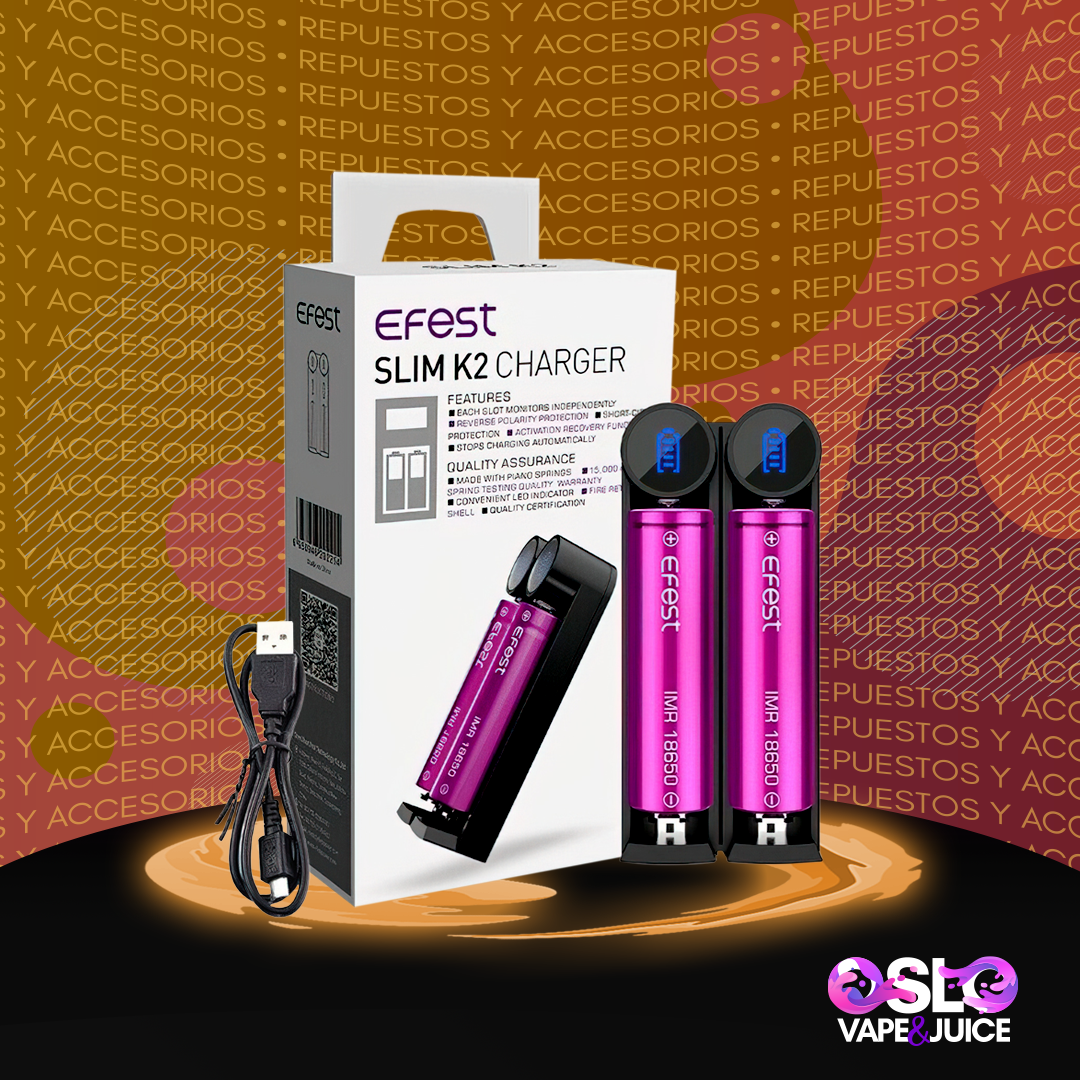
| SLIM K2 | Slow blink | Rapid blink | No light |
| XSmart | Flashing | Continuous flashing | Solid light |
Always check your model’s manual for the most accurate information.
Safety Features In Efest Chargers
One reason users trust Efest chargers is their advanced safety features. These are designed to protect both you and your batteries:
- Overcharge protection: Stops charging when the battery is full.
- Short circuit protection: Stops charging if a short is detected.
- Reverse polarity protection: Prevents damage if the battery is inserted backwards.
- Temperature monitoring: Some models pause charging if the charger or battery gets too hot.
These features often use blinking lights to warn you of a problem, so never ignore a blinking light.
Real-life Examples: What Users Experience
Let’s look at some real scenarios to see how blinking lights play out in everyday use.
- Case 1: “My Efest LUC V4 blinks quickly and won’t charge my 18650 battery.” After testing with a new battery, the charger worked. The old battery was over-discharged and needed replacement.
- Case 2: “The charger blinks only on one slot, but the other slots work.” This pointed to a broken contact in that slot. Cleaning did not help, so the user needed a repair.
- Case 3: “Charger blinks, then stops after a few minutes, and the battery gets hot.” This is a sign of a failing battery. The user switched to a new battery, and the problem was solved.
Non-obvious insight: Sometimes, a battery can work in one charger but blink in another. Chargers have different voltage thresholds, so always check with more than one charger if you’re unsure.

Credit: nicsaingenieria.es
What To Do If Your Battery Is Over-discharged
A very common but confusing issue is the over-discharged battery. When a lithium-ion battery falls below about 2.5V, most smart chargers will refuse to charge and blink rapidly.
Here’s what you can do:
- Test the battery with a multimeter. If the voltage is under 2.0V, the battery is likely not safe to recover.
- Try a “wake-up” charge. Some advanced chargers have a “refresh” or “wake-up” mode to slowly bring the battery back to life. If your Efest model does not have this, do not attempt risky DIY methods.
- Replace the battery if it’s old or swollen. Never try to charge a visibly damaged battery.
Never force an over-discharged battery to charge. It’s a fire risk.
How To Maximize Battery Life And Avoid Blinking Issues
Proper battery care can reduce blinking problems and extend the lifespan of both your batteries and charger.
1. Don’t Over-discharge
Recharge your batteries before they drop below 3.2V. This keeps them healthy and prevents “dead battery” blinking.
2. Use The Right Charger
Always use an Efest charger or a high-quality brand. Cheap chargers can damage batteries or give false blinking warnings.
3. Store Batteries Safely
Keep unused batteries in a battery case, away from metal objects and extreme heat.
4. Replace Old Batteries
Most lithium-ion batteries last about 300-500 cycles. If you notice frequent blinking, it may be time to buy a new battery.
5. Clean Charger Regularly
Dust and debris can build up quickly. Clean contacts and slots every few months.
Non-obvious insight: Charging at a lower current (for example, 0.5A instead of 2A) extends battery life and reduces the chance of blinking errors, especially with older batteries.
Comparing Efest With Other Charger Brands
How do Efest chargers compare to other popular brands like Nitecore or XTAR when it comes to blinking error codes and reliability?
| Brand | Error Blinking Codes | User Friendliness | Recovery Features |
|---|---|---|---|
| Efest | Clear, but model-specific | Easy for beginners | Some models have refresh mode |
| Nitecore | Detailed codes, more info | Intermediate | Advanced recovery options |
| XTAR | Simple codes | Very easy | Strong refresh/wake-up modes |
Efest strikes a balance between safety and ease of use. For most users, their blinking codes are simple to understand, but always check your manual for details.
When To Replace Your Efest Charger
Chargers can last for years, but nothing lasts forever. Here are signs it’s time for a new charger:
- All slots blink with every battery.
- Charger gets unusually hot.
- Physical damage (cracks, melted plastic, broken springs).
- Charger won’t turn on (even with a working power supply).
- Consistent blinking errors with multiple known-good batteries.
If you’re not sure, test your batteries in another charger. If they charge fine elsewhere, your Efest charger may have reached the end of its life.
Manufacturer Support And Warranty
Efest offers warranty support for most of their chargers. If you experience blinking issues and your charger is still under warranty, contact the seller or Efest directly. You’ll need your purchase receipt and the serial number from the charger.
For more detailed support, visit the official Efest website or check forums where other users share their experiences.
Frequently Asked Questions
Why Does My Efest Charger Blink When I Insert A New Battery?
A blinking light can mean the charger is checking the battery’s voltage or polarity. If the blinking continues and charging does not start, the battery may be over-discharged, damaged, or inserted incorrectly.
Can I Fix A Blinking Efest Charger Myself?
You can try simple fixes like cleaning the contacts, changing the power supply, or using a different battery. However, if the charger is physically damaged or blinks with all batteries, it’s safer to replace it.
Is It Dangerous If My Charger Blinks And The Battery Gets Hot?
Yes, this can be dangerous. If the battery heats up quickly while the charger blinks, stop charging immediately. Hot batteries can leak or even explode. Replace the battery and check your charger for faults.
How Do I Know If The Problem Is With The Battery Or The Charger?
Try the battery in another charger. If it charges normally, your Efest charger may be the issue. If the problem follows the battery, the battery is likely faulty.
Where Can I Find The Meaning Of My Efest Charger’s Blinking Codes?
The best source is your charger’s user manual or the official Efest website. If you lost your manual, download it from the Efest official site.
Conclusion
When you understand what blinking lights mean, you can use your Efest charger safely and confidently. Proper troubleshooting saves time, money, and protects your devices. If blinking continues after all these steps, don’t risk your safety—replace the charger or battery with a quality product.
Remember, a small blinking light is your warning before real trouble starts. Stay safe and enjoy reliable charging with your Efest charger.