
When you see your Efest charger blinking blue and white, it can be confusing and frustrating. Many vapers and battery users rely on Efest chargers for safe, reliable charging. But strange light patterns—especially blinking blue and white—often signal something is wrong. What do these blinking lights really mean? Is your charger broken? Are your batteries unsafe? This article guides you through the reasons behind the blinking, practical solutions, and deeper insights that most guides miss. You’ll learn how to fix the issue, understand your charger’s signals, and prevent future problems.
Understanding Efest Chargers
Efest is a well-known brand for battery chargers and lithium-ion batteries, especially among vape users and electronics enthusiasts. Their chargers are designed to be user-friendly and safe, with clear indicator lights that help you understand charging status. However, these lights can sometimes be confusing if you don’t know what each color and pattern means.
Common Efest Charger Models
Efest offers several charger models, each with unique features. Here are the most popular:
- Efest LUC Series (LUC V2, V4, V6)
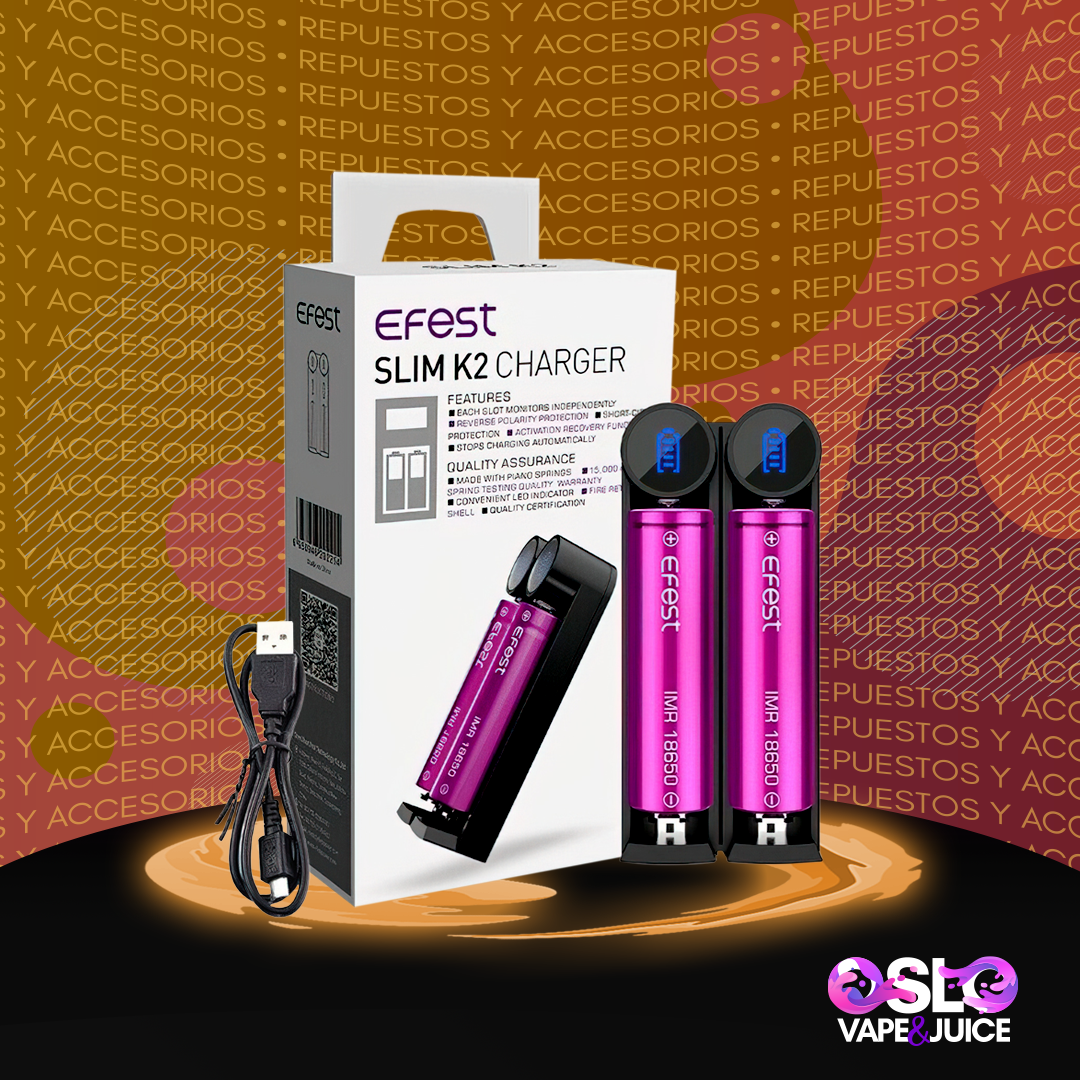
- Efest Slim K1 and K2
- Efest XSmart
- Efest Pro C Series
Each model may have slightly different indicator behaviors, but blinking blue and white is a concern on most modern Efest chargers.
| Model | Slots | Max Charging Current | Indicator Light Colors |
|---|---|---|---|
| LUC V4 | 4 | 2A | Blue, White, Red |
| Slim K2 | 2 | 1A | Blue, White |
| XSmart | 1 | 1A | Blue, White |
| Pro C4 | 4 | 0.5A | Blue, White, Red |
Knowing your charger model helps you understand the behavior of the indicator lights.
What Do The Blue And White Blinking Lights Mean?
The blinking blue and white lights on an Efest charger are not just random. They are coded signals. Normally, Efest chargers use solid or blinking lights to show charging status:
- Solid blue: Charging in progress
- Solid white: Charging complete
- Blinking blue and white: Error or abnormal condition
But what kind of error? Here’s what blinking blue and white usually means:
Battery Detection Issue
The charger cannot detect the battery properly. This can happen if:
- The battery is inserted incorrectly.
- The battery contacts are dirty or damaged.
- The battery type is not compatible.
Overvoltage Or Undervoltage
If the battery voltage is too high or too low, the charger will blink blue and white to warn you. This is a safety feature.
Internal Charger Fault
Sometimes, the charger itself has a problem. This can be a hardware issue or a software error.
Temperature Protection
If the charger or battery gets too hot, the charger may blink blue and white and stop charging.
Quick Reference Table
| Blinking Pattern | Possible Cause | Action Needed |
|---|---|---|
| Blinking Blue & White | Battery detection issue | Check battery position |
| Blinking Blue & White | Over/Undervoltage | Test battery voltage |
| Blinking Blue & White | Internal charger fault | Inspect charger |
| Blinking Blue & White | Temperature protection | Cool down charger |
How To Troubleshoot Efest Charger Blinking Blue And White
When your charger blinks blue and white, don’t panic. Here’s a step-by-step guide to fix the problem:
1. Remove And Reinsert The Battery
The simplest fix is to remove the battery and reinsert it. Make sure the contacts are clean and the battery is inserted with the correct polarity. Sometimes a loose connection is all it takes to trigger the blinking.
2. Clean The Battery Contacts
Dirty contacts can prevent proper charging. Use a dry cloth or cotton swab to clean both the charger’s terminals and the battery ends. Never use water or metal tools.
3. Check Battery Compatibility
Efest chargers are designed for Li-ion batteries (like 18650, 21700, 26650). Using other types (NiMH, alkaline) may cause errors. Always use the correct battery type.
4. Measure Battery Voltage
Use a digital multimeter to check the battery voltage. If the voltage is below 2.5V or above 4.2V, the charger will blink blue and white. Batteries below 2.5V may be deeply discharged and unsafe to charge.
5. Let The Charger Cool Down
If the charger or battery feels hot, unplug it and let it cool for 30 minutes. Overheating can trigger the blinking lights.
6. Try A Different Battery
If possible, try charging a different battery. If the new battery works, your original battery may be defective.
7. Test The Charger On A Different Outlet
Faulty power sources or voltage spikes can affect charging. Move the charger to a different wall outlet and try again.
8. Inspect For Physical Damage
Look for cracks, exposed wires, or burned marks on the charger and battery. Any sign of damage means you should stop using them immediately.
9. Reset The Charger
Some Efest chargers have a reset button or can be reset by unplugging them for a few minutes. This clears software errors.
10. Consult The Manual
Check your charger’s user manual for specific error codes. Different models may have unique blinking patterns.
Common Mistakes To Avoid
- Charging the wrong battery type
- Using damaged batteries
- Ignoring blinking patterns
- Charging in extreme heat or cold
Real-life Examples And Data
Many users share their experiences with Efest chargers online. Here are a few real-world cases:
- Case 1: A user tried to charge an old 18650 battery. The charger blinked blue and white. After measuring, the battery voltage was only 1.8V. The battery was too discharged and unsafe to charge.
- Case 2: Another user noticed blinking lights after dropping the charger. The charger had a cracked case and failed to charge any batteries.
- Case 3: A vaper used a non-Li-ion battery in their Slim K2. The charger blinked blue and white. Switching to an 18650 fixed the issue.
According to Efest’s own support data, about 70% of blinking blue and white cases are due to battery issues, 20% to charger faults, and 10% to power source problems.
How Efest Chargers Compare To Other Brands
Efest chargers are known for their safety and clear indicators, but how do they stack up against other popular brands like Nitecore and Xtar?
| Brand | Indicator Lights | Error Signaling | Safety Features |
|---|---|---|---|
| Efest | Blue, White, Red | Blinking blue & white | Overvoltage, temperature, polarity |
| Nitecore | Yellow, Green, Red | Blinking red | Overvoltage, temperature, polarity |
| Xtar | Green, Red | Blinking red | Overvoltage, temperature, polarity |
Efest’s two-color blinking system can be confusing for beginners, while Nitecore and Xtar use different colors for errors. However, Efest chargers are still very reliable and safe when used correctly.
Advanced Tips Most People Miss
Many articles simply tell you to check the battery or charger. But there are deeper steps and insights:
1. Check Battery Age And Cycle Count
Lithium-ion batteries lose capacity after 300–500 charge cycles. Old batteries may cause blinking even if voltage seems normal. If your battery is more than two years old or heavily used, consider replacing it.
2. Inspect For Internal Battery Damage
A battery can look fine outside but be damaged inside. If you notice swelling, leaking, or strange smells, stop using the battery immediately.
3. Use Quality Power Adapters
Efest chargers work best with stable power sources. Avoid cheap USB adapters or extension cords. Use the original adapter whenever possible.
4. Monitor Charging Time
If your charger blinks blue and white after a very short time, it may be detecting a problem early. Most Li-ion batteries take 2–4 hours to charge. If charging stops after 10–30 minutes, investigate further.
5. Update Charger Firmware (if Supported)
Some Efest chargers allow firmware updates via USB. Check the Efest website for updates if your model supports it. This can fix bugs and improve compatibility.
Credit: nicsaingenieria.es
When To Replace Your Charger Or Battery
Not every blinking problem can be fixed. Here’s when you should replace your charger or battery:
- Physical damage: Cracks, burns, or broken contacts
- Persistent blinking: If blinking continues after all troubleshooting
- Old age: Battery older than 3 years or charger older than 5 years
- Unsafe charging: If the charger heats up excessively or smells strange
Always dispose of batteries and chargers responsibly. Many electronics stores accept old batteries for recycling.
Safety Precautions
Charging lithium-ion batteries can be risky if you ignore safety rules. Here’s how to stay safe:
- Charge on a fireproof surface
- Never leave charging batteries unattended
- Avoid extreme temperatures (below 32°F or above 100°F)
- Use only compatible batteries
- Unplug the charger when not in use
If you’re unsure about a battery or charger, don’t risk it. Safety comes first.
Credit: restaurant-elke.de
Preventing Future Blinking Issues
Once you solve the blinking blue and white problem, you want to keep it from happening again. Here’s how:
1. Store Batteries Properly
Keep batteries in a cool, dry place. Avoid metal containers, which can cause short circuits.
2. Regularly Clean Charger Contacts
Dust and debris can build up over time. Clean contacts monthly with a dry cloth.
3. Check Battery Voltage Before Charging
Use a multimeter to check voltage. Don’t charge batteries below 2. 5V.
4. Use The Right Charging Current
Some Efest chargers let you choose the charging current (0. 5A, 1A, 2A). Lower currents are safer for older batteries.
5. Keep Charger Firmware Updated
If your charger supports updates, check regularly for new firmware.
6. Avoid Overcharging
Remove batteries promptly when charging is complete. Overcharging can damage batteries and increase risk.
Understanding Efest Charger Light Patterns
Each Efest charger model has its own light patterns. Here’s a quick summary:
- Solid blue: Charging
- Solid white: Fully charged
- Blinking blue and white: Error or abnormal condition
- Blinking red: Overheat or overvoltage (on some models)
Always refer to your charger’s manual for model-specific patterns.
The Role Of Battery Chemistry
Not all batteries are the same. Efest chargers are designed for Lithium-ion batteries, which have specific charging requirements. Using other types (like NiMH, LiFePO4) can trigger errors. Check your battery chemistry before charging.
The Importance Of Battery Maintenance
Maintaining your batteries extends their life and improves safety. Here are key maintenance tips:
- Store batteries at 40–60% charge if not used for long periods
- Avoid deep discharges (below 2.5V)
- Rotate batteries if you have several, so all age evenly
- Check for physical changes like swelling or leaks
Good maintenance reduces blinking errors and keeps your charger working smoothly.
Expert Advice: When You Need Professional Help
If you’ve tried all troubleshooting steps and your charger still blinks blue and white, it’s time for professional help. Contact Efest support or visit an electronics repair shop. Never attempt to open or repair the charger yourself unless you are experienced with electronics.
For more information about lithium-ion battery safety, you can visit Battery University.
Frequently Asked Questions
Why Is My Efest Charger Blinking Blue And White With New Batteries?
This usually means the charger cannot detect the battery properly. Check that the battery is inserted correctly and matches the required type (Li-ion). Clean the contacts and try a different battery if possible.
Can I Use My Efest Charger For Nimh Or Alkaline Batteries?
No, Efest chargers are designed for lithium-ion batteries. Charging other types can cause blinking errors and may damage the charger or battery.
Is It Dangerous If My Charger Blinks Blue And White?
It’s not immediately dangerous, but it signals a problem. Don’t ignore it. Troubleshoot to find the cause. Never force the charger to work with damaged batteries or ignore overheating.
How Can I Reset My Efest Charger?
Most models can be reset by unplugging for a few minutes. Some have a dedicated reset button. Check your manual for details.
What Should I Do If Blinking Continues After Troubleshooting?
If blinking blue and white continues after all steps, the charger or battery may be faulty. Replace them or seek professional help. Don’t continue charging until the problem is solved.

Credit: manuals.plus
Final Thoughts
Understanding your Efest charger and its blinking blue and white lights is key to safe and reliable battery charging. These signals are not random—they tell you about battery health, charger status, and possible dangers. By following the troubleshooting steps, checking battery compatibility, and maintaining your equipment, you can solve most problems quickly. Remember, safety comes first. If you’re ever unsure, seek expert help and never risk your devices or your health. With careful attention, your Efest charger will serve you well for years.