
If you own a Dyson vacuum and notice a blinking blue light, you might feel worried or confused. This light is not just a random signal—it usually means your vacuum needs attention. Many Dyson owners face this issue, and understanding the meaning behind the blinking blue light can save you time and frustration. In this article, you’ll find clear explanations, practical solutions, and expert tips to fix this problem. Whether you’re a beginner or have used Dyson products for years, this guide will help you get your vacuum back to working smoothly.
What Does The Blinking Blue Light Mean?
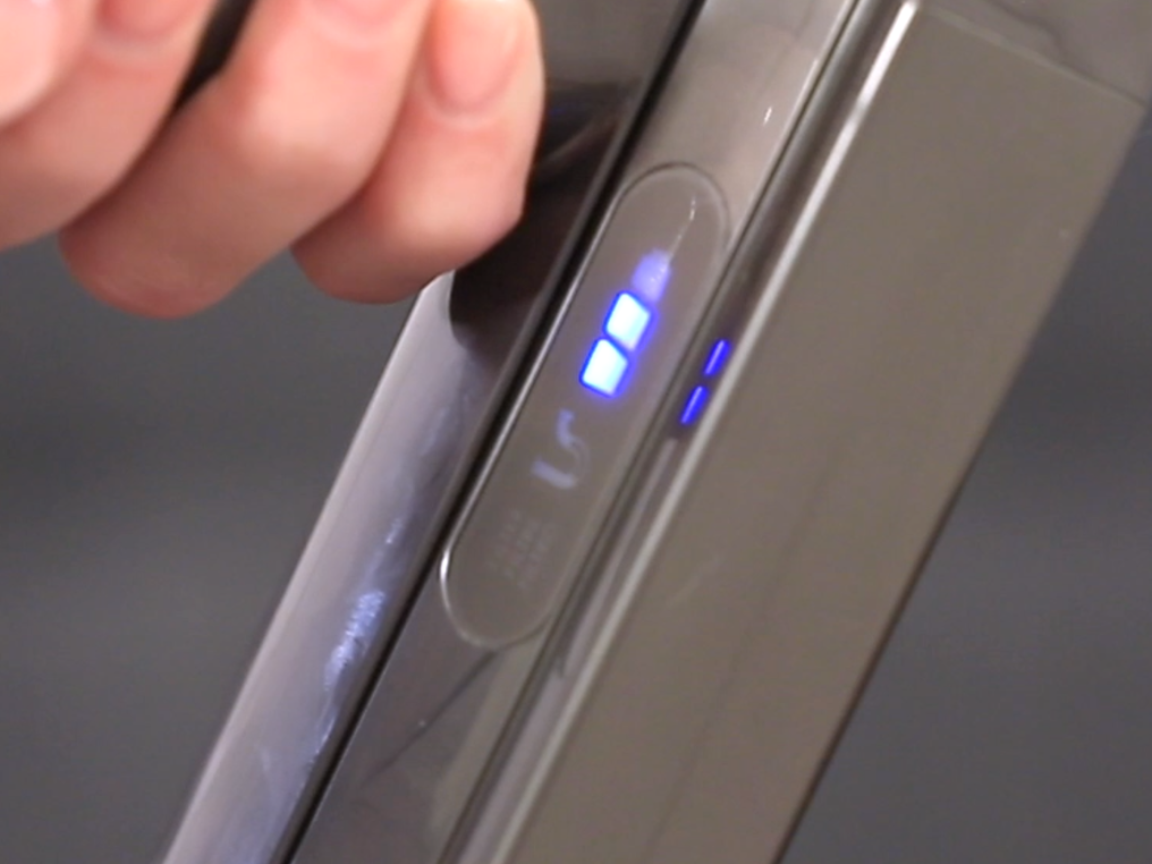
The blinking blue light on a Dyson vacuum is a warning. It usually shows up on cordless models, such as the Dyson V7, V8, V10, and V11. The light can flash quickly or slowly, depending on the problem. Here are the most common reasons:
- Battery issue: The battery may be low, faulty, or not charging properly.
- Blockage: There might be something stuck in the vacuum’s airway.
- Charging problem: The charger or dock may not be working.
- Filter issue: The filter could be dirty or not fitted correctly.
Some new Dyson models use different colored lights for different issues, but blue is often linked to battery or blockage problems. If you see a blinking blue light, do not ignore it. The vacuum is telling you something needs to be fixed.
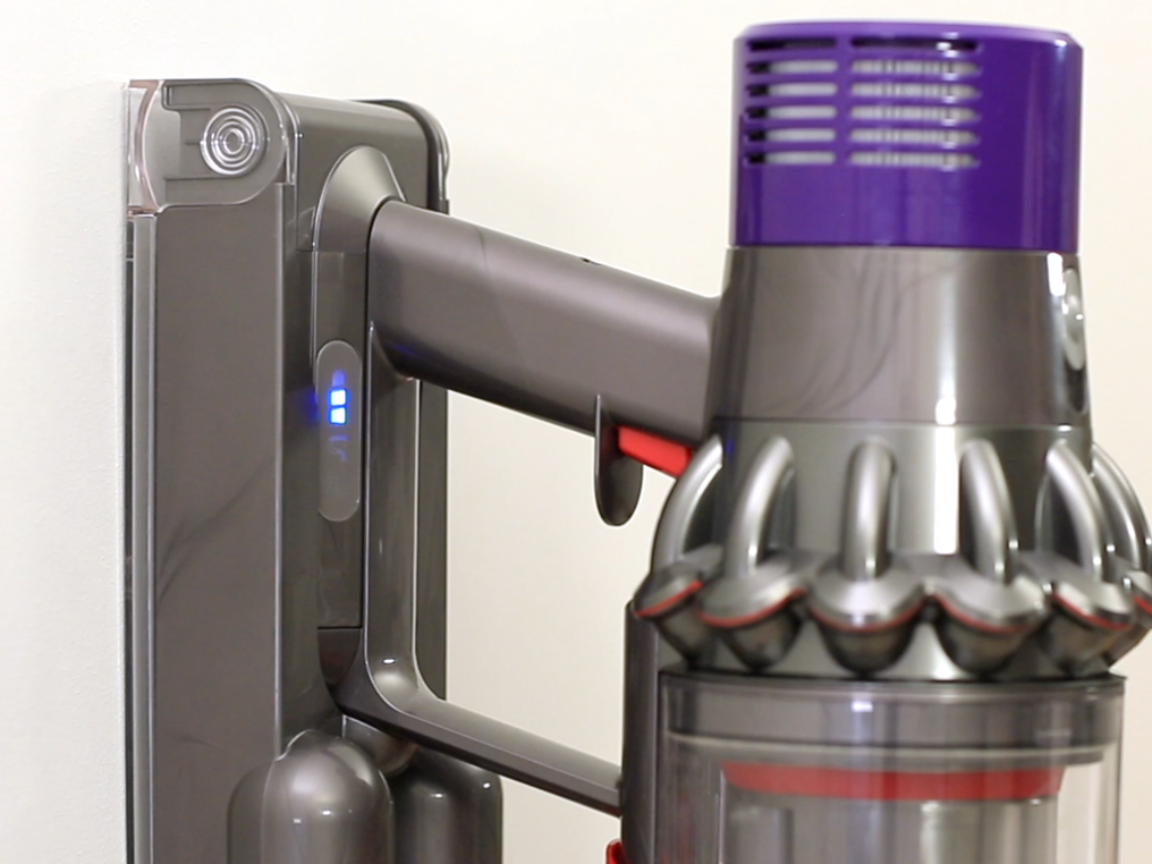
Dyson Vacuum Models And Blue Light Signals
Dyson vacuums are known for their advanced features. Each model uses lights to communicate with the user. Understanding your model’s signals helps you react faster.
| Dyson Model | Blue Light Location | Meaning |
|---|---|---|
| V7, V8 | Near the battery | Battery low or blockage |
| V10, V11 | LED screen or battery area | Charging error or filter issue |
| V12 Detect | Handle display | Battery or system alert |
| V15 Detect | LCD display | Advanced diagnostics |
Some models have extra features, like an LCD screen, which gives more details. Older models mostly rely on light patterns. Always check your vacuum’s manual for specific signals.
Credit: support.dyson.ee
Common Causes Of Dyson Vacuum Blinking Blue Light
Knowing what causes the blinking blue light helps you fix it faster. Here are the main reasons:
1. Battery Problems
A weak or damaged battery is the most common cause. If the battery is low, the vacuum flashes a blue light and often stops running. If the battery is faulty, the light may blink even if you charge it.
- Symptoms: Vacuum stops running, light flashes when charging, short run time.
- Solution: Try charging for several hours. If it doesn’t work, the battery may need replacement.
2. Blockages In The Airway
A blockage can cause the vacuum to stop and blink the blue light. Dyson vacuums have sensors that detect airflow. If something blocks the tube, filter, or brush, the light alerts you.
- Symptoms: Loss of suction, strange noises, light blinks during use.
- Solution: Check for clogs in the tube, head, and filter. Remove any debris.
3. Charging Issues
Sometimes, the charger or charging dock is faulty. If the vacuum doesn’t charge, the blue light flashes to warn you.
- Symptoms: Vacuum doesn’t charge, charger feels hot, light blinks during charging.
- Solution: Try a different charger or wall socket. Check for loose connections.
4. Filter Problems
A dirty or misplaced filter can trigger the blue light. The filter keeps dust out of the motor, and if blocked, airflow drops.
- Symptoms: Weak suction, light blinks after cleaning, filter feels wet or dirty.
- Solution: Clean or replace the filter. Make sure it fits tightly.
5. Motor Or Internal Error
Rarely, the motor or internal electronics may fail. If none of the above issues are found, the vacuum may need professional repair.
- Symptoms: Light blinks with no obvious cause, vacuum won’t start, odd smell.
- Solution: Contact Dyson support or visit a repair center.
How To Fix The Blinking Blue Light: Step-by-step Guide
Getting your Dyson vacuum running again doesn’t have to be difficult. Follow these steps to diagnose and solve the problem.
Step 1: Check The Battery
- Plug your vacuum into the charger.
- Watch the blue light. If it blinks, the battery may be low or faulty.
- Leave the vacuum charging for at least 3–4 hours.
- Try using the vacuum. If the blue light still blinks, consider replacing the battery.
Battery Replacement Tips
- Only use genuine Dyson batteries.
- Make sure the battery is compatible with your model.
- Install the battery carefully to avoid damaging the connectors.
Step 2: Inspect For Blockages
- Turn off and unplug the vacuum.
- Remove the wand, brush head, and filter.
- Look for debris, hair, or dust in the tube and brush.
- Use a stick or soft brush to clear clogs.
- Reassemble and test the vacuum.
Common Blockage Areas
- Brush bar
- Wand tube
- Filter compartment
- Cyclone assembly
Step 3: Clean Or Replace The Filter
- Remove the filter (usually located near the cyclone).
- Wash the filter with cold water (no soap).
- Let it dry for at least 24 hours.
- Reinstall the filter. Make sure it clicks into place.
- Test the vacuum. If the blue light blinks, try a new filter.
Filter Cleaning Insights
Many users make the mistake of putting the filter back before it’s dry. This can cause the vacuum to malfunction. Always let the filter dry completely.
Step 4: Check The Charger And Dock
- Inspect the charger for damage.
- Try plugging it into a different outlet.
- Use another compatible charger if possible.
- Look for loose connections or worn wires.
- If the charger is faulty, replace it.
Step 5: Reset The Vacuum
Some models let you reset the internal system. To do this:
- Hold down the power button for 10 seconds.
- Release the button and wait 1 minute.
- Try turning on the vacuum.
This can clear minor errors and may stop the blue light from blinking.
Step 6: Seek Professional Help
If none of the above steps work, contact Dyson support. They can help diagnose deeper issues, such as motor problems or electronic failures.
Credit: support.dyson.com.au
How To Prevent Dyson Vacuum Blinking Blue Light Issues
Prevention is better than cure. Here are practical tips to avoid future problems:
- Charge regularly: Don’t let the battery drain fully before charging.
- Clean filter monthly: This keeps airflow strong.
- Check for blockages after each use: Remove hair and debris from the brush.
- Use genuine parts: Only buy original filters and batteries.
- Avoid wet cleaning: Dyson vacuums are not made for wet surfaces.
Regular maintenance can extend your vacuum’s life and reduce blue light warnings.
Dyson Battery Life: Real Data And Comparisons
Dyson batteries are powerful but have limits. Knowing their lifespan helps you plan ahead.
| Model | Battery Type | Run Time (Max) | Charge Time | Average Lifespan |
|---|---|---|---|---|
| V7 | Li-ion | 30 min | 3.5 hrs | 2–3 years |
| V8 | Li-ion | 40 min | 5 hrs | 2–4 years |
| V10 | Li-ion | 60 min | 3.5 hrs | 3–5 years |
| V11 | Li-ion | 60 min | 4.5 hrs | 3–5 years |
Most batteries last around 2–5 years depending on use. If your vacuum’s run time drops sharply, the battery may be near the end of its life.
Common Mistakes When Fixing Dyson Blue Light Problems
Many users try to fix their vacuum but make mistakes that can cause more trouble. Here are pitfalls to avoid:
- Using wet filters: Always let filters dry completely before reinstalling.
- Forcing parts: Don’t push parts together if they don’t fit easily.
- Ignoring battery health: If run time drops, check the battery early.
- Using third-party parts: Non-original parts may not work well.
- Skipping regular cleaning: Dust and hair build up quickly.
If you avoid these mistakes, your vacuum will stay in good condition.
When To Replace Parts Vs. Repair
Sometimes, it’s hard to know if you should repair or replace parts. Here’s a comparison:
| Issue | Repair | Replace |
|---|---|---|
| Battery low | Try charging, reset | Replace if run time drops |
| Blockage | Clear debris | Replace if tube is damaged |
| Filter dirty | Clean filter | Replace if damaged |
| Charger faulty | Try another outlet | Replace charger |
| Motor issue | Contact support | Replace vacuum |
Making the right choice saves money and keeps your vacuum working longer.

Credit: www.youtube.com
Advanced Troubleshooting: Non-obvious Solutions
Some problems are not obvious at first. Here are two tips many beginners miss:
- Check for hidden blockages: Sometimes, small objects get stuck in the cyclone assembly. Remove the bin and look for tiny items inside.
- Inspect the battery connection: If the battery is loose or not clicked in, the blue light may blink. Remove and reinstall the battery firmly.
These steps fix many issues that basic troubleshooting misses.
Dyson Customer Support And Warranty
Dyson offers strong customer support and warranties. Most cordless vacuums come with a 2-year warranty covering parts and labor. If you have trouble fixing the blue light issue, contact Dyson. They can:
- Guide you through advanced troubleshooting
- Ship replacement parts
- Repair or replace your vacuum under warranty
For more information, visit the official Dyson support site.
Real User Experiences And Data
Many Dyson owners report blinking blue light problems online. According to a 2022 survey by Consumer Reports, about 15% of Dyson cordless vacuum users experienced battery or blockage issues within the first two years. Most problems were solved by cleaning the filter, clearing blockages, or replacing the battery.
One user shared, “My V8 started blinking blue. I cleaned the filter and checked the wand, and it worked again. The battery lasted another year before I had to replace it. ”
Another owner said, “I tried a third-party battery, but the light kept blinking. When I switched to a Dyson battery, the vacuum worked perfectly. ”
These stories show that careful maintenance and using genuine parts help prevent blue light problems.
Frequently Asked Questions
What Does The Blinking Blue Light Mean On My Dyson Vacuum?
The blinking blue light usually signals a battery issue, blockage, or filter problem. It’s a warning that something needs fixing. Check your vacuum’s manual for your specific model.
How Do I Fix A Dyson Vacuum That Blinks Blue When Charging?
First, check the charger and battery. Try charging for several hours. If the blue light still blinks, the battery may be faulty. Use a genuine Dyson battery for best results.
Can A Dirty Filter Cause The Blue Light To Blink?
Yes, a dirty filter can block airflow, causing the vacuum to flash a blue light. Clean the filter with cold water and let it dry fully before reinstalling.
Is It Safe To Use Third-party Batteries In My Dyson Vacuum?
Third-party batteries are often cheaper but may not work well. They can cause blinking lights and other problems. It’s best to use original Dyson batteries for safety and performance.
What Should I Do If None Of The Fixes Stop The Blue Light From Blinking?
If basic fixes don’t work, contact Dyson support. The issue may be deeper, such as a motor or electronics problem. Dyson offers repair services and warranty support.
—
A blinking blue light on your Dyson vacuum is a sign to act. By understanding what causes it, following practical steps, and avoiding common mistakes, you can keep your vacuum working smoothly. Regular maintenance, using genuine parts, and quick action help prevent bigger issues.
If you’re unsure, Dyson support is always there to help. With these tips, your Dyson will stay powerful and reliable for years to come.