
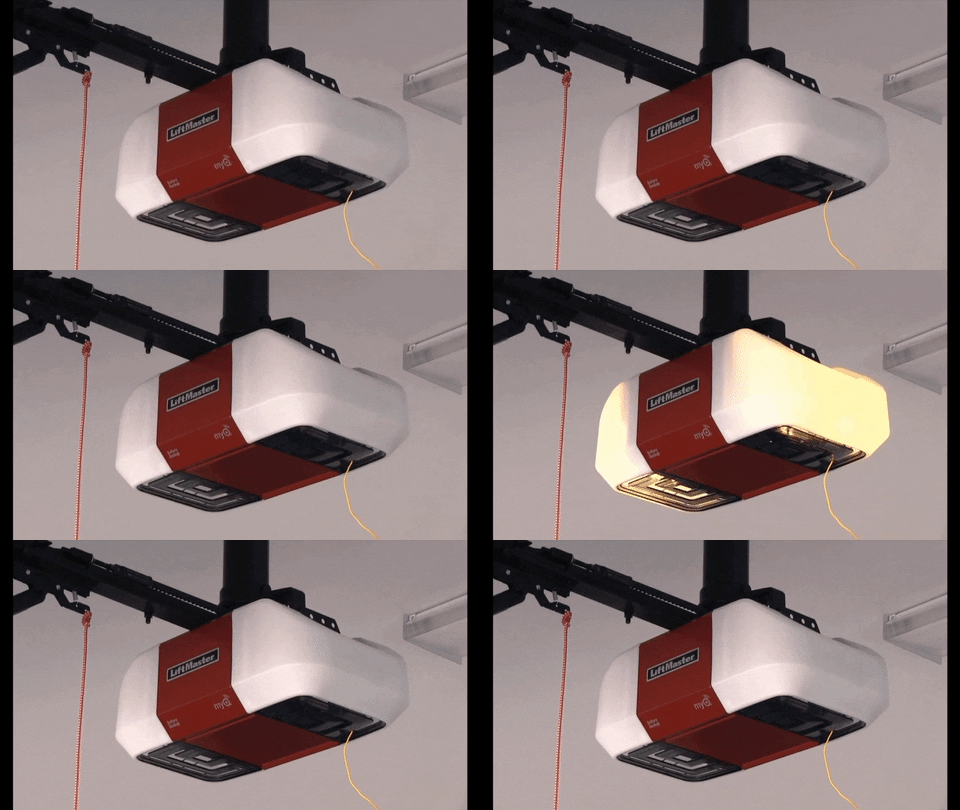
If you own a Chamberlain or LiftMaster garage door opener, you may have seen the small LED light on the unit blink in a pattern. At first, this might seem like a minor detail. But that blinking light is a powerful diagnostic tool. It’s how your opener “talks” to you, telling you about errors, safety problems, or even routine issues. Understanding these signals can save you time, money, and frustration.
Many people ignore the blinking lights, hoping the problem will disappear. But a blinking light is rarely random. It usually points to a specific problem—maybe with the safety sensors, the door’s travel limits, or the logic board. This article explains what those blinking patterns mean, how to fix common issues, and when you should call a professional.
By learning to “read” your garage door opener’s signals, you can avoid unexpected breakdowns and keep your garage secure.
Why Does The Chamberlain Liftmaster Light Blink?
The main reason the LED light blinks on your Chamberlain or LiftMaster opener is to communicate a problem. The system uses error codes, shown as a sequence of flashes, to identify what’s wrong. The light may blink steadily or in a specific pattern, such as two flashes, a pause, then five flashes.
Safety is a top priority for these openers. Many blinking patterns relate to the sensors that prevent the door from closing on objects or people. Other flashes can show motor issues, wiring problems, or even simple battery warnings. Understanding the meaning behind each pattern is the first step to fixing the issue.
Common Blinking Light Patterns And Their Meanings
Let’s break down the most frequent blinking patterns you’ll see on Chamberlain and LiftMaster openers. Each pattern points to a different problem.
1. Steady, Rapid Blinking
If the light blinks rapidly when you try to close the door, but the door won’t move, the most likely cause is a safety sensor problem. The opener detects that the beam between the sensors is blocked or misaligned.
2. 1 Blink, Pause, 1 Blink
A single blink, pause, then another single blink usually means a circuit board or logic board failure. This is a more serious issue that may need a replacement part.
3. 2 Blinks, Pause, 2 Blinks
This pattern often points to a wiring problem between the opener and the wall control panel. Check for loose or damaged wires.
4. 4 Or 5 Blinks
If you see four or five blinks, it’s often a sign of a motor overload or travel module failure. This can happen if the door is too heavy or the opener is working too hard.
5. 10 Blinks
Ten flashes usually mean the safety sensors are blocked or misaligned. This is one of the most common and easily fixed problems.
Here’s a quick summary of common patterns:
| Blink Pattern | Possible Cause |
|---|---|
| Rapid, steady blinking | Safety sensor blocked/misaligned |
| 1 blink – pause – 1 blink | Logic board failure |
| 2 blinks – pause – 2 blinks | Wall control wiring issue |
| 4 or 5 blinks | Motor overload/travel module problem |
| 10 blinks | Sensor alignment/blockage |
How To Interpret Blinking Codes
Every Chamberlain and LiftMaster model may have slightly different codes, but the basics are similar. When you notice the light blinking, count the number of flashes, note any pauses, and observe if the pattern repeats. Write down the exact sequence.
For example:
- 2 blinks, pause, 6 blinks = error code 2-6
- 1 blink, pause, 5 blinks = error code 1-5
This pattern points you to the right troubleshooting step. Check the owner’s manual or look up your model’s error code chart online. Many official manuals are available as PDFs from the manufacturer.
Fixing The Most Common Blinking Light Problems
Once you’ve decoded the blinking pattern, you can start fixing the problem. Here are step-by-step guides for the most frequent issues.
Safety Sensor Problems
Safety sensors are small boxes on either side of your garage door, near the floor. They send an invisible beam across the doorway. If this beam is blocked or misaligned, the opener won’t close the door—and the light blinks to warn you.
How To Fix:
- Check for objects: Make sure nothing is blocking the sensors (toys, leaves, spider webs).
- Clean the lenses: Wipe each sensor with a clean, dry cloth.
- Realign the sensors: Gently adjust each sensor so they face each other. Both LEDs should be solid (not blinking).
- Check the wiring: Look for loose or damaged wires.
- Test the door: Try closing the door again. If the light stops blinking, you’ve fixed the problem.
Pro tip: Sunlight can sometimes “blind” a sensor. Try shading the sensors if the problem only happens during the day.
Logic Board Or Circuit Board Failure
If your opener shows a single blink, pause, then another single blink, the logic board may be failing.
What To Do:
- Reset the opener: Unplug the unit for 30 seconds, then plug it back in.
- Try again: If the problem continues, you may need to replace the logic board.
- Call a professional: Logic board replacement is more complex. If you’re not comfortable, get expert help.
Wall Control Wiring Issues
Two blinks, pause, two blinks—this means a problem with the wiring between the opener and the wall control.
How To Fix:
- Check wall control: Make sure the wires are securely connected.
- Inspect wiring: Look for frayed or broken wires between the opener and the wall switch.
- Replace damaged wire: Use 18-22 gauge bell wire for most models.
Motor Overload Or Travel Module Failure
Four or five blinks can mean the motor is working too hard or the travel module (which tells the opener how far to move the door) has failed.
What To Do:
- Disconnect the door: Pull the emergency release and open/close the door by hand. It should move smoothly.
- Check for obstructions: Make sure the door isn’t hitting anything.
- Lubricate moving parts: Use garage door lubricant on hinges and rollers.
- Test the opener: If the light keeps blinking, you may need a technician to check the motor or travel module.
Other Common Causes
Sometimes, the blinking light points to less obvious issues. For example:
- Battery backup warning: Some models blink when the backup battery is low.
- Remote control problems: If remotes stop working along with a blinking light, try reprogramming them.
Here’s a comparison of typical DIY fixes versus professional repair needs:
| Issue | DIY Solution | When to Call a Pro |
|---|---|---|
| Sensor misalignment | Realign sensors, clean lenses | If problem continues after multiple attempts |
| Logic board failure | Power reset (rarely works) | For replacement and wiring checks |
| Motor overload | Lubricate, clear obstructions | If motor or gears need service |
| Wiring issues | Reconnect or replace wires | If short circuit or persistent errors |
Credit: gdmedics.com
Non-obvious Insights Most People Miss
Most homeowners focus only on the sensors when they see a blinking light. But two less obvious tips can save you time:
- Power surges can cause random errors. After a thunderstorm or outage, try unplugging the opener for a full minute to reset the system. Some error codes clear after this “hard reset.”
- Incorrect travel limits can make the light blink, even if the sensors are fine. Travel limits tell the opener how far to open and close the door. If they’re set wrong (for example, after a power outage or gear replacement), the opener may think the door is blocked. Re-adjusting travel limits, using the instructions in your manual, can fix this.
How To Prevent Blinking Light Problems
Prevention is always better than repair. Regular care and smart habits can keep your Chamberlain or LiftMaster opener running smoothly.
Monthly Maintenance Checklist
- Wipe sensors with a soft cloth
- Test the auto-reverse feature: Place a roll of paper towels in the door’s path and close the door. It should reverse when it touches the roll.
- Lubricate hinges and rollers with garage door lubricant (not WD-40)
- Listen for odd sounds: Grinding or squeaking can point to future problems.
Power Protection
Install a surge protector on your opener’s outlet. Power spikes are a common cause of logic board failure.
Replace Batteries Annually
If your opener has a backup battery, replace it every 1-2 years or when the unit blinks a battery warning.
Keep Manuals Handy
Keep your model’s manual in a safe place, or bookmark the online PDF. Each opener may have unique codes and reset procedures.

Credit: support.chamberlaingroup.com
When To Call A Professional
Some problems require expert help:
- The light blinks, but all DIY fixes fail
- The opener makes grinding or burning smells
- The door moves unevenly or gets stuck
- You see exposed or damaged wiring
Garage door springs and motors are under high tension. If you’re unsure, hire a trained technician. Improper repairs can be dangerous.
Chamberlain Vs. Liftmaster: Are The Blinking Light Codes The Same?
Both brands are made by The Chamberlain Group, so most blinking codes are very similar. However, specific models (especially older ones) may use unique patterns.
Here’s a side-by-side comparison of typical codes:
| Error Code | Chamberlain | LiftMaster |
|---|---|---|
| 10 blinks | Sensor misalignment/blockage | Sensor misalignment/blockage |
| 1-5 | RPM sensor error | RPM sensor error |
| 2-6 | Wall button short | Wall button short |
| 4-4 | Travel module error | Travel module error |
Always check your exact model’s manual for the most accurate codes.
Smart Openers And Blinking Lights
Many new Chamberlain and LiftMaster openers come with Wi-Fi and smartphone control (MyQ technology). These units often have additional lights or app notifications.
If your smart opener’s light blinks, check the app for error messages. The app may give more detail, like “safety sensor blocked” or “battery low. ” This extra information can make troubleshooting easier.
Tip: Firmware updates can sometimes cause temporary blinking lights. If your opener suddenly blinks after an update, check the manufacturer’s website for known issues.
Blinking Lights And Security
A blinking light can sometimes mean a security alert. For example, some models blink when the opener detects too many failed remote control attempts (someone trying to guess your code).
If you see an unfamiliar blinking pattern and nothing else works, change your remote and wall panel codes. This adds an extra layer of safety.
Practical Troubleshooting: A Real-world Example
Let’s walk through a typical scenario:
You try to close your garage door. It moves a few inches, then stops. The opener’s light blinks 10 times, pauses, and repeats.
Diagnosis: 10 blinks = sensor issue.
Steps:
- Check for objects in the doorway—nothing there.
- Both sensors have solid green lights, but one is a little loose.
- Re-align the loose sensor until the light is steady.
- Try the opener again—the door closes.
Result: Problem solved in five minutes. No tools, no cost.
This example shows how reading the blinking code saves you time and avoids unnecessary repairs.
Where To Find Help
If you can’t find your error code or the blinking continues, try these resources:
- Your opener’s manual (often stored above the opener or available online)
- Official Chamberlain and LiftMaster support pages
- Local garage door professionals
- User forums (be careful—always follow official advice first)
For more details, you can visit the official Chamberlain Group Support page.

Credit: www.reddit.com
Frequently Asked Questions
What Does It Mean If The Chamberlain Liftmaster Light Blinks 10 Times?
Ten blinks usually mean a safety sensor problem. Check for objects blocking the sensors, clean the lenses, and realign the sensors if needed.
Can I Fix A Blinking Light Problem Myself?
Yes, most blinking light issues—especially those related to sensors or wiring—are easy DIY fixes. If the problem is with the logic board or motor, it’s best to call a professional.
Why Does My Garage Door Light Stay On But The Door Won’t Close?
If the light stays on and the door doesn’t close, the safety sensors may be blocked or misaligned. Check and realign the sensors, then try again.
What If My Opener Blinks After A Power Outage?
A power outage can confuse the opener’s settings or cause a logic board error. Try unplugging the opener for one minute to reset it. If the problem continues, you may need to reset travel limits or check for surge damage.
Is A Blinking Light A Sign Of A Security Problem?
Usually, a blinking light points to a mechanical or sensor problem, not a security threat. However, some models blink if they detect many failed remote attempts. If you’re concerned, change your remote codes and check for other signs of tampering.
Conclusion
Understanding your Chamberlain LiftMaster’s blinking light puts you in control. Whether you fix it yourself or call for help, you’ll avoid guesswork and keep your garage safe and reliable. Regular maintenance and quick response to blinking codes will extend the life of your opener and give you peace of mind every time you press that button.