
The world of vaping is always changing, with new devices and brands entering the market every year. Among the many options, Kurvana disposable vapes have become quite popular for their ease of use, flavor range, and quality extracts. But what happens when your Kurvana disposable starts blinking? For many users, this blinking light brings confusion, frustration, and concern. Is your vape dead, broken, or just giving a warning? If you’ve found yourself staring at a blinking Kurvana disposable, this article will help you understand why it happens, what you can do about it, and how to get the most from your device.
Let’s break down everything you need to know about Kurvana disposable blinking—from the technical reasons to practical solutions, plus tips for safer and smarter vaping.
What Is A Kurvana Disposable?
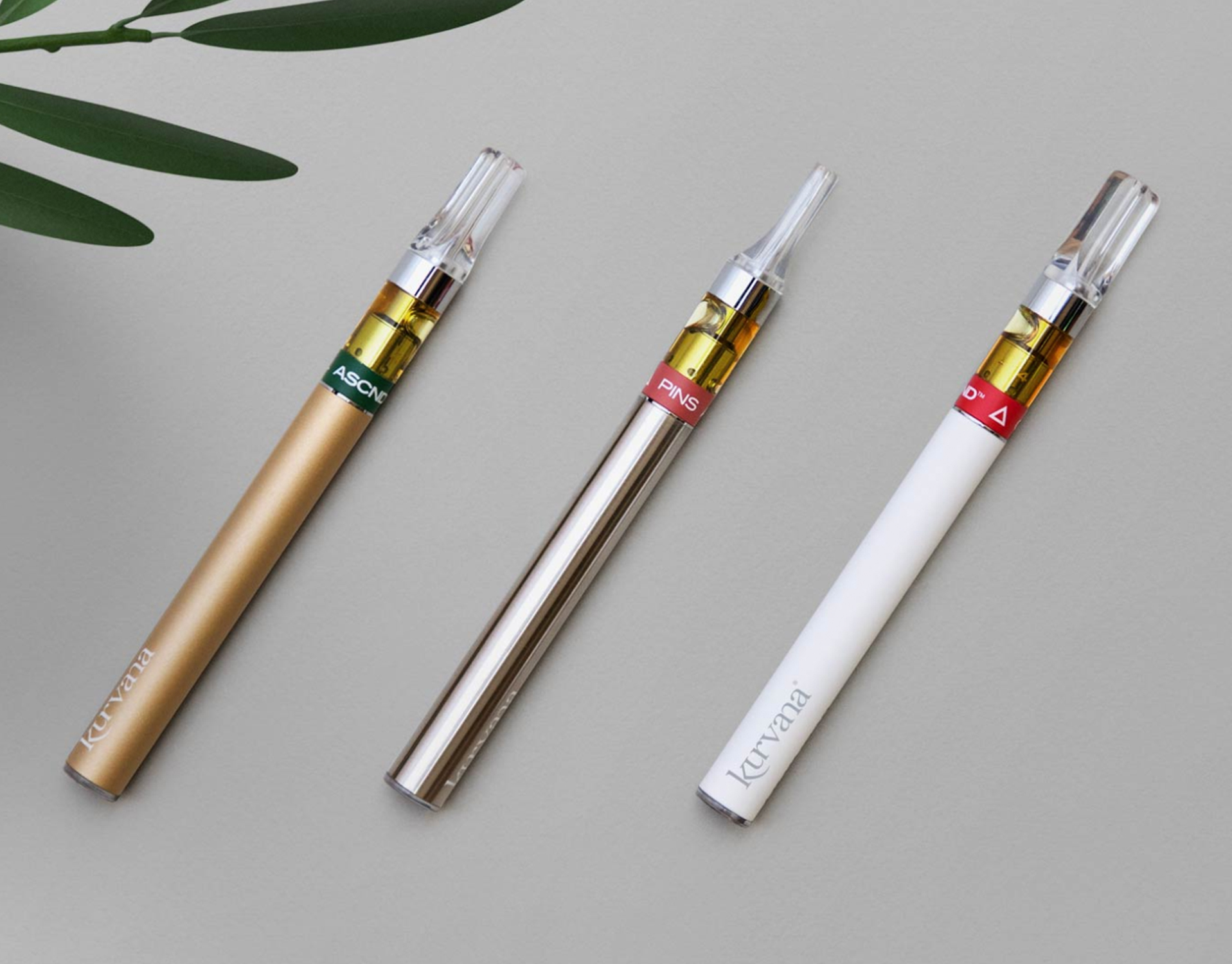
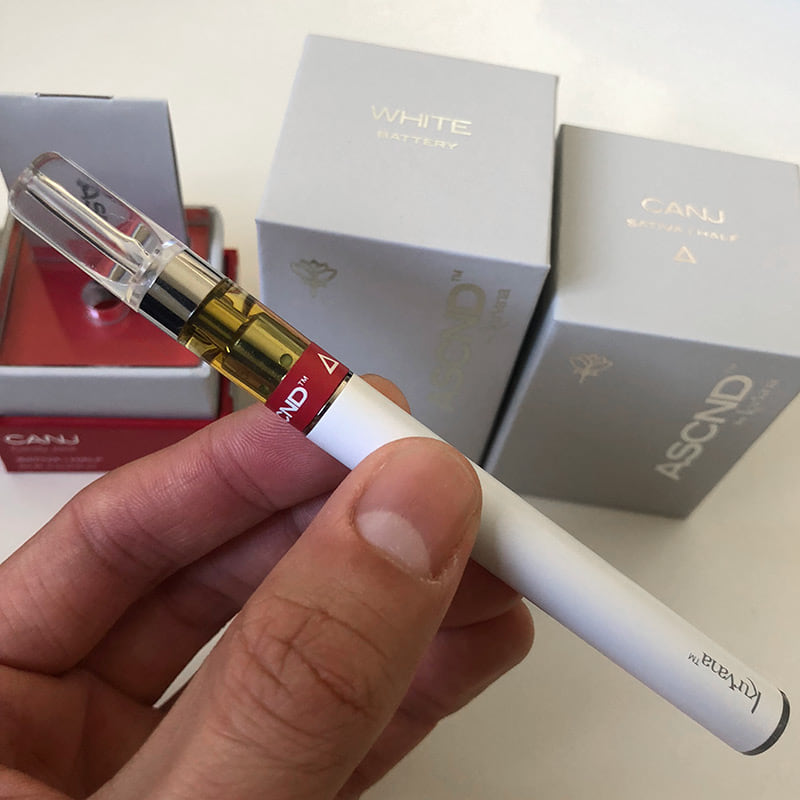
Kurvana is a well-known California-based cannabis brand, established in 2014. They are respected for their premium cannabis oil and a commitment to lab-tested purity. Kurvana’s disposable vapes are “all-in-one” devices, pre-filled and pre-charged, designed for one-time use. You don’t need to charge, refill, or assemble anything. Once the oil is finished or the battery is depleted, you simply dispose of the device.
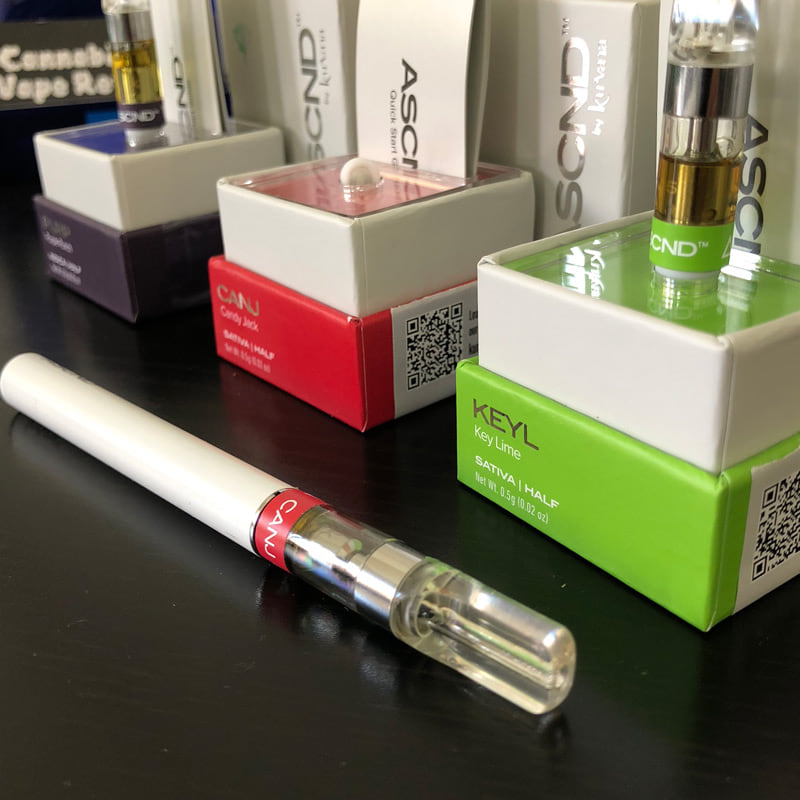
Kurvana’s disposables come in a range of flavors and strains—like ASCND, Carbon21, and Kurvana Originals—and are especially popular for their strong effects and smooth vapor.
Some key features of Kurvana disposables:
- Draw-activated (no buttons to press)
- Pre-filled with 0.5g or 1g of oil
- Ceramic coil for better flavor
- Sleek, discreet design
- Lab-tested for purity and potency
But even the best disposable vapes can sometimes act strangely, especially when the indicator light starts blinking.
Why Does Your Kurvana Disposable Blink?
A blinking light on your Kurvana disposable is the device’s way of communicating a problem or status. Unfortunately, it doesn’t tell you exactly what’s wrong. The blinking can mean different things depending on when and how it happens.
Here are the most common reasons for a Kurvana disposable blinking:
- Low Battery: The most frequent cause. If the battery is running out of power, the device will blink to let you know it’s almost done.
- Empty Oil Cartridge: If you’ve vaped all the oil, the device may blink to signal there’s nothing left to vaporize.
- Short Circuit or Hardware Error: Sometimes, a fault in the internal wiring or coil can trigger the blinking.
- Overheating: If you take too many puffs too quickly, the device may blink as a safety feature to prevent overheating.
- Clogged or Blocked Airflow: Oil buildup or debris can block the airflow, causing the device to malfunction and blink.
- User Error: Drawing too hard or covering air holes can also lead to a blinking light.
Kurvana’s disposables are designed to be simple, but they are still electronic devices. Understanding the likely cause helps you decide what to do next.
How The Kurvana Disposable Blinking Pattern Works
Most Kurvana disposables use a small LED light near the mouthpiece or on the bottom. The blinking pattern can offer clues:
- Rapid blinking (5-10 times): Usually means low battery or end-of-life.
- Slow blinking (2-3 times): Can indicate a clog or temporary error.
- Continuous blinking when inhaling: Often means there’s a hardware issue or the oil is finished.
It’s important to note that Kurvana does not publish a universal blinking code guide for its disposables, so patterns may vary slightly depending on the model and batch.
Troubleshooting: What To Do When Your Kurvana Disposable Is Blinking
If your Kurvana disposable starts blinking, here’s a step-by-step approach to diagnose and possibly fix the problem:
1. Check If The Oil Is Empty
Hold the device up to a light and look at the cartridge window. If you see no oil or just residue on the sides, the device is spent. Most disposables are designed to run out of battery just as the oil finishes, but sometimes one runs out before the other.
2. Try A Gentle Puff
Sometimes, the blinking is due to a clogged mouthpiece or thick oil. Take a gentle, steady puff (not too hard). If the light still blinks, move to the next step.
3. Warm The Device
If the oil is thick due to cold weather, warm the device slightly in your hands for a minute. Do not use a lighter or expose it to direct heat, as this can damage the device or cause a safety hazard.
4. Inspect For Clogs
Carefully check the mouthpiece and airflow holes. If you see oil buildup, try gently cleaning the opening with a dry cotton swab. Never use water or sharp objects.
5. Let It Rest
If you’ve been using the device heavily, it may blink due to overheating. Set it aside for 10-15 minutes, then try again.
6. Try A Few More Puffs
Sometimes, the device resets itself. Take a few gentle draws after a short rest. If it still blinks, the issue is likely the battery or a hardware fault.
7. Don’t Attempt To Recharge
Kurvana disposables are not designed to be recharged. Attempting to open or recharge the device can be dangerous and will void any warranty.
8. Dispose Of The Device Responsibly
If the device is empty or the blinking persists, it’s time to dispose of it. Check local rules for electronic waste disposal. Some dispensaries offer recycling programs for used vape pens.
Credit: grupolabrasa.com
Common Kurvana Disposable Blinking Scenarios
Understanding real-world situations can help you diagnose your own device. Here are some common scenarios:
Scenario 1: Brand New Device Is Blinking
If your new Kurvana disposable blinks right out of the package, it may be defective. Do not attempt to fix it—contact the dispensary or Kurvana support for a replacement. Always check that the security seal was intact before opening.
Scenario 2: Blinking After Heavy Use
You’ve been enjoying your Kurvana disposable for several days. Suddenly, the light blinks with every puff. Most likely, the battery is dead or the oil is finished. If you see oil still inside, it may be a clog or hardware fault.
Scenario 3: Device Blinks In Cold Weather
Vape oil can thicken in cold temperatures, making it hard for the coil to vaporize. Gently warming the device in your hands (not with a heater or flame) can sometimes resolve the issue.
Scenario 4: Blinking With Oil Still Present
If there’s plenty of oil left but the device blinks and won’t hit, the battery may have died before the oil was used up. This sometimes happens with disposables, especially if they’ve been stored for a long time.
Kurvana Disposable Vs. Other Disposable Vapes
How does Kurvana compare to other brands when it comes to blinking issues, battery life, and reliability? Here’s a comparison:
| Brand | Battery Life | Typical Blinking Cause | User Serviceability |
|---|---|---|---|
| Kurvana | ~100-150 puffs | Low battery, empty oil, clog | Not serviceable |
| Stiiizy | ~200 puffs | Low battery, pod not connected | Rechargeable, pod replaceable |
| Pax Era | ~150 puffs | Pod error, low battery | Rechargeable, pod replaceable |
| PlugPlay | ~180 puffs | Low battery | Rechargeable, pod replaceable |
Kurvana’s disposables are designed for simplicity and single use. They are not meant to be refilled or recharged, unlike some other brands. This means less hassle, but also less flexibility if something goes wrong.
How To Maximize Your Kurvana Disposable’s Lifespan
A few smart habits can help you get the most out of your Kurvana disposable and reduce the chances of a blinking error before the oil is finished.
- Store at Room Temperature: Extreme cold or heat can thicken the oil or damage the battery.
- Take Gentle Puffs: Hard pulls can flood the coil or block airflow.
- Avoid Long, Continuous Draws: Short, regular puffs help the device run cooler and smoother.
- Keep the Mouthpiece Clean: Wipe with a dry tissue if you notice buildup.
- Don’t Share With Multiple People: Sharing can introduce moisture or debris into the mouthpiece, causing clogs.
- Use Within a Few Months: Batteries in disposables slowly lose charge over time, even if unused.
Non-obvious tip: Many users don’t realize that storing a disposable upright (mouthpiece up) helps the oil settle near the coil, reducing dry hits and clogging.
Is Your Kurvana Disposable Fake? How To Check
Fake or counterfeit vapes are a growing problem in the cannabis industry. Sometimes, a blinking disposable is not a manufacturing error, but a sign you’ve purchased a fake product. Fakes can be dangerous—they may contain untested oil, low-quality hardware, or even harmful chemicals.
Signs your Kurvana disposable might be fake:
- No security seal or batch code on the package
- Oil is unusually thin, watery, or discolored
- The device blinks or fails immediately
- The flavor or effect is much weaker or harsher than expected
- Price is suspiciously low
Kurvana uses unique batch codes and security seals on all official products. You can verify your product on Kurvana’s official website using the code on your package.
Non-obvious tip: Some counterfeits use old, recycled batteries, which can cause blinking and failure even if the oil is genuine.
Credit: grupolabrasa.com
Kurvana Disposable Blinking: Safety And Health
A blinking disposable is annoying, but is it dangerous? In most cases, the blinking is a safety feature—to protect the user from overheating, short circuits, or battery failure.
If your Kurvana disposable feels hot, smells burnt, or leaks oil, stop using it immediately and dispose of it safely. Never attempt to open, recharge, or modify a disposable vape. Damaged lithium batteries can be a fire hazard.
If you have any concerns about the device or your health, contact Kurvana customer support or consult with your budtender.
Environmental Impact And Responsible Disposal
Disposable vapes are convenient, but they contribute to electronic waste. Each Kurvana disposable contains a battery, coil, and plastic/metal casing. Throwing them in regular trash is not recommended.
How To Dispose Of Kurvana Disposables Properly
- Check local laws: Some states have e-waste rules or collection points for vape devices.
- Ask your dispensary: Many offer take-back or recycling programs.
- Never burn or crush: Batteries can explode if not handled properly.
- Store safely until disposal: Keep used devices away from children and pets.
For more information on vape recycling, visit the EPA’s official guidance.
Kurvana Disposable Blinking: User Experiences
Real users often provide insight beyond the instruction manual. Here are a few anecdotes and patterns from Kurvana disposable users:
- “Mine started blinking after just a few puffs—turns out the oil had leaked inside and blocked the contacts.”
- “I left my disposable in the car overnight in winter. Next day, it blinked with every puff. After warming it up indoors, it worked again.”
- “Sometimes, if you take a long, slow puff, the light blinks but you still get vapor. I switched to shorter puffs, and it stopped blinking.”
- “I bought a Kurvana and it never worked. The dispensary exchanged it with no hassle—always buy from licensed shops.”
These stories show the importance of proper storage, gentle use, and buying from trusted sources.
Kurvana Disposable Blinking: Quick Reference Table
Here’s a fast reference for common blinking causes and solutions:
| Blinking Pattern | Likely Cause | What to Do |
|---|---|---|
| Rapid blinking (5-10 times) | Low battery or empty oil | Dispose and replace |
| Slow blinking (2-3 times) | Clog or temporary error | Warm device, check for clogs |
| Blinks only when drawing | Overheating or hardware fault | Let rest, then try again |
| Blinks with new device | Defective or fake product | Return or exchange |
Credit: grupolabrasa.com
Kurvana’s Official Support: When And How To Contact
If you’ve tried all troubleshooting steps and your Kurvana disposable still blinks or doesn’t work, reach out to Kurvana’s customer support. You’ll need the product batch number, purchase receipt, and details about the issue.
Kurvana typically offers exchanges or refunds for defective products purchased from licensed retailers. They do not support products bought from unlicensed sources or after-market sellers.
Kurvana Disposable Blinking: Myths And Misunderstandings
There are several myths about blinking disposable vapes. Let’s clear up a few:
- Myth: “Blinking means you can recharge the device.”
Fact: Kurvana disposables are not designed to be recharged. Attempting to do so is unsafe.
- Myth: “If you shake the device, it will stop blinking.”
Fact: Shaking won’t fix hardware or battery issues.
- Myth: “Blinking always means the device is empty.”
Fact: Sometimes, there’s oil left but the battery is dead or there’s a clog.
- Myth: “You can fix a blinking disposable by poking the mouthpiece.”
Fact: This often causes more damage and can push debris into the vapor path.
Understanding these facts will save you time, money, and frustration.
Frequently Asked Questions
Why Does My Kurvana Disposable Vape Blink 5 Times?
A Kurvana disposable blinking 5 times usually means the battery is dead or the oil is finished. This is a standard signal on most disposables. If your device is new and blinks like this, it may be defective. If it’s near the end of its life, it’s time to replace it.
Can I Recharge My Kurvana Disposable If It Starts Blinking?
No, Kurvana disposables are not rechargeable. Attempting to open or recharge the device can be dangerous and will void any warranty. If your vape is blinking due to low battery, dispose of it responsibly.
Is It Safe To Use A Kurvana Disposable That Keeps Blinking?
If the device is blinking but still produces vapor, check for overheating or a clog. If it feels hot, smells burnt, or leaks, stop using it immediately. Most blinking is a safety feature to protect you from device failure.
What Should I Do If My New Kurvana Disposable Blinks Right Out Of The Box?
If your new device blinks and won’t work, return it to the dispensary with your receipt. This is often a sign of a defective or counterfeit product. Only buy from licensed retailers to avoid this problem.
How Can I Tell If My Kurvana Disposable Is Fake?
Check for a security seal, batch code, and consistent branding. Verify your product on Kurvana’s official website. Avoid buying from unlicensed sellers or online marketplaces where fakes are common.
Kurvana disposables are designed for simplicity and quality, but like any technology, they aren’t perfect. Understanding the reasons for Kurvana disposable blinking can help you troubleshoot, stay safe, and enjoy your vape experience to the fullest. If in doubt, reach out to Kurvana or your dispensary for help—your health and peace of mind are worth it.