
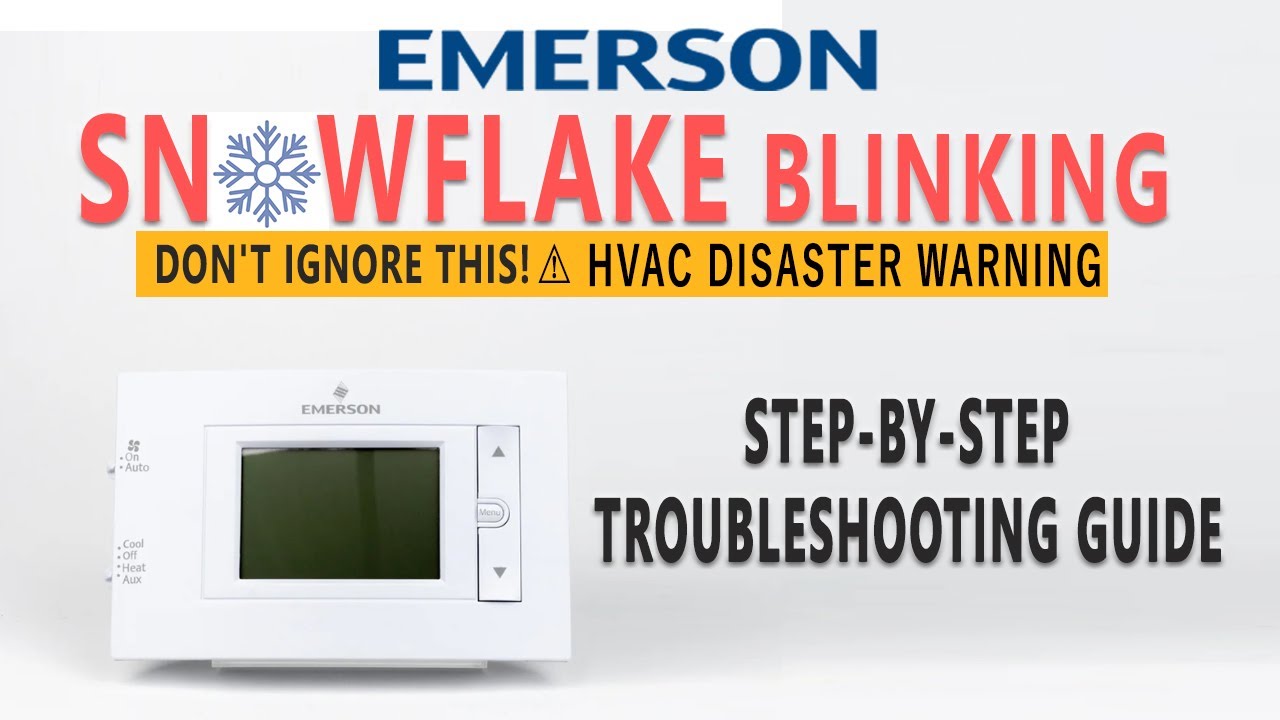
When your Emerson thermostat shows a blinking snowflake symbol, it often leaves you confused and maybe even worried. Is your cooling system broken? Is your home at risk? If you’ve never seen this before, you might not know what the blinking snowflake means—or what you should do about it.
This article explains everything about the Emerson thermostat blinking snowflake symbol. You’ll learn why it appears, what to do if your cooling system isn’t working, and how to solve common problems. We’ll break down the technical details in simple words, so you can understand and fix the issue without calling a professional every time.
What Does The Blinking Snowflake Mean?
The snowflake icon on Emerson thermostats relates to cooling. If the snowflake is blinking, your thermostat is telling you something about the cooling system. But what exactly? Let’s clear up the confusion.
The blinking snowflake is usually a sign of the delay mode—sometimes called “cool delay” or “compressor protection.” When you switch from heating to cooling, or after the system turns off, the thermostat waits before restarting the compressor. This delay protects the compressor from damage.
Why does this delay matter? Compressors push refrigerant through your air conditioner. If they restart too quickly, pressure can build up and cause damage. Manufacturers add a delay, usually between 3 and 5 minutes, to prevent costly repairs.
Typical Delay Time
Most Emerson thermostats set a delay of 3–5 minutes. During this time, the snowflake blinks, and the cooling system does not turn on. After the delay, the snowflake stops blinking, and the AC starts. If the snowflake keeps blinking for longer than 5 minutes, something might be wrong.
Other Causes
While delay mode is most common, a blinking snowflake can also mean:
- The thermostat is waiting for the cooling system to respond.
- There’s a wiring issue or power loss.
- The system has detected a problem, such as a locked compressor or a safety shutdown.
Non-obvious insight: Many beginners think the blinking snowflake means the system is “broken.” In reality, it’s often a normal safety feature. Only if the blinking continues for a long time should you worry.
How Emerson Thermostats Control Cooling
To understand the blinking snowflake, it helps to know how your Emerson thermostat works. Emerson makes several models, including Sensi, 1F97, and Universal series. Their thermostats use advanced logic to protect your cooling equipment and keep your home comfortable.
Cooling Sequence
When you set your thermostat to cool:
- The thermostat checks the room temperature.
- If the room is warmer than your set point, it signals the air conditioner to start.
- If the compressor just turned off, the thermostat triggers a delay.
- The snowflake blinks during the delay.
- After the delay, the AC starts cooling.
Compressor Protection Logic
Emerson thermostats include compressor protection in their programming. This is important because:
- If the compressor restarts too quickly, it can overheat.
- Short cycling (frequent starts and stops) can reduce the life of your AC.
Another non-obvious insight: Some thermostats allow you to adjust the delay time in the settings. If you find the delay annoying, check your manual for options.
Common Reasons For The Blinking Snowflake
The blinking snowflake is usually harmless, but sometimes it signals a bigger problem. Here are the most frequent causes:
- Normal delay mode: The most common reason. Wait 3–5 minutes, and the system should start.
- Power loss: If your thermostat lost power, it may reset and enter delay mode again.
- Wiring issues: Loose or disconnected wires can prevent proper operation.
- System lockout: If the compressor overheated or failed, the system may lock out for safety.
- Incorrect settings: Sometimes, settings like “cooling lockout” or “minimum run time” can cause longer delays.
When To Worry
If the snowflake blinks for more than 10–15 minutes, or if your AC never turns on, it’s time to investigate. Usually, the delay is short. Long delays suggest a technical problem.
Troubleshooting Steps
If your Emerson thermostat shows a blinking snowflake and the AC doesn’t start, follow these steps:
1. Wait For The Delay To Finish
Patience is important. Wait at least 5 minutes. In most cases, the AC will start after the delay.
2. Check Power To Thermostat And Ac
Is your thermostat screen on? If not, check circuit breakers or replace batteries. If your AC unit outside isn’t running, check its power as well.
3. Review Thermostat Settings
Make sure:
- The thermostat is set to “Cool.”
- The temperature is lower than the current room temperature.
- No schedules or programs are preventing cooling.
4. Inspect Wiring Connections
Turn off power and check thermostat wires. Look for loose or disconnected wires. Reattach as needed.
5. Test The Cooling System
Switch the thermostat to “Cool” and set the lowest temperature. If the AC doesn’t start after the delay, there may be a system issue.
6. Reset The Thermostat
Some Emerson models have a reset button or allow you to power-cycle the unit. Try resetting and see if the problem resolves.
7. Call A Professional
If you’ve tried these steps and the snowflake keeps blinking, contact a certified HVAC technician.
Practical tip: Emerson customer support can help diagnose issues. Have your model number ready when you call.
Emerson Thermostat Models And Their Features
Emerson makes several thermostat types, each with unique features. Some models show the blinking snowflake in different ways.
Sensi Smart Thermostat
- Wi-Fi enabled
- Mobile app control
- Blinking snowflake for delay mode
1f97 Series
- Touchscreen interface
- Customizable delay time
- Clear snowflake icon
Universal Series
- Manual and programmable options
- Blinking snowflake for compressor protection
Here’s a quick comparison of popular Emerson thermostats:
| Model | Display Type | Wi-Fi | Delay Settings | Snowflake Indicator |
|---|---|---|---|---|
| Sensi Smart | Digital | Yes | Auto/Custom | Blinks during delay |
| 1F97 Series | Touchscreen | No | Customizable | Blinks during delay |
| Universal | Digital/Manual | No | Fixed | Blinks during delay |
Pro tip: If you’re shopping for a new thermostat, choose one with customizable delay settings to better suit your needs.
How To Change Delay Settings
Many Emerson thermostats let you adjust the compressor delay time. Here’s how you can do it:
- Access the menu on your thermostat.
- Find “Settings” or “Installer Setup.”
- Look for options like “Compressor Delay” or “Minimum Off Time.”
- Set the delay between 3–5 minutes.
Not all models allow adjustment. If yours doesn’t, you must accept the default delay.
Common mistake: Changing the delay to zero can harm your compressor. Always keep at least a 3-minute delay.
Other Symbols And What They Mean
Your Emerson thermostat uses more than just the snowflake symbol. Understanding other icons can help you catch problems early.
Common Icons
- Flame: Heating is active
- Snowflake: Cooling is active or pending
- Fan: Fan is running
- Exclamation mark: System error
Icon Comparison
Here’s a quick reference for Emerson thermostat icons:
| Icon | Meaning | Action Needed |
|---|---|---|
| Snowflake (Blinking) | Delay mode | Wait, check settings |
| Flame | Heating active | None |
| Fan | Fan running | None |
| Exclamation Mark | System error | Check manual, call support |
Insight: Many users ignore error icons. Always check your manual if an unknown symbol appears.
Energy Efficiency And Delay Mode
The delay mode isn’t just for protection—it also helps your cooling system run efficiently. Short cycling wastes energy and increases your electricity bill.
Why Delay Mode Matters
- Reduces compressor wear
- Prevents short cycling
- Saves energy and money
Statistic: According to the U.S. Department of Energy, preventing short cycling can cut cooling costs by up to 15%.
Credit: www.youtube.com
When To Replace Your Thermostat
If your thermostat frequently shows a blinking snowflake and your cooling system never starts, the thermostat itself might be faulty. Here are signs you should consider a replacement:
- The snowflake blinks constantly, even with correct settings.
- The thermostat does not respond to changes.
- Screen is blank or flickering.
- System won’t turn on after troubleshooting.
Choosing A New Thermostat
Look for:
- Reliable compressor protection
- Clear icons and display
- Wi-Fi and smart features, if desired
- Easy setup
Data point: Emerson thermostats have an average lifespan of 7–10 years. If yours is older, upgrading can improve comfort and efficiency.
Professional Help Vs. Diy
Many blinking snowflake problems can be solved at home. But when should you call an expert?
Diy Solutions
- Reset thermostat
- Check settings and wiring
- Wait for delay to finish
Professional Solutions
- Diagnosing compressor or AC unit failures
- Fixing wiring in walls
- Replacing thermostat
Real-life example: A homeowner in Texas noticed her Emerson thermostat blinking for 20 minutes. After checking settings and wiring, she found a loose wire. Fixing the wire solved the problem—and saved a service call.

Credit: www.reddit.com
Preventive Maintenance Tips
Preventing problems before they start is always easier. Here’s how to keep your Emerson thermostat and AC running smoothly:
- Change thermostat batteries every year.
- Inspect thermostat wiring during seasonal AC checks.
- Clean dust from the thermostat screen and buttons.
- Schedule annual AC maintenance.
- Update thermostat firmware if using a smart model.
Maintenance Comparison
Here’s how regular maintenance compares to neglect:
| Maintenance Type | AC Lifespan | Energy Cost | Common Issues |
|---|---|---|---|
| Regular Maintenance | 10–15 years | Lower | Few delays, fewer errors |
| No Maintenance | 5–8 years | Higher | Frequent delays, errors |
Tip: Include thermostat checks in your HVAC maintenance routine.
How To Read Your Emerson Thermostat Manual
Your thermostat manual is your best tool. But many users skip it or find it hard to understand. Here’s how to use the manual effectively:
- Find the section on icons and symbols.
- Look up “snowflake” or “delay mode.”
- Follow troubleshooting steps outlined.
- Use diagrams to check wiring.
If you lost your manual, download a PDF from Emerson’s official website or use their customer support.
Real-world Mistakes Beginners Make
Beginners often:
- Panic when they see the blinking snowflake.
- Change settings repeatedly, causing longer delays.
- Ignore wiring issues.
- Forget to check AC unit power.
- Skip reading the manual.
Advice: Stay calm, follow steps, and don’t make hasty changes.
Useful Resources And Support
For more information, Emerson offers official guides and customer support. You can also find helpful advice from reputable sources like U.S. Department of Energy.
Frequently Asked Questions
Why Does My Emerson Thermostat Snowflake Keep Blinking?
The blinking snowflake means the thermostat is in delay mode to protect the compressor. If it keeps blinking for more than 5–10 minutes, there may be a wiring or system issue.
Can I Turn Off The Delay Mode On My Emerson Thermostat?
Most Emerson thermostats do not allow you to turn off the delay mode completely. You may be able to adjust the delay time in the settings, but a minimum delay is necessary for compressor safety.
What Should I Do If The Ac Never Starts After The Snowflake Blinks?
Check thermostat settings, wiring, and power. If the AC still won’t start, reset the thermostat. If the problem continues, call an HVAC technician.
Is The Blinking Snowflake A Sign Of A Broken Thermostat?
Not usually. It’s a normal safety feature. Only if it blinks constantly and your system never turns on is it likely a sign of a broken thermostat or AC unit.
How Often Should I Check My Thermostat For Issues?
Check your thermostat every season—before cooling and heating. Inspect batteries, wiring, and settings. Include the thermostat in your annual HVAC maintenance.
Final Thoughts
A blinking snowflake on your Emerson thermostat is usually nothing to worry about. It’s a sign of compressor protection, keeping your cooling system safe and efficient. Most problems can be solved by waiting or checking simple settings. If the blinking lasts too long, follow troubleshooting steps or call a professional. By understanding the snowflake symbol, you can keep your home cool, your AC running longer, and avoid costly mistakes.

Credit: www.reddit.com