
Vaping devices are everywhere these days. They are simple, portable, and easy to use. Among them, the Caliburn series has become a favorite for many people, especially beginners. But sometimes, users face a problem: their Caliburn starts blinking blue. If you’ve seen this, you probably wondered why it happens and what you should do. This article explains everything about the Caliburn blinking blue light—what causes it, how to fix it, and how to prevent it in the future. By the end, you’ll know how to handle this issue confidently, whether you’re new to vaping or have some experience.
Understanding The Caliburn Device
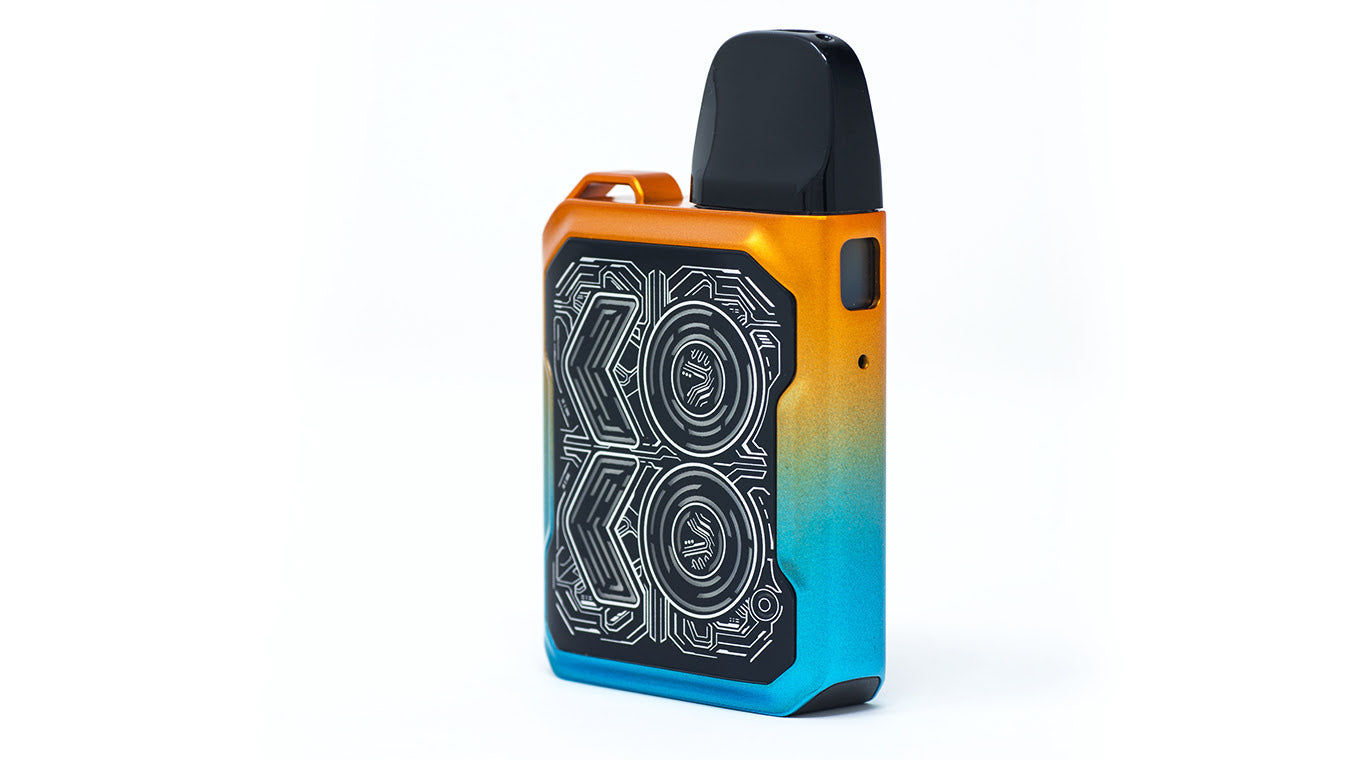
Before we dive into the blinking blue light, let’s look at what the Caliburn device is and how it works. The Caliburn is a pod-style vape made by Uwell. It’s known for its slim shape, easy operation, and good flavor. You can use it with nicotine salt e-liquids or regular vape juices.
Main Features
- Pod system: You fill the pod with e-liquid and snap it into the device.
- Draw-activated and button-activated: You can vape by pressing the button or just inhaling.
- LED indicator: The small light on the device shows battery level, charging status, and errors.
- Rechargeable battery: Usually 520mAh to 750mAh, depending on the model.
Why People Like Caliburn
- Easy to use—no complex settings.
- Good for beginners and experienced vapers.
- Portable and lightweight.
Understanding these basics helps you see why the LED light is so important—it’s not just a decoration. The LED tells you what’s happening inside your device.
What Does The Blue Blinking Light Mean?
When your Caliburn blinks blue, it’s giving you information. But the meaning can change, depending on how it blinks and when.
Common Reasons For Blue Blinking
1. Battery Level Warning
A blinking blue light often means the battery is at a medium level. Caliburn uses three colors:
- Green: High battery
- Blue: Medium battery
- Red: Low battery
But usually, the blue light is solid (not blinking) when the battery is medium. If it blinks, it can mean something else.
2. Pod Connection Error
If the blue light blinks several times, the device might not detect the pod properly. This happens if the pod is loose, dirty, or damaged.
3. Short Circuit Or Malfunction
Sometimes, the blinking blue light warns about a short circuit or other internal problem. For example, if you try to vape and nothing happens except blinking, the device is protecting itself.
4. Vaping Time Limit
Caliburn devices have a safety feature: if you hold the button or inhale for too long (usually over 8–10 seconds), the blue light blinks to tell you to stop.
How Many Times Does It Blink?
The number of blinks matters. For example:
- 3 blinks: Often means pod connection error.
- 5 blinks: Could be a short circuit warning.
- Continuous blinking: Usually battery or charging issue.
Each model (Caliburn, Caliburn G, Caliburn A2, etc. ) May use different blink patterns, so check your device manual for exact codes.
Troubleshooting: Fixing The Blinking Blue Light
If your Caliburn blinks blue, don’t panic. Most problems are easy to fix. Here’s a step-by-step guide to solving the issue.
Step 1: Check The Pod Connection
Remove the pod and inspect it. Look for:
- E-liquid leaks
- Dirt or residue on the contacts
- Bent or damaged connectors
Clean the contacts gently with a dry tissue or cotton swab. If the pod looks damaged, try a new one. Re-insert the pod firmly.
Step 2: Recharge Your Device
Sometimes, a blinking blue light signals battery issues. Plug your Caliburn into a charger and wait at least 30 minutes. If the light changes to green, your battery was low.
Step 3: Inspect For Short Circuits
Look inside the device. If you see e-liquid pooling in the battery area, clean it. If the device still blinks after cleaning and charging, it might have a short circuit. Don’t use the device if you suspect this—seek help from a vape shop or contact Uwell support.
Step 4: Watch Your Vaping Habits
If the blue light blinks after long inhales, try shorter puffs. The safety timer is there to protect you and the device.
Step 5: Test With A New Pod
Sometimes, the pod itself is faulty. Try a new pod. If the blinking stops, the problem was the pod.
Step 6: Reset The Device
Some Caliburn models let you reset the device. Usually, this means clicking the button five times quickly. Check your manual for the correct reset method.
Step 7: Contact Support
If none of these steps work, contact Uwell or your seller. Your device may need professional repair or replacement.
Comparing Caliburn Models: Blinking Blue Light Patterns
Different Caliburn models use the blinking blue light in slightly different ways. Here’s a quick comparison:
| Model | Blinking Pattern | Main Cause | Action |
|---|---|---|---|
| Caliburn Original | 3 blinks | Pod error | Clean/replace pod |
| Caliburn G | 5 blinks | Short circuit | Clean device |
| Caliburn A2 | Continuous blinking | Charging issue | Recharge/reset |
| Caliburn X | Varies | Pod or battery | Check pod/battery |
Always check your model’s manual for the exact meaning of the blue blinking light. Uwell sometimes updates these patterns with new releases.
Credit: uvapeshop.com
Common Mistakes That Cause Blinking Blue
Many users make simple mistakes that trigger the blue blinking light. Knowing these can help you avoid problems.
- Using the wrong pod: Each Caliburn model has its own pod type. Mixing pods can cause connection errors.
- Not cleaning contacts: E-liquid and dust build up quickly. Clean your device regularly.
- Overcharging: Leaving the device plugged in for days can damage the battery and cause blinking lights.
- Vaping with low e-liquid: Dry hits damage the coil and can cause errors. Always refill before the pod is empty.
- Ignoring warning signs: Blinking lights are there for a reason. Don’t keep vaping if your device signals an error.
Real-life Examples
Let’s see how people have solved the blinking blue light problem in the real world.
Example 1: Loose Pod
Jake noticed his Caliburn blinking blue three times when he tried to vape. He removed the pod and saw some liquid on the contacts. After cleaning and reinserting, the blinking stopped. He learned to check the pod every few days.
Example 2: Battery Issue
Maria’s device started blinking blue continuously while charging. She tried a new cable and adapter, and the problem went away. The issue was a faulty charger, not the device itself.
Example 3: Short Circuit
Sam’s Caliburn G blinked blue five times every time he pressed the button. After opening the device, he saw liquid inside. He dried it carefully and waited overnight. The blinking stopped, and his device worked again.
These examples show that most issues are simple to fix with basic troubleshooting.
Credit: aiducia.com
Preventing The Blinking Blue Light
You can avoid most blinking blue light problems with good habits. Here are practical tips:
- Clean contacts regularly: Use a tissue or cotton swab to wipe the pod and device connectors.
- Use the right pod: Check your device model and buy the correct pods.
- Don’t overcharge: Unplug your device once it’s fully charged.
- Refill before empty: Keep your pod at least half full to avoid dry hits.
- Store device safely: Keep your Caliburn away from water, dust, and heat.
- Check for firmware updates: Some models support updates. New firmware may fix blinking errors.
- Buy from trusted sellers: Cheap copies and fake pods cause many problems. Always buy genuine products.
These tips will help your Caliburn work well and keep the blue blinking light away.
Data: How Often Does The Blinking Blue Light Happen?
Vaping forums and surveys show the blinking blue light is a common issue. Let’s look at the numbers.
| Model | Users Reporting Blue Blink (%) | Most Common Cause |
|---|---|---|
| Caliburn Original | 32% | Pod connection |
| Caliburn G | 27% | Short circuit |
| Caliburn A2 | 24% | Battery issues |
| Caliburn X | 15% | Mixed causes |
Most users solve the problem quickly. Only about 5% need professional repair.

Credit: sasamladenovic.com
Pros And Cons Of Caliburn’s Led Warning System
The blinking blue light is both helpful and annoying. Here’s a look at the strengths and weaknesses:
Pros
- Quick feedback: You know when something’s wrong.
- Protects device: Stops you from vaping with errors.
- Easy to see: The LED is bright and clear.
Cons
- Can be confusing: Different models use different patterns.
- Hard for beginners: Not everyone understands the codes.
- Sometimes too sensitive: Small issues trigger blinking.
Overall, the LED system is good for safety, but it could be clearer. Uwell’s manuals help, but many users ignore them.
When To Replace Your Caliburn
Sometimes, fixing isn’t enough. If your device keeps blinking blue, it might be time for a new one.
Signs You Need A Replacement
- Device blinks blue even after cleaning and resetting
- Battery won’t hold a charge
- Pod leaks often
- Physical damage (cracks, bent connectors)
A well-maintained Caliburn lasts 6–12 months with regular use. After that, performance drops.
Upgrading To A New Model
Newer Caliburn models have better batteries, more stable pods, and clearer LED codes. If you upgrade, choose a trusted seller and check for genuine products.
Expert Tips: Getting The Most From Your Caliburn
As someone who’s tested many vape devices, here are some deeper tips:
- Try different e-liquids: Some liquids are thicker and can cause pod errors. Use liquids recommended by Uwell.
- Check for condensation: In humid climates, water can build up inside the device. Dry it regularly.
- Avoid using while charging: It’s tempting, but vaping during charging stresses the battery and can trigger blinking lights.
- Learn the blink codes: Each model’s manual explains the LED patterns. Study it for fast troubleshooting.
- Don’t ignore small leaks: Even tiny leaks can trigger errors. Clean immediately.
Many beginners miss these points. Following them gives your device a longer life and fewer blinking blue problems.
Comparing Caliburn To Other Pod Devices
How does Caliburn’s blinking blue light system compare to other brands? Here’s a quick look:
| Brand | LED Warning | Ease of Troubleshooting | Common Issues |
|---|---|---|---|
| Uwell Caliburn | Blue, green, red | Medium | Pod connection |
| SMOK Nord | Red, white | Easy | Battery errors |
| Vaporesso XROS | Green, red | Medium | Charging issues |
| GeekVape Wenax | Blue, green, red | Hard | Coil errors |
Caliburn’s system is clear but could be improved. Other brands use simpler blink codes, but sometimes give less information.
Official Resources And Manuals
If you need more details, always check the official manual. Uwell’s site offers downloadable guides for each model. You can also find troubleshooting videos and FAQs. For trusted information on vape devices, visit Wikipedia.
Frequently Asked Questions
What Should I Do If My Caliburn Blinks Blue While Charging?
First, unplug the device and try a different charger or cable. If it still blinks, check for liquid or dirt on the charging port. Clean it and try again. If the problem continues, the battery may be faulty.
How Do I Know If It’s A Pod Problem Or A Battery Problem?
If the blue light blinks when you try to vape, it’s likely a pod issue. If it blinks during charging or without the pod inserted, it’s usually a battery problem.
Can I Fix A Short Circuit Myself?
You can clean the device and remove liquid, but don’t open the battery or main circuit. If the problem stays, get help from a vape shop or contact Uwell support.
Is Blinking Blue Dangerous?
No, it’s not dangerous. The blinking blue light is a warning. It’s there to protect you and the device. But don’t ignore it—fix the problem before vaping again.
How Often Should I Clean My Caliburn?
Clean the pod contacts every week and check for leaks daily. If you vape often or use thick liquids, clean more frequently.
Taking care of your Caliburn makes vaping safer and stops blinking blue problems before they start.
Final Thoughts
The Caliburn blinking blue light is a common issue, but it’s rarely serious. Most problems are easy to fix: clean the pod, check the battery, and use the right charger. Knowing what the blinking blue means and how to troubleshoot saves time and keeps your device working well. Remember, every model has its own blink codes, so check your manual if you’re unsure. Good habits—regular cleaning, using genuine pods, and careful charging—make all the difference. If you ever face a stubborn problem, don’t hesitate to ask for expert help. With the information here, you can handle the blinking blue light like a pro and enjoy a smooth vaping experience.