
Many people rely on rechargeable batteries for cameras, game controllers, toys, and more. The Energizer charger is a popular tool to keep these batteries ready to use. But sometimes, it shows a blinking green light, and users wonder—what does this mean? Is it charging? Is something wrong? Understanding this signal can save you time, money, and frustration.
This guide explains why your Energizer charger blinks green, what you should do, and how to make the best use of your charger. You’ll also learn about charger models, troubleshooting, safety, and common mistakes to avoid. Whether you’re new to battery chargers or you use them often, this article will help you use your Energizer charger with confidence.
What Does A Blinking Green Light Mean On Energizer Chargers?
The blinking green light is one of the most common signals you’ll see on an Energizer charger. However, not all chargers use the same signals. The meaning of a blinking green light depends on the specific model you have. Let’s look at the most common meanings:
- Charging in Progress: For many Energizer chargers, a blinking green light means the batteries are charging. The light will stop blinking and turn solid green when charging is complete.
- Bad or Non-Rechargeable Battery Detected: Some models blink green or red to show there’s a problem, such as a battery that can’t be charged safely.
- Battery Error or Fault: A rapid blinking green light may mean a battery is inserted incorrectly, damaged, or not making proper contact.
It’s important to check your charger’s manual for the exact meaning, as older and newer models sometimes use different codes. If you lost the manual, you can usually find a digital version on the Energizer website.
How Do Energizer Chargers Show Status?
Energizer uses LED indicators for most of its chargers. These small lights can be green, red, yellow, or orange, and sometimes they blink or stay solid. Here’s a quick comparison of common charger signals:
| Light Color | Blinking/Solid | Typical Meaning |
|---|---|---|
| Green | Blinking | Charging in progress or error (model-dependent) |
| Green | Solid | Charging complete |
| Red | Blinking | Problem with battery or charger |
| Red | Solid | Charging (some models) |
| Orange/Yellow | Blinking | Testing battery (rare models) |
Not all models use every color or pattern. Always check your specific charger’s guide.
How To Identify Your Energizer Charger Model
Knowing your charger model helps you understand what the blinking green light means. Here’s how to find your model:
- Look on the bottom or back of the charger for a label.
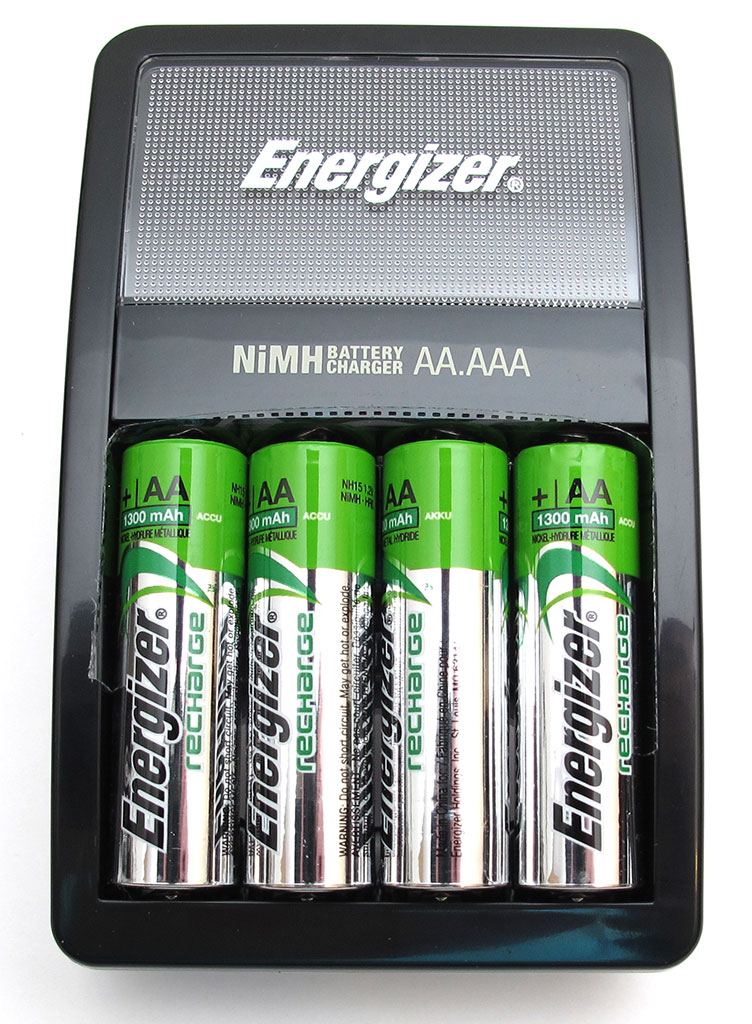
- Common models include Energizer Recharge Pro, Energizer Recharge Universal, and Energizer Base Charger.
- The model number might look like CH2PC, CHPRO, CHVC, or CH15MN.
If you can’t find the model, compare your charger’s size, shape, and light layout to pictures on the official Energizer website.
Common Reasons For A Blinking Green Light
If your Energizer charger is blinking green, here are the most likely reasons:
1. Charging Has Started
For most current models, a blinking green light means charging has started. The charger is checking the battery’s condition. If the light stays blinking for a few seconds or minutes, this is normal.
2. Batteries Are Nearly Charged
Some models blink green when the batteries are almost full, then switch to solid green when they’re fully charged.
3. Battery Problem Detected
A rapidly blinking green light, or a green light that never turns solid, can mean there’s a problem:
- The battery is damaged
- The battery is not rechargeable (for example, an alkaline battery)
- The battery is inserted the wrong way
4. Poor Contact
If the batteries are not making good contact with the charger’s terminals, you may see a blinking green light. Remove and re-insert the batteries to see if this fixes the problem.
5. Charger Error
If the charger is faulty or very old, a blinking green light might mean it needs repair or replacement.
What To Do When Your Energizer Charger Blinks Green
If you see a blinking green light and are unsure what it means, follow these steps:
1. Check The Battery Type
Only use rechargeable NiMH batteries (like Energizer Recharge). Do not try to charge single-use or lithium batteries.
2. Remove And Reinsert Batteries
Take out the batteries and put them back, making sure they are oriented correctly.
3. Try Different Batteries
Test the charger with a known good set of rechargeable batteries.
4. Read The Manual
Look up your charger model’s manual for blinking light codes.
5. Clean The Terminals
Use a dry cloth to wipe the metal contacts on both the charger and the batteries.
6. Let The Charger Cool Down
If the charger feels hot, unplug it and let it cool for 15 minutes before trying again.
7. Replace Faulty Batteries
If one battery always causes a blinking green light, it may be dead or damaged.
8. Check The Power Source
Plug the charger into a different wall outlet to rule out electrical problems.
If none of these steps work, the charger itself may be defective.
Credit: the-gadgeteer.com
Understanding Charger Models And Their Signals
Not all Energizer chargers are the same. Let’s compare three popular models to help you understand how they behave:
| Model | Blinking Green Meaning | Other Key Signals |
|---|---|---|
| Recharge Pro (CHPRO) | Charging in progress | Red light for bad battery, solid green when done |
| Recharge Universal (CH15MN) | Charging or error | Red blinking for problem, solid green when done |
| Base Charger (CHVC) | Charging in progress | No green blinking; red is for charging |
Some chargers have extra features, like automatic shutoff, battery test functions, or fast charging. Advanced chargers may use more color codes.
How Long Should Charging Take?
Charging time depends on the charger model and the battery size. For example:
- AA 2000mAh batteries: 3 to 6 hours in most chargers
- AAA 800mAh batteries: 2 to 4 hours
If your charger blinks green for much longer than the expected time, or never turns solid, this suggests a problem with the battery or charger.
Quick Reference: Typical Charging Times
| Battery Type | Charger Model | Approx. Charging Time |
|---|---|---|
| AA (2000mAh) | Recharge Pro | 3-4 hours |
| AA (2000mAh) | Universal | 5-6 hours |
| AAA (800mAh) | Recharge Pro | 2-3 hours |
| AAA (800mAh) | Universal | 3-4 hours |
If a charging session takes much longer, check for faulty batteries.

Credit: www.youtube.com
Common Mistakes People Make
Many users make simple mistakes that can trigger a blinking green light or other errors. Watch out for these:
- Mixing battery types: Do not charge AA and AAA together unless your charger supports it.
- Charging non-rechargeable batteries: This is dangerous and can cause leaks or explosions.
- Dirty contacts: Dust or oxidation stops batteries from charging.
- Using old or mismatched batteries: Charging worn-out or mixed brands leads to errors.
- Ignoring the manual: Each charger has its own signals. Guessing can lead to confusion or damage.
When To Replace Your Charger Or Batteries
No battery or charger lasts forever. Here’s how to know when it’s time to replace them:
- Batteries usually last 500-1000 charge cycles. If they stop holding a charge or always trigger a blinking green light, it’s time for new ones.
- Chargers can last many years, but if the light is always blinking no matter what you do, the charger may have failed.
Aging batteries sometimes leak. If you see white powder or corrosion, do not use the battery or charger.
Safety Tips For Using Energizer Chargers
Safety is very important with any battery charger. Here are some rules to follow:
- Always use the correct battery type: Only NiMH rechargeable batteries.
- Do not try to charge batteries with cracks, leaks, or corrosion.
- Keep the charger in a cool, dry place.
- Unplug the charger when not in use for long periods.
- Keep away from children and pets.
If you smell burning, see smoke, or notice the charger is very hot, unplug it right away.
How To Get The Most Out Of Your Batteries And Charger
To maximize your battery life and charger performance:
- Charge fully, but don’t overcharge: Most modern chargers stop automatically, but don’t leave batteries in for days.
- Store batteries at room temperature: Extreme heat or cold shortens battery life.
- Use batteries in sets: Mark your batteries and use them together to keep their cycles even.
- Discharge batteries before recharging: With NiMH batteries, it’s fine to top up, but full discharge every 10-20 cycles helps.
- Clean contacts regularly: Use a dry cloth every few months.
Beginners often miss that using cheap or mismatched batteries—even if they fit—can cause charging problems, even with a good charger.
Advanced Troubleshooting Steps
If the blinking green light problem continues, try these advanced steps:
- Test batteries in another charger: If they charge fine elsewhere, your charger is the problem.
- Try the charger in another room: Poor wiring or outlets can affect charging.
- Inspect the charger for damage: Look for cracks, broken pins, or burnt smells.
- Contact Energizer support: They may offer repairs, replacements, or warranty service.
If you’re still stuck, consider buying a new charger—modern models are safer and more reliable.
Comparing Energizer Chargers To Other Brands
Energizer is a respected brand, but how does it compare to others like Duracell or Panasonic?
- Reliability: Energizer chargers are known for consistent performance and safety features.
- Signals: Energizer’s LED codes are usually clearer, but some people prefer digital readouts on other brands.
- Charging time: Some third-party chargers can be faster, but may lack safety shutoff.
- Price: Energizer chargers are usually mid-range in price.
The main advantage with Energizer is compatibility with their own batteries, and easier customer support.
For more about battery charger safety and technology, visit the Battery charger Wikipedia page.

Credit: www.reddit.com
Frequently Asked Questions
Why Does My Energizer Charger Blink Green But Never Stop?
If the green light keeps blinking and never turns solid, it usually means the batteries are not charging properly. The most common causes are faulty or non-rechargeable batteries, dirty contacts, or a problem with the charger itself. Try cleaning the contacts, using new batteries, or testing the charger in a different outlet.
Can I Charge Any Brand Of Rechargeable Battery In My Energizer Charger?
Most Energizer chargers can safely charge any NiMH rechargeable battery, regardless of brand. However, always check the charger’s manual. Do not charge NiCd, lithium, or alkaline batteries, as this can damage the charger or cause safety risks.
Is A Blinking Green Light Dangerous?
Usually, a blinking green light is not dangerous; it is just a signal from the charger. However, if you notice heat, smell, or see leaks, unplug the charger immediately. Never ignore warning signs like smoke or swelling batteries.
What Should I Do If The Charger Blinks Green With New Batteries?
If the charger blinks green with brand-new, proper batteries, double-check that they are inserted correctly and that the contacts are clean. If the problem continues, the charger may be faulty or incompatible with those batteries.
How Can I Tell If My Batteries Are Dead?
If your batteries no longer hold a charge, always trigger a blinking green light, or are swollen/leaking, they are likely dead. Most rechargeable batteries last for 500-1000 cycles, but extreme use or age can shorten their life. Replace old batteries for best performance.
Final Thoughts
A blinking green light on your Energizer charger is usually not a cause for alarm. In most cases, it simply means charging is happening, or the charger is checking the battery’s condition. However, if the light blinks rapidly or never stops, it’s a sign you should check your batteries, the charger, or your power supply. Knowing your charger model and following the steps above will solve most problems quickly.
Always use the correct batteries, keep your charger clean, and don’t ignore safety warnings. With the right care, your Energizer charger and batteries will last for years—saving you money and keeping your devices ready to go. If you’re ever unsure, consult your manual or the Energizer website for guidance.