
You’re vacuuming your home, and suddenly your Dyson V6 stops, showing a blinking blue light. It’s frustrating, especially when you’re not sure what this means or how to fix it. Many Dyson V6 users face this issue, and it can interrupt your cleaning routine. The good news? Most blue light problems are fixable without a trip to the service center. This article dives deep into the reasons behind the Dyson V6 blinking blue light, breaking down each possible cause and guiding you step by step. Whether you’re a new Dyson owner or have used your V6 for years, this guide will help you understand, troubleshoot, and solve the issue, so you can get back to cleaning quickly.
What Does The Dyson V6 Blinking Blue Light Mean?
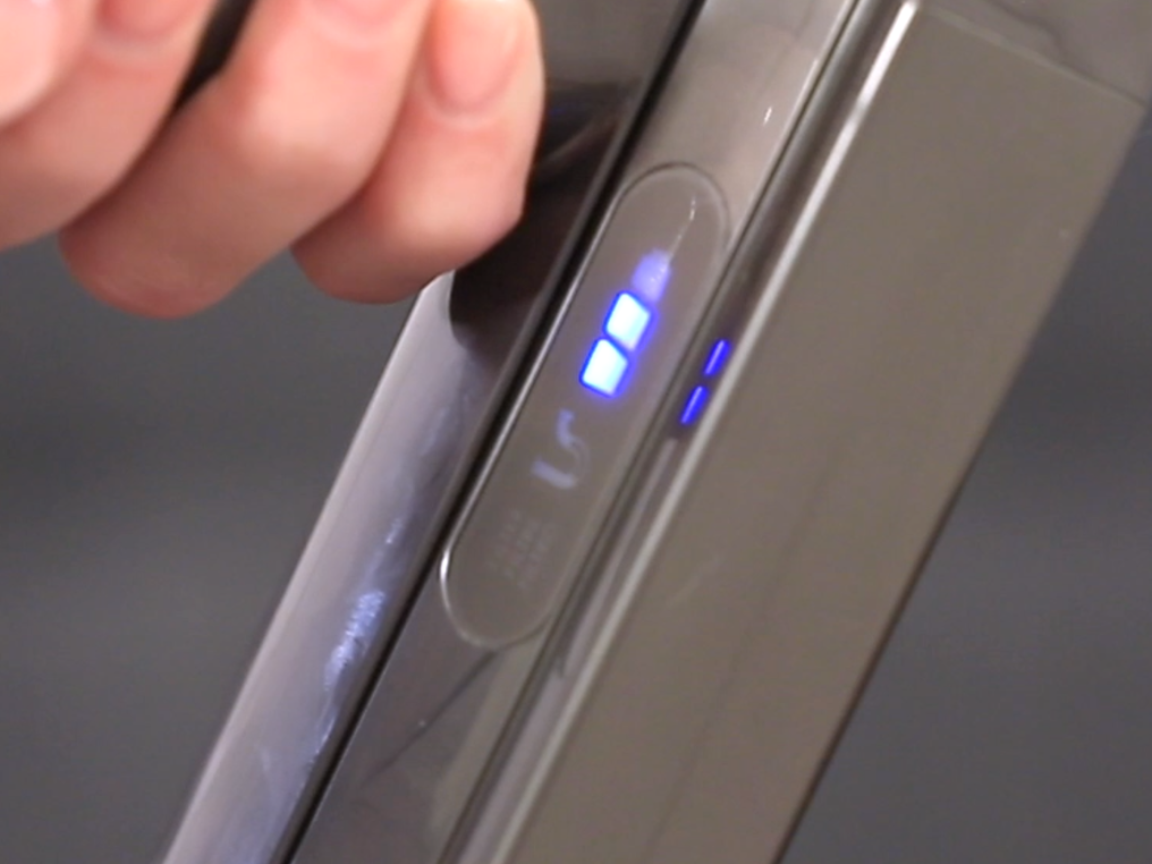
The blinking blue light on a Dyson V6 is not just a random signal—it’s a built-in alert system. Dyson designed these lights to help users spot problems early. When the blue light blinks, it means something is stopping the vacuum from working normally. The pattern, speed, and situation when the blue light blinks can reveal a lot about the underlying problem.
In most cases, a blinking blue light points to:
- Low battery or charging issues
- Blockages in the vacuum
- Filter problems
- Overheating
- Connection faults
- Motor or internal errors
Each of these problems has its own signs and solutions. In the next sections, we’ll look at all six common causes in detail.
1. Low Battery Or Charging Issues
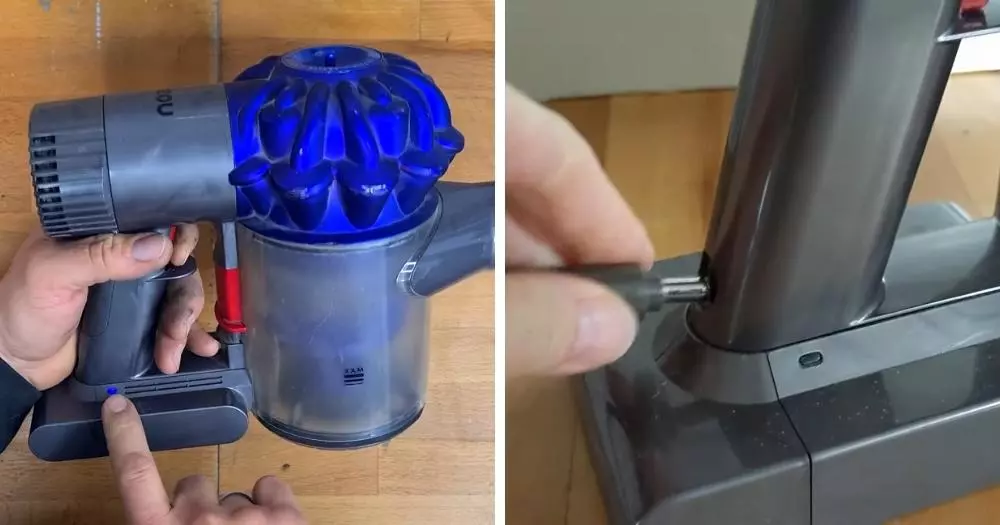
A common reason for the Dyson V6 blinking blue light is a low battery or a problem with charging. If your vacuum doesn’t have enough power, it will warn you with a blue light and may not turn on at all.
How To Identify
- The vacuum stops suddenly, and the blue light blinks fast or steady.
- The V6 won’t power on after charging.
What To Do
- Check the charger: Plug the charger into another outlet. Look for signs of damage on the cord or charger block.
- Inspect the battery contacts: Remove the battery and check for dust or corrosion. Clean gently with a dry cloth.
- Try a full charge: Connect the V6 to its charger for at least 3.5 hours. The blue light should stay on during charging and turn off when complete.
- Test the battery life: A healthy Dyson V6 runs for about 20 minutes on normal mode. If it dies much sooner, your battery may be worn out.
When To Replace The Battery
Most Dyson V6 batteries last about 2–3 years with normal use. If your vacuum is older or the battery drains quickly, consider replacing it. Use only genuine Dyson parts to avoid safety risks.
Common Mistakes
- Using non-original chargers can damage the battery.
- Charging the vacuum in a hot environment shortens battery life.
2. Blockages In The Vacuum
A blockage is another top reason for a blinking blue light. When something gets stuck in the vacuum’s airways, the V6 senses the change in airflow and signals a problem.
How Blockages Happen
- Picking up large debris, hair, or string
- Dust buildup in the wand, bin, or brush bar
Signs Of A Blockage
- The motor sounds strained or louder than normal
- Suction drops suddenly
- The blue light blinks, often when you press the trigger
How To Check And Clear Blockages
- Turn off and unplug the V6.
- Remove the bin and empty any dust or debris.
- Detach the wand and check both ends for obstructions.
- Inspect the brush bar: Remove the cleaner head, then check for tangled hair or debris.
- Clean the airways: Use a flashlight to look for stuck items. Push them out gently with a long, thin tool (like a chopstick).
Pro Tips
- Clean the vacuum after every few uses to prevent buildup.
- Avoid vacuuming up large objects or wet materials.
Table: Common Blockage Areas And How To Clear
| Area | How to Check | Cleaning Method |
|---|---|---|
| Wand | Detach and look through both ends | Push out with a long object |
| Bin | Remove and empty contents | Tap gently, wipe with dry cloth |
| Brush Bar | Remove cleaner head, inspect bristles | Cut away hair, pull out debris |
| Air Intake | Look for blockages at openings | Clear by hand or with tool |
3. Filter Problems
A dirty or incorrectly fitted filter can cause the Dyson V6 to blink blue. The filter’s job is to keep dust and dirt out of the motor. If it gets clogged, airflow drops, and the vacuum signals a problem.
How To Spot Filter Issues
- Blue light blinks soon after turning on the vacuum
- Suction is weak even after clearing blockages
- You haven’t cleaned the filter in months
Cleaning The Filter
- Remove the filter: Pull it out from the top of the V6.
- Rinse with cold water: No soap needed. Squeeze gently under running water until it runs clear.
- Dry completely: Let the filter air dry for at least 24 hours. Never use a dryer or heater.
- Reinstall the filter: Make sure it clicks into place.
How Often To Clean
Dyson recommends cleaning the filter once a month for best performance. In dusty homes or with pets, clean more often.
Common Filter Mistakes
- Replacing a wet filter can damage the vacuum.
- Forgetting to reinstall the filter after cleaning.
Table: Filter Care Frequency
| Home Type | Recommended Cleaning |
|---|---|
| Standard (no pets) | Every 4 weeks |
| With pets | Every 2–3 weeks |
| High dust/pollen | Every 2 weeks |
Credit: thevacuumwizard.co.uk
4. Overheating
If your Dyson V6 gets too hot, it will blink a blue light and shut off to protect itself. Overheating usually happens when the vacuum is used for a long time without breaks, or when airflow is blocked.
Overheating Signs
- The vacuum feels very warm to the touch
- Blue light blinks and the vacuum won’t start
- You have used the V6 for a long period without pause
Causes Of Overheating
- Blocked filters or airways
- Using the vacuum in direct sunlight or hot rooms
- Running the V6 on MAX mode for extended times
How To Fix Overheating
- Turn off the vacuum and let it cool for at least 1 hour.
- Check and clean all filters and airways to restore airflow.
- Avoid using MAX mode for more than 6 minutes at a time.
Preventing Overheating
- Let the V6 rest after 10–15 minutes of use.
- Store your vacuum in a cool, dry place.
- Clean filters and clear blockages regularly.
Insight For Beginners
Many new users think the V6 is designed for endless cleaning. In reality, it works best in short bursts. If you need to clean a large area, take breaks every 10–15 minutes.
5. Connection Faults
Sometimes, the blinking blue light is caused by poor connections between the vacuum’s parts. The Dyson V6 has several points where the battery, wand, and cleaning head connect. Loose or dirty connections can interrupt the flow of power or signals.
How Connection Faults Happen
- Dropping the vacuum or banging it against furniture
- Dust or hair stuck in connection points
- Frequent swapping of attachments wearing out connectors
Troubleshooting Connection Issues
- Disassemble the vacuum: Remove the battery, wand, and cleaner head.
- Inspect all connectors: Look for dust, dirt, or bent pins.
- Clean gently: Use a dry cloth or cotton swab to wipe contacts.
- Reassemble firmly: Make sure each part clicks securely into place.
Signs Of Connection Problems
- Blue light blinks when using certain attachments
- The vacuum turns off when you move it or tilt it
- Power comes and goes during cleaning
Table: Common Connection Faults And Solutions
| Part | Problem | Solution |
|---|---|---|
| Battery | Loose fit, won’t click in | Realign, replace if worn |
| Wand | Dust in connectors | Clean with dry cloth |
| Cleaner Head | Intermittent power | Check for bent pins, replace head if damaged |
Non-obvious Insight
Beginners often overlook the wand and attachment connections, focusing only on the battery. In reality, a poor wand connection can cause the same blue light issue as a dying battery.
6. Motor Or Internal Errors
If you’ve checked the battery, blockages, filter, overheating, and connections, but the blue light still blinks, the problem may be deeper inside the vacuum. Motor faults or internal circuit errors are less common but possible.
Signs Of Motor/internal Issues
- Blue light blinks even after all troubleshooting steps
- Vacuum makes odd noises (clicking, grinding)
- A burning smell comes from the unit
What Causes Internal Errors
- Long-term wear (older vacuums)
- Water or liquid damage
- Repeated overheating
What You Can Do
- Try a soft reset: Remove the battery for 1 minute, then reinsert and test.
- Check for warranty coverage: If your V6 is still under warranty, contact Dyson support.
- Professional repair: For motor or circuit board faults, only trained technicians should open the vacuum.
When To Replace
If the cost of repair is high, it may be more practical to invest in a new vacuum, especially if your V6 is over 5 years old.
Key Tip
Don’t try to fix internal motor or circuit issues at home. Opening the vacuum can void your warranty and is risky.
How To Read Blue Light Patterns
Not all blue light blinks are equal. Paying attention to the pattern can save time:
- Fast blinking: Often battery or charging problem
- Slow, steady blinking: Blockage or filter issue
- Blinking when trigger is pressed: Connection fault or blockage
- Blinking after a few seconds of use: Overheating or motor error
Refer to your user manual for your exact model, as patterns may vary slightly.
Common Dyson V6 User Mistakes
Understanding what not to do helps you avoid problems:
- Ignoring regular maintenance: Skipping filter cleaning or bin emptying leads to most blue light errors.
- Using the wrong attachments: Forcing the wrong part can damage connectors.
- Overcharging: Leaving the V6 on the charger all the time can reduce battery life.
- Vacuuming wet debris: Liquids can cause internal damage and permanent errors.
- Improper storage: Storing in hot or humid places shortens lifespan.
When To Call Dyson Support
If you’ve followed all troubleshooting steps and the blue light still blinks, reach out to Dyson. Their support team can walk you through advanced checks or arrange repairs. Having your serial number and purchase details ready will help speed up the process.
You can find more technical details and support options at the official Dyson Support page.
Credit: support.dyson.ee
How The Dyson V6 Compares To Other Dyson Models
Wondering if your V6 is more prone to blue light issues than other models? Here’s a quick comparison:
| Model | Blue Light Alerts | Battery Life | Common Issues |
|---|---|---|---|
| Dyson V6 | Blinking blue for errors | 20 mins | Battery, blockages |
| Dyson V7 | More detailed light patterns | 30 mins | Filter, battery |
| Dyson V8 | Improved alerts | 40 mins | Filter, electronics |
| Dyson V10/V11 | LCD error messages | 60 mins | Filter, battery, electronics |
The V6 has basic light signals compared to newer models, but the main causes of blinking blue lights remain similar.
Practical Tips To Avoid Blinking Blue Light Problems
- Stick to a cleaning schedule: Regular maintenance is easier than fixing breakdowns.
- Buy genuine parts: Cheap filters or batteries can cause more trouble.
- Store carefully: Keep your Dyson V6 in a dry place, away from direct sun or extreme temperatures.
- Read the manual: Most issues are covered in your user guide, including special light patterns.
Frequently Asked Questions
Why Does My Dyson V6 Blink Blue When Charging?
The blue light blinking during charging means the vacuum is receiving power. If it keeps blinking and never stops, there may be a charging issue or a faulty battery. Unplug, re-plug, and check for charger damage.
Can I Still Use The Dyson V6 If The Blue Light Is Blinking?
If the blue light is blinking, the V6 is alerting you to a problem. Continuing to use it can make things worse. Stop and troubleshoot before resuming use.
How Do I Know If My Dyson V6 Battery Needs Replacing?
If your battery drains quickly, doesn’t charge fully, or the blue light blinks even after a full charge, it’s time for a replacement. Most batteries last 2–3 years.
Credit: www.youtube.com
Does The Dyson V6 Blinking Blue Light Mean The Vacuum Is Broken?
Not always. Most blue light issues are minor and can be fixed at home (like blockages or filter cleaning). Only if the blue light stays after all fixes should you suspect a major fault.
What Should I Do If None Of The Fixes Stop The Blue Light?
If you’ve tried every solution and the blue light is still blinking, contact Dyson support. Internal errors may require professional repair.
A blinking blue light on your Dyson V6 doesn’t have to spell disaster. With careful troubleshooting and regular maintenance, most issues are simple to solve. Use this guide to keep your vacuum running smoothly and your home clean—without the stress of mysterious warning lights.