
If you own a Breville espresso machine, you know it can make café-quality coffee at home. But what if your machine suddenly starts blinking its lights?Many users feel worried or confused when they see unexpected blinking patterns. Are these lights warning you about a serious problem, or do they just mean it’s time for routine care? Understanding what your Breville espresso machine is trying to say can save you time, money, and frustration.
This article will help you decode the meaning behind the blinking lights on your Breville espresso machine. You will learn what each light pattern means, how to fix common issues, and when you need expert help. Whether you own a Barista Express, Bambino, or Oracle Touch, you’ll find answers here. Let’s demystify those blinking lights and get you back to brewing your favorite cup.
Why Do Breville Espresso Machines Blink Lights?
Breville espresso machines use blinking lights as a way to communicate with you. Instead of a text display, they use light patterns to show you what’s happening inside. These lights can warn you about:
- Maintenance needs (like descaling or cleaning)
- Water or coffee bean shortages
- Machine errors or faults
- Simple reminders (like warming up)
This system keeps the design simple, but it means you must learn what the different patterns mean for your specific model.
Common Blinking Light Patterns And Their Meanings
Let’s look at the most frequent blinking light patterns on popular Breville espresso machines and what they usually indicate.
Breville Barista Express
The Barista Express is famous for its simple controls and clear feedback. Here are some common blinking light patterns:
- Single/Double Shot Buttons Blinking Alternately
- Usually means the machine is heating up or cooling down to the right temperature.
- Wait until the lights turn solid before brewing.
- Clean Me Light Blinking
- The machine needs a cleaning cycle (not just descaling).
- Use the cleaning tablet and follow the instructions in your manual.
- Power Button Blinking
- This often means the machine is in standby mode or waiting for a reset after a fault.
- If it doesn’t stop, try unplugging for a minute, then restart.
- All Lights Blinking Rapidly
- Signals a serious error (like a pump or thermal fuse issue).
- Try basic troubleshooting, but contact customer support if it continues.
Breville Bambino/bambino Plus
The Bambino series is smaller but has clear feedback:
- 1 Cup and 2 Cup Buttons Blinking
- The machine is heating up.
- Wait for solid lights.
- Steam Button Blinking
- Indicates the steam wand is cooling or heating.
- Wait for solid light before frothing milk.
- All Buttons Blinking
- Possible error—often due to lack of water or a blocked steam wand.
Breville Oracle And Oracle Touch
These advanced machines use more complex light codes:
- Fill Tank Light Blinking
- The water tank is empty or not seated properly.
- Clean/Descale Light Flashing
- Time for a cleaning or descaling cycle.
- All Buttons Flashing
- Machine needs a reset or has a hardware issue.
Quick Reference Table
Below is a quick comparison of common blinking light patterns for three major Breville models:
| Model | Blinking Pattern | Meaning | Action Needed |
|---|---|---|---|
| Barista Express | Single/Double Shot Alternating | Warming up or cooling down | Wait for solid lights |
| Bambino Plus | All Buttons Blinking | Error (water or steam issue) | Check water/clean wand |
| Oracle Touch | Clean Light Blinking | Needs cleaning cycle | Run cleaning cycle |

Credit: www.youtube.com
Troubleshooting Blinking Lights
When you see blinking lights, don’t panic. Most problems have simple solutions. Here’s a guide to fix the most common issues.
1. Machine Is Warming Up Or Cooling Down
If the shot or cup buttons blink in a regular pattern, your machine is adjusting its temperature. This is normal after turning on or after pulling a shot.
Tip:
- Wait until the lights turn solid before you brew. If it takes longer than 5 minutes, check your power supply.
2. Water Tank Problems
A blinking water tank or “fill tank” light is common. Check for these issues:
- Tank is empty: Fill with fresh, filtered water.
- Tank isn’t seated: Remove and reinsert firmly.
- Sensor is dirty: Clean the area around the water tank sensor.
Non-obvious insight: Sometimes, air bubbles in the tank or a misaligned float can trick the sensor. Gently tap the tank to release bubbles and move the float.
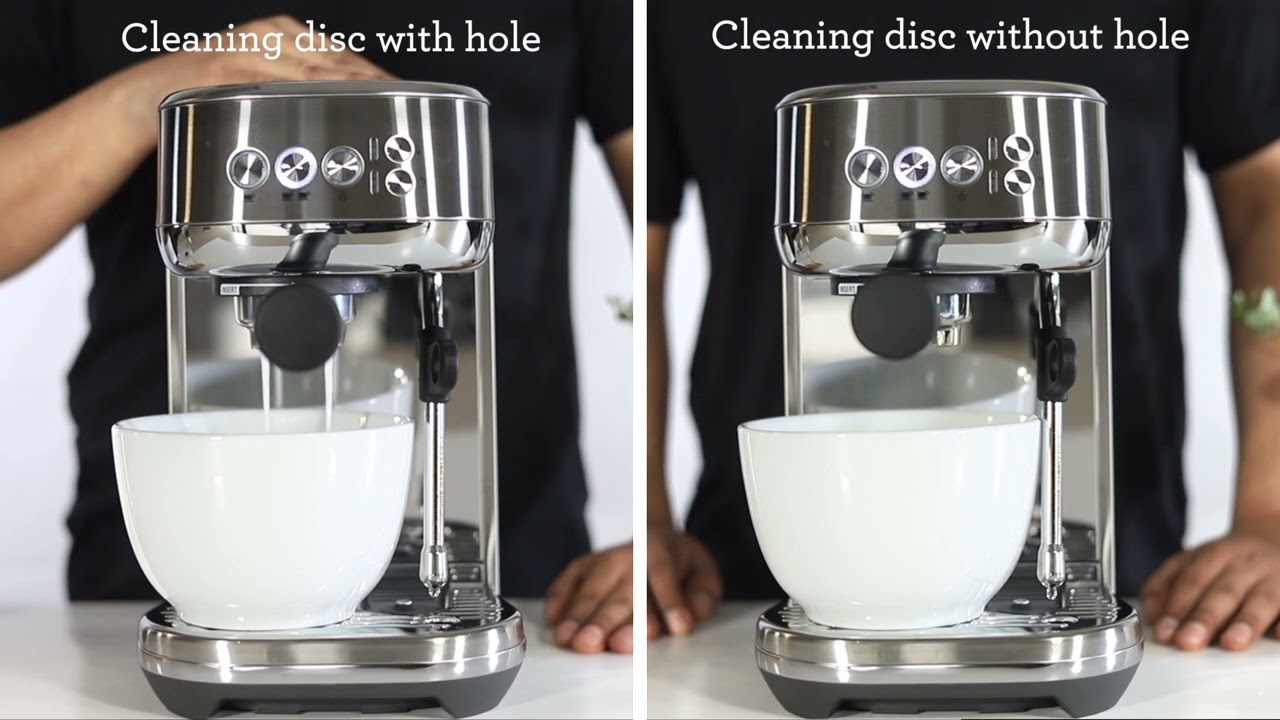
3. Cleaning And Descaling Alerts
A blinking “clean me” or “descale” light means your machine needs internal cleaning. Each model has a specific cleaning process, usually involving a cleaning tablet and button sequence.
Steps:
- Insert the cleaning tablet in the portafilter.
- Place a large container under the group head.
- Press and hold the correct button(s) to start the cycle.
- Wait until the machine finishes and lights return to normal.
Pro Tip: Don’t ignore cleaning lights. Skipping cycles leads to poor taste, weak coffee, or even machine damage.
4. Steam Wand Or Milk Frother Issues
If the steam light blinks, the wand might be blocked by milk residue or needs more time to heat/cool.
- Turn off the machine and let it cool.
- Remove and soak the wand tip in hot water.
- Use a pin to clear any blockages.
Practical note: Always clean the steam wand immediately after frothing milk. Dried milk is hard to remove and can block sensors.
5. All Lights Blinking Rapidly
When every light blinks, it usually means a serious problem:
- Electrical issue
- Blocked group head
- Pump malfunction
Try these steps:
- Turn off and unplug for 60 seconds.
- Remove and clean portafilter and group head.
- Plug back in and restart.
If the problem remains, contact Breville support. Don’t try to open the machine yourself; you could void the warranty.
Understanding Light Patterns By Model
Breville machines use different light patterns. Let’s break down the most popular models so you can quickly identify what your machine is telling you.
Barista Express (bes870xl/bes875)
- Power Button Flashes: Standby or needs reset. Unplug and replug.
- Shot Buttons Flash Alternately: Heating or cooling. Wait for solid.
- Clean Me Blinks: Cleaning cycle required.
- All Buttons Blink: Major fault; seek help if reset doesn’t work.
Barista Pro/barista Touch
- Clean/Descale Icon Flashes: Cleaning or descaling needed.
- Water Icon Flashes: Tank empty or not inserted.
- Steam/Hot Water Icons Flash: Related function not ready.
Bambino/bambino Plus
- Cup Buttons Flash: Heating or cooling.
- Steam Button Flashes: Steam wand issue.
- All Buttons Blink: Error—usually water or cleaning problem.
Oracle/oracle Touch
- Fill Tank Light Flashes: Tank empty or not seated.
- Clean/Descale Lights: Maintenance needed.
- All Buttons Flash: Hard error; try reset.
Comparison Table: Common Maintenance Alerts
Here is how different models compare when it comes to maintenance alerts:
| Model | Maintenance Alert | How to Reset |
|---|---|---|
| Barista Express | Clean Me | Run cleaning cycle |
| Bambino Plus | Descale Light | Run descaling cycle |
| Oracle Touch | Clean/Descale | Follow on-screen steps |
When To Worry: Error Codes And Faults
Not all blinking lights mean disaster. But some patterns require attention:
- All lights blinking, machine unresponsive: Internal fault. Unplug and try again. If it continues, call support.
- Blinking doesn’t stop after cleaning/descaling: There may be a sensor or board issue.
- Burning smell or steam with blinking lights: Turn off and unplug immediately.
Non-obvious insight: Sometimes, a power surge can confuse the electronics, causing random blinking. Always try a full power cycle before assuming a major problem.
Preventing Blinking Light Problems
You can avoid most blinking light worries by following a few simple habits:
- Use filtered water to prevent scale and mineral buildup.
- Clean the steam wand after every use.
- Empty and rinse the drip tray daily.
- Run cleaning and descaling cycles when the machine asks—not later.
- Keep the machine dry—moisture around sensors can cause false warnings.
Pro tip: Set a reminder in your phone for monthly cleaning and every 3-6 months for descaling, depending on water hardness.
Real-world Examples
Let’s look at a few real user experiences to make this clearer.
- Anna’s Barista Express: Anna saw her shot buttons blinking alternately every morning. She realized her kitchen was cold, so the machine took longer to heat up. She waited until the lights turned solid and had no issues.
- Mike’s Oracle Touch: Mike ignored the clean light for weeks. Soon, his machine started blinking all lights and stopped brewing. After a cleaning cycle, everything returned to normal.
- Sara’s Bambino Plus: Sara’s all buttons blinked after a power outage. Unplugging for two minutes fixed the problem.
What If The Blinking Continues?
If you have followed all steps and the blinking lights remain:
- Double-check the manual: Each model has unique codes.
- Try a power cycle: Unplug for 1-2 minutes.
- Remove and reinsert: Water tank, portafilter, and drip tray.
- Use fresh water: Old water can cause sensor errors.
- Contact Breville support: Especially if under warranty.
Credit: www.youtube.com
When To Call A Technician
Some problems are best left to experts:
- Machine trips your circuit breaker
- Burning smell, smoke, or water leaks
- Blinking continues after all resets and cleaning
Do not open the machine yourself. You could void your warranty and risk injury. Breville’s support team can guide you or arrange a repair.
Comparison Table: Diy Vs. Professional Fixes
Here’s a quick look at what you can fix yourself and when to get help:
| Issue | DIY Fix? | When to Call Support |
|---|---|---|
| Cleaning/Descaling Alert | Yes | If blinking stays after cleaning |
| Water Tank Error | Yes | If sensor still shows empty |
| All Lights Blinking Rapidly | No | Immediately |

Credit: tradicao.pt
Advanced Troubleshooting Tips
If you’re comfortable with basic maintenance, try these extra steps before calling for help:
- Descale with a vinegar-water mix if you don’t have Breville’s solution (but check your manual first).
- Check for stuck buttons—a sticky shot or steam button can cause odd blinking.
- Inspect power supply—use a different outlet to rule out electrical problems.
- Look for loose parts—re-seat the water tank, portafilter, and drip tray firmly.
Warning: Never use sharp objects to poke sensors or open the case. Stick to what’s in the manual.
The Role Of Regular Maintenance
Regular care is the best way to avoid blinking lights. Clean and descale on schedule, use good water, and keep your machine dry.
Surprising fact: In some cities, water hardness is so high that descaling may be needed every month. Check your area’s water quality—many cities publish this data online.
How To Reset Your Breville Espresso Machine
Resetting the machine can clear many errors. Here’s how for most models:
- Turn off and unplug the machine.
- Wait 1–2 minutes.
- Plug back in and turn on.
- If your model has a reset sequence, follow the steps in your manual.
This simple reset fixes many light-related issues.
Recommended Resources
For official instructions, always check your model’s manual. Breville’s support site has downloadable guides and troubleshooting charts. If you want to learn more about espresso machine care, Breville’s official support page is a trusted resource.
Frequently Asked Questions
What Does It Mean When All The Lights On My Breville Espresso Machine Blink?
All lights blinking usually means a serious error or hardware problem. Try unplugging the machine for 1–2 minutes. If the blinking continues, contact Breville support. Do not try to open the machine yourself.
How Often Should I Run The Cleaning Cycle?
Run the cleaning cycle every 1–2 months or whenever the “clean me” light blinks. If you use your machine daily or have hard water, you may need to clean more often.
Can I Use Vinegar To Descale My Breville Espresso Machine?
Vinegar can be used in some machines, but Breville recommends their own descaling solution. Vinegar can sometimes damage parts or sensors. Check your manual before using any homemade cleaner.
Why Does My Steam Button Keep Blinking?
A blinking steam button usually means the wand is not ready (heating or cooling) or is blocked by milk. Clean the steam wand tip and wait for the light to turn solid before using.
My Machine Blinks Even After Cleaning. What Should I Do?
If your machine keeps blinking after cleaning, try a full power cycle: unplug for a few minutes, then restart. If the blinking continues, there may be a sensor or hardware problem—contact Breville support.
Conclusion
A blinking light can be annoying, but it’s your Breville espresso machine’s way of asking for attention. With a little practice, you’ll quickly learn what each pattern means and how to respond. Follow the tips in this guide, and your machine will keep brewing delicious coffee for years.
Regular care keeps both your espresso and your mornings smooth.