
If you own a Mophie charger, you might sometimes notice a blinking light on your device. This small detail can make users worry, especially when they rely on their chargers for daily use. Understanding why your Mophie charger is blinking can save you time, money, and stress. This guide will break down the main reasons for blinking lights, what each pattern means, and practical steps to fix common problems. Whether you use a power bank, a wireless pad, or a car charger, you’ll find clear answers here.
What Mophie Charger Blinking Means
Mophie chargers use LED lights to show their status. A steady light usually means things are working well. But when the light starts blinking, it signals something different. The meaning depends on the model and the color or speed of the blink.
For example:
- Single slow blink often means the charger is starting up or checking the battery.
- Quick, repeated blinking can mean a charging error or a problem with the connection.
- Red blinking is usually a warning for faults like overheating or a short circuit.
- Green or white blinking sometimes means the charger is charging your device, but not always.
It’s important to check your model’s manual to understand what the blinking means for your specific charger. However, most blinking patterns point to a problem that needs attention.
Common Causes Of Mophie Charger Blinking
Several issues can cause a Mophie charger to blink. Recognizing them helps you fix the problem faster.
1. Charging Cable Issues
A damaged or poor-quality charging cable is a common reason for blinking lights. Frayed wires, bent connectors, or using a cable not made for your charger can cause errors.
2. Power Source Problems
If your charger does not get enough power, the light might blink. This can happen if you plug it into a weak wall adapter, an old USB port, or a car outlet that is not working properly.
3. Device Connection Faults
Sometimes, the device you are charging is not connected well. A loose or dirty port on your phone or tablet can stop charging and make the light blink.
4. Internal Battery Problems
Mophie power banks and wireless pads have internal batteries. If the battery is old, damaged, or overheated, the charger might blink to warn you.
5. Overheating
If the charger gets too hot, it blinks to let you know. Overheating can damage both the charger and your device.
6. Foreign Object Detection (fod) In Wireless Chargers
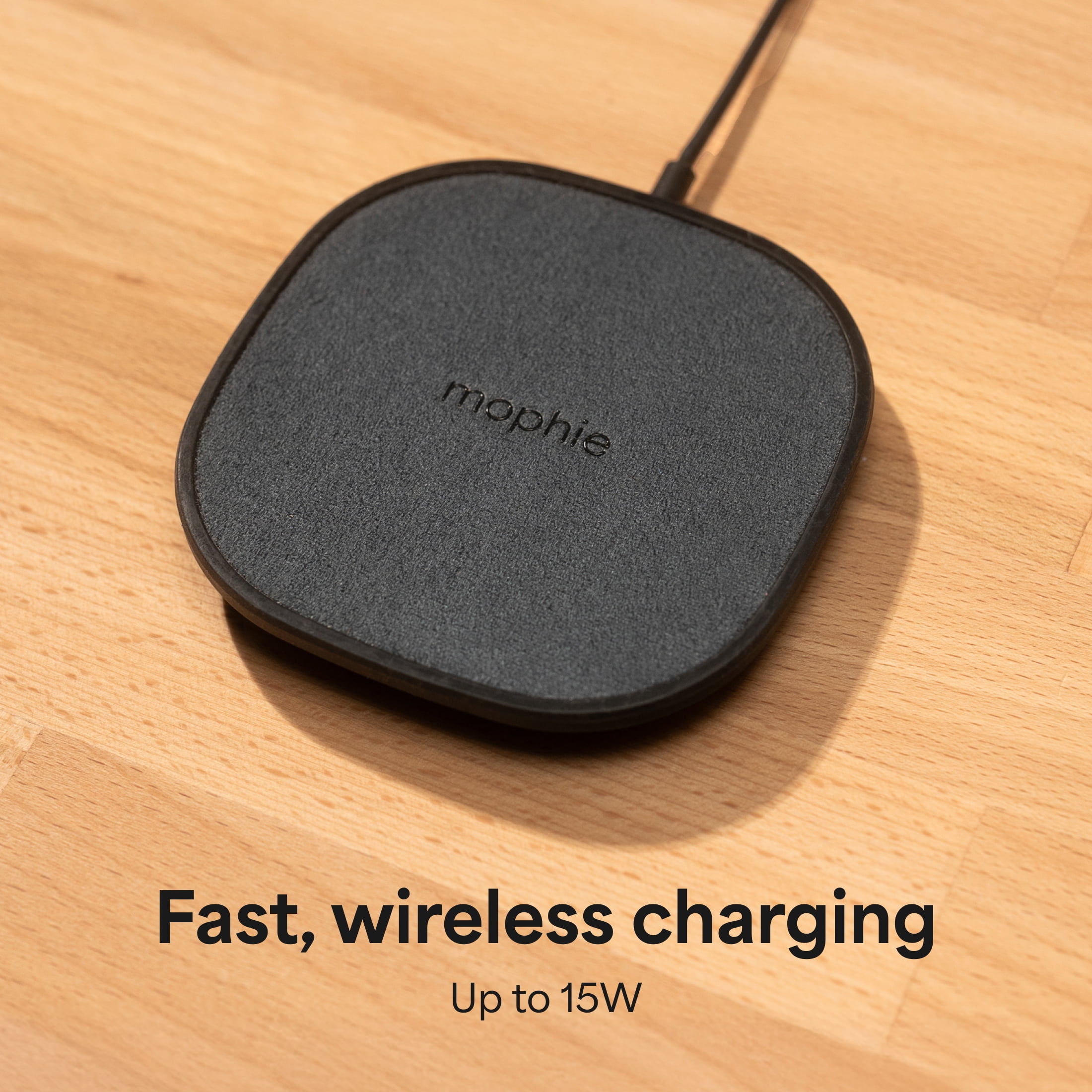
Many Mophie wireless chargers have FOD technology. If metal or other objects are between your device and the charging pad, the charger blinks to alert you.
7. Software Or Firmware Issues
Although rare, some Mophie chargers can have firmware bugs that cause blinking lights. Updating the firmware (if available) or resetting the charger may help.
Credit: valida-pirna.de
How To Fix A Blinking Mophie Charger
Knowing why the light is blinking is just the start. Here are some clear steps to fix the most common issues:
1. Check The Charging Cable And Adapter
- Use the original Mophie cable and adapter if possible.
- Try a different cable to see if the problem stops.
- Inspect both ends of the cable for dirt, dust, or damage.
2. Change The Power Source
- Plug the charger into a different wall outlet.
- Avoid charging from old laptops, low-power USB hubs, or car outlets.
- Use a wall adapter that matches the output needed for your charger.
3. Clean Charging Ports
- Use a dry, clean brush or compressed air to remove dust from the charger’s and your device’s ports.
- Never use metal objects to clean ports.
4. Remove Cases Or Foreign Objects
- If using a wireless charger, remove your phone case and check for coins, keys, or cards between your phone and the charger.
- Make sure nothing is blocking the charging area.
5. Let The Charger Cool Down
- If the charger feels hot, unplug it and let it cool for at least 30 minutes.
- Avoid using the charger in direct sunlight or near heat sources.
6. Reset Or Update The Charger
- Some Mophie chargers have a reset button. Hold it for 5-10 seconds.
- Check the Mophie website or support for firmware updates (mostly for advanced models).
7. Try A Different Device
- Connect a different phone or tablet to see if the blinking continues. This helps you find out if the charger or the device is at fault.
8. Check The Battery Health
- If your power bank is more than 2-3 years old, its battery may be worn out. Battery replacement is usually not possible, so you may need a new device.
Understanding Mophie Led Patterns
Each Mophie charger uses a different LED pattern. Here’s a simplified comparison for popular models:
| Mophie Model | Blinking Light Color | What It Means |
|---|---|---|
| Powerstation Power Bank | White blinking | Charging in progress or cable issue |
| Wireless Charging Pad | Red blinking | Foreign object detected or overheating |
| Car Charger | Blue blinking | Poor connection or low power input |
Always check the manual for your model, as patterns can change with software updates.
Credit: www.premierwellbeing.ie
Safety Tips When Using Mophie Chargers
Safety is important when dealing with electronics. Here are practical tips:
- Avoid water: Never use the charger near water or with wet hands.
- Use certified accessories: Only use cables and adapters that meet safety standards.
- Don’t cover the charger: Allow air to flow around the device to prevent overheating.
- Unplug when not in use: This reduces wear on the charger and saves energy.
- Watch for unusual smells or sounds: If you notice burning smells or crackling, stop using the charger immediately.
A less obvious tip: Sometimes, surge protectors can block enough power to cause blinking. Try plugging the charger directly into the wall if you have problems.
When To Replace Your Mophie Charger
Mophie chargers are built to last, but no charger lasts forever. Here’s a quick guide to know when it’s time for a new one:
| Problem | Can You Fix It? | Should You Replace? |
|---|---|---|
| Loose USB port | Sometimes (if dirt is the cause) | Yes, if physical damage is present |
| Battery won’t hold charge | No | Yes |
| Charger overheats quickly | Rarely | Yes, for safety |
| Constant blinking, no charging | Try troubleshooting | Replace if not fixed |
If your charger is still under warranty, contact Mophie support before buying a new one.

Credit: www.sekompos.com
Hidden Insights Most Users Miss
Many people think a blinking light always means the charger is broken. Often, it’s a small issue you can fix at home. For example, using a phone case with metal parts can trigger foreign object detection and cause the charger to blink red, even if your phone is fine.
Another overlooked point: Some laptops and computers have USB ports that provide much less power than needed. If you notice blinking when charging from your computer, try a wall outlet. The issue might not be with the charger at all.
How Mophie Chargers Compare To Other Brands
Many brands use LED lights to show status, but Mophie’s blinking patterns are more detailed than most. Here’s a brief comparison:
| Brand | Blinking Light Alerts | Foreign Object Detection | Manual Reset Option |
|---|---|---|---|
| Mophie | Yes, with color and speed | Yes | Some models |
| Anker | Mostly single color | Limited models | Rarely |
| Belkin | Color and pattern | Yes | No |
This shows that Mophie puts more focus on clear alerts, which can help users troubleshoot faster.
When To Contact Mophie Support
If you’ve tried all the steps above and your charger still blinks, it’s time to contact support. You should reach out if:
- The charger is less than one year old (still under warranty).
- The LED blinks in a pattern not explained in the manual.
- There is visible damage, leaking, or a burning smell.
You can contact Mophie through their official support page or by phone. Be ready with your charger’s model number and purchase details. For more help, visit the official Mophie support page.
Frequently Asked Questions
Why Does My Mophie Charger Blink When I Plug In My Phone?
A blinking light usually means there is a problem with the connection or the phone is not charging correctly. Check your cable, the phone’s charging port, and try another device to see if the issue continues.
Is It Safe To Use My Charger If The Light Is Blinking?
If the blinking is a normal part of charging (like a slow white blink), it’s safe. But if it’s a fast or red blink, unplug the charger and check for problems. Using a charger that blinks due to overheating or damage can be unsafe.
What Does A Red Blinking Light Mean On A Mophie Wireless Charger?
A red blinking light on a wireless charger usually means there is a foreign object on the pad or the device is not aligned properly. Remove any metal objects and adjust your device. If it still blinks, let the charger cool down and try again.
Can I Fix A Blinking Mophie Charger Myself?
In many cases, yes. Try changing cables, cleaning ports, or using a different power source. If these steps do not work and the charger is still under warranty, contact Mophie for a replacement.
How Long Do Mophie Chargers Usually Last?
With normal use, a Mophie charger can last 2-4 years. Power banks may lose battery life faster if used heavily. Proper care—like avoiding heat and using the right cables—can help your charger last longer.
If you pay attention to your charger’s LED alerts, you can fix small problems before they become big ones. Understanding what a Mophie charger blinking means helps you stay charged, safe, and ready for anything.