
If you own a Litter Robot, you know how convenient it makes cleaning up after your cat. But when you see that dreaded blinking red light, it can quickly turn your smart litter box into a source of confusion and stress. What does it mean? Is your robot broken? Should you call support, or can you fix it yourself? Let’s clear up the mystery behind the Litter Robot blinking red, explore what it means, how to troubleshoot, and how to prevent it in the future.
What Does The Litter Robot Blinking Red Mean?
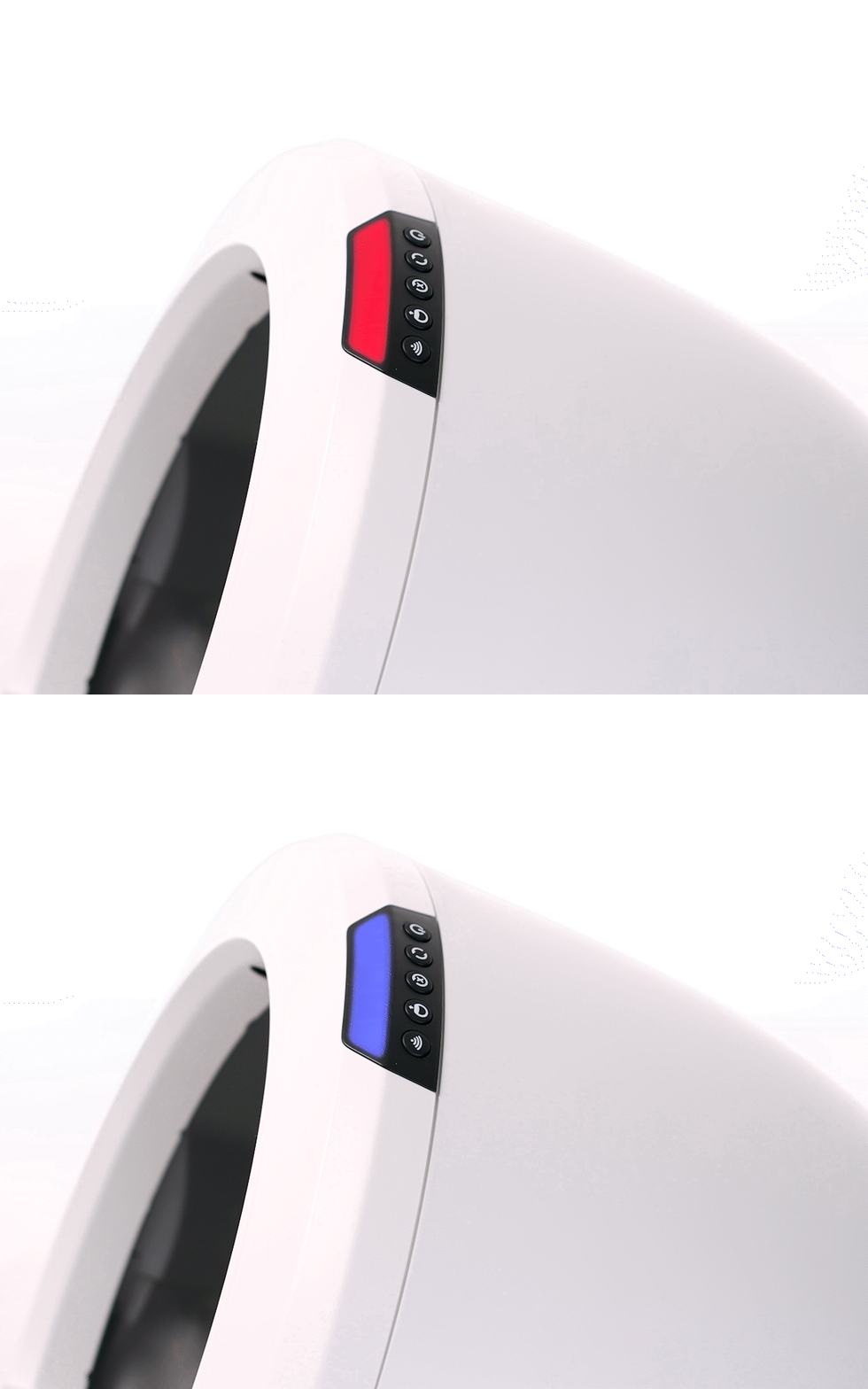
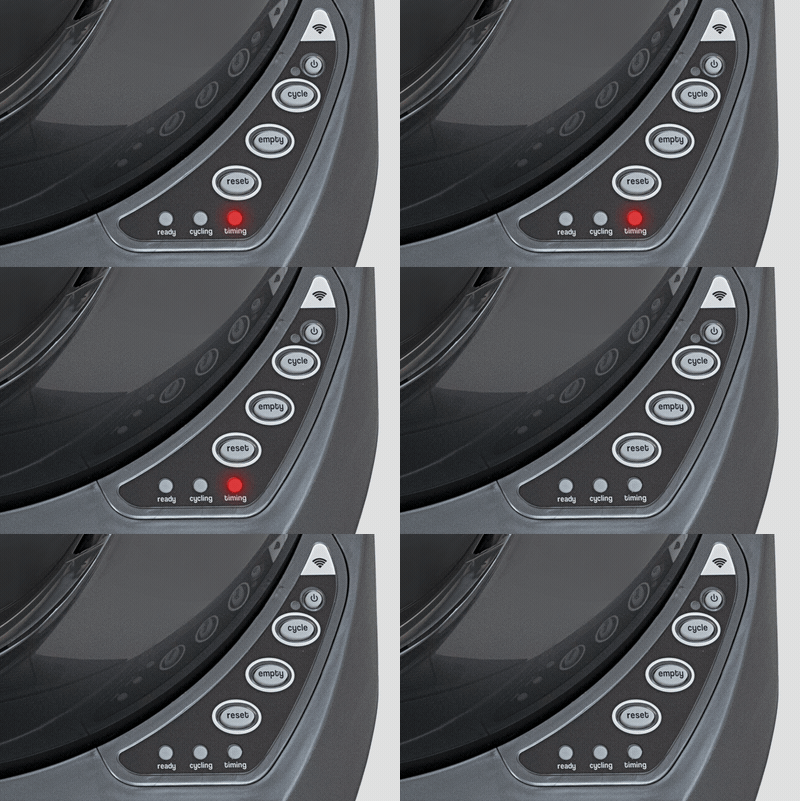
A blinking red light on your Litter Robot is the device’s way of telling you something is wrong. Usually, this signal means the unit has detected a problem that needs your attention before it can continue working safely. The most common reasons include:
- Drawer Full Indicator: The waste drawer is full and needs to be emptied.
- Bonnet or Globe Misalignment: Parts may not be seated correctly.
- Obstruction or Jam: Something is blocking the globe from rotating.
- Sensor Error: The unit’s sensors are dirty or malfunctioning.
- Cat Detected: The robot senses a cat, pausing operation for safety.
Understanding which issue you’re facing is key to solving it quickly.
Common Causes Of The Blinking Red Light
Let’s go deeper into the main causes, with practical fixes for each.
1. Waste Drawer Is Full
The Litter Robot has sensors to detect when the waste drawer is full. If you see a blinking red light, check the drawer first.
- Remove the waste drawer and empty it.
- Replace the liner if needed.
- Slide the drawer back in until it clicks.
Sometimes, even after emptying, the light keeps blinking. In this case, check for any litter or debris stuck around the sensors.
2. Globe Or Bonnet Not Properly Assembled
If the globe or bonnet isn’t correctly aligned, the Litter Robot can’t operate safely. This often triggers a red light.
- Remove the bonnet and globe.
- Re-seat both, making sure they’re snug.
- You may hear a click when they’re in place.
A common beginner mistake is not pushing the bonnet down fully, causing the sensors to stay activated.
3. Globe Jam Or Obstruction
Cats are curious and sometimes drop toys or other objects inside the globe. Litter clumps can also jam the mechanism.
- Power off the unit.
- Remove the globe and check for blockages.
- Clean out any stuck litter or foreign objects.
Pay close attention to the area around the motor and gear. Even a small clump can stop movement.
4. Sensor Errors
The Litter Robot uses sensors to detect weight, position, and drawer status. These sensors can get dusty or covered in litter.
- Gently wipe the sensors with a dry cloth.
- For persistent issues, use a can of compressed air.
If your home is humid, condensation can cause sensor malfunction. Make sure your robot is in a dry area.
5. Cat Detection Safety
The robot has a safety feature: it pauses whenever it senses a cat inside. If the cat is heavy or jumps in during cycling, the red light may blink.
- Wait a few minutes; the light may turn off automatically.
- If not, power cycle the unit.
Always double-check that no cat is inside before troubleshooting further.

Credit: www.youtube.com
Step-by-step Troubleshooting Guide
Let’s go through a simple, effective process to resolve most blinking red light problems.
Step 1: Reset The Unit
- Press the reset button on your Litter Robot.
- Unplug for 1 minute, then plug back in.
- See if the light returns to normal.
A reset can clear simple errors and recalibrate the sensors.
Step 2: Empty And Clean The Waste Drawer
- Remove, empty, and reinsert the waste drawer.
- Clean sensors above the drawer area.
- Press reset again.
Step 3: Inspect The Globe And Bonnet
- Remove the globe and bonnet.
- Check for proper alignment and debris.
- Reassemble with care, listening for clicks.
Step 4: Test Weight And Sensor Function
- Gently press down on the step or base to test weight sensors.
- If the light blinks during this, clean the sensors again.
Step 5: Run A Manual Cycle
- Press the cycle button.
- Watch for any jams or noises.
- If the globe stops or the light blinks again, repeat cleaning steps.
Step 6: Check For Firmware Or Software Issues
If you have the Litter Robot 3 Connect or 4, check the app for error messages.
- Update firmware if prompted.
- Some errors clear only after a software update.
Comparing Litter Robot Models And Error Signals
Different models have slightly different indicators and troubleshooting steps. Here’s a quick comparison:
| Model | Blinking Red Meaning | Common Fix |
|---|---|---|
| Litter Robot 3 | Full drawer, sensor error | Empty drawer, reset sensors |
| Litter Robot 3 Connect | Same as LR3, plus app alerts | Check app, update firmware |
| Litter Robot 4 | Advanced sensors, more alerts | App diagnostics, sensor cleaning |
If you have the latest model, always check the app for more detailed error codes.
When To Call Support
Sometimes, the blinking red light means your Litter Robot needs professional help. Here are signs you should contact customer support:
- The red light stays on after all troubleshooting steps.
- The motor is making loud or grinding noises.
- The app reports a hardware failure.
- Sensors don’t respond even after cleaning.
Litter Robot’s support team may ask for your unit’s serial number, a video of the problem, or photos. Gather this information before you call to save time.
Preventing Blinking Red Light Issues
A few simple habits can prevent most red light errors.
- Empty the waste drawer at least every 2-3 days for one cat, daily for multiple cats.
- Clean sensors weekly with a dry cloth.
- Check the globe and bonnet for alignment after every cleaning.
- Avoid overfilling the litter. Stick to the recommended fill line.
- Keep the robot in a dry area to avoid sensor condensation.
- Use high-quality clumping litter. Poor litter can clog the globe or sensors.
Owners often overlook the importance of regular sensor cleaning. Even invisible dust can cause errors, especially in homes with multiple cats.
Credit: www.litter-robot.com
Litter Robot Maintenance Checklist
Here’s a quick routine to keep your unit running smoothly:
- Empty waste drawer: Every 2-3 days
- Wipe sensors: Weekly
- Deep clean globe: Monthly
- Check for jams: Every cleaning
- Update firmware: As needed
Setting reminders on your phone can help you stay consistent.
Real-world Owner Experiences
Let’s look at two real scenarios:
Case 1: Sarah noticed the red light after her cat tracked wet litter into the globe. She emptied the drawer, but the light stayed on. After removing the globe, she found a small clump stuck in the gear area. Cleaning it out fixed the issue.
Case 2: James’s Litter Robot 4 kept showing a blinking red light. He followed all troubleshooting steps but found the app saying “Drawer Inserted Incorrectly.” Reseating the drawer solved the problem.
These stories show that most problems are simple, but you must check every part carefully.
Credit: www.litter-robot.com
Comparing Litter Robot Troubleshooting Vs. Other Brands
How does Litter Robot stack up against other self-cleaning litter boxes?
| Brand | Error Signal | Ease of Troubleshooting | Common Fixes |
|---|---|---|---|
| Litter Robot | Blinking red light, app alert | High (step-by-step guides) | Empty drawer, clean sensors |
| PetSafe ScoopFree | Flashing LED | Medium (manual checks) | Replace tray, reset |
| CatGenie | Beeping, flashing light | Low (often needs support) | Disassemble, deep clean |
Litter Robot stands out for its clear signals and user-friendly troubleshooting, but it’s still important to follow the correct steps.
Advanced Troubleshooting Tips
If you’ve tried all the basics and the red light keeps blinking, here are some advanced steps:
- Check the power supply. Faulty outlets or adapters can cause sensor errors.
- Look for firmware updates using the app, especially if you recently changed Wi-Fi networks.
- Inspect for loose wires if you’re comfortable opening the base. Only do this if your warranty allows.
- Try a hard reset: Unplug for 10 minutes, hold the reset button for 5 seconds after plugging back in.
One less-known insight: If your robot is near appliances that vibrate (like a washing machine), these vibrations can trigger false sensor readings.
When Replacement Parts Are Needed
Sometimes, a part may fail:
- Pinch sensors can wear out after several years. You can buy replacements from the manufacturer.
- Bonnet or globe may crack or warp, especially after rough cleaning.
- Motors can fail, usually signaled by grinding noises.
Most parts are user-replaceable. Always order from the official site or trusted sellers to avoid compatibility issues. You can find guides and videos on the Litter Robot website, or trusted sources like Litter Robot’s official blog.
Why The Blinking Red Light Shouldn’t Be Ignored
A blinking red light isn’t just annoying—it’s a safety feature. Ignoring it can lead to:
- Overflowing waste, causing bad smells
- Motor burnout from repeated failed cycles
- Sensor damage from built-up litter or moisture
Quick action not only fixes the problem but extends the life of your Litter Robot.
Frequently Asked Questions
Why Does My Litter Robot Keep Blinking Red Even After Emptying The Drawer?
If the light stays red, check for stuck litter or debris around the sensors and make sure the drawer is fully inserted. Try resetting the unit after cleaning.
How Do I Clean The Sensors On My Litter Robot?
Use a dry, soft cloth to wipe the sensor area. If needed, use compressed air, but avoid using water or cleaning sprays that could damage electronics.
Can The Blinking Red Light Mean There’s A Problem With The Motor?
Yes, if you hear grinding or the globe doesn’t move, the motor may be jammed or failing. Remove the globe and check for blockages first before contacting support.
Will Using The Wrong Litter Cause The Red Light To Blink?
Non-clumping or overly dusty litter can cause sensor errors and jams. Always use high-quality clumping litter recommended by the manufacturer.
Is It Safe To Keep Using The Litter Robot With The Red Light Blinking?
No, it’s best to stop using the unit and fix the problem. The red light means the robot can’t work safely, and forcing it could cause bigger problems.
Conclusion
A blinking red light on your Litter Robot can be frustrating, but most issues are easy to solve with regular cleaning, careful assembly, and attention to the sensors. Quick action and good maintenance habits will keep your robot running smoothly and your home clean.
If you ever feel stuck, don’t hesitate to reach out to Litter Robot support—they’re there to help.