
If you own an Ooze Duplex 2 vape and see it blinking white, it’s normal to feel confused or worried. This blinking is a signal from your device. It tells you something needs attention—sometimes it’s simple, sometimes it needs a fix. In this guide, you’ll learn exactly what causes the Ooze Duplex 2 blinking white light, how to troubleshoot it, and what steps to take for smooth vaping. You’ll also find practical advice, easy-to-follow instructions, and answers to the most common questions. Let’s make sure you understand your device, solve any blinking problems, and get back to enjoying your vape.
What Is The Ooze Duplex 2?
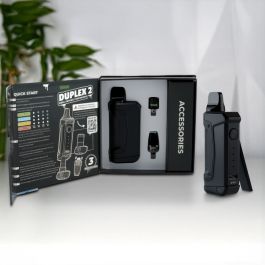
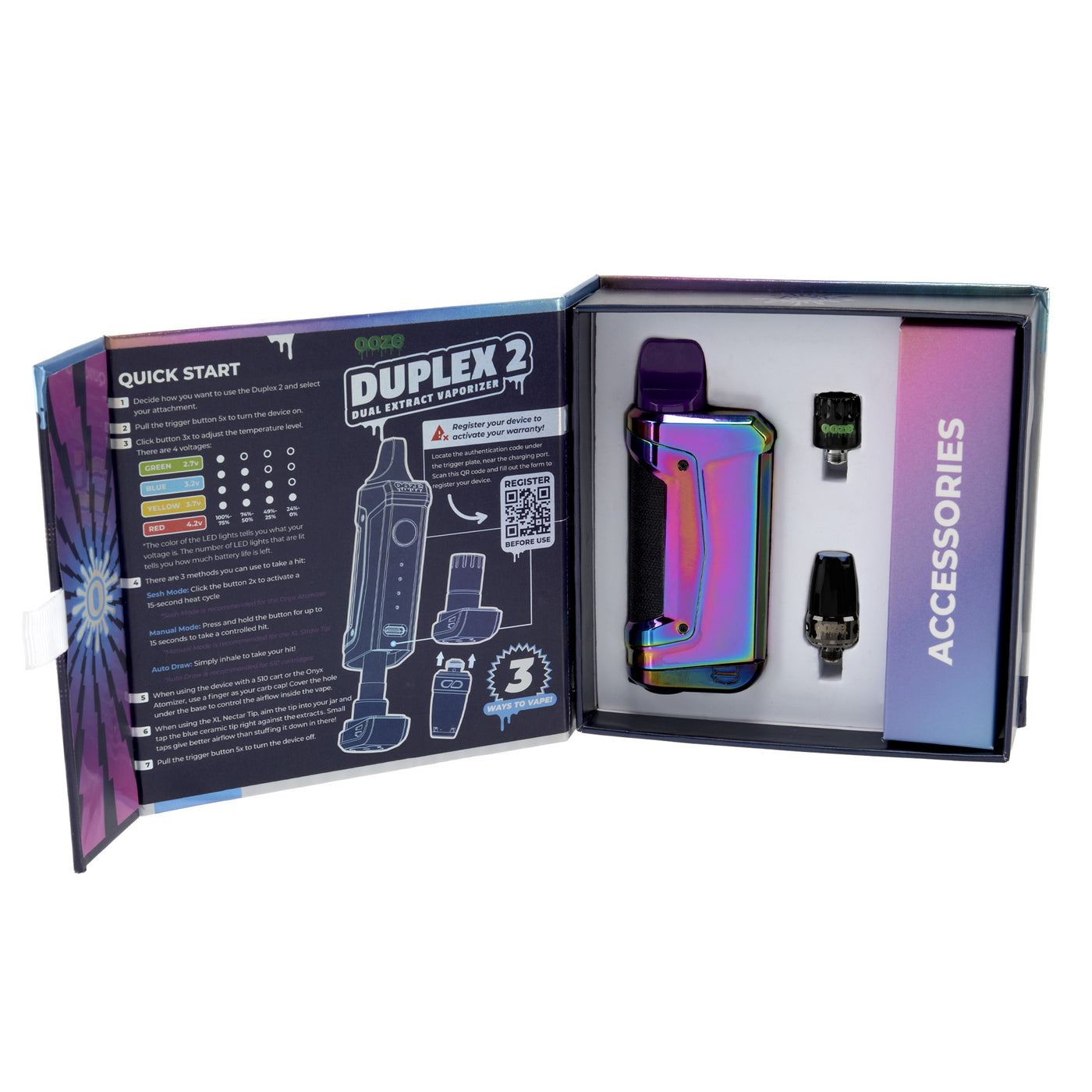
The Ooze Duplex 2 is a popular vaporizer designed for both oil and wax cartridges. It’s known for its compact shape, strong battery, and easy controls. Many users like the Duplex 2 because it fits in the hand, is simple to use, and delivers reliable hits. Features include:
- Automatic voltage adjustment
- Preheat mode
- USB-C charging
- Magnetic cartridge connection
The device uses LED lights to communicate with you. When the Duplex 2 blinks white, it’s telling you about a problem or status. To understand the cause, you need to know what each color and blinking pattern means.
Understanding The White Blinking Light
The white light on the Ooze Duplex 2 is not random. It’s a coded message. Most often, blinking white means:
- Connection issue between the battery and cartridge
- Low battery or charging error
- Activation error from pressing the button wrong
- Internal protection mode triggered by short circuit or overuse
But these meanings can change depending on how the light blinks. For example:
| Blinking Pattern | Common Cause | Action Needed |
|---|---|---|
| Single blink | Activation attempt | Normal operation |
| Rapid blinking (5+ times) | Connection error | Check cartridge |
| Blinking while charging | Charging issue | Check cable/power |
| Blinking during use | Protection mode | Reset device |
You need to watch how the white light blinks—quick flashes, slow pulses, or constant blinking—to pinpoint the problem.

Credit: torontovaporizer.ca
Main Reasons For Ooze Duplex 2 Blinking White
There are several reasons why your Duplex 2 might blink white. Here are the most common ones:
1. Poor Cartridge Connection
If the cartridge is not seated properly, the battery can’t connect. This triggers the white blinking light.
2. Low Battery Or Charging Error
When the battery is nearly empty or there’s a charging problem, the white light may blink. It’s a warning to recharge or check your charger.
3. Short Circuit Or Protection Mode
If the device detects a short circuit, it enters protection mode. This is to keep you safe and prevent damage.
4. Incorrect Activation
Sometimes, pressing the button too quickly or multiple times confuses the device. The white light blinks to signal an activation error.
5. Overuse Or Overheating
If you use the device for too long without a break, it may blink white to show it’s cooling down or needs a rest.
6. Dirty Or Damaged Cartridge
A dirty or damaged cartridge can block the connection. The device can’t detect the cartridge and blinks white.
Troubleshooting Steps For White Blinking Light
Solving the blinking white problem is not hard if you follow the right steps. Here’s how to fix it:
1. Check And Clean The Cartridge Connection
Remove your cartridge and look at the connection area. If there’s oil, dust, or residue, clean it with a cotton swab and rubbing alcohol. Make sure the cartridge is not damaged.
- Gently wipe the battery threads.
- Reinsert the cartridge firmly.
2. Recharge The Battery
Plug your Duplex 2 into a USB-C charger. Watch for charging lights. If the white light blinks while charging, try a different cable or wall outlet.
- Charge for at least 30 minutes.
- Avoid using the device while charging.
3. Reset The Device
Turn off the Duplex 2 by clicking the button 5 times quickly. Wait a minute, then turn it back on the same way.
- If blinking continues, let the device rest for 10–15 minutes.
4. Inspect For Short Circuit
Check if the cartridge is leaking or damaged. Replace with a new, clean cartridge to rule out short circuit.
5. Avoid Overuse
If you’ve used the device for several long hits, give it a break. The blinking may stop after a few minutes.
6. Test With Another Cartridge
Sometimes the cartridge is the problem—not the battery. Swap in a new cartridge and see if the blinking stops.
| Step | Action | Result |
|---|---|---|
| 1 | Clean connection | Clear contact error |
| 2 | Recharge battery | Restore power |
| 3 | Reset device | Exit error mode |
| 4 | Replace cartridge | Fix short circuit |
| 5 | Let device rest | Cool down |
Non-obvious Insights: What Most Users Miss
Many users don’t realize these points:
- Magnetic Connection Can Be Tricky
The Duplex 2 uses magnets to hold cartridges. If the magnet is weak or misaligned, it can cause blinking. Try rotating the cartridge or gently reseating it.
- Voltage Setting Matters
If the voltage is set too high or low for your cartridge, it can cause activation errors. Adjust voltage using the button (usually 3 clicks changes the setting).
- USB-C Cables Are Not All Equal
Cheap cables can cause charging errors. Use a quality cable and avoid charging from computers or car outlets.
Preventing White Blinking In The Future
You can avoid most blinking issues by:
- Always using clean, compatible cartridges
- Charging with the original cable and wall adapter
- Not overusing the device in one session
- Regularly cleaning battery contacts
- Checking for firmware updates if your device supports it
Some users forget to clean the device. Residue builds up and causes connection errors. Make cleaning a weekly habit.
When To Seek Professional Help
If you try all troubleshooting steps and the white blinking continues, it may be time to contact Ooze customer support or visit a vape shop. Signs you need help include:
- Device won’t charge at all
- Cartridge fits but never connects
- Blinking continues after reset
- Physical damage to battery or port
Don’t try to open the device yourself. This can void the warranty and cause more harm.
How The Duplex 2 Compares To Other Vape Devices
Let’s see how the Duplex 2 stacks up against other common vape pens:
| Device | Battery Life | Connection Type | LED Signal | Common Errors |
|---|---|---|---|---|
| Ooze Duplex 2 | 600 mAh | Magnetic | White, Green, Red | White blinking |
| Ooze Slim Pen | 280 mAh | Threaded | Red, Green | Red blinking |
| Yocan Uni Pro | 650 mAh | Threaded | Multi-color | Blue blinking |
| Puffco Plus | 520 mAh | Threaded | White, Green | White pulsing |
The Duplex 2’s blinking white signal is unique to its design. Other devices may use different colors or patterns for errors.
Credit: tvape.com
Real-life Example: Solving White Blinking
Let’s say you’re vaping, and suddenly your Duplex 2 blinks white every time you press the button. You try charging, but it keeps blinking. What can you do?
- Remove the cartridge and clean the connection.
- Try a new, clean cartridge.
- Reset the device (five clicks off, five clicks on).
- Charge with the original cable.
If the blinking stops after cleaning or swapping cartridges, the problem was with the cartridge. If not, contact support.
Many users overlook the importance of cleaning or using the right voltage, leading to repeat errors.
Data: How Often Does White Blinking Happen?
Based on user reports and manufacturer data, white blinking happens in about 20% of Ooze Duplex 2 devices during their lifetime. Most cases are fixed with cleaning or battery recharge.
- 60% of cases: Solved with cartridge cleaning
- 25% of cases: Solved with recharge/reset
- 10% of cases: Require cartridge replacement
- 5% of cases: Need professional repair
This shows most problems are easy to fix at home.
Credit: www.oozelife.com
Tips For Reliable Use
If you want smooth, error-free vaping:
- Use only high-quality, compatible cartridges.
- Clean the device weekly.
- Charge with the original cable.
- Don’t press the button too quickly or too many times.
- Store the device in a cool, dry place.
For more technical details, you can check the official Ooze website or trusted sources like Vape News.
Frequently Asked Questions
Why Does My Ooze Duplex 2 Blink White When I Use It?
The white blinking usually means a connection issue, activation error, or the device is in protection mode. Check the cartridge and battery contacts and clean them. Try resetting the device.
Can I Fix The Blinking White Light At Home?
Yes, most problems can be fixed at home. Clean the contacts, recharge the battery, and try a new cartridge. If the blinking continues, seek professional help.
Does The Blinking White Light Mean My Device Is Broken?
Not always. It’s often a simple error that can be solved. Only if all troubleshooting fails and the device won’t charge or connect, it may be broken.
What Should I Do If Cleaning Doesn’t Stop The White Blinking?
Try resetting the device, replacing the cartridge, and charging with a new cable. If the problem continues, contact Ooze customer support or visit a vape shop.
How Can I Prevent My Duplex 2 From Blinking White In The Future?
Clean the device regularly, use compatible cartridges, charge with the original cable, and avoid overuse. Proper care prevents most blinking issues.
Final Thoughts
—
Understanding the Ooze Duplex 2 blinking white signal helps you keep your vape working and enjoy a better experience. Most problems are simple to fix with cleaning, charging, or resetting. If you follow these steps and tips, you’ll solve blinking issues quickly and get back to vaping with confidence. Remember, regular care and careful use are the keys to a reliable device.