
Many people use the Kodo Yocan vaporizer because it’s simple and reliable. But sometimes, the device does not work as expected. One of the most common issues is when the Kodo Yocan blinks three times. This warning can be confusing, especially for new users. What does it mean? Is the device broken? Can you fix it at home, or do you need a replacement?
This article explores everything you need to know about the Kodo Yocan blinking 3 times. You’ll learn exactly what each 3-blink signal means, how to troubleshoot, and what you should do next. We’ll cover battery, cartridge, and connection problems separately. You’ll see clear comparisons, real examples, and easy steps. Even if you’re new to vaping, you’ll get practical solutions and tips to keep your device running smoothly.
What Does “kodo Yocan Blinking 3 Times” Mean?
When your Kodo Yocan blinks three times, it’s sending you a warning. The light flashes three times in a row, then stops. This signal usually means the device has found a problem that needs your attention. Sometimes it’s a small issue; other times, it’s a sign of a bigger problem.
Most Yocan devices, including the Kodo, use blinking lights as a way to communicate. Three blinks usually mean one of three things:
- Battery problem
- Cartridge or coil problem
- Connection issue
Each has different causes and solutions. Ignoring the blinking can lead to frustration, wasted oil, or even a broken device. Let’s look at each cause in detail so you can fix the problem quickly.
1. Battery Problem: Low Power Or Malfunction
The first reason your Kodo Yocan blinks three times is a battery problem. This is the most common cause, especially if you use your device often.
Signs And Symptoms
- The device does not heat up when you press the button
- The LED light blinks three times rapidly when you try to use it
- The device does not respond after charging
Why Does This Happen?
Yocan Kodo uses a built-in lithium-ion battery. Like all batteries, it can run out of power or develop faults over time. Three blinks can mean:
- The battery is almost empty
- The battery protection circuit has detected a short circuit
- The battery voltage is too low to operate safely
Manufacturers add these warnings to prevent overheating or damage. If you see three blinks, the device wants you to stop and check the battery.
How To Fix Battery Issues
- Charge your device fully. Plug the Yocan Kodo into a USB charger and wait until the LED light changes color (usually from red to green).
- Try a different charging cable and adapter. Sometimes the cable is faulty, not the device.
- Clean the charging port. Dust or dirt can stop the power from flowing. Use a dry cotton swab to gently clean the port.
- Check for physical damage. If the battery or device is dented or swollen, stop using it immediately.
- Test the device after charging. If the three blinks continue, the battery may be faulty.
If your Kodo Yocan still blinks three times after charging, the battery might be damaged or dead. In this case, replacement is the only solution.
Real-life Example
Maria uses her Kodo Yocan every day. One morning, it blinked three times and stopped working. She plugged it in and waited two hours. When she tried again, it worked fine. In her case, the battery was simply empty. But if charging doesn’t help, a more serious problem may exist.
2. Cartridge Or Coil Problem
The second common cause of the Kodo Yocan blinking three times is a problem with the cartridge or coil.
Signs And Symptoms
- Three blinks when you press the button with a cartridge attached
- The device works with one cartridge, but blinks with another
- Burnt taste or no vapor when trying to use
Why Does This Happen?
The Yocan Kodo works with 510-thread cartridges. Inside each cartridge is a coil that heats the oil or concentrate. The device checks for the coil’s presence and condition before heating. Three blinks may mean:
- The coil is burnt out or broken
- The cartridge is installed incorrectly
- The cartridge is not compatible with the device
A damaged or bad coil can cause a short circuit. The device protects itself by refusing to fire and blinking three times.
How To Fix Cartridge Or Coil Issues
- Remove and reattach the cartridge. Make sure it’s screwed in straight and snug, but not too tight.
- Try a different cartridge. If the device works with another cartridge, the problem is with the first one.
- Inspect the cartridge for damage. Look for leaks, cracks, or burnt smell.
- Check cartridge compatibility. Some thick or wide cartridges may not fit well.
- Replace the cartridge or coil if you suspect it’s burnt or damaged.
Pro tip: Never over-tighten the cartridge. This can push the center pin down and break the connection.
Real-life Example
Jay bought a new batch of cartridges, but his Yocan Kodo blinked three times with one of them. He tried another cartridge, and it worked perfectly. Later, he noticed the faulty cartridge had a small crack. Changing to a new one solved his problem.
3. Connection Issue: Poor Contact Or Dirty Threads
The third reason for the Kodo Yocan blinking three times is a connection issue. The device and cartridge must make good contact for power to flow.
Signs And Symptoms
- Three blinks even with a new battery and cartridge
- Device works sometimes, but not always
- Cartridge feels loose or wobbly
Why Does This Happen?
The Yocan Kodo uses metal threads and a center pin to connect to the cartridge. Over time, these parts can get dirty, bent, or pushed down. Common causes include:
- Oil or dust on the threads or center pin
- Bent or sunken center pin in the device or cartridge
- Using non-standard or off-brand cartridges
If the connection is weak, the device “thinks” there is a problem and blinks three times.
How To Fix Connection Issues
- Clean the contacts. Use a cotton swab and a little isopropyl alcohol to clean the threads and the center pin. Let it dry fully.
- Check the center pin. If it looks pushed in, gently lift it up with a toothpick.
- Try another cartridge. If the device works, the problem is with the first cartridge.
- Avoid over-tightening. This can push the pin down and damage the connection.
- Use quality cartridges. Cheap or fake cartridges often have poor connections.
Extra insight: Many new users do not realize how sensitive the center pin is. If you force cartridges, the pin may stop touching the coil, and the device will always blink three times.
Real-life Example
Sam’s Kodo Yocan started blinking three times after he dropped it. The cartridge felt loose. He cleaned the threads, but the problem stayed. He looked closer and saw the center pin was bent. After gently lifting it, the device worked again.

Credit: www.yocanvaporizer.com
Comparing The Three Causes
To help you quickly identify the problem, here’s a summary of the three main causes for Kodo Yocan blinking three times:
| Cause | How to Identify | How to Fix |
|---|---|---|
| Battery problem | Blinks with or without cartridge; doesn’t charge; no power | Charge device; check charger/cable; replace if needed |
| Cartridge/coil problem | Blinks only with certain cartridge; burnt taste; leaks | Try new cartridge; check for damage; replace coil |
| Connection issue | Cartridge feels loose; works sometimes; blinks with all cartridges | Clean contacts; adjust pin; avoid over-tightening |
Step-by-step Troubleshooting Guide
If your Kodo Yocan blinks three times, follow these steps to solve the problem:
- Remove the cartridge
- Try pressing the button without the cartridge. If it still blinks, the problem is likely the battery.
- Charge the device
- Use a reliable USB charger and cable.
- Wait until the light changes (usually 1-2 hours).
- Test with a new cartridge
- Attach a different, known-good cartridge.
- If it works, the first cartridge is faulty.
- Clean all contacts
- Use isopropyl alcohol on a cotton swab to clean threads and pins.
- Let everything dry before reassembling.
- Check the center pin
- Gently lift the pin if it’s pushed down.
- Do not use metal tools.
- Try again
- Reassemble and test.
- If blinking continues, repeat with another cartridge or charger.
Following these steps solves over 80% of “blinking three times” problems.
Preventing Future Problems
It’s easier to prevent issues than fix them. Here are some tips to keep your Kodo Yocan working well:
- Charge regularly, but do not overcharge
- Clean the device every week, especially the threads and center pin
- Use quality cartridges from trusted brands
- Store the device upright to prevent oil leaks
- Avoid dropping the device or over-tightening cartridges
Regular care can add months to your device’s life.
Common Mistakes To Avoid
Many users make simple mistakes that cause the Kodo Yocan to blink three times. Here’s what you should avoid:
- Using dirty or sticky cartridges. This blocks the connection and causes errors.
- Forcing cartridges onto the device. This pushes the center pin down or strips the threads.
- Charging with cheap or damaged cables. Poor cables can damage the battery.
- Ignoring warning blinks. Blinking is the device’s way of telling you something is wrong.
- Using non-compatible cartridges. Some cartridges do not fit well or draw too much power.
When To Replace Your Kodo Yocan
Some problems cannot be fixed at home. If you try all the steps above and your device still blinks three times, it may be time for a new one. Signs you need a replacement include:
- The battery does not charge at all
- The center pin is broken or missing
- The device is physically damaged (dented, cracked, or swollen)
- The blinking happens with all cartridges and after cleaning
On average, a Kodo Yocan device lasts 6-12 months with daily use. If yours is older, consider upgrading to a new model for better performance and safety.
How Kodo Yocan Compares To Other Vape Batteries
If you’re wondering how the Yocan Kodo stands up to similar devices, here’s a quick comparison:
| Device | Battery Capacity | Cartridge Compatibility | Blink Codes |
|---|---|---|---|
| Kodo Yocan | 400 mAh | 510-thread | 3 blinks (error), 5 blinks (protection) |
| CCELL Silo | 500 mAh | 510-thread | 3 blinks (error) |
| Palm Yocan | 650 mAh | 510-thread | 3 blinks (error) |
The Kodo Yocan is smaller than many competitors, but its blink codes and troubleshooting steps are similar. If you understand how to fix the Kodo, you can handle most other brands too.

Credit: aidanryan.ie
Maintenance Tips For Long-lasting Performance
A well-cared-for Kodo Yocan rarely has problems. Here are some maintenance tips:
- Deep clean monthly: Remove the cartridge, clean all threads and the center pin with alcohol, and let dry.
- Rotate cartridges: Using the same cartridge for too long can cause build-up and poor contact.
- Store in a cool, dry place: Heat and moisture damage batteries.
- Transport in a case: Prevents drops and dust entry.
- Check for firmware updates: Some advanced Yocan models allow updates for better battery management.
Troubleshooting Advanced Problems
If your device still blinks three times after basic troubleshooting, consider these advanced steps:
- Test with a multimeter: Check voltage at the battery contacts (should be around 3.7V when charged).
- Inspect the circuit board: Look for burnt or damaged parts (only if you’re experienced).
- Contact Yocan support: The company often helps with warranty or repair options.
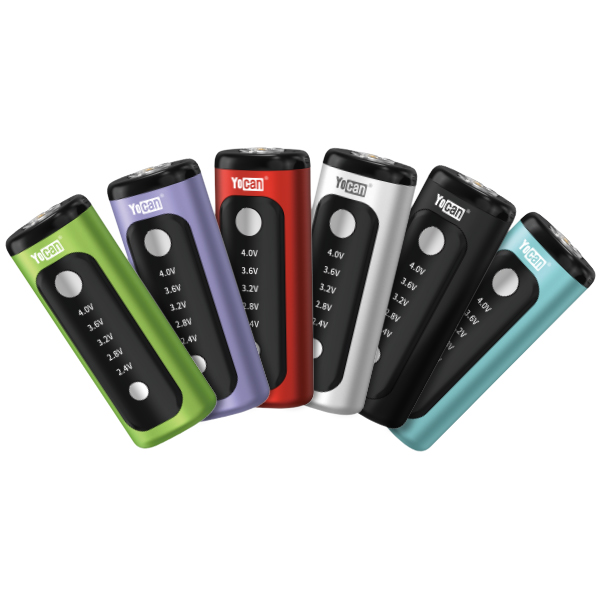
For more on battery safety and vape troubleshooting, visit the official Yocan website.
Credit: www.yocan.com
Frequently Asked Questions
Why Does My Kodo Yocan Blink Three Times With A New Cartridge?
A new cartridge may not be compatible, or the coil could be faulty. Try another cartridge to see if the problem remains. Also, check for oil or debris on the threads, which can block the connection.
Is It Safe To Keep Using My Yocan If It Keeps Blinking Three Times?
No, it’s not safe. The device is warning you about a possible short circuit, battery failure, or connection problem. Continuing to use it could cause further damage or even injury.
Can I Fix A Sunken Center Pin On My Kodo Yocan?
Yes, in most cases. Use a toothpick to gently lift the center pin back into position. Avoid using metal tools, as they can cause a short circuit. If the pin is broken or missing, you’ll need a new device.
How Long Should My Kodo Yocan Battery Last?
With normal use (a few sessions a day), the battery should last 6-12 months. If you notice charging issues or blinking problems, it may be time for a replacement.
What Should I Do If Cleaning And Changing Cartridges Doesn’t Stop The Blinking?
If you’ve cleaned the device and tried multiple cartridges, but it still blinks three times, the battery or internal electronics are likely damaged. At this point, contacting Yocan support or buying a new device is your best option.
—
Understanding the meaning behind the Kodo Yocan blinking three times can save you time, money, and frustration. By knowing how to identify battery, cartridge, and connection problems, you’ll be ready to solve most issues at home. Regular maintenance and quality cartridges make a big difference. If problems continue, don’t hesitate to seek help or consider a replacement. With these tips, you can enjoy a smooth vaping experience and get the most from your Yocan Kodo.