
Vape devices often use lights to communicate. Sometimes, these lights confuse users—especially when they blink in patterns you don’t expect. If your Foger vape starts showing a blinking green lightning bolt, you might wonder: Is something wrong? Is it dangerous? Or does it mean something simple, like a battery issue? This guide explains what the blinking green lightning bolt means, how to fix it, and how to avoid vape problems in the future. Whether you’re new to vaping or you’ve used Foger vapes for years, you’ll find clear answers here.
Understanding The Foger Vape Blinking Green Lightning Bolt
The blinking green lightning bolt on a Foger vape is not just a fancy light show. It’s a signal from your device. Most vapes use colored lights to tell you about battery status, charging, errors, or other device issues. On Foger vapes, the green lightning bolt usually appears near the charging port or main button.
What The Green Lightning Bolt Means
- Charging in Progress: Most commonly, a green lightning bolt means your vape is charging.
- Battery Level Notification: Sometimes, it indicates the battery is above a certain charge—often 60% or more.
- Possible Device Error: If the green lightning bolt is blinking rapidly (instead of staying on or pulsing), it may signal a problem.
- Firmware or Software Update: Rarely, if your device supports updates, a blinking green light could mean the firmware is updating.
Why The Lightning Bolt Blinks
A steady green lightning bolt means normal charging. But blinking is a warning or alert. It’s how the device tells you, “Pay attention—something needs your help.” This could be as simple as unplugging the device after a full charge, or it could mean there’s a problem with the battery or coil.
Common Causes For The Blinking Green Lightning Bolt
There’s no single reason for the blinking green lightning bolt. But some causes are much more likely than others. Here are the main possibilities:
- Loose Charger Connection: If the charger isn’t plugged in properly, the device may blink to tell you it’s not charging.
- Battery Full or Nearly Full: Some Foger vapes blink green when charging is almost complete.
- Battery Malfunction: A damaged or old battery can cause blinking.
- Coil or Pod Issue: If the coil or pod is not seated properly, the device may blink to warn you.
- Dirty Contacts: Dust or e-liquid on battery contacts can interrupt charging, causing blinking.
- Overheating: If the vape gets too hot during charging, it may blink green as a safety warning.
- Software Error: On smart vapes, a firmware glitch can trigger the green blinking.
- Non-Compatible Charger: Using the wrong charger may confuse the device’s charge circuit.
Less Common Causes
- Short Circuit: A rare electrical problem inside the vape.
- Physical Damage: Drops, impacts, or water damage may confuse the electronics.
Insight: Many beginners blame the charger first, but the pod, coil, or even e-liquid leaks are equally common causes. Always check these before replacing your charger or battery.

Credit: www.sudrywall.com
How To Fix Foger Vape Blinking Green Lightning Bolt
If you see the green lightning bolt blinking, don’t panic. Most problems are easy to fix at home. Here’s what you should do—step by step:
1. Check And Reconnect The Charger
Unplug both ends of your charging cable. Look for any damage or dirt. Plug the cable back into the charger and your Foger vape. Make sure it fits snugly. If the blinking stops, it was just a loose connection.
2. Clean Battery And Pod Contacts
Use a dry cotton swab to gently clean the metal contacts on your vape and pod. Even a little dust or e-liquid can block the electrical signal. Avoid using water or alcohol, which can leave residue.
3. Inspect The Pod Or Coil
Remove the pod or coil and check for cracks, leaks, or misalignment. Reinstall the pod/coil, making sure it clicks into place. If it’s damaged, replace it with a new one.
4. Let The Device Cool
If your Foger vape feels warm or hot, let it rest for at least 20 minutes. Overheating can cause blinking as a safety feature.
5. Try A Different Charger
Use the original Foger charger if possible. If you must use another charger, make sure it matches the voltage and current recommended in your vape’s manual.
6. Reset The Device (if Supported)
Some Foger vapes have a reset button or a reset sequence (like pressing the main button five times quickly). Try this to clear software errors.
7. Test With A New Battery Or Pod
If the blinking continues, use a new battery or pod. Sometimes, a worn-out part causes the problem.
When To Seek Professional Help
If none of the above steps work, your device may have a more serious problem, like a short circuit or board failure. Don’t try to open the vape yourself. Contact Foger customer support or visit a certified vape repair shop.
Non-obvious tip: If your vape blinks green only when charging from a laptop or power bank, try plugging into a wall outlet. Some USB ports don’t supply enough current for stable charging.
Troubleshooting: Quick Reference Table
Here’s a handy table to help you quickly identify and fix the blinking green lightning bolt:
| Cause | How to Check | Solution |
|---|---|---|
| Loose Charger | Wiggle the cable, see if light changes | Reconnect, use original charger |
| Dirty Contacts | Look for dust or liquid on metal parts | Clean with dry cotton swab |
| Pod/Coil Issue | Check for cracks, leaks, misalignment | Reinstall or replace pod/coil |
| Battery Full | Device blinks at end of charge | Unplug when blinking starts |
| Overheating | Device feels hot to touch | Let it cool for 20+ minutes |
| Wrong Charger | Non-original charger or slow charge | Switch to recommended charger |
| Software Error | Other steps fail, device acts strange | Reset device or contact support |
Foger Vape Charging: What’s Normal, What’s Not
Understanding normal charging behavior can help you know when something’s wrong.
Normal Charging Signs
- Solid green lightning bolt: Charging as expected.
- Blinking green at end of charge: Battery is almost full.
- Light turns off after charging: Charging is complete.
Abnormal Signs
- Rapid blinking: Usually signals a problem.
- Green light never stops blinking: May mean a battery or pod issue.
- Green lightning bolt with no charging: Could be a charger or device error.
Charging Time Comparison
Every Foger vape model charges at a different speed. Here’s a comparison for common devices:
| Foger Vape Model | Average Charging Time | Normal Light Behavior |
|---|---|---|
| Foger Mini | 30-45 minutes | Solid green, then off |
| Foger Pro | 45-60 minutes | Blinking green at 90%, off at 100% |
| Foger Max | 60-75 minutes | Solid green, blinks if battery issue |
Tip: If your device charges much slower than these times, check your cable and charger first.
Battery Health And Safety
A healthy battery is key to safe vaping. The blinking green lightning bolt can sometimes mean your battery is getting old or unsafe.
Signs Of Battery Aging Or Damage
- Frequent blinking during charging
- Device doesn’t hold a charge
- Battery feels hot when charging
- Swelling or leaking
If you see these signs, stop using the vape and replace the battery. Old batteries can be dangerous and may leak or even catch fire.
Safe Charging Practices
- Always use the original charger that came with your Foger vape.
- Don’t leave your vape charging overnight.
- Avoid charging on soft surfaces, like beds or sofas, which can trap heat.
- Never use damaged cables or adapters.
Comparing Battery Types And Lifespan
| Battery Type | Average Lifespan (Charge Cycles) | Signs of Wear |
|---|---|---|
| Standard Li-ion | 300-500 cycles | Reduced capacity, blinking issues |
| High-Capacity Li-ion | 500-700 cycles | Longer life, but still blinks when old |
Non-obvious insight: Many users replace pods often but overlook the battery. A battery past its prime can cause device errors, including the blinking green lightning bolt.
Preventing Problems: Best Practices For Foger Vape Users
You can avoid most blinking issues with a few simple habits.
1. Clean Regularly
Wipe down your vape, especially the charging contacts and pod connectors, once a week. This keeps signals strong and prevents dirt buildup.
2. Store Properly
Keep your Foger vape in a cool, dry place. Avoid hot cars, pockets, or humid bathrooms. Extreme temperature swings can damage batteries.
3. Use Quality Chargers Only
Cheap or non-certified chargers may supply the wrong voltage, confusing your vape’s electronics.
4. Replace Pods And Coils On Schedule
Old pods or coils can leak, short out, or block signals, causing blinking warnings.
5. Update Firmware (if Supported)
Some advanced Foger vapes allow firmware updates. If your device supports this, check the official Foger website for updates. Updates can fix bugs that cause false warnings.
When Is Blinking Normal—and When Is It Not?
It’s normal for your Foger vape to blink green at certain times:
- When you start charging the device
- As the battery reaches 90-100%
- When you disconnect the charger
It’s not normal if:
- The blinking starts with a new pod or coil
- The device doesn’t charge or work after blinking
- The light blinks green in a fast, repeating pattern for no reason
If the blinking green lightning bolt happens at the wrong time, treat it as a warning—don’t ignore it.
Real-life Examples
Let’s look at two user stories:
Example 1: Charger Confusion
Sarah noticed her Foger vape blinked green whenever she used her laptop to charge it. It worked fine on her wall outlet. The issue was simple: her laptop’s USB port didn’t provide enough power. Using the wall charger solved the problem.
Example 2: Pod Problem
Mike’s device started blinking green after he changed to a new pod. Cleaning the contacts didn’t help. It turned out the new pod was defective and didn’t fit tightly. Swapping to a different pod fixed the blinking instantly.
These examples show why it’s important to check both charger and pod—not just one or the other.
Understanding Other Foger Vape Light Signals
The green lightning bolt isn’t the only warning your Foger vape can give. Here are a few other common light signals:
- Red light: Usually means low battery.
- White or blue light: Sometimes means normal operation, but check your manual.
- Flashing all colors: May signal a major hardware or firmware error.
Always check your device’s user manual for the exact meaning—each model can use lights in a different way.

Credit: www.reddit.com
How To Find Official Information And Support
If you’re still confused, go to the official Foger website or your device’s manual. Many brands also offer live chat or email support. For complicated issues, don’t hesitate to ask an expert.
For extra reading on vape safety and battery issues, visit the official FDA page on vaporizers and ENDS.
Frequently Asked Questions
Why Does My Foger Vape Blink Green Even After Charging?
The blinking green lightning bolt after charging may mean your battery is full, but the charger is still connected. Unplug the device and see if the light turns off. If the light keeps blinking, check for dirty contacts or a faulty pod.
Can I Use A Phone Charger With My Foger Vape?
Not all phone chargers are safe for vapes. Some supply higher voltage or current than your Foger vape supports. Always check your manual for the recommended charger type. Using the wrong charger can cause lights to blink or even damage your device.
What Should I Do If Cleaning Contacts Doesn’t Stop The Blinking?
If cleaning the contacts doesn’t help, try replacing the pod or coil. If the problem continues, use a different charger. If nothing works, your battery may be old or your device might have a deeper issue—consider contacting customer support.
Is It Dangerous To Use My Foger Vape When It’s Blinking Green?
If the blinking green lightning bolt appears only during charging, it’s usually not dangerous. But if it blinks while vaping, don’t use the device until you find the cause. Blinking during use can warn about battery or pod problems, which may be unsafe.
How Can I Prevent My Foger Vape From Blinking Green In The Future?
Keep your vape clean, use the original charger, replace pods and coils regularly, and store the device in a cool place. Check for firmware updates if your model supports them. Avoid charging from weak power sources like laptops.
The blinking green lightning bolt on your Foger vape is a useful warning—not just a random annoyance. By understanding what it means and how to fix it, you can keep your device running smoothly and safely. With good habits and quick troubleshooting, you’ll spend less time worrying about lights and more time enjoying your vape.
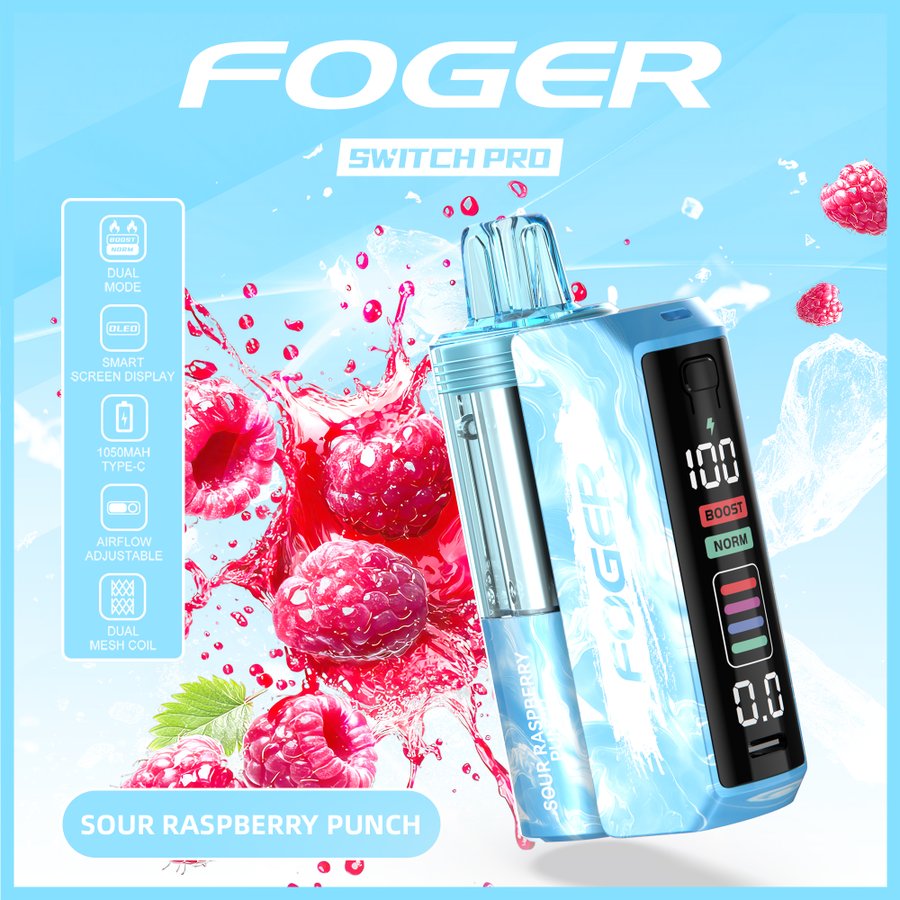
Credit: www.sudrywall.com