
First Alert Smoke Detector Green Light Blinking
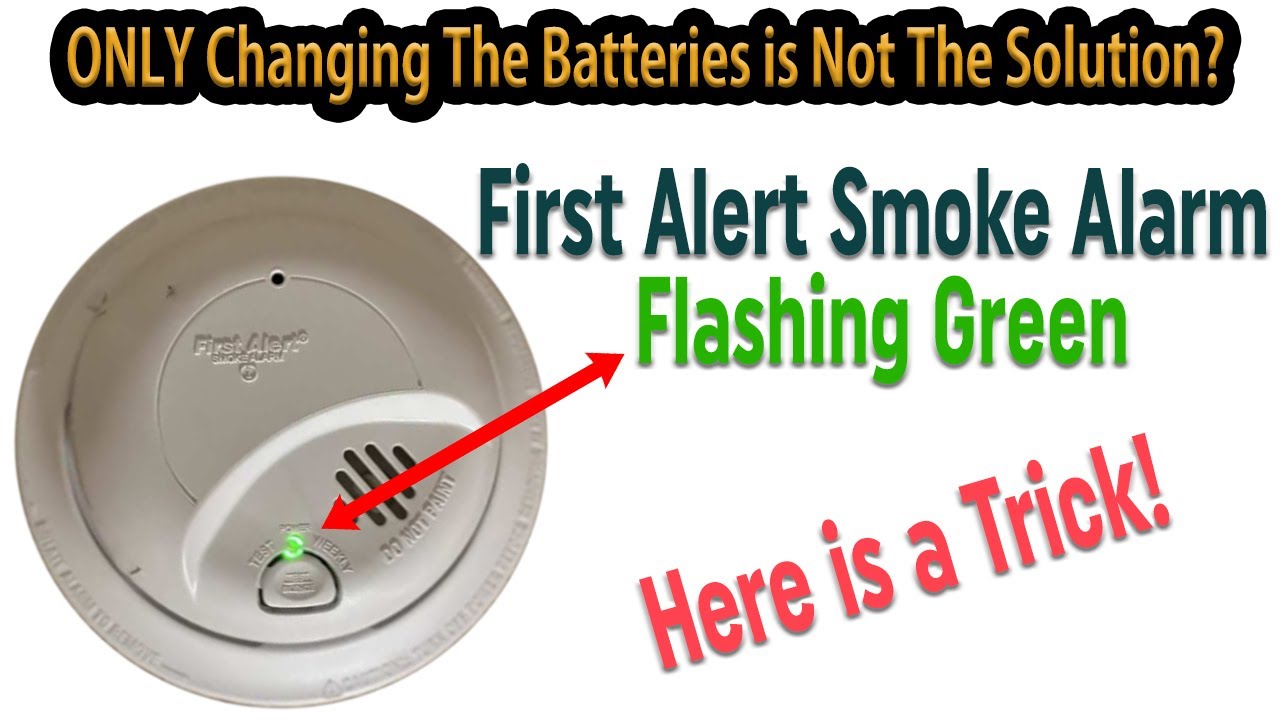
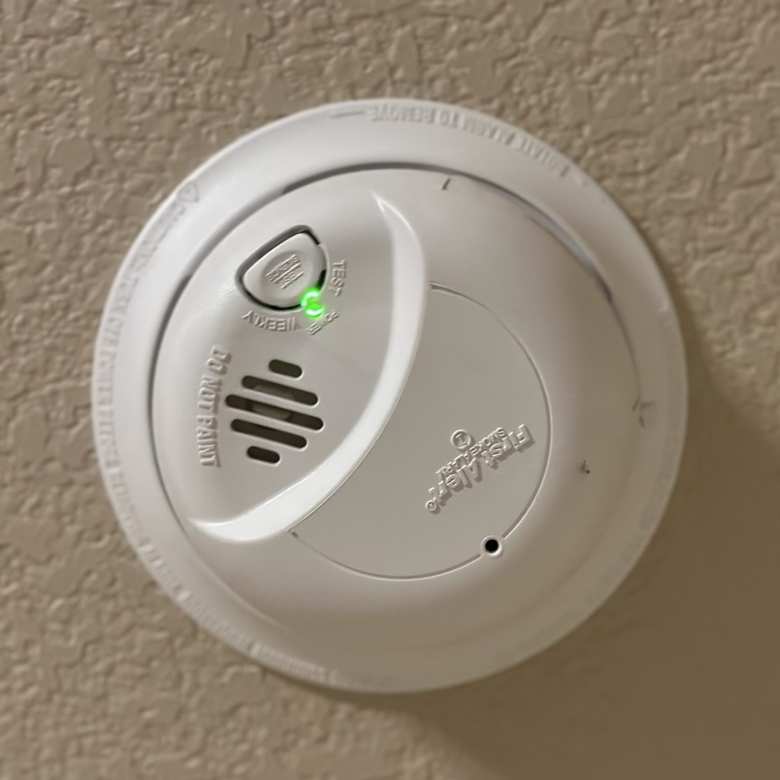
Seeing a green light blink on your First Alert smoke detector can be confusing. Many people wonder if it means their home is safe or if there’s a hidden problem. The truth is, the blinking green light is a key indicator of your smoke detector’s status. Understanding what it means can make your home much safer.
Let’s explore what the blinking green light really tells you, how to respond, and what to do if something seems wrong. This article will make things clear, even if you’re not a technical expert. You’ll learn how to read the signals, what actions to take, and how to avoid common mistakes that leave families at risk.
Plus, you’ll find practical advice and answers to questions many people are afraid to ask.
What The Green Light Means On First Alert Smoke Detectors
Smoke detectors use lights to communicate. On most First Alert models, you’ll see both green and red lights. The green light is especially important, but its meaning changes depending on the pattern.
- Solid green light: Usually means the detector is getting power and is working correctly.
- Blinking green light: This can signal several things, depending on the speed and pattern of the blink.
- No green light: The unit may have lost power or has a problem.
Let’s look at the main green light signals and what each one usually means.
Common Blinking Patterns
- Slow, steady blinking (every 30–60 seconds): Normal. Shows the detector is powered and ready.
- Rapid blinking: May mean the unit is in hush/silence mode, has just been powered up, or is running a self-check.
- Irregular or double blinking: Could signal a problem such as a low battery, end of life, or sensor issue.
But not every detector is the same. Always check your user manual for the exact meaning on your model. If you don’t have the manual, most can be found on the First Alert website.
Why The Green Light Matters
Many people ignore the green light. But it’s your first clue if the smoke detector is working, needs attention, or is failing. Ignoring it can mean missing a warning that the device won’t alert you in an emergency.
How First Alert Smoke Detectors Work
Smoke detectors are simple but vital devices. They use sensors to pick up smoke particles in the air. When smoke is detected, the alarm sounds. But before that happens, several systems must work together:
- Power supply: Can be battery or hardwired.
- Sensor: Senses smoke or fire.
- Status lights: Show the device’s working condition.
The green light is mainly about power and readiness. If it’s blinking, the detector is telling you something about its current state.
Types Of First Alert Smoke Detectors
First Alert makes several smoke detector types. Here’s a comparison to help you see which features might affect the green light signals:
| Model Type | Power Source | Green Light Behavior | Main Features |
|---|---|---|---|
| Battery-Only | Replaceable Battery | Blinks to show power; off if battery low | Easy install, portable |
| Hardwired | Wired to House Power | Solid or blinking to show AC power | Continuous power, often interconnected |
| Combination (Smoke/CO) | Battery/Hardwired | Different blinks for each sensor | Smoke & Carbon Monoxide detection |
Understanding your detector type is key to knowing what the green light is telling you.
Interpreting Green Light Patterns: What Each Blink Means
It’s easy to get worried if you see a new blinking pattern. Here’s a breakdown of the most common green light signals on First Alert smoke detectors.
1. Slow Blinking (every 30–60 Seconds)
This is the “I’m working” signal for many models. It means the detector has power and is in normal monitoring mode.
What to do: Nothing. This is the ideal state.
2. Rapid Blinking (several Times Per Second)
This often happens:
- Right after you install a new battery or reconnect power.
- When the detector is in test mode.
- If hush/silence is activated after a false alarm.
What to do: Wait a few minutes. If the blinking continues for more than 10 minutes, check the manual.
3. No Green Light
This usually signals a power problem (for hardwired units) or a dead battery (for battery units).
What to do: For hardwired units, check your circuit breaker. For battery units, replace the battery.
4. Double Blinking Or Irregular Patterns
Some models use double or irregular blinks to show a fault, end-of-life warning, or sensor issue.
What to do: Check for other warning signals. Most detectors will also beep or chirp. If unsure, replace the unit.
5. Solid Green Light
A solid green light usually means the detector has power and no errors. However, not all models use a solid light, so check your manual.
What To Do When The Green Light Blinks
You should never ignore a blinking green light, especially if it’s a new pattern. Here’s a simple action plan:
- Observe the Pattern: Is it slow, rapid, double, or random?
- Check the User Manual: Each model can be slightly different. If you don’t have the manual, search for your model number online.
- Test the Alarm: Press the “test” button. It should beep loudly. If it doesn’t, the unit needs attention.
- Check Power Source: For battery units, change the battery. For hardwired units, check the circuit breaker and wiring.
- Look for Other Warnings: Listen for chirps or beeps and check for red light activity.
- Replace the Unit if Needed: If the green light pattern won’t reset after you try the above, it may be time to replace the detector.
Example Case
If your First Alert hardwired detector starts rapid blinking after a power outage, wait a few minutes. If it doesn’t return to normal, try resetting the circuit breaker and pressing the test button. If the problem stays, the detector may need to be replaced.
Common Problems And Troubleshooting
Many people experience confusion or frustration when their smoke detector green light behaves strangely. Here are the most common problems and how to solve them.
Problem 1: Blinking Green, But No Sound
If you see a blinking green light but hear no alarm, don’t panic. The detector is usually just showing it’s working.
What to check:
- Pattern of blinking (normal or abnormal)
- Battery age
- Power connection
Problem 2: Green Light Off Completely
This means no power. For hardwired models, check:
- Is the circuit breaker on?
- Are the wires connected properly?
- Is the backup battery dead?
For battery-only models, replace the battery.
Problem 3: Green And Red Lights Both Flashing
This often signals a fault or end-of-life warning. Some models use both lights to show errors.
What to do: Check the manual for the meaning. If you can’t find it, replace the unit to stay safe.
Problem 4: Green Light Blinks Even After Battery Change
If you just changed the battery and the green light keeps blinking, try:
- Removing the battery for 30 seconds and reinstalling
- Pressing and holding the test button for 10–20 seconds
- Cleaning the detector (dust can cause sensor errors)
Problem 5: False Alarms With Green Light Blinking
Sometimes, a detector will have both false alarms and a blinking green light. This can be caused by:
- Dust or insects inside the unit
- Steam or cooking smoke
- Old sensors
How to fix: Clean the unit with a vacuum or compressed air. If problems continue, replace it.
When To Replace Your First Alert Smoke Detector
Smoke detectors do not last forever. The sensors inside lose sensitivity over time. Most experts recommend replacing every 8–10 years, or sooner if you notice problems.
Signs It’s Time To Replace
- Persistent blinking green light with strange patterns
- Frequent false alarms
- No response to the test button
- No green or red lights at all
Some modern detectors will show a blinking green light to indicate end of life. Always check the manufacturing date on the back of the unit.
Comparison Of Detector Lifespan
| Detector Type | Average Lifespan | Replacement Signal |
|---|---|---|
| Ionization | 8–10 years | Persistent blinking, chirping |
| Photoelectric | 8–10 years | Blinking, chirping |
| Combo Smoke/CO | 5–7 years (CO sensor) | End-of-life blink/beep |
Don’t ignore these signs. A non-working smoke detector puts your home at risk.
Preventive Maintenance For Your Smoke Detector
Proper care can prevent most green light problems and extend your detector’s life.
1. Test The Detector Monthly
Press the test button. It should beep. If not, check power or replace the unit.
2. Change Batteries Regularly
For battery-operated and hardwired units with battery backup, replace batteries at least once a year.
3. Clean The Detector
Dust and insects can block sensors. Use a vacuum or canned air every 6 months.
4. Replace Every 8–10 Years
Even if the light looks fine, replace old detectors. Sensors wear out.
5. Avoid Paint And Decorations
Don’t paint over your smoke detector or block it with decorations. This can cause false alarms or mask real smoke.
Real-life Examples: What Homeowners Experience
People sometimes share stories of confusing green light signals. Here are a few examples and what they teach us.
Example 1: A Family In Texas
After a power surge, their hardwired First Alert detectors began rapid-blinking green. They ignored it, but later found the units were no longer able to sound an alarm. The solution was to reset the circuit breaker and replace old backup batteries.
Lesson: Don’t ignore new blinking patterns. Always check after power issues.
Example 2: Apartment Renter In Florida
The green light was off, but the detector beeped once every minute. It turned out the battery was installed upside down.
Lesson: Even small mistakes, like battery direction, can create confusing signals.
Example 3: Elderly Couple In California
Their 10-year-old smoke detector began double-blinking green and red. They kept resetting it, but the signals returned. The unit was simply too old and needed replacement.
Lesson: Blinking patterns can mean the sensor is at end of life, not just a battery issue.
Credit: www.youtube.com
Advanced Troubleshooting Tips
Sometimes, smoke detectors need more advanced checks. Here are a few steps if simple fixes don’t work.
Try A Full Power Cycle
- Remove the detector from the ceiling.
- Take out the battery.
- Hold the test button for 20 seconds to discharge any stored power.
- Reinstall the battery and remount.
Check For Interference
Nearby wireless devices, strong electrical appliances, or even LED lights can sometimes cause interference in interconnected detectors.
- Move electronic devices away from the detector.
- Try replacing with a different brand battery.
Look Up Your Model Number
If you have a rare blinking pattern, search for your model number on the First Alert website or call their support line.
Safety Tips Everyone Should Know
- Install smoke detectors on every level of your home, inside bedrooms, and outside sleeping areas.
- Never remove the battery just to stop a blinking light or beeping. Fix the real issue.
- Test alarms after every battery change or power outage.
- Keep detectors at least 10 feet from cooking appliances to avoid false alarms.

Credit: support.firstalert.com
How To Read The Manual When You Don’t Have It
Many homeowners lose their smoke detector manual. But you can still find help:
- Most First Alert manuals are online. Search for “First Alert [model number] manual.”
- For older models, try First Alert’s official site.
- If you can’t find the manual, follow the basic troubleshooting steps in this article.
Why You Should Never Ignore A Blinking Green Light
It’s easy to think a blinking light is just an annoyance. But sometimes, it’s your only warning sign before the detector fails. Here’s why you should always pay attention:
- Early warnings prevent dangerous situations.
- Ignoring signals can lead to a non-working detector in an emergency.
- Replacing a $20 device is much cheaper than fire damage or injury.
Comparing First Alert To Other Brands
How does First Alert compare to other popular brands in terms of green light signals?
| Brand | Green Light Meaning | User Confusion Level | Support Quality |
|---|---|---|---|
| First Alert | Power & status | Medium | High |
| Kidde | Power (solid), Fault (blinking) | High | Medium |
| BRK | Similar to First Alert | Medium | Medium |
First Alert’s manuals and support are generally clearer than some competitors, but all brands use green light signals.
Non-obvious Insights For Owners
- Not All Green Lights Are “Good”: Some people think any green light means safety. In reality, a rapidly blinking green can warn of a problem. Always check the blink pattern, not just the color.
- Detectors Can “Silently Fail”: If you see a different green light but no sound, the sensor inside may be dead. Always test the alarm, not just rely on the light.
- Voltage Fluctuations Matter: In older homes, even small power surges can cause your hardwired detector to act strangely. If you have frequent surges, consider using a surge protector.
Credit: felixwong.com
Frequently Asked Questions
Why Is My First Alert Smoke Detector Blinking Green Every 30 Seconds?
A slow, steady green blink usually means your detector is working and powered. This is normal for many First Alert models. If you hear no beeps and the test button works, your unit is likely fine.
What Does It Mean If The Green Light Is Off But The Red Light Is Blinking?
No green light usually means no power or a battery issue. A blinking red light often signals a low battery, end of life, or a recent alarm event. Check your battery or power supply.
Should I Worry If My Smoke Detector Blinks Green Rapidly After Changing The Battery?
Rapid green blinking after battery change is common. It usually means the unit is resetting or running a self-check. Wait a few minutes. If it doesn’t stop, try removing and reinstalling the battery.
How Can I Stop My First Alert Smoke Detector From Blinking Green?
First, identify if the blinking is normal (slow blink = okay). If the blinking is new or rapid, check batteries, power, and test the alarm. If problems remain, consult your manual or replace the unit.
Can A Blinking Green Light Mean My Smoke Detector Is Too Old?
Yes. Some First Alert models use a blinking green (sometimes with red) to signal end of life. Check the manufacture date on the unit. Replace any detector over 10 years old.
A blinking green light on your First Alert smoke detector is a small signal that can have a big impact on your safety. By learning what each pattern means, testing your alarm regularly, and responding quickly to changes, you make your home much safer. Don’t ignore those lights—pay attention, take action, and stay protected. If in doubt, replace the unit. Your family’s safety is worth it.