
A blinking red light on your Samsung washing machine can be confusing and stressful, especially when you need to finish laundry quickly. Many Samsung owners experience this problem, but often, the cause is simple and can be fixed at home. If you are seeing a red light flashing and your machine is not working as it should, you are not alone. In this article, you will learn why the Samsung washing machine blinking red light appears, what each blinking pattern means, and how to solve the most common issues. You will also find practical advice to prevent future problems, comparisons of models, and answers to the most frequent questions.
What Does The Blinking Red Light Mean?
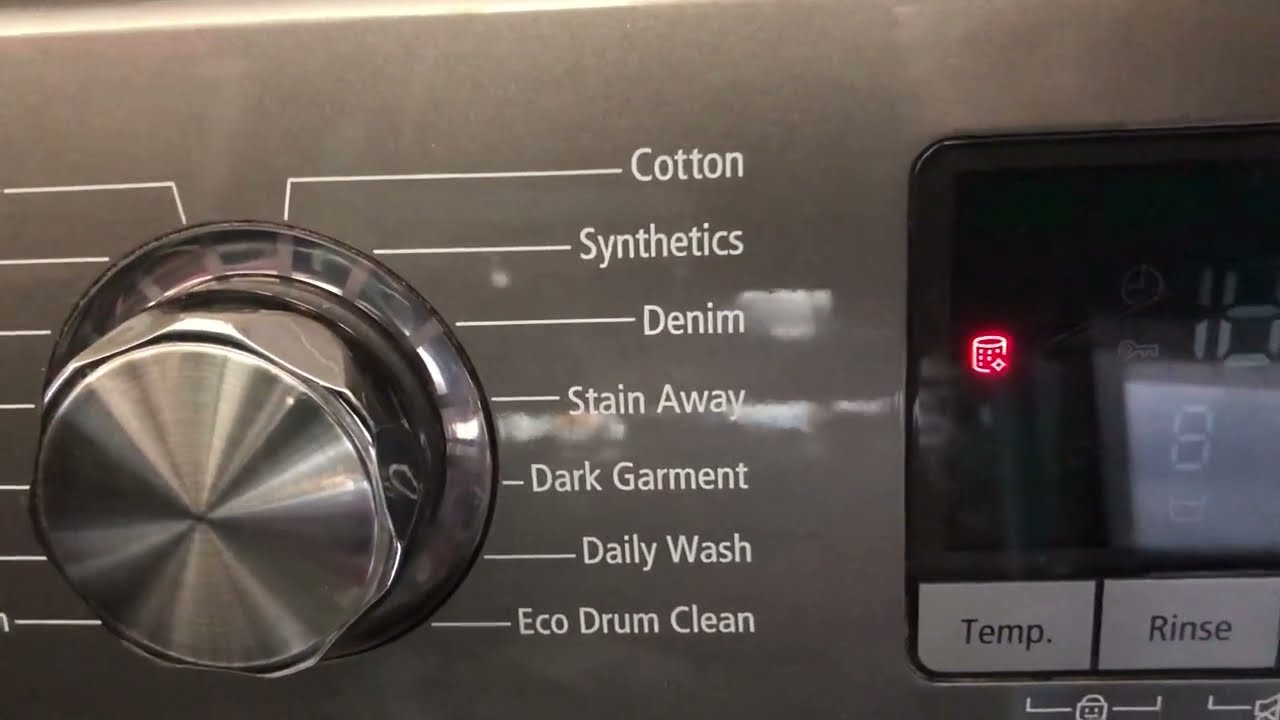
Seeing a blinking red light on your Samsung washing machine usually means there is an error or warning. This light is a way for the machine to communicate a problem. The exact meaning can change depending on the model and the cycle you are running.
For most Samsung models, the red light is linked to:
- Door lock problems
- Water supply issues
- Drainage errors
- Overheating or overheating protection
- Electronic or sensor malfunctions
Sometimes, the red light will blink in a specific pattern or with a code. For example, three short blinks and one long blink can mean a different error than a steady blinking. Always check your user manual for your specific model’s warning system.
Common Error Codes Associated With Red Light
Some Samsung machines show both a blinking red light and an error code on the digital display. Here are common codes and their meanings:
| Error Code | What It Means | Action Required |
|---|---|---|
| DE | Door Error | Check if the door is closed or if the latch is blocked |
| 4E | Water Supply Error | Check water tap and hoses |
| 5E | Drain Error | Clean the filter and check for clogged hose |
| UE | Unbalanced Load | Redistribute clothes in the drum |
| HE | Heating Error | Check power supply or call for service |
Understanding these codes can help you solve the problem quickly and avoid calling a repair technician.
Main Causes Of A Blinking Red Light
Let’s look at the most common reasons why your Samsung washing machine might show a blinking red light.
1. Door Not Locked Properly
The door lock mechanism is a common issue. If the door is not closed fully, the machine will not start and the red light may blink. Sometimes, the latch can get blocked by clothes or small objects.
2. Water Supply Problems
If there is not enough water entering the machine, a red light will alert you. This can happen if:
- The water tap is off
- The inlet hose is bent or blocked
- The filter at the hose connection is dirty
3. Drainage Issues
When water cannot leave the drum, the red light often blinks. Causes include:
- Blocked drain filter
- Kinked or clogged drain hose
- Faulty drain pump
4. Overheating
If the machine senses overheating, it will flash a warning. This can be due to:
- Running too many loads back-to-back
- Blocked ventilation
- Internal faults with heating elements
5. Electronic Or Sensor Malfunction
Modern Samsung washers use sensors to check water levels, temperature, and door position. If a sensor fails, the machine cannot operate safely and the red light will blink.
Step-by-step Solutions To Fix The Blinking Red Light
If your Samsung washing machine shows a blinking red light, you can often fix the problem yourself. Here are step-by-step solutions for each main cause.
1. Door Lock Issues
- Open and close the door firmly until you hear a click.
- Remove any items blocking the latch.
- Check the rubber gasket for dirt or foreign objects.
- If the lock is damaged, you may need a replacement.
2. Water Supply Fixes
- Make sure the water tap is fully open.
- Disconnect the inlet hose and clean the filter screen.
- Straighten any bends in the hose.
- Try running the machine with no load to see if water flows.
3. Drainage Solutions
- Turn off the machine and unplug it.
- Open the filter cover (usually at the bottom front).
- Place a shallow tray or towel under the filter to catch water.
- Unscrew the filter and clean out debris such as coins, lint, or buttons.
- Check the drain hose for blockages or kinks.
4. Handling Overheating
- Allow the machine to cool down for 30 minutes before restarting.
- Make sure the machine is not in a small, hot room.
- Check for dust buildup on vents and clean if needed.
5. Fixing Sensor Or Electronic Errors
- Unplug the washing machine for 5 minutes to reset the electronics.
- Plug it back in and start a short cycle.
- If the error returns, you may need professional service, as sensor replacement is complex.
Comparison Of Samsung Washing Machine Models And Red Light Alerts
Some Samsung washing machines are more likely to show red light errors based on their design and age. Here’s a comparison of how different models handle error alerts:
| Model Series | Common Error Alerts | Red Light Behavior |
|---|---|---|
| EcoBubble | Water supply, door lock | Blinks with error code on display |
| FlexWash | Sensor, unbalanced load | Blinks and beeps with code |
| Top Load | Drainage, overheating | Blinks red only, no code |
| Front Load (Older) | Door, electronic board | Red light stays steady or blinks slowly |
Newer models tend to provide more information with digital displays, making troubleshooting easier.
When To Call For Professional Help
You can fix many blinking red light issues at home. However, call a professional service if:
- The red light remains after trying all solutions.
- You hear unusual noises or smell burning.
- The error code is not listed in the manual.
- Water leaks from the machine.
Avoid opening the back panel or trying to fix electronic boards unless you are trained. Unauthorized repairs can void your warranty.
Preventing Future Red Light Errors
Taking care of your washing machine reduces the chance of seeing the blinking red light again.
Regular Maintenance Tips
- Clean the drain filter monthly to avoid blockages.
- Check hoses for leaks or bends every few months.
- Wipe the door seal after each wash to remove lint and dirt.
- Do not overload the drum; follow the manufacturer’s capacity guidelines.
- Run an empty hot wash with a cup of vinegar once a month to clean the drum.
Power Supply Stability
Unstable power can cause electronic errors. Use a surge protector or voltage stabilizer if you live in an area with frequent power cuts or voltage spikes.
Using The Right Detergent
Always use HE (High Efficiency) detergent for Samsung machines. Too much suds can trigger sensor errors and lead to red light warnings.
Credit: www.youtube.com
Real-life Example
Maria, a Samsung washer owner from Texas, saw a blinking red light and the code 5E. She discovered that her drain filter was blocked by hairpins and lint. After cleaning the filter, the machine worked perfectly again. This shows that simple maintenance can prevent big problems.
Another user, John from California, saw a steady red light but no error code. It turned out his power supply was unstable. After using a surge protector, the machine stopped showing errors.
Samsung Washing Machine Vs Competitors: Error Alerts
How does Samsung compare to other brands when it comes to warning lights and error reporting? Here’s a side-by-side look:
| Brand | Common Alert System | User-Friendliness |
|---|---|---|
| Samsung | Blinking lights + error codes | Easy for tech-savvy users, some codes are unclear for beginners |
| LG | Flashing symbols + voice guidance (on some models) | Very clear, but only on newer models |
| Whirlpool | LED lights, no codes on basic models | Can be confusing, less detail given |
| Bosch | Digital display + beeps | Clear, but requires manual for code meanings |
Samsung stands out for offering both light and code alerts, but beginners may need the manual or online resources to fully understand them.

Credit: www.youtube.com
Extra Insights Beginners Often Miss
Many new users overlook two important details:
- Ignoring filter cleaning: Even if your clothes seem clean, small items and lint collect in the filter. Ignoring this step is a top cause of drainage errors and blinking red lights.
- Power cycling can reset errors: Simply unplugging the washer for a few minutes can clear minor electronic issues. This is often faster than waiting for a technician.
Trusted Resources
If you need more detailed information or want to check official troubleshooting steps, the official Samsung support page is very helpful. For deep technical guides and user manuals, visit Samsung Support.

Credit: eu.community.samsung.com
Frequently Asked Questions
Why Is My Samsung Washing Machine Showing A Blinking Red Light But No Error Code?
A blinking red light without an error code often means a basic issue, like a door not closed properly, a small power interruption, or a minor sensor glitch. Try unplugging the machine for 5 minutes, then check the door and restart the cycle.
How Do I Reset My Samsung Washing Machine?
To reset most Samsung washers, unplug the machine from the wall, wait 5–10 minutes, and plug it back in. This can clear temporary electronic or sensor errors.
What Should I Do If The Red Light Keeps Blinking Even After I Fix The Problem?
If the red light stays on after you solve the visible issue, try a hard reset by unplugging the machine. If the light is still blinking, there may be a deeper electronic or sensor fault that requires professional service.
Can I Continue Using My Washing Machine With The Red Light Blinking?
It’s not safe to use the washer when the red light is blinking, as it signals a problem. Using it can cause more damage or safety risks. Always solve the issue before running another cycle.
How Often Should I Clean The Filter To Prevent Red Light Errors?
For most households, cleaning the drain filter once a month is enough. If you wash very dirty clothes, pet items, or have hard water, clean it more often.
Taking a little time to check for simple issues can save you money and stress. By understanding what the Samsung washing machine blinking red light means and how to fix it, you can keep your machine running smoothly and enjoy clean laundry with less hassle.