
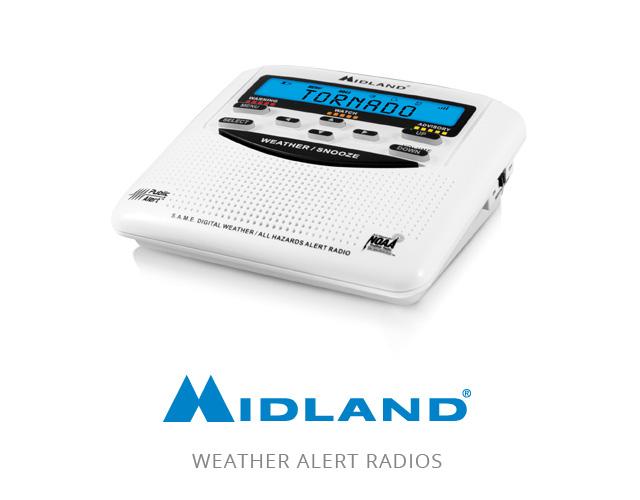
When your Midland weather radio starts blinking all its lights, it’s more than just an annoying sight—it signals a problem that could affect your safety. These radios are trusted tools for weather alerts, but when all lights blink, users often worry about missing critical warnings.
Knowing what causes this issue, how to fix it, and how to prevent it will help you keep your radio reliable when storms approach.
Why All Lights Blink On Midland Weather Radios
Seeing all lights blinking is not a normal operation for Midland weather radios. This behavior usually means the device is experiencing a malfunction or is trying to alert you to a system error. Let’s look at the most common reasons:
1. Power Failure Or Battery Issues
If your radio’s battery is low or the AC adapter isn’t plugged in well, the radio may try to warn you. A blinking light pattern is the way it signals this problem.
2. Internal Software Error
Sometimes, the radio’s software gets stuck or confused. This can happen after a power surge, during firmware updates, or if the radio is exposed to static electricity.
3. Alarm Reset Required
After a weather alert, the radio expects you to reset the alarm. If you don’t, it may keep blinking all lights as a reminder.
4. Physical Damage
Water spills, drops, or bumps can cause loose connections inside the radio. This can trigger the blinking lights.
5. Signal Reception Problems
If the radio isn’t receiving signals well, it can show blinking lights to warn you about its inability to pick up weather information.
Models Most Affected By All Lights Blinking
Not every Midland weather radio model behaves the same way. Some are more prone to this issue due to design or firmware. Here’s a comparison of popular models:
| Model | Display Type | Common Blinking Issue | Firmware Updates |
|---|---|---|---|
| Midland WR120 | LCD | Frequent after power loss | Available |
| Midland WR300 | Dot Matrix | Occasional after alert | Not often |
| Midland ER210 | LED | Rare, mostly battery related | Not available |
| Midland WR400 | Color LCD | Uncommon, software reset needed | Available |
Midland WR120 is known for frequent blinking after power issues, while the WR300 sometimes blinks after alerts. Newer models like WR400 are less likely to show this behavior unless a software reset is needed.
How To Fix Midland Weather Radio All Lights Blinking
If your radio’s lights are blinking, don’t panic. Most solutions are simple. Here’s a practical approach:
Step 1: Check Power Source
- Make sure the AC adapter is plugged in firmly.
- Replace old batteries with fresh ones.
- If using rechargeable batteries, check they are fully charged.
Step 2: Perform A Hard Reset
- Unplug the radio and remove batteries.
- Wait at least 60 seconds.
- Reinsert batteries and reconnect to power.
- Turn on the radio and see if lights stop blinking.
Step 3: Reset Alarm Or Alert Setting
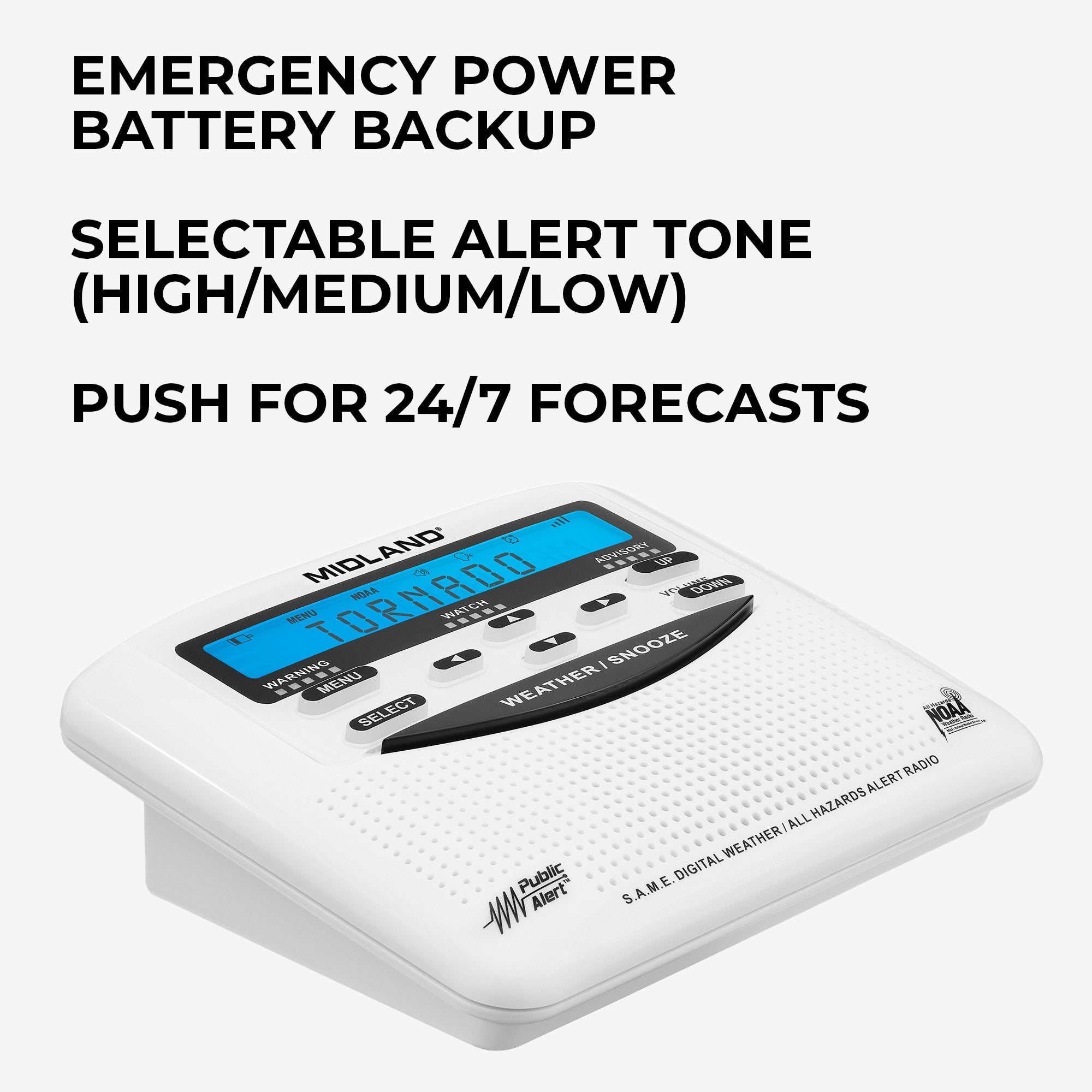
- Press the “Reset” or “Menu” button as described in the manual.
- Clear any stored alerts.
- Listen for a beep or confirmation sound.
Step 4: Update Firmware (if Available)
- Visit Midland’s official website for firmware updates.
- Follow instructions to update the software if your model supports it.
Step 5: Inspect For Physical Damage
- Check for cracks, water marks, or loose buttons.
- If damaged, professional repair may be needed.
Step 6: Improve Signal Reception
- Move the radio near a window or higher location.
- Extend the antenna fully.
- Try scanning for channels again.
Most users find that a hard reset solves the blinking lights. If not, updating firmware or improving signal can help. If you see signs of physical damage, seek expert help.
Common Mistakes When Troubleshooting
Beginners often miss key steps. Here are mistakes to avoid:
1. Ignoring Battery Quality
Using old or low-quality batteries is a common cause. Always use fresh, recommended batteries.
2. Skipping The Hard Reset
Many users try simple button presses but forget to fully disconnect power and batteries.
3. Not Reading The Manual
Each model may have unique reset steps. Manuals often contain hidden tips.
4. Overlooking Signal Location
Placing the radio in a corner or basement can block signals. Move it to a better spot before giving up.
5. Delaying Firmware Updates
Software bugs can cause blinking. Regular updates prevent issues.

Credit: www.amazon.com
Real-life Examples Of Midland Weather Radios With Blinking Lights
Let’s look at how users solved blinking light issues:
Case 1: WR120 After Power Outage
A user noticed all lights blinking after a thunderstorm. The radio was unplugged, and batteries were drained. After replacing batteries and performing a hard reset, the radio worked normally again.
Case 2: WR300 Alert Reset Missed
After receiving a tornado alert, a user forgot to reset the alarm. The radio kept blinking all lights. Pressing the “Reset” button stopped the blinking.
Case 3: ER210 Battery Issue
The portable ER210 showed blinking lights during a camping trip. Changing the batteries and extending the antenna fixed the issue.
These examples show that most blinking light issues are fixable at home. Rarely, internal damage needs professional repair.
Comparing Midland Weather Radios Vs Other Brands
How does Midland compare to other brands when it comes to blinking light issues? Here’s a helpful table:
| Brand | Typical Blinking Causes | Ease of Reset | Frequency of Issue |
|---|---|---|---|
| Midland | Power, software, alerts | Easy, manual reset | Medium |
| Sangean | Battery, signal | Easy, button reset | Low |
| Eton | Firmware, antenna | Moderate, firmware update | Medium |
| La Crosse | Alert reset, signal | Easy, menu reset | Medium |
Midland radios are generally easy to reset, but the blinking light problem happens more often than with Sangean or Eton radios. La Crosse models also show similar issues but tend to be easier to fix.
Credit: midlandusa.com
Preventing All Lights Blinking On Midland Weather Radios
Prevention is better than cure. Here’s how you can avoid blinking light issues:
1. Check Batteries Regularly
Change batteries every 6 months. Use high-quality brands.
2. Keep The Ac Adapter Secure
Loose adapters can cause power drops. Make sure it’s plugged in tightly.
3. Update Firmware Periodically
Visit Midland’s website for updates every year.
4. Place Radio In A Signal-friendly Spot
Near windows, away from thick walls, and high up if possible.
5. Handle With Care
Avoid water, drops, or rough handling.
6. Reset Alerts After Every Warning
Don’t leave alarms active. Reset them after each weather event.
Many users overlook these steps. For example, forgetting to reset after an alert is a common cause of blinking. Regular maintenance keeps your radio reliable.
When To Contact Midland Support
Some blinking light issues are not fixable at home. Contact Midland support if:
- The radio keeps blinking after all troubleshooting steps.
- You see physical damage inside or outside the radio.
- The radio fails to pick up any signals despite moving and scanning.
- Firmware updates fail or aren’t available for your model.
Midland’s support team can guide you further or arrange a repair. Their website offers manuals and firmware downloads. For more technical guidance, check out the Midland official troubleshooting guide.
Credit: midlandusa.com
Frequently Asked Questions
Why Are All The Lights Blinking On My Midland Weather Radio?
All lights blinking usually means there’s a power issue, alert reset needed, or software error. Check batteries, reset the radio, and clear alerts. If the problem continues, inspect for damage or signal problems.
Can Blinking Lights Mean The Radio Is Broken?
Not always. Most blinking issues are caused by simple problems like low batteries or missed resets. Only persistent blinking after troubleshooting may mean internal damage.
How Do I Reset My Midland Weather Radio?
Unplug the radio, remove batteries, wait 60 seconds, then reconnect. Press the Reset or Menu button to clear alerts. This fixes most blinking light issues.
Which Midland Model Is Most Prone To Blinking Lights?
The WR120 is known for frequent blinking, especially after power loss. Newer models like WR400 are less likely to have this issue unless a software reset is needed.
What If The Blinking Lights Return After Fixing?
Repeat the reset steps. If blinking returns often, check for firmware updates or contact Midland support. Persistent blinking may point to a deeper problem.
A blinking weather radio can be alarming, but most issues are simple to fix. By understanding causes, following practical steps, and maintaining your radio, you’ll stay prepared for any weather emergency. Midland radios are trusted for a reason—keep yours ready with these tips, and you’ll never miss a warning.