
When you see a blinking blue light on your Dyson vacuum or air purifier, it can be confusing or even stressful. Many Dyson owners wonder if this signal means a problem, a normal function, or if something is about to break. The truth is, Dyson devices use indicator lights to communicate with you. Understanding what the blinking blue light means can help you quickly solve issues, keep your Dyson running well, and avoid unnecessary repairs or downtime.
This article explains everything you need to know about the Dyson blinking blue light across different Dyson models. You’ll learn why it happens, how to troubleshoot it, and when you might need expert help. Whether you use a Dyson V-series cordless vacuum, a Dyson air purifier, or another Dyson device, you’ll find clear answers here. We’ll use simple English, so even if you’re not a native English reader, you’ll understand the steps and solutions.
What Does The Dyson Blinking Blue Light Mean?
A blinking blue light on Dyson devices is a way the machine talks to you. Dyson uses different colors and blinking patterns to signal status, alerts, or errors. However, the meaning of a blue blinking light can vary depending on your specific Dyson model and what you are doing at the time.
Most often, a blinking blue light means:
- The battery is charging or trying to charge
- There is a blockage or airflow issue
- The filter needs attention
- The device has a connection problem (especially with cordless models)
- There is a temporary error that might fix itself
Knowing your Dyson’s exact model helps a lot. For example, the Dyson V8, V10, and V11 have slightly different meanings for the blue light. Always check your product manual, but the following sections will guide you through the most common causes and solutions.
Common Dyson Devices With A Blinking Blue Light
Not all Dyson products use the same light signals. Here are some popular models where you might see a blinking blue light:
- Dyson V6, V7, V8, V10, V11, V15 Cordless Vacuums
- Dyson Air Purifiers (Pure Cool, Hot+Cool, Pure Humidify+Cool)
- Dyson Ball and Upright Vacuums
- Dyson Hair Styling Tools (like the Airwrap and Supersonic)
- Other Dyson Cordless Devices
Each model can use the blue light in a different way. Next, let’s look at what the blinking blue light usually means for each type.
Dyson Cordless Vacuum: Blinking Blue Light Explained
Battery Charging Status
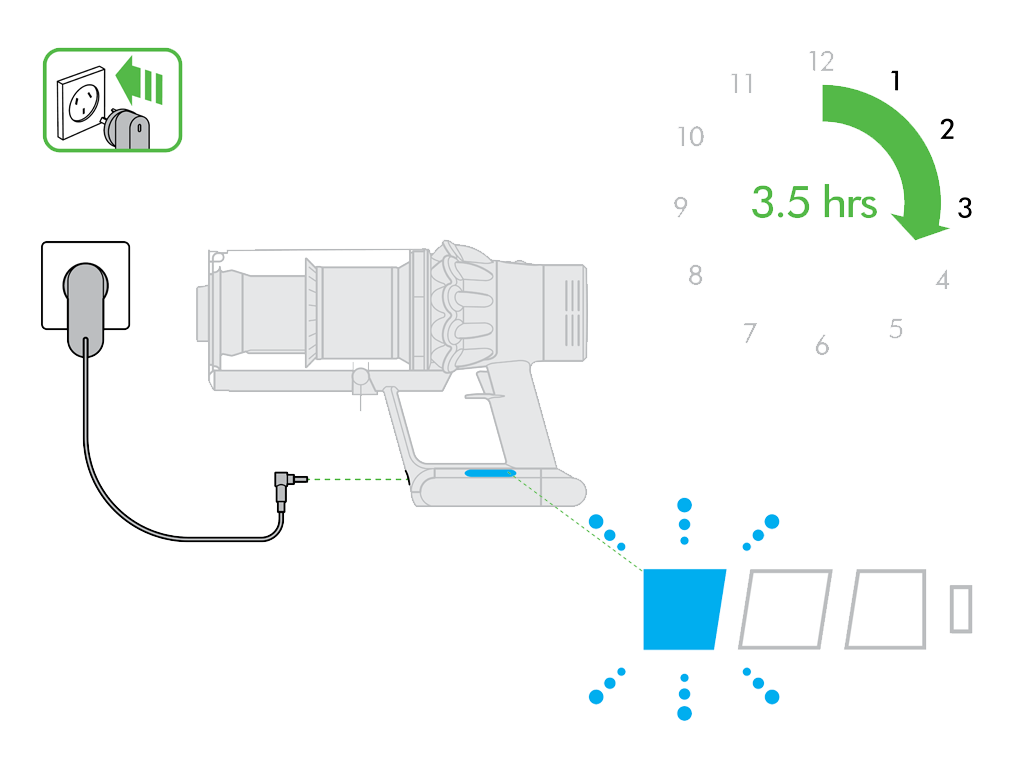
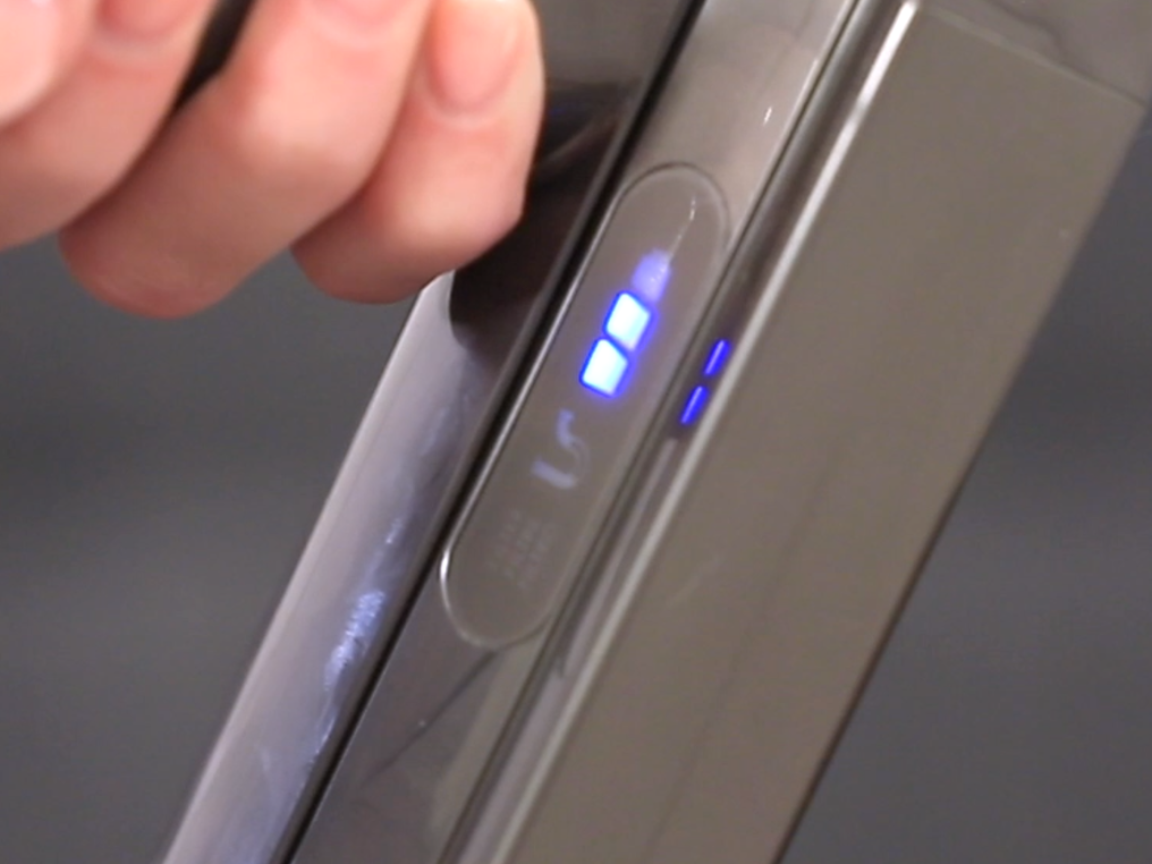
On most Dyson cordless vacuums (V6, V7, V8, V10, V11, V15), the blinking blue light is often related to battery charging. Here’s what you might see:
- Blue light blinks slowly: The vacuum is charging as normal.
- Blue light blinks quickly: There is a charging problem, often due to a poor connection.
- No light: The vacuum is not charging or the battery is disconnected.
If you see the blue light blinking while your vacuum is on the charging dock, check the charger’s connection. Make sure the plug is fully inserted into the wall and the charging port. Sometimes, dirt or dust in the charging contacts can stop charging.
Gently clean these areas with a dry cloth.
Blockages And Airflow Issues
A blinking blue light can also mean the vacuum’s airway is blocked. This is common if you have recently vacuumed up hair, dust, or larger debris. Dyson cordless vacuums are designed to protect the motor and battery by alerting you when airflow is restricted.
To fix this:
- Turn off and unplug the vacuum.
- Remove the bin and check for blockages near the entrance.
- Inspect the wand, filter, and brush bar for hair or debris.
- Remove any visible clogs carefully.
- Reassemble and try again.
If the light stops blinking, you have solved the problem. If not, check the filter next.
Filter Problems
If the filter is clogged or not seated properly, the vacuum may show a blinking blue light. Dyson vacuums need clean filters to run well.
- Remove the filter (usually purple and located at the top or side).
- Wash it under cold water (no soap).
- Let it dry fully (at least 24 hours) before putting it back.
- Do not use the vacuum without a completely dry filter.
Sometimes, simply re-seating the filter (putting it back in properly) can stop the blue light.
Battery Or Connection Errors
A fast-blinking blue light can mean the vacuum cannot communicate with its battery. This might happen if the battery is loose, old, or faulty.
- Remove and reinsert the battery to check the connection.
- Try a different charger if you have one.
- If the battery is several years old, it may need to be replaced.
Dyson batteries usually last about 3 to 5 years, depending on use.
Table: Dyson Cordless Vacuum Blue Light Meanings
Below is a quick comparison of blue light signals on Dyson cordless models:
| Blue Light Pattern | Possible Meaning | What to Do |
|---|---|---|
| Slow blinking | Charging normally | No action needed |
| Fast blinking | Charging problem / Battery error | Check charger, battery, contacts |
| Blinks when in use | Blockage or filter issue | Check for clogs, clean filter |
| No light | Not charging / Dead battery | Check connections, replace battery |
Dyson Air Purifiers: Blinking Blue Light Signals
Dyson air purifiers, such as the Pure Cool, Hot+Cool, and Pure Humidify+Cool, use blue lights for different reasons than vacuums.
Standby And Operation
A steady blue light or slowly blinking blue light on air purifiers usually means the machine is in standby mode or operating normally. If the blue light blinks when you turn it on or change settings, this is often normal.
Filter Replacement Reminder
Some Dyson air purifiers will blink blue when it’s time to change or clean the HEPA filter. Usually, the display also shows a filter icon or a message.
- Check the filter life on the purifier’s display or app.
- Replace the filter if needed (most filters last 6–12 months).
- Reset the filter reminder after replacement (see your manual).
Error Or Connection Issues
A rapidly blinking blue light can mean a Wi-Fi connection problem (on smart models) or an internal error. Try restarting the purifier or reconnecting it to your app.
Table: Dyson Air Purifier Blue Light Guide
| Blue Light Pattern | Meaning | Action |
|---|---|---|
| Steady/blinking slowly | Normal operation/standby | No action needed |
| Blinks with filter icon | Filter needs attention | Check or replace filter |
| Rapid blinking | Wi-Fi or internal error | Restart/reset device |

Credit: www.youtube.com
Dyson Hair Tools: What The Blue Light Means
The Dyson Airwrap and Dyson Supersonic hair tools also use a blue light indicator. On these devices, a blinking blue light often means:
- The tool is cooling down or in cool shot mode
- There is a temporary error
- The filter needs cleaning
If you notice the blinking blue light and the tool is not working, unplug it and let it cool for a few minutes. Clean the filter mesh (often at the handle’s base), and try again.
How To Fix A Dyson Blinking Blue Light: Step-by-step
If you see a blinking blue light on your Dyson, try the steps below:
1. Identify Your Model
Check your Dyson’s model number (usually on a label near the battery or plug). This will help you look up the exact meaning in your manual or online.
2. Check Power And Charging
- Make sure the power source (outlet) works.
- Check the charger for damage.
- Clean the charging contacts on both the charger and Dyson.
3. Inspect For Blockages
- Remove the dustbin and look for clogs.
- Check the wand, hose, and attachments.
- Remove hair or debris from brush bars.
4. Clean Or Replace The Filter
- Take out the filter and rinse under cold water.
- Allow it to dry fully (minimum 24 hours).
- Replace if damaged or old (usually once a year).
5. Reinsert Or Replace The Battery
- Remove and re-seat the battery.
- If still blinking, try another battery if possible.
- Replace if the battery is more than 3–5 years old or won’t hold charge.
6. Restart The Device
- Unplug the device for 60 seconds.
- Plug it back in and turn it on.
- Sometimes, a simple reset clears temporary errors.
7. Check For Software Updates (smart Devices)
- For air purifiers, use the Dyson Link app to check for firmware updates.
- Update the software if an update is available.
8. Review The Manual
Always check your Dyson’s user manual for blue light meanings specific to your model. Dyson’s official support site also has guides and videos.
Less-known Insights About The Dyson Blinking Blue Light
Many people don’t realize that the blue light can also blink if:
- The room temperature is too cold or too hot for charging (batteries charge best between 41°F and 95°F / 5°C and 35°C).
- The charger is a third-party brand not approved by Dyson. Some chargers don’t provide the right voltage, causing the light to blink rapidly.
- Firmware issues on newer, app-connected Dysons can trigger the blue light even if the hardware is fine. Updating firmware often solves these “ghost” alerts.
When To Contact Dyson Support
If you’ve tried all the steps above and the blue light keeps blinking, it may be time to contact Dyson support. This is especially important if:
- Your device is under warranty (usually 2 years)
- The battery overheats or swells
- The device won’t turn on or charge at all
- You see other error codes or warning lights
Dyson support can often diagnose the problem by phone or video. They may offer a free repair or replacement if your device is covered.
You can find Dyson’s official support page at Dyson Support.
Battery Replacement: Genuine Vs. Third-party
One big decision when facing a blinking blue light is whether to buy a genuine Dyson battery or a third-party battery. Here’s a quick comparison:
| Battery Type | Pros | Cons |
|---|---|---|
| Genuine Dyson | Guaranteed fit, safe, warranty support | More expensive, may need to buy from Dyson directly |
| Third-Party | Cheaper, easily found online | Possible compatibility issues, may cause warning lights, may void warranty |
While third-party batteries may work, they sometimes cause the blue light to blink rapidly due to voltage or communication errors. If you want full reliability, stick with a Dyson-branded battery.
Preventing Blue Light Issues: Maintenance Tips
A little maintenance can help you avoid seeing the blinking blue light:
- Clean the filter every 1–2 months (or as instructed)
- Empty the dustbin after every use
- Check for blockages in the wand and brush regularly
- Use genuine Dyson parts for replacements
- Keep the battery charged but don’t leave it plugged in for weeks at a time
- Store the vacuum in a cool, dry place
Many users miss the importance of drying the filter fully before use. A damp filter can cause the blue light to blink and may even damage the motor.
Credit: support.dyson.co.nz
Real User Stories: Solving The Blinking Blue Light
Sometimes, it helps to hear how other Dyson owners fixed their blinking blue light problem.
Anna from Chicago: “My V10 started blinking blue when I pressed the trigger. I checked for clogs and cleaned the filter, but it didn’t stop. Dyson support told me the battery was at the end of its life. I bought a new Dyson battery, and the blue light went away.”
James in London: “I used a cheap charger for my Dyson V8. It kept blinking blue and wouldn’t charge. When I switched back to the original charger, it charged perfectly. Lesson learned—use Dyson’s own charger.”
Priya in Mumbai: “My Pure Cool air purifier blinked blue after a power cut. I unplugged it for a minute, then plugged it back in. The blue light stopped, and it worked fine.”
These stories show that simple fixes often work, but sometimes you need a new battery or support.
Frequently Asked Questions
Why Is My Dyson Blinking Blue And Not Working?
A blinking blue light usually means a charging problem, blockage, or filter issue. Check the battery connection, clean the filter, and look for clogs. If it still won’t work, the battery may need to be replaced.
Can I Use My Dyson With A Third-party Battery If The Blue Light Blinks?
You can, but a blinking blue light often means the battery is not fully compatible. Third-party batteries can cause communication errors or even damage the vacuum. For best results, use a genuine Dyson battery.
How Do I Reset My Dyson Vacuum After Cleaning The Filter?
After cleaning and fully drying the filter, simply place it back into your Dyson. There’s no special reset button for most models. If the blue light keeps blinking, unplug the battery for a minute, then try again.
What Should I Do If The Blue Light Blinks While Charging?
Check that the charger is plugged in and working. Clean the charging contacts. Try another outlet or charger if possible. If the problem continues, the battery or charger may need replacing.
Where Can I Find Official Help For My Dyson Blinking Blue Light Problem?
Visit Dyson Support for official troubleshooting, manuals, and repair help.
A blinking blue light on your Dyson is often a small problem with an easy fix. By understanding what the light means, checking for blockages, cleaning the filter, and using genuine parts, you can keep your Dyson running smoothly. If all else fails, Dyson support is there to help.
With this guide, you can handle most Dyson blinking blue light issues confidently and avoid unnecessary stress or downtime.
Credit: support.dyson.ee